Vondy AI
Build apps and creative assets from plain-language ideas in one workspace.
Key Takeaways
- What it is
- Build apps and creative assets from plain-language ideas in one workspace.
- Pricing
- $20 per month · $60 per month · $200 per month
- Best for
- Creative Playground
- AI App Builder
- Image Editing
- Rating
- 4.2/5
What is Vondy AI?
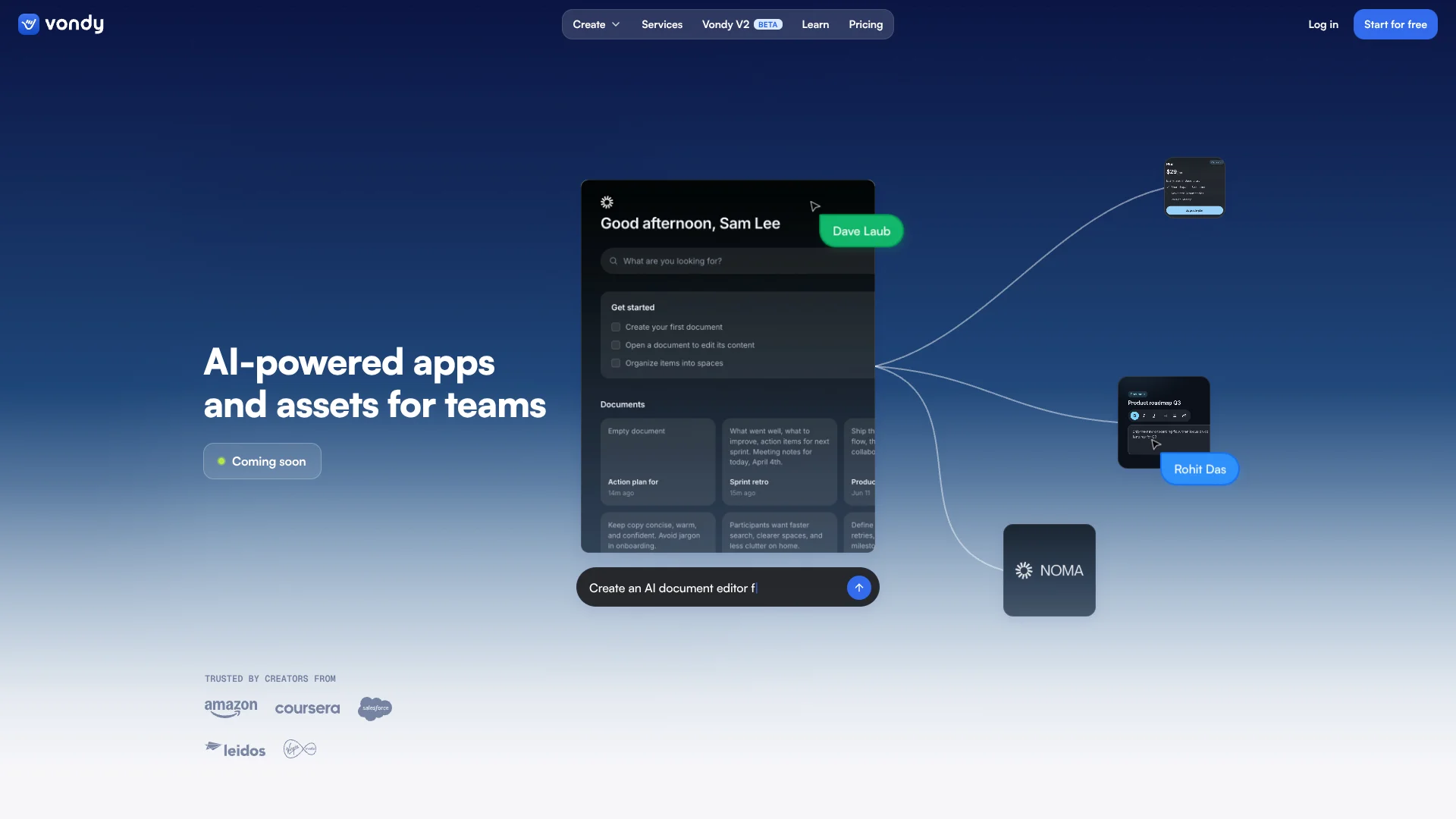
Vondy brings AI image, video, audio, writing, coding, and app-building tools into a single web workspace. It is aimed at creators, founders, product teams, designers, marketers, operations teams, and developers who want to turn plain-language ideas into working software or finished creative assets. Credits let you choose from models for different jobs, including image editing, video generation, text-to-speech, and code creation.
Vondy lets you compare and use models such as Nano Banana Pro, GPT Image 1, Veo 3.1, Sora 2, Seedance Pro, ElevenLabs, and Trellis through the same Creative Playground.
It fits people who want fast exploration across many AI media and software tasks, especially when they need both generated assets and an app project. It is less suitable for users who need a dedicated desktop editor, a native mobile app, or a documented developer API. Vondy is strongest when the work changes from one AI medium to another.
Vondy also offers an AI app builder for websites, dashboards, internal tools, and other software projects. Its app workspace can include analytics, SEO features, payments, authentication, GitHub connections, and generated visual assets.
Who is Using Vondy AI?
Startup founders
The app builder turns a product description into an early website, dashboard, or internal tool.
Product managers
Working prototypes make it easier to test an idea before a larger engineering commitment.
UX and product designers
Generated screens, images, icons, and animations help make concepts interactive.
Marketing managers
Image, video, voice, and writing generators support campaign variations and launch materials.
Operations leads
Internal tools can replace manual spreadsheet or email-based processes with a hosted app.
Software developers
AI-generated code, app components, and GitHub connections help move from a blank project to a usable build.
Uncommon Use Cases
Restoring and colorizing family photos; creating consistent illustrated headshots for a team page
Key Features
Rating Breakdown
Pricing Plans
Pro
$20 per month
- 10,000 credits per month
- Unlimited downloads
- Vondy AI Assistant and Multi-modal AI Suite
- Project Workspace
- General Support
Pro+
$60 per month
- 35,000 credits per month
- Unlimited downloads
- Vondy AI Assistant and Multi-modal AI Suite
- Project Workspace
- Priority Support
Ultra
$200 per month
- 100,000 credits per month
- Unlimited downloads
- Vondy AI Assistant and Multi-modal AI Suite
- Project Workspace
- Priority Support
- Custom white-label editing
- Onboarding and team training
Enterprise
- Custom credit volume
- Unlimited seats
- SSO and advanced security
- Dedicated account manager
- Custom integrations
- SLA and uptime guarantees
Which Vondy AI plan should you pick?
Start with Pro for regular creative or app work, move to Pro+ or Ultra when monthly generation volume outgrows the included credits, and choose Enterprise for seats, SSO, or custom integrations.
Pro
Good for individuals and small projects that need 10,000 monthly credits and general support.
Pro+
Good for heavier creative production that needs 35,000 monthly credits and priority support.
Ultra
Good for high-volume work that needs 100,000 monthly credits, white-label editing, and onboarding.
Enterprise
Good for organizations that need unlimited seats, SSO, custom integrations, dedicated support, and service guarantees.
Vondy AI Use Cases
App prototyping
A product idea becomes a working web app, dashboard, or internal tool that can be refined before launch.
Outcome: A usable software prototype with generated code and project assets.
Campaign asset creation
Marketing teams can explore product images, social graphics, short videos, voiceovers, and written copy from one workspace.
Outcome: More campaign concepts and finished assets from the same brief.
AI image editing
Photo editing covers background changes, object removal, retouching, restoration, colorization, and scene expansion.
Outcome: Edited images ready for web, social media, print, or client work.
Short-form video production
Models such as Veo 3.1, Sora 2, and Seedance create short clips for product demos, social posts, and presentations.
Outcome: Short AI-generated video clips that can be combined in a larger edit.
Code and software generation
Developers and nontechnical users can describe app behavior and receive editable code, components, and documentation.
Outcome: A starting codebase for iOS, Android, web, or internal software projects.
Workflow Ideas with Vondy AI
From product idea to prototype
- 1Describe the app, audience, and core workflow in Vondy.
- 2Refine the generated screens, logic, and visual direction.
- 3Connect authentication, payments, or GitHub before sharing the prototype.
From concept to campaign assets
- 1Write the campaign goal and visual direction.
- 2Generate image, video, audio, and copy variations with different models.
- 3Download the strongest assets for editing and publishing.
From photo to finished visual
- 1Upload a JPEG, PNG, or WebP image up to 20MB.
- 2Describe the edit, such as retouching, restoration, or background replacement.
- 3Review variations and download the preferred result.
How Vondy AI fits into your stack
Web workspace
Vondy runs in a browser and works across desktop and mobile browsers. It does not require a native app download.
Creative production
The Creative Playground sits between a brief and the finished asset, covering images, video, audio, writing, and 3D generation.
App development
The app builder turns natural-language requirements into software projects, then supports refinement and deployment preparation.
Business connections
App projects can connect with Stripe, Cloudflare Auth, and GitHub. Enterprise adds custom integrations.
Project organization
Paid plans include a project workspace for keeping app work and generated assets together.
Pros
- +Model choice: Access image, video, audio, writing, and code models through one account.
- +App building: Move from a plain-language product idea to a working software prototype.
- +Creative range: Generate assets such as images, video, 3D elements, icons, and product shots.
- +Commercial output: Vondy's official guides state that generated images and videos can be used commercially.
- +Paid downloads: Pro, Pro+, and Ultra include unlimited downloads.
Cons
- −Credit dependence: Each generation uses credits, and different models can cost different amounts.
- −Web-only access: The official material describes a web app rather than native desktop or mobile software.
- −Broad scope: The large model and generator catalog can make it harder for beginners to choose the right starting point.
Limitations & when to consider alternatives
Known limitations
- Monthly credit limits. Pro includes 10,000 credits per month, Pro+ includes 35,000, and Ultra includes 100,000.
- Model-dependent generation costs. The credit cost varies by model and generation, so high-end video and image work can consume credits faster.
- Short video durations. Vondy's official video guides describe most model outputs as clips between 4 and 12 seconds, with longer results requiring multiple clips and editing.
- Image upload limit. The official photo-editing guide lists JPEG, PNG, and WebP uploads up to 20MB.
- No native app listed. The official material describes access through Vondy's web app rather than a native iOS, Android, Windows, macOS, or Linux application.
Look elsewhere when
- You need a dedicated desktop editor with precise manual compositing controls.
- You need a native mobile app rather than a browser-based workspace.
- You need a documented public API with developer keys and endpoints.
- Your team needs shared editing with named users and workspace roles.
How to Use Vondy AI
- 1
Choose a starting point
Browse Vondy's generator catalog, open the Creative Playground, or start an app project from the homepage.
- 2
Describe the result
Write the goal in plain language and include details about style, audience, platform, or required behavior.
- 3
Add reference material
Upload an image when the task involves editing, restoration, expansion, or style matching.
- 4
Select the model
Pick a model based on the task, such as Nano Banana for fast image work, Nano Banana Pro for higher-quality edits, or Veo and Sora for video.
- 5
Refine the output
Regenerate with a more specific prompt, adjust available settings, or continue editing inside the project.
- 6
Download or publish
Download finished media, or connect app projects with services such as Stripe, Cloudflare Auth, and GitHub.
Who is Vondy AI For?
Founders
A fast route from an early product idea to a working app prototype and launch assets.
Product Teams
Useful for turning specifications into software screens, app logic, and supporting visuals.
Designers
Helpful for exploring image concepts, product shots, illustrations, motion, and 3D elements.
Marketing Teams
Supports campaign visuals, landing-page surfaces, social content, and short promotional videos.
Developers
Speeds up early app construction, code generation, integrations, and asset production.
Frequently Asked Questions
Does Vondy have a free plan?
Yes. Vondy offers a free account with limited credits for trying AI image, video, and other generators.
What does Vondy Pro include?
Pro includes 10,000 credits per month, unlimited downloads, access to Vondy AI Assistant, the Multi-modal AI Suite, a Project Workspace, and general support.
Which AI models can I use?
Vondy lists models for image, video, audio, 3D, writing, and code tasks, including Nano Banana Pro, GPT Image 1, Veo 3.1, Sora 2, Seedance Pro, ElevenLabs, and Trellis.
Can Vondy edit uploaded photos?
Yes. Vondy's photo tools accept JPEG, PNG, and WebP images up to 20MB for tasks such as retouching, restoration, background changes, and scene expansion.
Can Vondy build apps without coding?
Vondy's app generator lets users describe an app in plain language and generate app code, resources, and documentation for iOS, Android, or web projects.
Does Vondy support business integrations?
The app builder lists one-click connections for Stripe, Cloudflare Auth, and GitHub. Enterprise plans include custom integrations.
Community reviews
4 reviews from people who use Vondy AI.
Sign in to leave a review for Vondy AI.
Thibault BM
Federico Borghi
Noah Tui
Rohit Das
Vondy AI Alternatives
Looking for alternatives to Vondy AI? Here are similar tools in the same category: