
ToastyAI
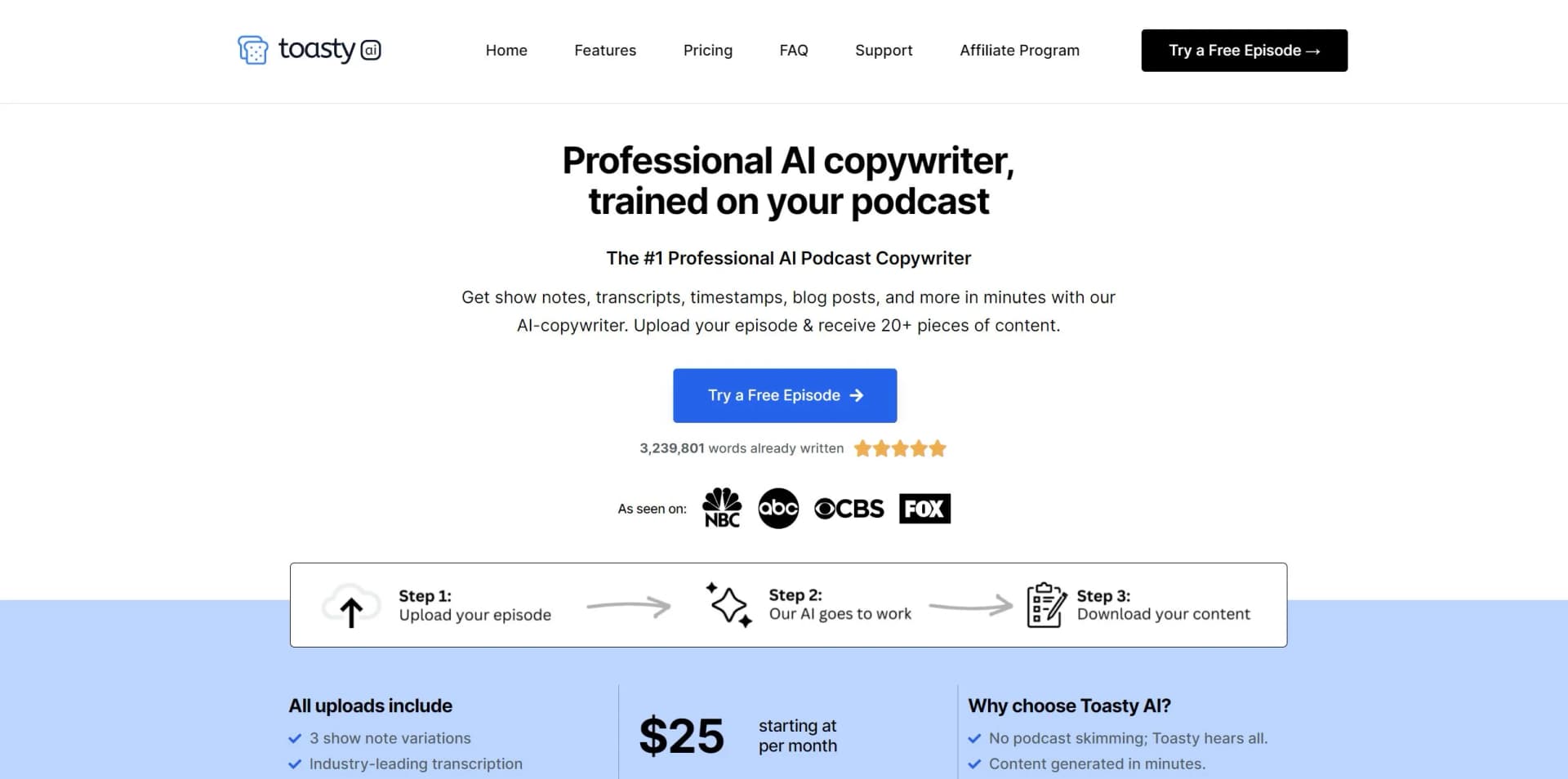
#1 Professional AI Podcast Copywriter
Key Takeaways
- What it is
- #1 Professional AI Podcast Copywriter
- Best for
- Automatic Video Creation
- Comprehensive Transcription Service
- Content Generation
- Rating
- 4.5/5
What is ToastyAI?
Toasty AI is a cutting-edge AI content creation platform specifically designed for podcasters. It specializes in transforming podcast episodes into a plethora of engaging content pieces, including videos, social media posts, transcripts, show notes, and SEO-optimized articles. Aimed at podcast creators looking to expand their reach and streamline their marketing efforts, Toasty AI offers a suite of tools that promises to boost a podcast's visibility and listener engagement without the need for extensive manual effort.
Toasty AI stands out with its sophisticated AI that is specifically trained on individual podcast episodes, ensuring highly relevant and impactful content generation. Its ability to transform a single episode into over 20 different content pieces sets it apart in the podcast marketing space.
Toasty AI excels in providing an all-in-one content generation solution that significantly boosts the productivity and reach of podcasters. Its automated video creation and social media content tools, in particular, offer an unmatched advantage for those looking to engage with their audience on multiple platforms. With Toasty AI, podcasters can enjoy a more streamlined, effective, and cost-efficient way to market their shows.
Who is Using ToastyAI?
Independent Podcasters
Harnessing the tool to grow their audience without the need for a marketing team.
Marketing Professionals
Employing the tool to increase the reach of branded podcasts.
Content Creators
Leveraging the tool to diversify the types of content they offer their audience.
Media Companies
Using the tool to rapidly produce content across their podcast portfolios.
Uncommon Use Cases
Utilized by educators to generate supplementary teaching materials; adopted by non-profits for spreading awareness about their causes through podcasts.
Key Features
Rating Breakdown
Pricing Plans
Starter Plan
- Content generation from podcast episodes
Yearly Plans
- Offered with all credits available upfront
- Potential savings equivalent to two months free
Which ToastyAI plan should you pick?
Start with Base for one creator and moderate uploads, upgrade to Plus for regular content production, or choose Max for larger projects and teams.
Base
Good for individual creators who need 300 monthly upload minutes, one team seat, one project, and core content-generation features.
Plus
Good for consistent content production requiring 800 monthly upload minutes, five projects, and six chatbots.
Max
Good for teams or large projects needing 10,000 monthly upload minutes, five included seats, unlimited projects, and unlimited chatbots.
ToastyAI Use Cases
Podcast repurposing
Upload or import a podcast episode and generate transcripts, show notes, timestamps, articles, and social posts.
Outcome: One recording becomes multiple marketing assets.
Viral clip creation
Find standout moments, add captions, edit clips, and export short-form audio or video.
Outcome: Shareable clips are produced from long-form content.
Episode chatbot
Chat with one episode or an entire content library to find ideas, quotes, and summaries.
Outcome: Content insights can be retrieved conversationally.
Long-form writing
Select uploaded content, generate an outline, edit the sections, and create a long-form article or e-book.
Outcome: Source recordings become articles or e-books.
Multi-platform importing
Paste supported social or video URLs and let Outcast retrieve the media for transcription and content creation.
Outcome: External content can be repurposed without manual file conversion.
Workflow Ideas with ToastyAI
Podcast-to-content workflow
- 1Upload an audio or video episode, or provide a supported URL
- 2Identify speakers and select the desired content outputs
- 3Review transcripts, clips, show notes, articles, and social posts
Clip production workflow
- 1Open an imported episode
- 2Use AI to identify viral moments
- 3Trim, caption, and export clips or audiograms
Team content workflow
- 1Create a project and invite teammates
- 2Assign teammates to relevant projects
- 3Collaboratively review transcripts and edit generated content
How ToastyAI fits into your stack
RSS Feed Upload
Enables easy content import directly from podcast RSS feeds.
Video and Audio Uploads
Supports both audio and video files for content generation.
Social Media Integration
Simplifies the process of posting generated content to various social media platforms.
SEO Integration
Enhances podcast visibility on search engines with SEO-optimized articles.
Pros
- +Time-Saving: Automates the creation of promotional content, freeing up valuable time for podcasters.
- +Cost-Effective: Provides professional copywriting services at a fraction of the cost of hiring a contractor.
- +Content Revitalization: Reinvigorates old podcast episodes by transforming them into fresh, engaging content.
- +Multi-Lingual Support: Offers services in multiple languages, expanding the potential audience reach.
Cons
- −Learning Curve: Users may need time to learn how to best utilize all the features effectively.
- −Platform Dependence: Relies on the Toasty AI platform, which may limit control over the content generation process.
- −Credit System: Subscription plans are based on credits, which may not fit every podcaster's content production frequency.
Limitations & when to consider alternatives
Known limitations
- Trial is time-limited. The main product offers a 7-day trial with 60 minutes of uploads rather than a permanent unrestricted free plan.
- Plan minutes do not roll over. Monthly plan minutes renew each month and do not roll over; they are available while subscribed.
- Clip exports are capped. Clip exports have a maximum duration of 15 minutes.
- Episode uploads are limited. The documented upload workflow limits episodes to 10 hours.
- Concurrent uploads are limited. The pricing comparison lists a limit of five concurrent uploads across plans.
Look elsewhere when
- You need a permanent free plan rather than a trial.
- You need a documented developer API.
- You need image analysis rather than image generation.
- You need code generation.
How to Use ToastyAI
- 1
Toasty AI provides a straightforward platform that is intuitive for users, with additional resources and support available for those who need guidance on maximizing the tool's capabilities.
Who is ToastyAI For?
Podcasters
Repurpose podcast episodes into transcripts, show notes, clips, blog articles, and social media content.
YouTubers
Import YouTube content and create transcripts, clips, written content, and social posts.
Meeting teams
Process meeting recordings, identify speakers, and turn discussions into reusable content.
Interviewers
Transcribe interviews with speaker identification and generate summaries and other content.
Coaches and keynote speakers
Repurpose recorded coaching sessions and keynote presentations into written and visual assets.
Frequently Asked Questions
Do you have a free trial?
Yes. Outcast offers a 7-day free trial with 60 minutes of uploads and access to transcripts, clips, chatbots, and written content.
What types of imports does Outcast support?
Outcast supports YouTube links, RSS feeds, audio files, video files, and imports from TikTok, Instagram, Facebook, Twitter/X, and Reddit.
What languages does Outcast support?
Outcast supports transcription in 17 languages, including English, Spanish, French, German, Italian, Portuguese, Dutch, Hindi, Japanese, Chinese, Finnish, Korean, Polish, Russian, Turkish, Ukrainian, and Vietnamese.
Do clip exports have a length limit?
Yes. Clip exports have a maximum length of 15 minutes.
How do team seats work?
Each team member uses one seat, including the account owner. Team members share team features and minutes, and can be assigned to specific projects.
What is the maximum episode length?
Episodes are limited to a maximum of 10 hours when using the documented ToastyAI upload workflow.
Community reviews
Be the first to share your experience.
Sign in to leave a review for ToastyAI.
ToastyAI Alternatives
Looking for alternatives to ToastyAI? Here are similar tools in the same category:
Learn to Master ToastyAI
With Skill Leap courses
Get in-depth training on ToastyAI and 50+ other AI tools with our expert-led video courses.
Start 7-Day Free Trial