Shakespeare
Build, edit, and deploy fully customizable AI websites.
Key Takeaways
- What it is
- Build, edit, and deploy fully customizable AI websites.
- Pricing
- Freemium
- Best for
- AI-Assisted Development
- Multi-Provider AI Framework
- Local or Cloud Execution
- Rating
- 4.5/5
What is Shakespeare?
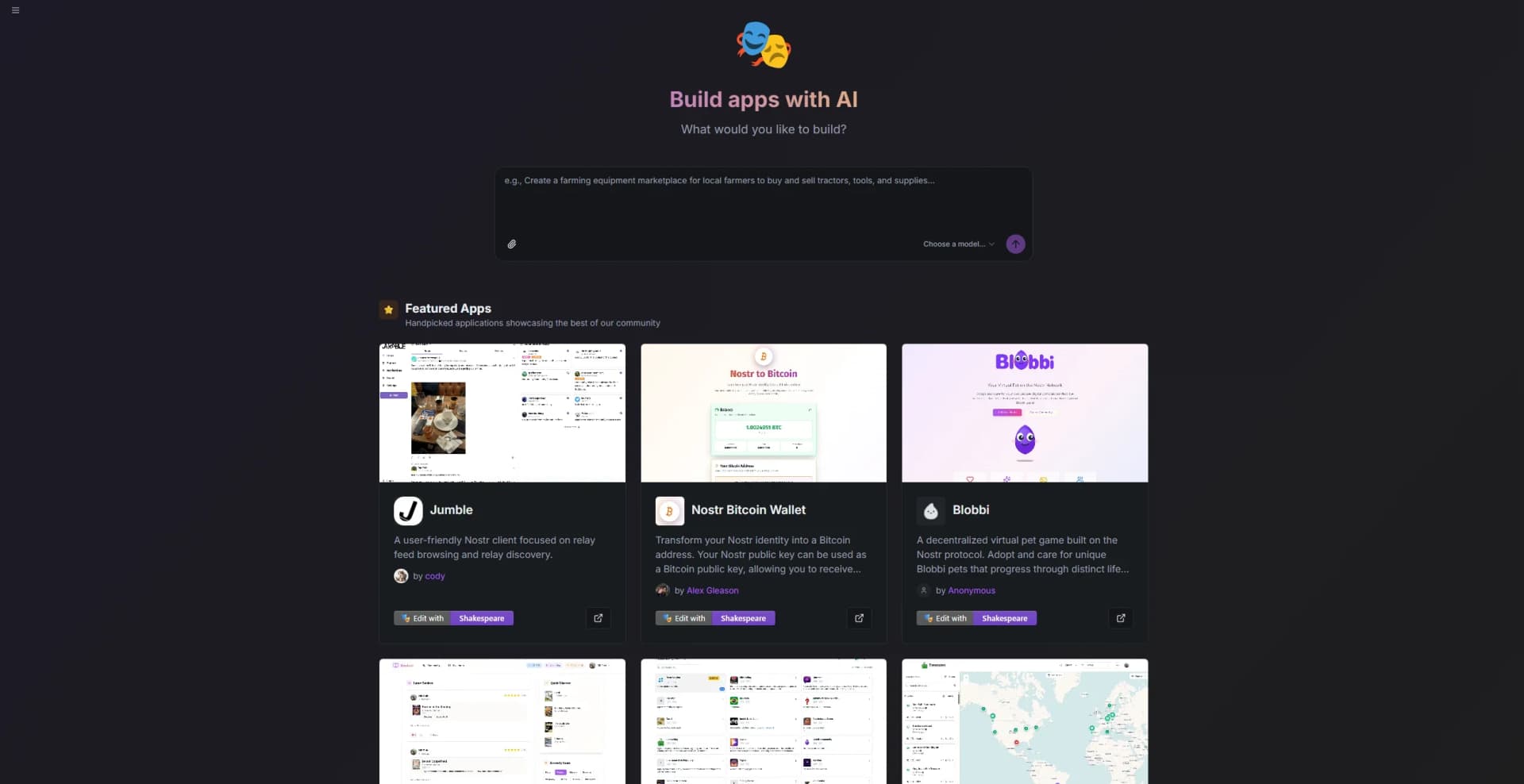
Shakespeare is an AI-powered, open-source website builder from Soapbox Technology that blends flexibility, creativity, and control in a single development environment. It allows users to build, edit, and deploy AI-driven websites with access to multiple model providers and full ownership of their data and code. Unlike conventional no-code platforms, Shakespeare never locks users into a proprietary system—everything built within it remains transparent, exportable, and customizable.
Shakespeare gives creators complete freedom in how they build, host, and enhance their sites. Its open-source foundation, compatibility with multiple AI providers, and privacy-first design set it apart from typical no-code builders. By allowing optional API key connections for advanced models, it balances simplicity with deep customization—making it just as approachable for beginners as it is empowering for experts.
Shakespeare makes modern web development feel exciting again. It gives users real control—over their code, their data, and the AI models they choose to work with. The result is a builder that’s not about locking you in, but about unlocking possibilities. Whether you’re running AI locally, testing models in the cloud, or just building something fresh from scratch, Shakespeare offers the freedom to do it your way.
Who is Using Shakespeare?
Developers and Technologists
Building customizable, AI-enhanced websites and apps.
Startups and Builders
Rapidly prototyping new projects with the support of flexible AI tools.
Privacy Advocates
Hosting content and running AI workflows entirely on local systems.
Designers and Tinkerers
Experimenting with AI-assisted design while keeping creative control.
Uncommon Use Cases
Educators teaching AI-first web development; researchers testing decentralized publishing workflows.
Key Features
Rating Breakdown
Pricing Plans
Free
Free
- Core platform access with all standard building and editing features included
Optional API Connections
- Users can bring their own AI provider keys (such as OpenAI or Anthropic) to unlock advanced model capabilities
Shakespeare Use Cases
Build apps with AI
Use AI assistance to create and modify application projects.
Outcome: A working application project.
Build Nostr websites
Chat with AI assistants to create and modify Nostr websites in real time.
Outcome: A custom Nostr website.
Import an existing repository
Clone a Git repository into a Shakespeare workspace.
Outcome: An existing codebase available for further work.
Use an OpenAI-compatible AI API
Send chat-completion requests to Shakespeare AI using the documented REST endpoints.
Outcome: Programmatic model-generated responses.
Workflow Ideas with Shakespeare
Create and refine an application
- 1Start a new Shakespeare project.
- 2Choose an AI model.
- 3Describe the application and request changes through the AI builder.
Continue an existing Git project
- 1Open Import Repository.
- 2Enter the Git repository URL.
- 3Clone the repository into the Shakespeare workspace and continue editing.
Call Shakespeare AI programmatically
- 1Authenticate requests with Nostr NIP-98.
- 2Send a request to the documented chat-completions endpoint.
- 3Check credit usage and payment status when using premium models.
How Shakespeare fits into your stack
Browser
Shakespeare is a browser-based AI app builder that stores projects locally, provides live previews, and runs without a required backend.
Automation and APIs
The Shakespeare AI service exposes OpenAI-compatible REST endpoints for models, chat completions, credits, and payments.
Knowledge and files
Projects are stored in browser-based filesystems and can be imported from Git repositories or synchronized through git services.
Pros
- +Completely Free Framework: Shakespeare’s core platform and toolkit are open-source and free to use.
- +Flexible AI Access: Advanced users can enhance capabilities by connecting their own API keys—though it’s entirely optional.
- +Privacy First: Local AI models allow for secure, offline development.
- +Developer-Friendly Design: Combines the power of code-level editing with the convenience of AI-driven assistance.
Cons
- −Slight Learning Curve: Some setup knowledge helps when configuring AI providers or local models.
- −Limited Templates: Prioritizes flexibility over plug-and-play templates.
- −Community-Based Support: As an open-source platform, support resources rely on documentation and user communities.
Limitations & when to consider alternatives
Known limitations
- Premium models require credits. The API documentation states that premium models consume credits, while free models such as Tybalt do not.
- Nostr authentication is required. API requests must be signed using Nostr NIP-98 and a Nostr private key.
- Experimental service. The terms describe Shakespeare AI as experimental software provided without warranties.
- No guaranteed availability. The terms state that the service may be unavailable because of maintenance, technical issues, or other factors.
- AI output requires verification. Users are responsible for evaluating and verifying generated content before relying on it.
Look elsewhere when
- You need a native mobile app.
- You need documented document or image uploads.
- You need enterprise SSO.
How to Use Shakespeare
- 1
Open Shakespeare
Visit Shakespeare and start a new project from the AI app-builder interface.
- 2
Choose an AI model
Select an available provider or configure one through Settings > Integrations > AI.
- 3
Describe what to build
Use the AI interaction to create an application or modify a Nostr website.
- 4
Import existing code when needed
Use Import Repository to clone a Git repository into the workspace.
- 5
Configure Git, deployment, or Nostr
Use the corresponding integration settings for repository, deployment, and Nostr configuration.
- 6
Use the API for programmatic access
Authenticate with Nostr NIP-98 and call the documented OpenAI-compatible endpoints.
Who is Shakespeare For?
AI app builders
Shakespeare is designed for building AI-powered applications through conversational assistance in the browser.
Nostr developers
Its Nostr-native workflow supports decentralized websites, Nostr accounts, relays, and Nostr Git services.
React and TypeScript developers
The product is specialized for building React applications in TypeScript, with in-browser compilation and live previews.
Frequently Asked Questions
What is Shakespeare?
Shakespeare is an open-source AI builder for creating applications and Nostr websites with AI assistance.
Which AI providers can Shakespeare use?
The settings identify Shakespeare AI, OpenCode Zen, Maple AI, OpenRouter, PayPerQ, Routstr, Z.ai, OpenAI, xAI, DeepSeek, Moonshot AI, Google, and Vercel Meridian.
Does Shakespeare provide an API?
Yes. Shakespeare AI provides an OpenAI-compatible REST API with documented model, chat-completion, credit, payment, and error endpoints.
How is Shakespeare AI authentication handled?
The API uses Nostr NIP-98 authentication. Requests must be signed with a Nostr private key.
Are any Shakespeare AI models free?
The API documentation says free models, including Tybalt, do not consume credits; premium models require credits.
Can I import an existing project?
Yes. Shakespeare provides an Import Repository page for cloning a Git repository into a Shakespeare workspace.
Community reviews
Be the first to share your experience.
Sign in to leave a review for Shakespeare.
Shakespeare Alternatives
Looking for alternatives to Shakespeare? Here are similar tools in the same category: