
Linguix
Elevate writing with AI assistance, grammar checks, and multilingual support.
Watch Linguix in Action
Key Takeaways
- What it is
- Elevate writing with AI assistance, grammar checks, and multilingual support.
- Best for
- Multilingual Grammar & Spell Check
- AI-Based Writing Assistant
- Text Rewriter
- Rating
- 4.6/5
What is Linguix?
As a seasoned reviewer of AI tools, I can confidently say that Linguix is more than just a grammar checker; it's a comprehensive AI writing assistant designed to elevate the quality of your written communication. Whether you're crafting emails, preparing reports, or engaging in social media dialogue, Linguix promises to make your content grammatically correct, clear, and highly effective. It's a versatile tool that caters to a range of users, from individuals aiming to polish their personal correspondence to businesses striving for impeccable corporate communication.
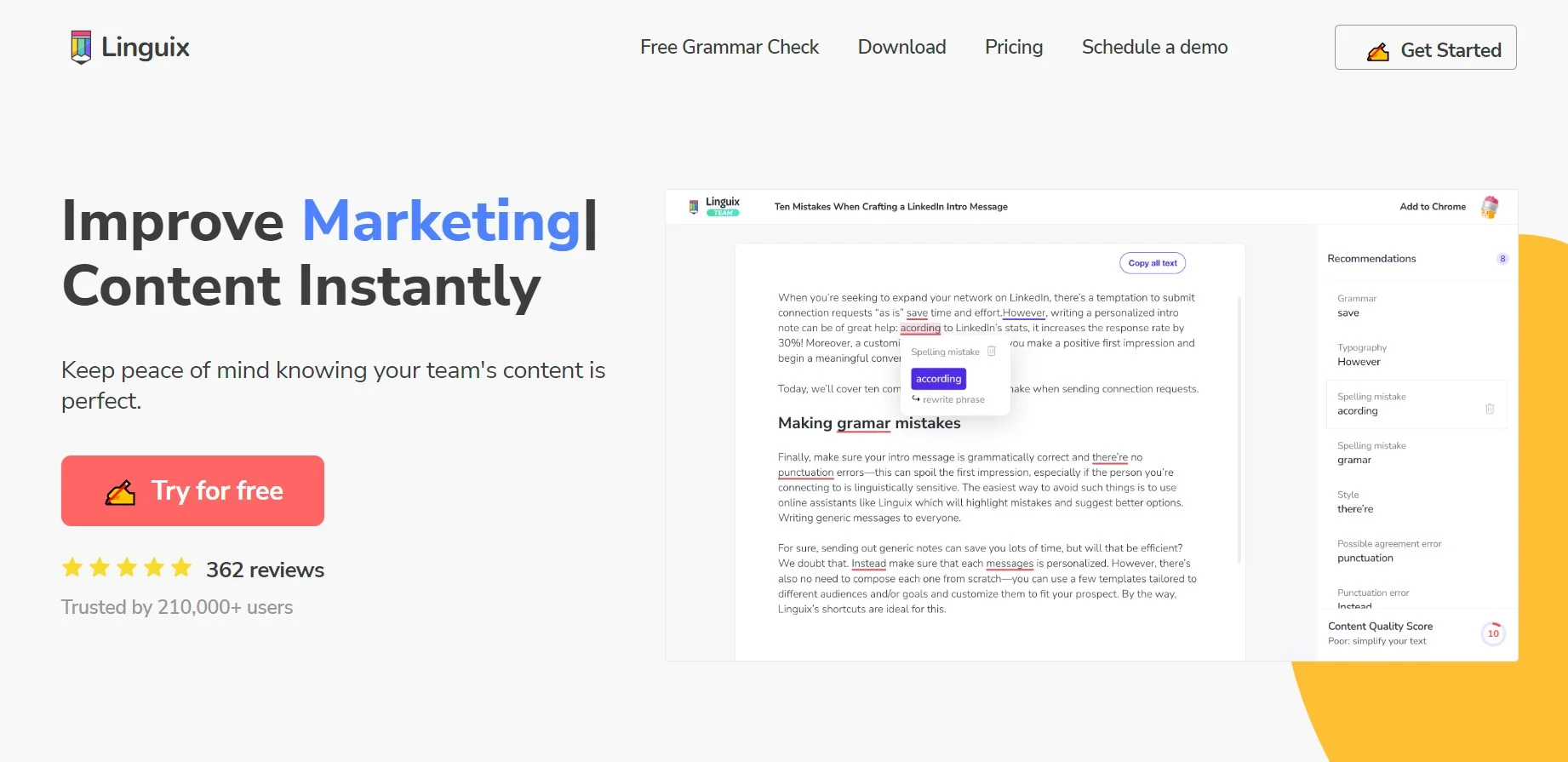
Linguix stands out with its Content Score feature, providing a quantitative measure of text quality that's particularly helpful for teams to benchmark and improve their writing. The tool's ability to support multiple business verticals with specific writing enhancement tools sets it apart from other grammar checkers.
Linguix excels in enhancing written communication across various platforms, making it an indispensable tool for professionals and teams. Its unique features like the Content Score and multilingual support provide an unmatched advantage for users seeking to elevate the quality of their writing and ensure their message is received loud and clear.
Who is Using Linguix?
Sales Teams
Crafting compelling pitches and proposals with the help of the intelligent paraphraser.
Marketing Teams
Ensuring error-free and impactful messaging with advanced grammar and style suggestions.
Customer Support Teams
Utilizing shortcuts for rapid and consistent communication to resolve tickets quickly.
Educators and Students
Improving academic writing and teaching materials through comprehensive grammar checking.
Uncommon Use Cases
Linguix is being used by legal professionals to draft documents with precision and by non-native English speakers to improve their language skills.
Key Features
Rating Breakdown
Pricing Plans
Free Version
- Access basic features and writing checks with Linguix's free tier
Premium Plans
- Advanced features and team functionalities are available at competitive subscription rates
Which Linguix plan should you pick?
Start with the free tier for basic writing assistance; choose Pro for individual advanced writing features and Business when you need team management, shared shortcuts, style guides, and analytics.
Free
Good for individuals who need basic grammar, spelling, and browser-based writing assistance.
Pro
Good for individual writers who need advanced grammar checking, paraphrasing, AI writing, and unlimited shortcuts.
Business
Good for teams that need shared shortcuts, team management, style guides, integrations, centralized billing, and writing analytics.
Linguix Use Cases
Polish emails and business messages
Write in Gmail, Outlook, LinkedIn, HubSpot, or other supported platforms while Linguix checks grammar, punctuation, style, and clarity.
Outcome: Clearer, more professional communication.
Rewrite and paraphrase content
Rewrite sentences or paragraphs to improve clarity, shorten or expand text, adjust wording, and preserve meaning.
Outcome: More readable and audience-appropriate copy.
Automate repetitive responses
Create shortcuts for common emails, sales pitches, support replies, introductions, and internal communications.
Outcome: Faster typing and more consistent messaging.
Enforce brand language
Create Style Guides that help teams use approved terminology, names, titles, and preferred phrasing.
Outcome: More consistent and professional corporate communications.
Improve writing skills
Review writing statistics, recurring mistakes, vocabulary definitions, synonyms, and personalized language training.
Outcome: Stronger writing habits and vocabulary over time.
Workflow Ideas with Linguix
Create and use a reusable response shortcut
- 1Create a shortcut in the Linguix web app.
- 2Assign a command such as //intro.
- 3Type the command in Gmail, LinkedIn, or another supported website to expand the text.
Review a sales message in HubSpot
- 1Draft the email, CRM note, or follow-up in HubSpot.
- 2Apply Linguix grammar, tone, paraphrasing, or style suggestions.
- 3Use the Content Quality Score and send the refined message.
Roll out Linguix to a team
- 1Create a Business team and invite members by email or invite link.
- 2Configure shared shortcuts and Style Guides.
- 3Review team writing statistics, error counts, readability scores, and reports.
How Linguix fits into your stack
Browser Extensions
Available for Chrome, Edge, and Opera, Linguix integrates with your web experience to check writing across various platforms.
Google Docs & Email Platforms
Works within Google Docs and email providers like Gmail to ensure error-free writing.
Social Media Platforms
Use Linguix while crafting posts on platforms like Facebook and Twitter to maintain professionalism and clarity.
Third-Party Integration
While not extensive, Linguix offers integration with some third-party applications to enhance its functionality.
Pros
- +Enhanced Productivity: The browser extension and shortcuts reduce writing time significantly, especially on frequently used platforms.
- +Quality Assurance: The AI writing assistant ensures that all communication is polished and professional, building trust and credibility.
- +User-Friendly Interface: Linguix's clean and intuitive design facilitates a seamless user experience, even for those new to grammar checkers.
- +Versatile Application: From sales to customer support, Linguix offers tailored solutions to improve the writing quality of various business verticals.
Cons
- −Learning Curve: While easy to use, mastering the full suite of features may take some time for new users.
- −Browser Dependency: The full potential of Linguix is unlocked through its browser extension, which might limit its use in non-web-based applications.
- −Language Limitations: Despite its multilingual capabilities, some users might find their language is not yet supported.
Limitations & when to consider alternatives
Known limitations
- Free Turbo limits shortcuts. The free Turbo plan allows up to five shortcuts, with shortcut content limited to 1,500 characters.
- Advanced Turbo writing features require a paid plan. The documented free Turbo plan does not include the grammar checker or content rewriter.
- Premium corrections cannot be applied after downgrade. After downgrading, users can review Premium corrections and paraphrases but must retype them manually.
- Some language features are English-focused. The help center documents Turbo’s main interface and some Pro grammar features as English-focused, while multilingual support is available in the broader Writing Assistant.
- Desktop installation is platform-specific. The documented desktop installer page covers Mac; other platforms may require browser extensions, web apps, or add-ins.
Look elsewhere when
- You need a tool that reads uploaded documents or spreadsheets.
- You need image analysis or computer vision.
- You need code generation or code editing.
How to Use Linguix
- 1
For those who prefer a guided learning experience, Linguix offers tutorials and a help center that cover everything from the basics to more advanced features.
Who is Linguix For?
Sales teams
Use paraphrasing, shortcuts, and writing suggestions to create clearer outreach messages and proposals.
Marketing teams
Improve grammar, punctuation, tone, and clarity across marketing content and communications.
Customer support teams
Create reusable shortcuts for frequent requests and help agents communicate consistently.
HR teams
Standardize internal and external communications with writing suggestions, shortcuts, and style guides.
Non-native English writers
Get grammar corrections, vocabulary help, writing insights, and language training based on recurring mistakes.
Frequently Asked Questions
What is Linguix?
Linguix is an AI writing assistant and grammar checker for content creators and business professionals.
Which languages does Linguix support?
The Writing Assistant supports English, French, German, Spanish, Portuguese, Italian, and Polish.
Does Linguix offer a free plan?
Yes. Linguix offers free access, while Pro and Business plans unlock additional features.
Where can I use Linguix?
Linguix works through a web editor, browser extensions, desktop apps, mobile keyboards, and integrations for business platforms.
Does Linguix have an API?
Yes. Its documented API provides grammar checking, rephrasing, simplification, and word-definition endpoints.
How does Linguix protect data?
Linguix documents SSL/TLS encryption in transit, AES-256 encryption at rest, and additional enterprise security controls.
Community reviews
Be the first to share your experience.
Sign in to leave a review for Linguix.
Linguix Alternatives
Looking for alternatives to Linguix? Here are similar tools in the same category:
Learn to Master Linguix
With Skill Leap courses
Get in-depth training on Linguix and 50+ other AI tools with our expert-led video courses.
Start 7-Day Free Trial