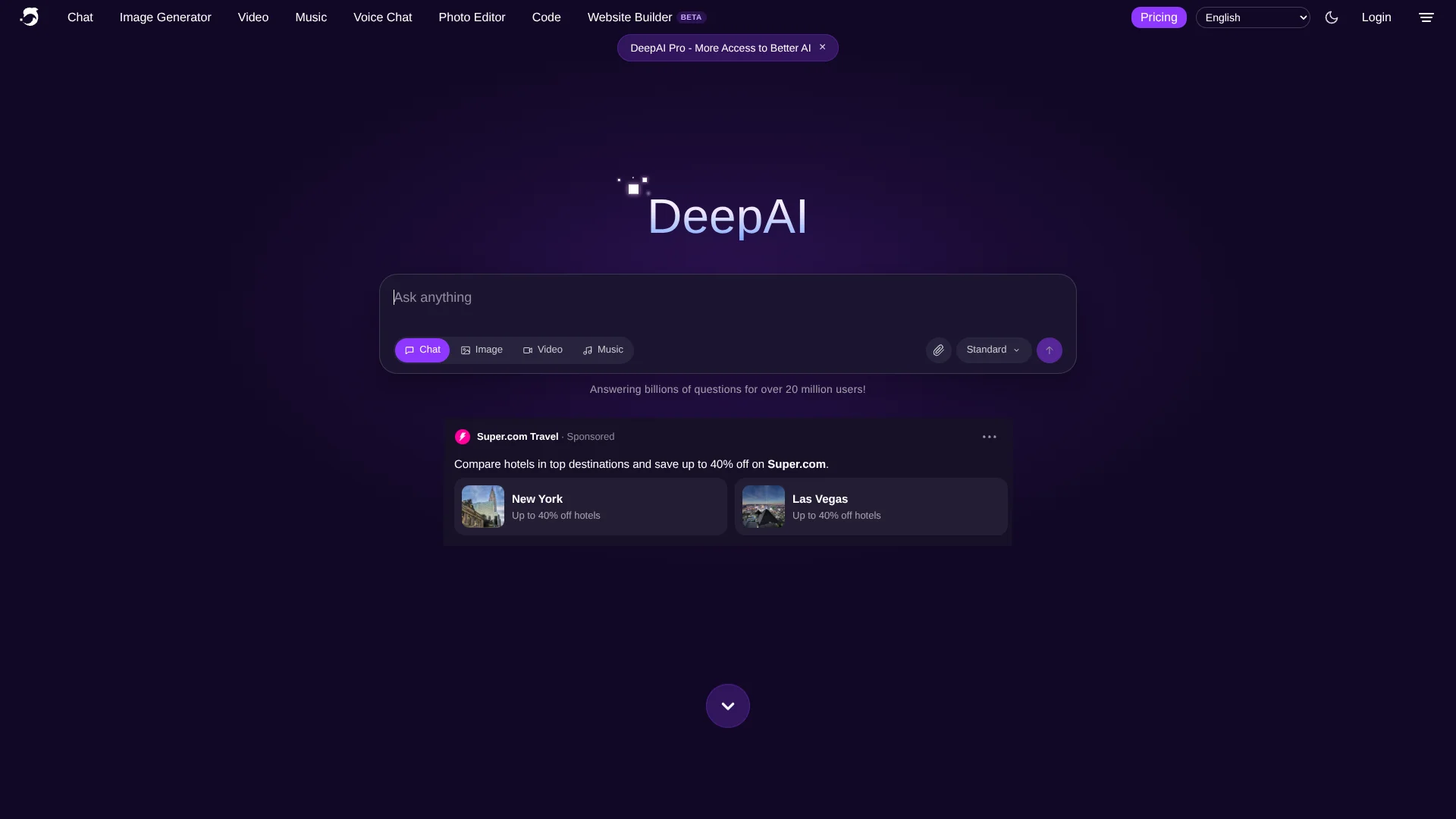
DeepAI
AI creativity beyond images, for makers exploring new media.
Key Takeaways
- What it is
- AI creativity beyond images, for makers exploring new media.
- Pricing
- Freemium · $9.99 per month
- Best for
- AI Image Generator and Photo Editor
- AI Video Generator
- AI Music Generator
- Rating
- 4.1/5
What is DeepAI?
DeepAI lets creators generate and edit images, make short videos and music, and chat with AI models from a web browser or mobile app. Its tools also include voice chat, photo utilities, and a coding app, so it can support both creative projects and everyday AI tasks. Developers can connect supported tools to their own products through DeepAI's API.
DeepAI Code can open a local project, edit files, run commands, and show changes for review, with model choices from multiple AI labs available in the same project.
DeepAI is a fit for hobbyists, professional artists, and developers who want several kinds of AI generation in one account. Monthly allowances limit how much you can create before prepaid-wallet charges apply, so heavy use may cost more than the subscription price suggests.
Who is Using DeepAI?
Digital Artists
Generate concept images and revise existing pictures through text-based editing.
Video Creators
Turn a text idea or still image into a short clip for a project.
Music Producers
Make original background tracks and sound effects with the AI Music Generator.
Software Developers
Build features with DeepAI API endpoints or ask DeepAI Code to edit and test a project.
Uncommon Use Cases
Restore color in black-and-white photos; remove a photo background or upscale a blurry image.
Key Features
Rating Breakdown
Pricing Plans
Free
Free
- Limited image generation and editing, standard chat messages, and music generation.
- Includes limited tools such as AI Voice Chat and DeepAI Code.
Pro
$9.99 per month
- Annual billing is $89.99 upfront.
- Includes monthly allowances for images, chat, video, music, and other tools.
- Extra usage draws from a prepaid wallet at published overage rates.
Which DeepAI plan should you pick?
Start with Free to try the tools, then choose Pro if you need its larger monthly allowances, advanced chat features, or API access.
Free
Good for people exploring DeepAI's tools with limited usage and no subscription.
Pro
Good for regular creators and developers who need higher allowances, advanced chat options, or API access.
DeepAI Use Cases
Create concept art
A written visual idea becomes a generated image that can be refined with image editing tools.
Outcome: A generated image or edited concept.
Make a short video from a still
A source image and optional prompt provide the starting point for an image-to-video generation.
Outcome: A short generated video.
Produce background audio
A creator can generate music or sound effects for a video or other project.
Outcome: An AI-generated song or sound effect.
Edit a coding project
A developer describes a change, reviews the agent's file edits, and keeps or undoes them.
Outcome: Reviewed code changes in a local project.
Add AI generation to an app
A developer calls a DeepAI API endpoint to generate or edit content from their own product.
Outcome: AI-generated content returned to the developer's application.
Workflow Ideas with DeepAI
From concept image to short video
- 1Generate a starting image with the AI Image Generator.
- 2Send the image to the Video Generator with a motion prompt.
- 3Review and download the resulting clip.
Build and review a code change
- 1Open a project folder in DeepAI Code.
- 2Describe the change and select a model and access mode.
- 3Review the file changes, then keep or undo them.
Create and add a background track
- 1Generate a song with the AI Music Generator.
- 2Listen to the result and decide whether it fits the project.
- 3Download the track for use in a video or other creative work.
How DeepAI fits into your stack
Web and mobile creation
The website and native mobile apps provide access to DeepAI chat and creative tools. The app listing describes image, video, music, and voice features.
Local coding projects
DeepAI Code runs on Mac and Windows and can read project files, make edits, and run commands for developer review.
Developer APIs
Documented API endpoints let applications request image generation, image editing, and video generation using an API key.
Image and media utilities
Background removal, colorizing, super resolution, and image replacement address specific photo tasks alongside the main generators.
Pros
- +Creative range: Image, video, music, photo editing, and voice tools are available through DeepAI.
- +Model choice: DeepAI Code lets you switch models while keeping the same project and chat.
- +API access: Developers can call documented endpoints for image and video tools.
- +Free access: A $0 plan lets people try several tools without a subscription.
Cons
- −Usage caps: Monthly Pro allowances can run out, after which eligible usage draws from a prepaid wallet.
- −Video wait: Video generation can take minutes, so it is not suited to instant results.
- −Broad product range: People who only need one focused tool may find the many separate generators and utilities harder to navigate.
Limitations & when to consider alternatives
Known limitations
- Monthly allowances. Pro includes set monthly amounts for image, chat, video, and music use; extra use is charged against a prepaid wallet.
- Image-to-video file size. The Video API accepts source images up to 20 MB.
- Video prompt length. The Video API rejects prompts longer than 3,000 characters.
- Video generation time. The documentation says video generation takes minutes and uses an asynchronous job that must be checked for completion.
Look elsewhere when
- You need a shared team workspace with roles and invites.
- You need a browser extension from DeepAI.
- Your workflow requires video generation to finish immediately.
How to Use DeepAI
- 1
Choose a tool
Start with Chat, Image Generator, Video, Music, or another tool based on the task you want to finish.
- 2
Describe the result
Give the generator a specific prompt; for photo editing, provide an image and describe the change.
- 3
Attach source material when useful
Chat supports file attachments, and image-to-video accepts a source image.
- 4
Review the output
Check generated or edited content before using it, especially because image-detector results are probabilistic.
- 5
Track your allowance
Check the plan's monthly usage limits; usage beyond an allowance can draw from the prepaid wallet.
- 6
Set up API access if building
Get an API key from the account dashboard and follow the docs for the endpoint you need; API access requires DeepAI Pro.
Who is DeepAI For?
Hobbyists
Try image, music, and video generation for personal creative projects.
Professional Artists
Create images and edit photos with text prompts, then explore higher-quality generation modes.
Developers
Build with DeepAI's documented APIs or use DeepAI Code to work on a local project.
AI Creators
Move between chat, image, video, and music generation within a single DeepAI account.
Frequently Asked Questions
Does DeepAI have a free plan?
Yes. The official pricing page lists Free at $0, with limited access to several tools and allowances.
How much does DeepAI Pro cost?
The monthly price is $9.99. Annual billing is $89.99 upfront, and the plan's allowances refresh monthly.
Does DeepAI offer an API?
Yes. DeepAI documents APIs for tools including image generation, photo editing, and video generation. API access requires DeepAI Pro.
Can I use DeepAI on a phone or computer?
DeepAI has iOS and Android apps. DeepAI Code is a separate downloadable coding app for Mac and Windows.
What happens after I use my Pro allowance?
Eligible extra usage draws from your prepaid wallet at the listed overage rates. You can add funds manually or enable auto top-up.
Community reviews
Be the first to share your experience.
Sign in to leave a review for DeepAI.
DeepAI Alternatives
Looking for alternatives to DeepAI? Here are similar tools in the same category: