
Clearword
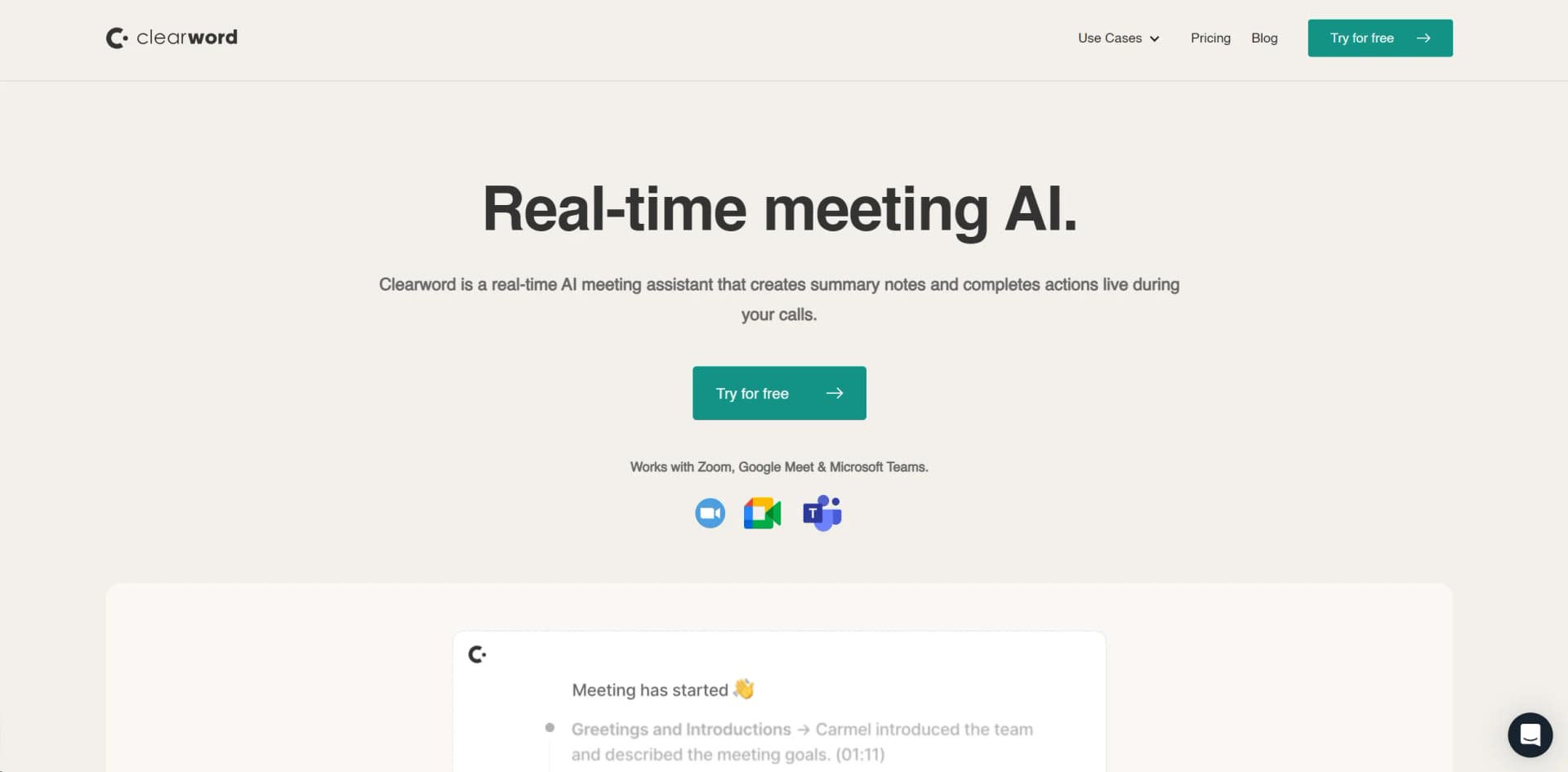
AI-driven meeting assistant for note-taking, summaries, and actionable follow-ups.
Watch Clearword in Action
Key Takeaways
- What it is
- AI-driven meeting assistant for note-taking, summaries, and actionable follow-ups.
- Pricing
- Freemium
- Best for
- Automatic Meeting Summaries
- Live Productivity
- Action Item Export
- Rating
- 4.6/5
What is Clearword?
Envision a meeting where your full attention is dedicated to active participation, free from the burden of note-taking or fear of missing crucial details. Clearword brings this vision to reality as a real-time AI meeting assistant, engineered to elevate the productivity and efficiency of your meetings. It seamlessly joins your calls, actively listens, and generates comprehensive summary notes, action items, and even drafts follow-up emails. With Clearword, you effortlessly consolidate all meeting content into a singular source of truth, enabling undistracted focus on discussions and decision-making.
Clearword stands out as the world's first generative meeting partner operating in real-time, transforming meetings into productive work sessions. Its capability to automate meeting administration while ensuring high accuracy in capturing vital details distinguishes it from other tools.
Clearword excels in streamlining meetings, offering a comprehensive solution allowing undistracted focus on conversations while it handles the rest. With its live productivity features, automatic action item export, and privacy-first approach, it becomes an indispensable tool for businesses and professionals seeking to enhance meeting efficiency. The AI's real-time capabilities provide an unparalleled advantage in today's fast-paced work environment.
Who is Using Clearword?
Agencies
Streamlining client interactions and ensuring no detail is overlooked.
Founders & Leadership Teams
Capturing key decisions and action items in strategic meetings.
Sales & Marketing Professionals
Focusing on client engagement without note-taking concerns.
Product & Design Teams
Tracking feedback and iterations in real-time.
Uncommon Use Cases
Educational institutions for administrative meetings; remote teams for cohesion across time zones.
Key Features
Rating Breakdown
Pricing Plans
Free Tier
Free
- Offers a trial to experience features without commitment
Subscription Plans
- Details available on the Clearword website
Clearword Use Cases
Automated meeting notes
Let Clearword join online meetings and automatically transcribe and summarize the discussion.
Outcome: Less manual note-taking.
Meeting preparation
Use meeting pages to prepare agendas, discussion points, and supporting files.
Outcome: More structured meetings.
Searchable meeting library
Organize meetings in a searchable library and search across past discussions.
Outcome: Easier retrieval of decisions and information.
Team meeting transparency
Share and collaborate on summary meeting pages with team members.
Outcome: A shared source of meeting information.
Focus during calls
Use automatic transcription, summaries, and bookmarking so participants can stay present during calls.
Outcome: More attention on the conversation.
Workflow Ideas with Clearword
Automated meeting documentation
- 1Connect Clearword with Google Calendar
- 2Have Clearword join the Zoom or Google Meet call
- 3Review the automatically generated summary, notes, transcript, and recording
Meeting preparation and follow-up
- 1Open the Clearword meeting page
- 2Add an agenda, discussion points, and files
- 3Share and collaborate on the completed meeting page with the team
Search past meeting knowledge
- 1Let Clearword organize meetings in its library
- 2Search across the meeting archive
- 3Use the relevant transcript, summary, or recording
How Clearword fits into your stack
CRM Integration
Logs meeting notes and recordings in systems like Hubspot and Salesforce.
Project Management Integration
Connects with tools like Jira and Notion for task tracking.
Documentation Integration
Exports meeting outcomes to Google Docs and other platforms.
Efficient Search
Powerful search capabilities enable quick retrieval of meeting details.
Pros
- +Enhanced Focus: Participants concentrate on conversation, not note-taking.
- +Time-Saving: Automates post-meeting workflow, significantly reducing administrative tasks.
- +Improved Meeting Outcomes: Ensures accurate capture and follow-up of action items and decisions.
- +Seamless Integration: Effortlessly syncs with popular platforms like Zoom, Google Meet, and Microsoft Teams.
Cons
- −Dependency on Tech: Requires stable internet connection and compatibility with meeting platforms.
- −Adaptation Time: Users may require time to acquaint themselves with AI functionality and features.
- −Potential Privacy Concerns: Users must be vigilant with privacy settings, particularly in sensitive meetings.
Limitations & when to consider alternatives
Known limitations
- Service closure. The current clearword.com homepage says Clearword has made the decision to close its doors.
- Google Workspace registration. The sign-up page asks users to register with a Google Workspace email and connect Google Workspace.
- Limited conferencing support. The official product page names Zoom and Google Meet as supported meeting platforms.
- Microsoft support was not available. The sign-up page says Microsoft users could register to be contacted when Microsoft Suite support became available.
Look elsewhere when
- You need a currently operating meeting assistant.
- You need Microsoft Suite support.
- You need native mobile, browser-extension, or desktop-app distribution.
How to Use Clearword
- 1
Clearword offers tutorials and resources, including step-by-step guides and best practices for effective meeting management.
Who is Clearword For?
Hybrid-remote teams
Clearword was designed to help hybrid-remote teams run more effective meetings automatically.
Remote organizations
The company describes its mission around reducing inefficiencies in remote work and online meetings.
Meeting-heavy teams
The product organizes meeting summaries, transcripts, recordings, and searchable meeting history for teams.
Frequently Asked Questions
What is Clearword?
Clearword is an AI meeting assistant that summarizes and organizes online meetings.
Which meeting platforms does Clearword support?
The official site says Clearword works with Zoom and Google Meet.
How does Clearword prepare for meetings?
It connects with Google Calendar and creates a page for each meeting with agendas, discussion points, and file uploads.
What does Clearword produce after a meeting?
It creates a meeting page containing a summary, notes, comments, transcription, and video recording.
Can teams collaborate on meeting content?
Yes. Clearword says users can share and collaborate on meeting pages with their team.
Is Clearword still operating?
The current clearword.com homepage says the company has decided to close its doors.
Community reviews
Be the first to share your experience.
Sign in to leave a review for Clearword.
Clearword Alternatives
Looking for alternatives to Clearword? Here are similar tools in the same category:
Learn to Master Clearword
With Skill Leap courses
Get in-depth training on Clearword and 50+ other AI tools with our expert-led video courses.
Start 7-Day Free Trial