ChartPixel
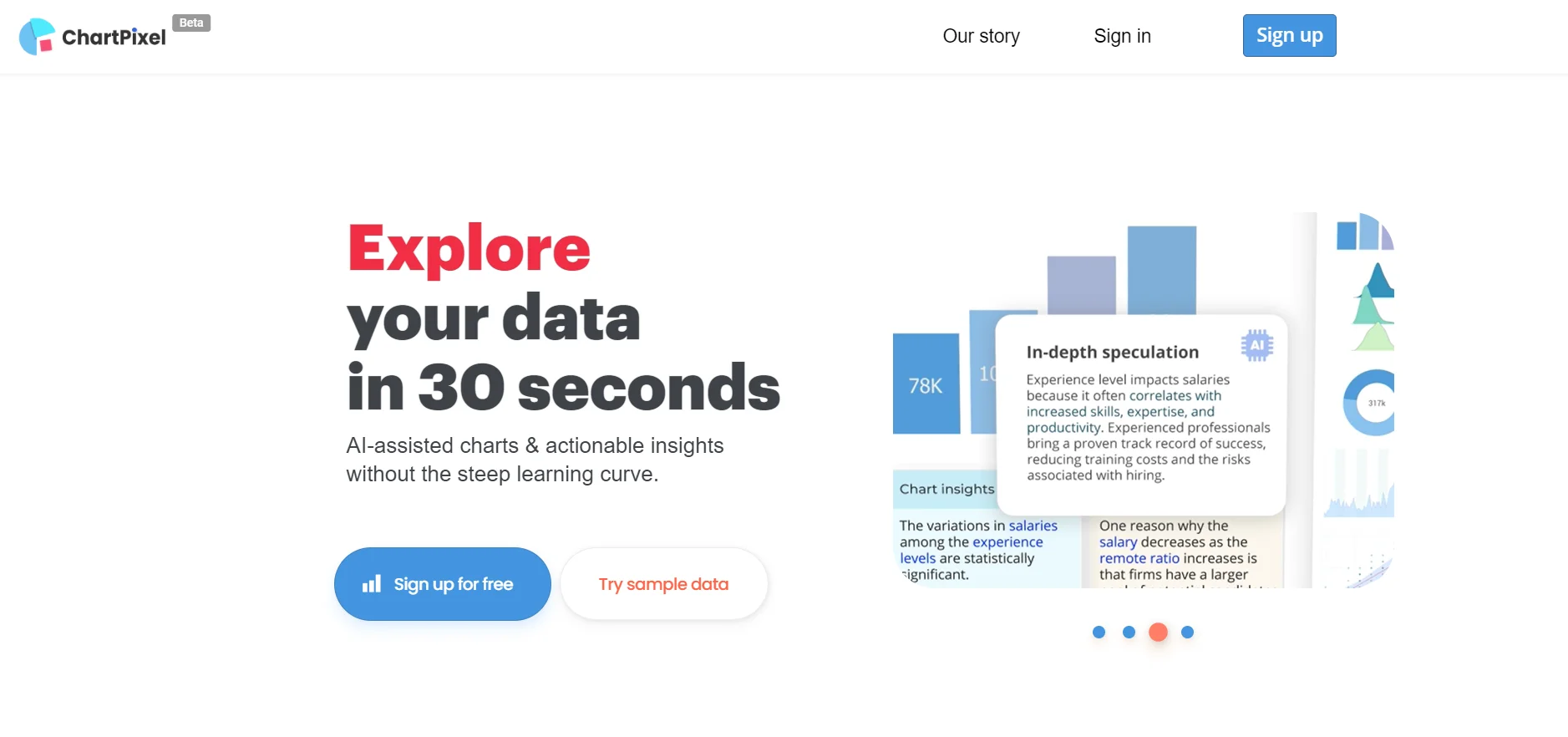
Unleash AI-driven data visualization and analysis, effortlessly, with ChartPixel.
Key Takeaways
- What it is
- Unleash AI-driven data visualization and analysis, effortlessly, with ChartPixel.
- Best for
- AI-Assisted Chart Creation
- User-Friendly Interface
- Smart Data Cleaning
- Rating
- 4.6/5
What is ChartPixel?
ChartPixel is an innovative AI-powered tool that transforms the way we interact with data. In the digital age, where data is the new currency, ChartPixel stands out as a beacon for those looking to harness the power of their data quickly and effectively. It promises to generate charts and insights within a mere 30 seconds, offering a streamlined solution for data visualization and analysis. Designed for a wide array of users, from students to seasoned professionals, ChartPixel aims to simplify the often complex process of data interpretation.
ChartPixel distinguishes itself with its AI-driven approach to data visualization, offering users a seamless experience from data upload to insightful analysis. Its unique selling point lies in its ability to cater to a non-technical audience, democratizing data analysis and enabling a wider range of individuals and businesses to make data-driven decisions.
ChartPixel excels at making data analysis quick, intuitive, and approachable. It stands as an essential tool for a diverse user base, from novices to experts who seek to streamline their data visualization process. With its AI-assisted insights and user-friendly interface, ChartPixel is positioned as a key player in the future of data analysis tools.
Who is Using ChartPixel?
Students and Educators
Utilizing the tool to learn and teach data analysis without prior coding knowledge.
Business Analysts
Employing ChartPixel to quickly translate business data into actionable insights.
Researchers
Leveraging the platform's robust statistical methods for academic studies.
Journalists and Editors
Using ChartPixel to enhance articles with data-driven charts and visualizations.
Uncommon Use Cases
Hobbyists analyzing sports statistics or personal collections; Non-profits streamlining report generation for stakeholders.
Key Features
Rating Breakdown
Pricing Plans
Free Beta
- ChartPixel is currently offered as a free beta
- Inviting users to experience its features without any financial commitment
Which ChartPixel plan should you pick?
Start with Free for a small test project, upgrade to Silver for regular individual analysis, Gold for small teams and API use, or Business for larger managed deployments.
Free
Good for users who want to test ChartPixel with limited imports, projects, prompts, and customization.
Silver Subscription
Good for individual users who need unlimited imports, larger files, more projects, and unrestricted customization.
Gold Subscription
Good for small teams needing shared access, priority support, larger datasets, and API calls.
Business
Good for organizations needing team collaboration, SQL connections, larger uploads, security controls, consulting, and higher API limits.
Education & Non-profits
Good for educational institutions and nonprofits needing workshops, administrative accounts, scheduled updates, and chart or insight APIs.
ChartPixel Use Cases
Survey analysis
Upload questionnaire responses and generate charts, sentiment analysis, segments, and statistical insights.
Outcome: Clearer understanding of customer or respondent feedback.
Business data analysis
Analyze sales, marketing, operations, HR, product, or customer data with automated cleaning and chart recommendations.
Outcome: Faster data-driven business decisions.
Research exploration
Explore datasets, relationships, outliers, statistical tests, and forecasts through guided analysis.
Outcome: Research findings supported by charts and statistics.
Geographic visualization
Create maps from countries, states, ZIP codes, addresses, or latitude and longitude data.
Outcome: Interactive geographic insights.
Presentation creation
Select charts and insights and export them into PowerPoint.
Outcome: Ready-to-present data-driven slides.
Workflow Ideas with ChartPixel
Turn a spreadsheet into an insight report
- 1Upload a CSV or Excel file
- 2Let ChartPixel clean and analyze the data
- 3Review charts, written insights, and forecasts
Analyze survey responses
- 1Import questionnaire data or connect Typeform
- 2Review sentiment, segments, multi-select results, and statistical tests
- 3Export selected findings to PowerPoint
Publish charts through the API
- 1Create an API key
- 2Send data and chart parameters to a documented endpoint
- 3Retrieve chart, insight, or dashboard output programmatically
How ChartPixel fits into your stack
File Format Support
Accepts common data file types such as Excel and CSV.
Web Data Extraction
Capable of interpreting and visualizing data directly from webpages.
Presentation Software Compatibility
Exports visualizations and insights directly into presentation-friendly formats.
Statistical Analysis
Integrates robust statistical methods to back up its visualizations and insights.
Pros
- +Time-Saving: It significantly reduces the time spent on data visualization by automating the creation of charts and insights.
- +Educational Tool: Serves as an educational platform for those new to data analysis, eliminating the need to learn complex software or coding.
- +Presentation-Ready Output: Charts and insights can be exported directly into presentation formats like PowerPoint, streamlining the workflow from data to delivery.
- +No Data Expertise Required: ChartPixel is designed to be intuitive, allowing users with little to no data analysis background to generate and understand data visualizations.
Cons
- −Beta Stage Limitations: Being in a beta phase, users might encounter certain limitations in features or occasional bugs that are typically addressed as the tool evolves.
- −Dependence on AI Interpretation: The insights generated are AI-driven, which may not always align with the user's specific analytical perspective or needs.
- −Learning Curve for Advanced Features: While the tool is user-friendly, some users may require time to fully utilize its more advanced features and capabilities.
Limitations & when to consider alternatives
Known limitations
- Free-plan import limits. The Free plan limits users to one data import and one stored project.
- File-size and dataset limits. Paid plans impose limits on rows, columns, and file size; limits vary by plan.
- API availability varies by plan. The Free and Silver plans list no API access, while Gold and Business plans include API calls.
- English works best for some operations. Some categorizations, ordering, and column operations perform best with English-language data.
- SQL support varies by offering. SQL database connections are listed for Business plans, while general FAQ material describes the feature as being in development.
Look elsewhere when
- You need a native mobile or desktop application.
- You need SSO or SAML authentication.
- You need image-based data understanding.
How to Use ChartPixel
- 1
ChartPixel provides tutorials and blogs that guide users through its functionalities, from basic setup to more complex data analysis techniques.
Who is ChartPixel For?
Students and educators
ChartPixel helps students, teachers, and lecturers learn data analysis without needing to code first.
Data analysts
Analysts can use automated cleaning, chart recommendations, statistics, and guided exploration to accelerate their work.
Researchers
Researchers can explore relationships, apply statistical tests, identify outliers, and generate forecasts from research data.
Business owners
Business owners can analyze operational, sales, marketing, customer, and financial data without relying on complex analytical software.
Journalists and editors
Journalists and editors can create charts, forecasts, and data-driven visual content without extensive data-analysis experience.
Frequently Asked Questions
What is ChartPixel?
ChartPixel is an AI-assisted data analysis platform that transforms raw data and surveys into charts, visualizations, and written insights.
What file types can ChartPixel process?
ChartPixel supports CSV and Excel files, direct file URLs such as Google Sheets, clipboard data, website tables, and SQL database imports.
Can ChartPixel analyze survey data?
Yes. It supports survey and questionnaire analysis, including multi-select questions, sentiment analysis, segmentation, statistical tests, and explained insights.
Can ChartPixel export presentations?
Users can export selected charts and insights into PowerPoint presentations.
Does ChartPixel require downloaded software?
No. ChartPixel is a cloud-based SaaS application accessed through a web browser.
Is ChartPixel available in multiple languages?
ChartPixel supports analysis of data in multiple languages and has added additional languages for chat and insight generation, although some operations work best in English.
Community reviews
1 review from people who use ChartPixel.
Sign in to leave a review for ChartPixel.
Maks Mustermann
ChartPixel Alternatives
Looking for alternatives to ChartPixel? Here are similar tools in the same category: