
Angry Email Translator
Transforms angry emails to professional; enhances communication with AI-powered rephrasing.
Key Takeaways
- What it is
- Transforms angry emails to professional; enhances communication with AI-powered rephrasing.
- Pricing
- Freemium
- Best for
- Emotion Detection
- Content Rewriting
- Tone Adjustment
- Rating
- 4.6/5
What is Angry Email Translator?
In the digital age where email communication is paramount, the Angry Email Translator emerges as a beacon of diplomacy and understanding. This unique AI tool is ingeniously designed to transform heated or negatively-toned emails into professional, polite, and constructive messages. It's a godsend for individuals and professionals alike who seek to maintain harmony and effectiveness in their digital correspondence.
Angry Email Translator stands out with its innovative approach to managing digital communication. Its ability to swiftly transform emotionally charged emails into courteous, professional correspondence sets it apart from conventional language or grammar correction tools.
Angry Email Translator excels at transforming potentially damaging communications into productive dialogues, making it an indispensable AI tool for anyone who relies on email for professional or personal interactions. Its standout feature, the emotion detection and rewriting capability, offers a unique advantage in preserving relationships and fostering a positive communication environment. Whether you're a business professional, a customer service representative, or just someone looking to improve your email etiquette, Angry Email Translator provides a powerful solution to navigate the complexities of digital communication with grace and professionalism.
Who is Using Angry Email Translator?
Business Professionals
Utilizing the tool to maintain professionalism in heated discussions.
Customer Support Teams
Employing the tool to handle customer complaints more effectively.
Human Resources Departments
Leveraging the tool to mediate conflicts via email.
Freelancers
Using the tool to manage communications with clients professionally.
Uncommon Use Cases
Adopted by educators for teaching effective communication; Utilized by authors to refine the tone of book characters' email exchanges.
Key Features
Rating Breakdown
Pricing Plans
Free Tier
Free
- Experience Angry Email Translator with basic features at no cost
Angry Email Translator Use Cases
Rewrite an angry idea response
Enter a frustrated message about an idea and have it rewritten in a work-appropriate style.
Outcome: A more diplomatic email that preserves the concern.
Respond to an unsatisfactory offer
Turn a blunt or hostile reaction to an offer into a courteous professional message.
Outcome: A respectful response that communicates dissatisfaction without abusive language.
Follow up after an ineffective meeting
Rewrite a highly frustrated meeting follow-up into a constructive request for more efficient communication.
Outcome: A professional email focused on future communication preferences.
Workflow Ideas with Angry Email Translator
De-escalate a draft email
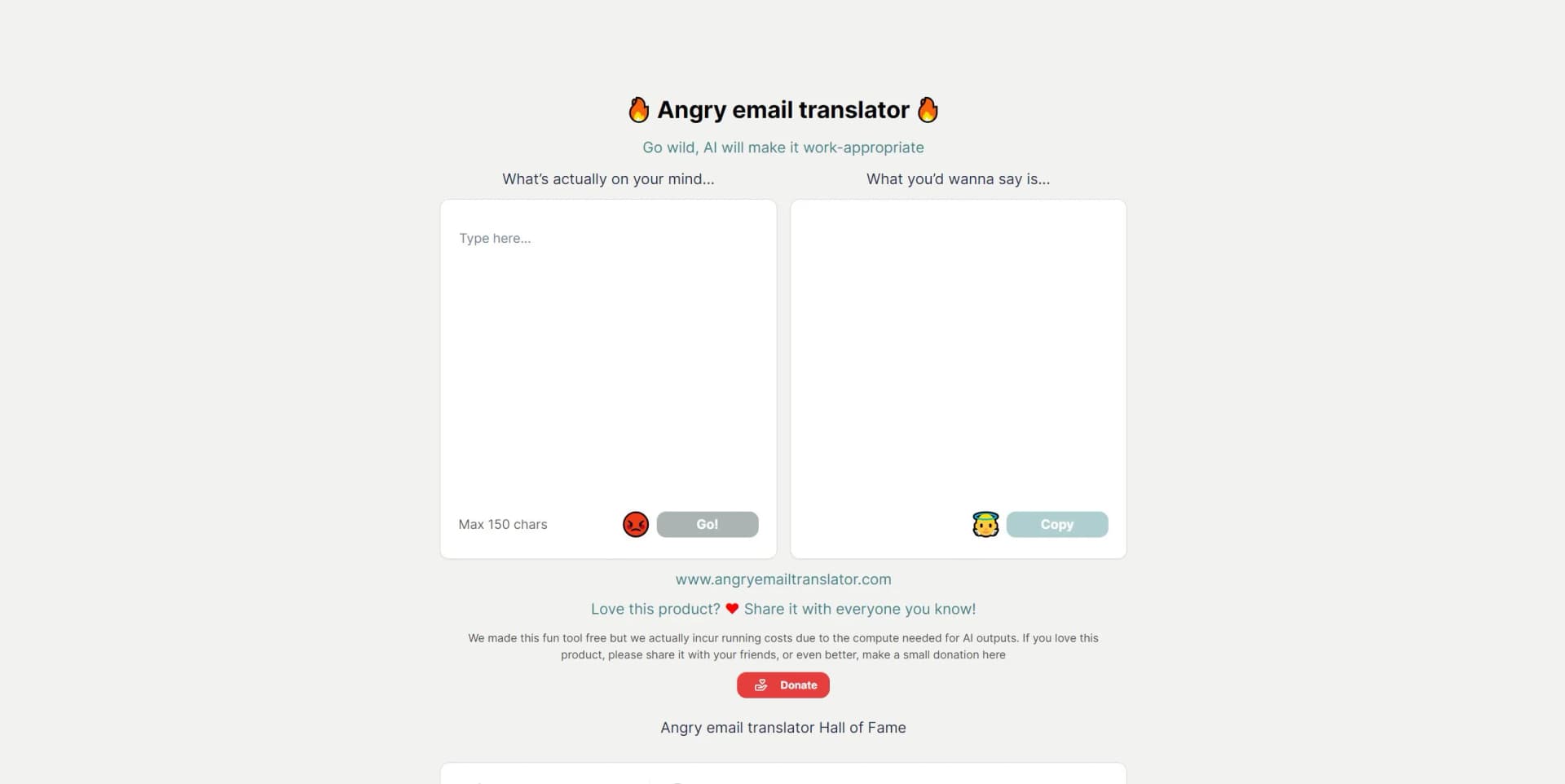
- 1Enter what you actually want to say in the text field.
- 2Click Go to generate a work-appropriate rewrite.
- 3Click Copy to copy the result into your email client.
How Angry Email Translator fits into your stack
Email Platform Integration
Seamlessly works with popular email services like Gmail, Outlook, and Yahoo Mail.
API Access
Offers API for custom integrations, allowing businesses to incorporate its functionality into their internal systems.
Browser Extensions
Available as an extension for Chrome and Firefox for on-the-go email translation.
Mobile App
Ensures accessibility by providing a mobile app for both Android and iOS users.
Pros
- +Improved Communication: Facilitates better understanding and reduces the potential for conflict in email exchanges.
- +Time-Saving: Quickly transforms negative emails, saving users from spending time on drafting careful responses.
- +User-Friendly Interface: Easy to navigate, making it accessible for all levels of tech-savviness.
- +Enhances Professional Image: Helps maintain a professional image by ensuring communications are polite and constructive.
Cons
- −Contextual Limitations: May occasionally misinterpret the context or nuance of the original message.
- −Language Nuances: While multilingual, it might not capture every linguistic subtlety, especially in less commonly used languages.
- −Dependency: Users might become overly reliant on the tool, potentially affecting their natural communication skills.
Limitations & when to consider alternatives
Known limitations
- 150-character input limit. The homepage limits the user's input to a maximum of 150 characters.
- Web-based interface. The product is presented as a JavaScript website rather than a documented native application.
How to Use Angry Email Translator
- 1
Explore a range of tutorials on the official website, covering everything from basic setup to mastering advanced features for effective communication.
Frequently Asked Questions
What does Angry Email Translator do?
It transforms angry or unprofessional email text into work-appropriate, polite wording.
How much text can I enter?
The official interface limits the input to 150 characters.
How do I use the tool?
Enter what you are thinking, select Go, then copy the rewritten output.
Is Angry Email Translator free?
Yes. The official site says the tool is free and asks users who love it to consider a donation.
Can I copy the rewritten email?
Yes. The output area includes a Copy control.
Community reviews
1 review from people who use Angry Email Translator.
Sign in to leave a review for Angry Email Translator.
lichow bu
Angry Email Translator Alternatives
Looking for alternatives to Angry Email Translator? Here are similar tools in the same category:
Learn to Master Angry Email Translator
With Skill Leap courses
Get in-depth training on Angry Email Translator and 50+ other AI tools with our expert-led video courses.
Start 7-Day Free Trial