
AI Detector
Detects AI-generated content instantly, ensuring text authenticity.
Key Takeaways
- What it is
- Detects AI-generated content instantly, ensuring text authenticity.
- Pricing
- Freemium
- Best for
- AI Content Detection
- Real-Time Analysis
- User-Friendly Dashboard
- Rating
- 4.5/5
What is AI Detector?
WriteHuman AI Detector is a cutting-edge tool that specializes in identifying AI-generated content with remarkable precision. Designed for content creators, educators, and digital marketers, it simplifies the process of distinguishing between human-written and AI-produced text. By leveraging advanced algorithms, WriteHuman AI Detector offers a reliable solution for ensuring content authenticity and maintaining trust with audiences.
WriteHuman AI Detector stands out with its unparalleled accuracy in identifying AI-generated content, a crucial feature for maintaining content credibility in a digital age. Its ability to provide real-time analysis and detailed reporting sets it apart, making it an indispensable tool for professionals who prioritize authenticity.
WriteHuman AI Detector delivers exceptional value to users seeking to uphold the authenticity of their content. With its advanced detection capabilities and user-friendly design, it serves as a reliable ally for content creators, educators, and marketers alike. While there is a learning curve and language limitations, its high accuracy and real-time feedback make it a worthwhile investment for those committed to maintaining content integrity.
Who is Using AI Detector?
Content Creators
Utilizing the tool to ensure the originality of their work and maintain audience trust.
Educational Institutions
Employing it to detect AI-generated work in student submissions.
Digital Marketing Agencies
Leveraging the tool to ensure the authenticity of campaign content.
Legal Professionals
Using it to verify the originality of legal documents and contracts.
Uncommon Use Cases
Adopted by publishers for vetting manuscripts; used by journalists to verify the authenticity of news articles.
Key Features
Rating Breakdown
Pricing Plans
Free Tier
Free
- Offers a limited usage option for users to experience the tool's capabilities at no cost
Which AI Detector plan should you pick?
Start with the free detector for occasional checks; upgrade to Basic for light monthly use, Pro for regular work, or Ultra for high-volume detection.
Basic
Good for light users who need 160 AI detection checks per month and requests up to 600 words.
Pro
Good for regular users who need 400 AI detection checks per month and requests up to 1,200 words.
Ultra
Good for power users who need unlimited AI detection checks and requests up to 3,000 words.
AI Detector Use Cases
Pre-publication AI checking
Scan a draft for AI authorship before sending or publishing it.
Outcome: Receive an AI, human, or mixed assessment.
Marketing content refinement
Humanize blog posts, product descriptions, ad copy, and other marketing drafts.
Outcome: Produce content intended to read more naturally.
SEO agency processing
Process client articles in bulk through the API and detection workflow.
Outcome: Prepare high-volume content for editorial review and publication.
Business communication
Refine internal communications, reports, proposals, and documentation generated with AI.
Outcome: Create writing that preserves the user's tone and perspective.
AI image verification
Upload an image and analyze it for signs of AI generation.
Outcome: Receive a confidence score and authenticity breakdown.
Workflow Ideas with AI Detector
Pre-publish content gate
- 1Send the draft to POST /v1/humanize
- 2Check the result with POST /v1/detect
- 3Push approved content into the CMS or publishing calendar
Agency content pipeline
- 1Collect client drafts from the agency workflow
- 2Process drafts through the WriteHuman API
- 3Review variations and usage through the dashboard
Assistant-based detection
- 1Connect the WriteHuman MCP server to Claude, Cursor, or another MCP client
- 2Ask the assistant to check a passage for AI patterns
- 3Review the returned classification and usage information
How AI Detector fits into your stack
Browser
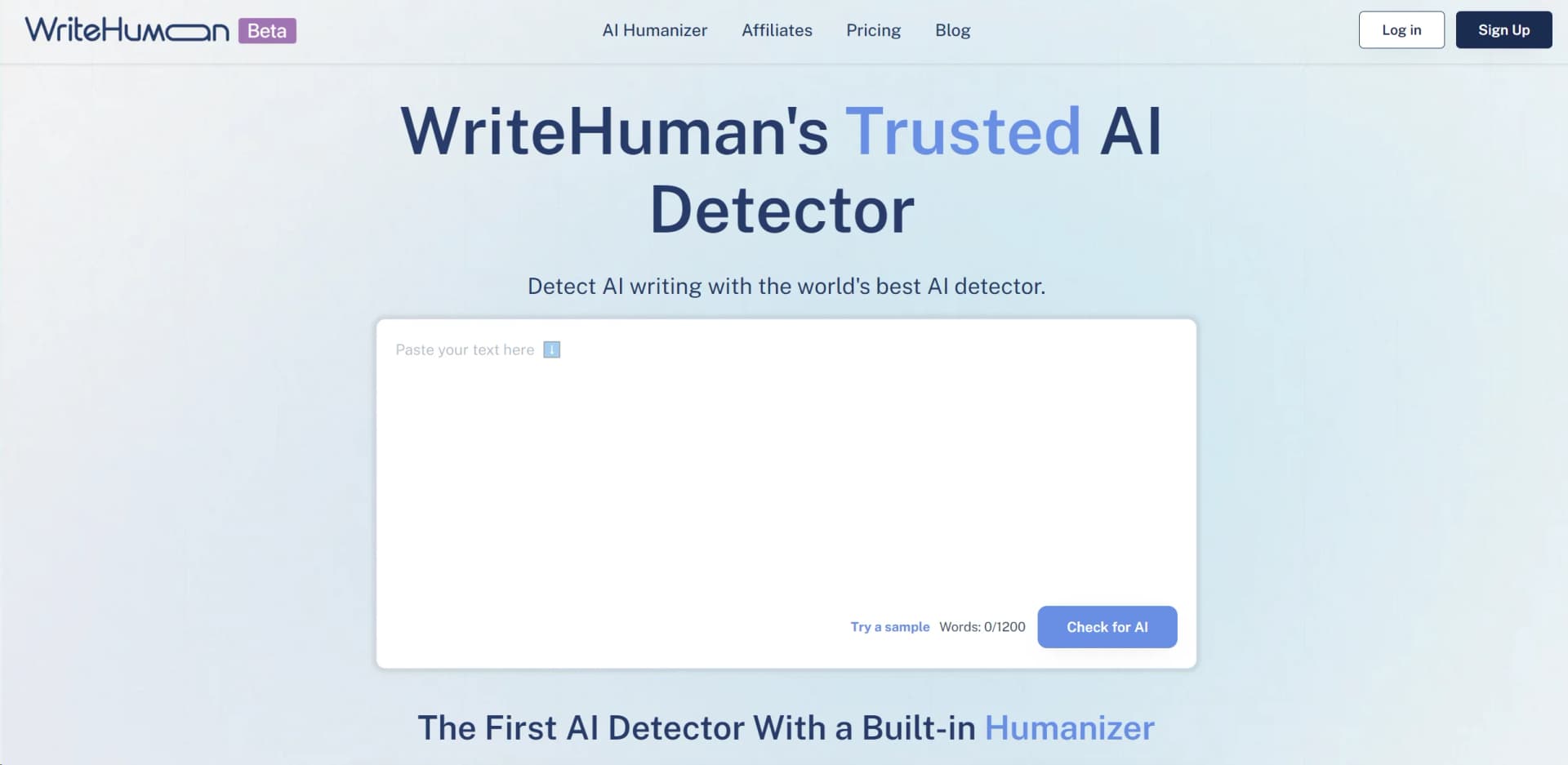
WriteHuman's AI Detector is a web app where users paste text, run detection, and review AI probability, class breakdown, and sentence-level results.
Automation and APIs
The documented REST API provides /v1/detect for programmatic AI-authorship scoring, while MCP connects detection and humanization to assistants such as Claude, Cursor, and Codex.
Pros
- +High Accuracy: Delivers precise results in identifying AI-generated content, enhancing content integrity.
- +Time-Saving: Quickly analyzes large volumes of text, saving users significant time and effort.
- +Versatile Application: Suitable for a wide range of industries, from education to digital marketing.
- +Enhanced Security: Helps protect against plagiarism and content manipulation by verifying originality.
Cons
- −Initial Learning Curve: Some users may find it takes time to fully understand all features and capabilities.
- −Limited Language Support: Currently supports a limited number of languages, which may restrict its use for non-English content.
Limitations & when to consider alternatives
Known limitations
- Detection is not definitive. The official FAQ notes that human-written text can sometimes be flagged and detection results should not be treated as absolute proof.
- Input limits vary by plan. The detector plans limit requests to 600, 1,200, or 3,000 words depending on the subscription.
- API access is paid. The API documentation states that API access is paid and billed by word.
- Google Docs is unsupported by the extension. The Chrome extension does not currently work inside Google Docs.
- Extension language checking is English-only. The extension documentation says its checking is English-only for now, even though the broader WriteHuman service supports more languages.
Look elsewhere when
- You need a native desktop installer.
- You need SSO or SAML administration.
- You need model fine-tuning on private training data.
- You need Google Docs support in the browser extension.
How to Use AI Detector
- 1
Open the AI detector
Go to the WriteHuman AI Detector page to begin a text-authorship check.
- 2
Enter your passage
Paste the writing you want to evaluate into the detector input.
- 3
Run the scan
Start the analysis to receive an AI, human, or mixed assessment.
- 4
Review the result
Use the score and sentence-level information as an indication, not as conclusive proof of authorship.
- 5
Upgrade when limits become restrictive
Choose Basic, Pro, or Ultra when you need more monthly checks or larger request limits.
- 6
Automate with the API
For programmatic detection, create an API key and call POST /v1/detect with a Bearer token.
Who is AI Detector For?
Marketers
Use WriteHuman to make high-volume marketing and SEO content read more naturally before publication.
Freelancers
Refine client deliverables, emails, articles, and other AI-assisted writing.
Professionals
Improve business communications, proposals, reports, and workplace writing.
Agencies
Process client content at scale through the web app, API, or supported workflows.
Content creators
Humanize blog posts, newsletters, social captions, and other publishable content.
Frequently Asked Questions
What is the AI detector?
WriteHuman's AI detector evaluates text for AI authorship and provides an AI, human, or mixed result.
Can I use the detector for free?
Yes. The detector can be tried for free, while paid plans provide higher monthly limits and enhanced-model access.
Which AI models can the detector identify?
The detector is designed to identify AI-generated writing from common AI writing systems and evaluates authorship patterns rather than relying on one model.
Why does the AI detector sometimes flag human-written text?
Human writing can contain statistical patterns associated with AI-generated text, so detector results should be treated as signals rather than absolute proof.
Can the detector catch paraphrased or humanized text?
Paraphrasing or humanization can make detection more difficult, and results may vary depending on the text and detector.
Does the AI detector work in languages other than English?
WriteHuman supports multilingual processing, with more than 40 languages documented for its API and related tools.
Community reviews
Be the first to share your experience.
Sign in to leave a review for AI Detector.
AI Detector Alternatives
Looking for alternatives to AI Detector? Here are similar tools in the same category:
Learn to Master AI Detector
With Skill Leap courses
Get in-depth training on AI Detector and 50+ other AI tools with our expert-led video courses.
Start 7-Day Free Trial