
ZMO
Seamlessly turn text and images into diverse, AI-driven visual masterpieces.
Key Takeaways
- What it is
- Seamlessly turn text and images into diverse, AI-driven visual masterpieces.
- Best for
- AI Background Changer
- AI Model Generator
- AI Anime Generator
- Rating
- 4.4/5
What is ZMO?
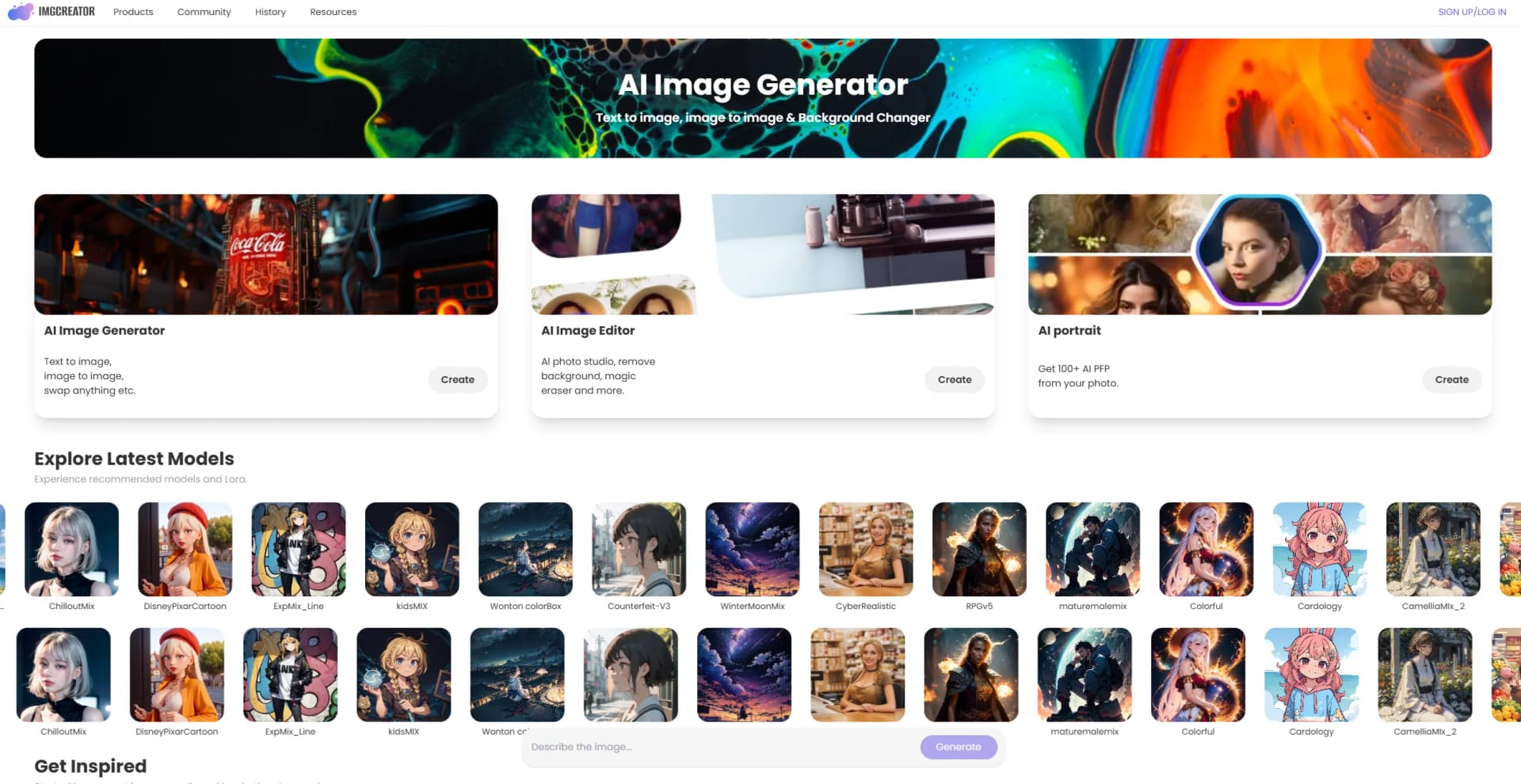
ZMO.AI is an innovative AI art generator that transforms text or images into stunning visuals, including anime, realistic photos, and unique art styles. Trusted by over a million users, it caters to content creators and marketers, offering tools like AI background changers and model generators. Its ease of use and versatility make it a go-to solution for generating high-quality, diverse visual content.
What sets ZMO.AI apart is its ability to generate a wide range of high-quality, diverse visual styles with minimal input. Its AI-driven approach is both time-saving and a source of inspiration, offering unexpected creative possibilities.
ZMO.AI is a remarkable tool that has transformed how I create visual content. Its ability to generate diverse, high-quality images quickly and effortlessly is unparalleled. While it could offer more customization options, its ease of use and wide range of features make it an invaluable asset for anyone looking to enhance their visual creativity.
Who is Using ZMO?
Content Creators
Perfect for generating unique visuals for social media and blogs.
E-Commerce Marketers
Create lifestyle images and product showcases effortlessly.
Graphic Designers
Aid in rapid prototyping and concept development.
Anime Enthusiasts
Ideal for creating custom anime characters.
Educators
Excellent for creating educational materials and presentations.
Uncommon Use Cases
This can also create interactive storytelling experiences, add artistic elements to data visualization, and enhance digital signage with dynamic visuals.
Key Features
Rating Breakdown
Which ZMO plan should you pick?
Start with Free for basic experimentation, then upgrade to Starter, Pro, or Boss when you need more credits or higher-resolution output.
Free
Good for trying image generation and basic editing with limited credits and up to 640px output.
Starter
Good for users who need more credits and output up to 1080px.
Pro
Good for regular creators who need more credits and output up to 2048px.
Boss
Good for heavy users who need the highest listed resolution, up to 4096px.
ZMO Use Cases
Create product backgrounds
Upload a product photo and generate a customized realistic background.
Outcome: Studio-quality product imagery for listings and marketing.
Generate AI model photos
Upload product images, select models and backgrounds, then generate multiple on-model results.
Outcome: Faster product imagery with reduced photography costs.
Edit selected image areas
Upload an image, select or mask an area, describe the desired change, and generate the edit.
Outcome: Photoshop-style modifications without manual editing.
Create image variations
Upload a reference image and control similarity or variation strength.
Outcome: Multiple related images for creative exploration or social content.
Create AI profile pictures
Upload portrait photos to AI Studio, select styles, and train a personal model.
Outcome: More than 100 generated profile pictures in different styles.
Workflow Ideas with ZMO
E-commerce product image workflow
- 1Upload the product image
- 2Generate or select a realistic background
- 3Download the finished product image for a listing
AI model content workflow
- 1Upload and mask the product image
- 2Select models and backgrounds or describe them
- 3Generate multiple results and download the best one
AI image editing workflow
- 1Upload a reference image
- 2Select the area to change with the mask tools
- 3Describe the desired edit and generate the result
How ZMO fits into your stack
Browser
ZMO is primarily used as a browser-based image-generation and editing application for text-to-image, image-to-image, background replacement, and AI Photoshop workflows.
Automation and APIs
Its documented ImgCreator API supports programmatic background removal, background generation, image segmentation, credit queries, and batch image editing.
Knowledge and files
The product accepts uploaded images as references, product photos, room photos, and training photos for AI Studio models.
Pros
- +Free image-generation credits are available.
- +Supports text-to-image and image-to-image generation.
- +Includes background removal, background generation, image variation, and AI Photoshop editing.
- +Provides a documented image-editing API.
Cons
- −Limited Customization: Sometimes, I wish for more control over the final output.
- −Dependence on the Internet: Requires a stable Internet connection for optimal performance.
Limitations & when to consider alternatives
Known limitations
- Free resolution limit. Free users can export at a maximum resolution of 640px.
- Credit consumption. Image generations consume credits, while enhancement and upscaling can consume several credits per image.
- Supported AI Studio formats. AI Studio supports JPG, JPEG, and PNG photo uploads.
- Content restrictions. The content policy restricts political, violent, sexual, hateful, illegal, harassing, shocking, health-related, and spam content.
- Limited canvas ratios. The API documentation lists support for 1:1, 4:3, and 9:16 ratios for the relevant background-generation API.
How to Use ZMO
- 1
Choose a tool
Open Text to Image, Image to Image, Image Variation, Background AI, Swap Anything, or AI Studio based on your goal.
- 2
Provide a prompt or image
Enter a descriptive prompt or upload a reference/product/portrait image.
- 3
Adjust generation settings
Choose the canvas size, resolution, quantity, reference strength, styles, or masks available for that tool.
- 4
Generate results
Run the generation and review the resulting images.
- 5
Improve the result
Use Restore, Enhance, Upscale, or Edit where available to refine the output.
- 6
Download or reuse
Download the finished image, share it, or use it on a canvas for further editing.
Who is ZMO For?
Enthusiasts
Create anime characters, portraits, text-to-image artwork, and other visual assets.
Professionals
Use AI photo generation and editing tools for professional content production.
Social media creators
Create copyright-free photo variations and visual content for social channels.
Marketplace sellers
Produce clean, high-quality product pictures for marketplace listings.
E-commerce businesses
Generate product backgrounds, model imagery, and listing assets designed to improve conversions.
Frequently Asked Questions
What is ImgCreator.AI?
ImgCreator.AI converts text descriptions into images and can edit uploaded images with text prompts.
Is the background remover free?
Yes. Background removal is free, including without logging in, although high-resolution output requires Pro.
How do I create an image?
Log in, choose the AI Image Generator, enter a text prompt, select settings, generate, iterate, and download.
Can I use generated images commercially?
Yes. The site says generated images can be used for personal and commercial purposes.
What happens when I run out of credits?
You can wait for monthly credits to replenish, upgrade plans, or contact ZMO about a custom plan.
What resolution is available on each plan?
Free supports up to 640px, Starter up to 1080px, Pro up to 2048px, and Boss up to 4096px.
Community reviews
Be the first to share your experience.
Sign in to leave a review for ZMO.
ZMO Alternatives
Looking for alternatives to ZMO? Here are similar tools in the same category:
Learn to Master ZMO
With Skill Leap courses
Get in-depth training on ZMO and 50+ other AI tools with our expert-led video courses.
Start 7-Day Free Trial