Zawa
Branded marketing visuals for small businesses without dedicated designers.
Watch Zawa in Action
Key Takeaways
- What it is
- Branded marketing visuals for small businesses without dedicated designers.
- Pricing
- Freemium · $12.99 per month
- Best for
- AI Design Agent
- Brand Kit
- 30-Day Social Content
- Rating
- 3.9/5
What is Zawa?
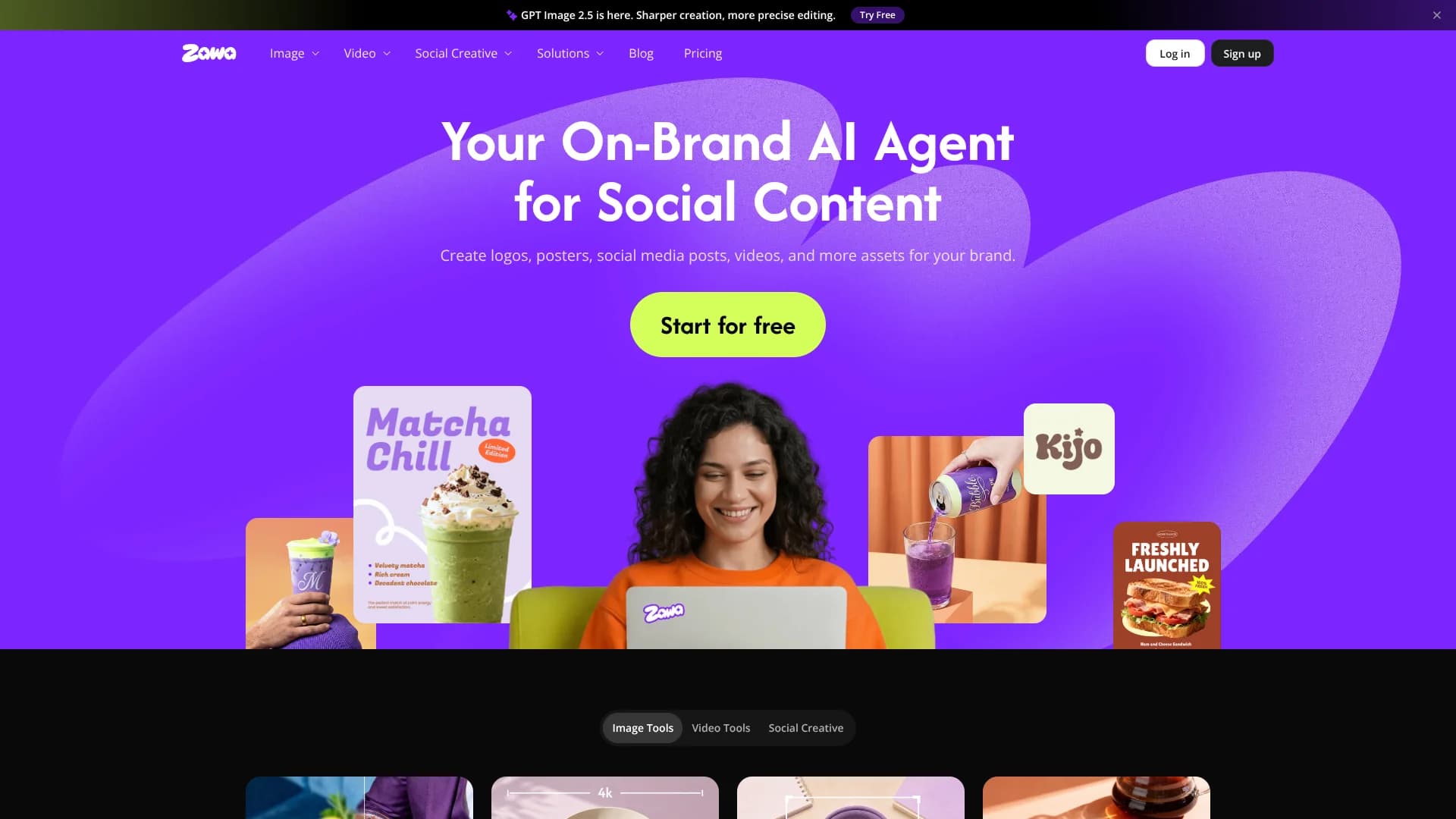
Zawa helps small businesses, creators, designers, and online sellers turn prompts, photos, sketches, and brand assets into editable logos, posters, social posts, product images, and short videos. Its AI Agent can also build a 30-day social content plan with graphics and captions sized for Instagram, Facebook, LinkedIn, Pinterest, TikTok, and X.
Zawa can keep a brand's colors, fonts, logo, and visual style consistent across generated designs, then let you edit the results with drag-and-drop controls before exporting high-resolution files.
It fits people who need frequent marketing visuals but do not have a dedicated designer, especially restaurants, cafés, retail shops, agencies, and e-commerce sellers. The tradeoff is that usage depends on credits and plan-specific limits, so heavy video or image production can require paid capacity.
Who is Using Zawa?
Restaurant Owners
Seasonal menus, food photography, event posters, and social promotions can follow one visual identity.
E-commerce Managers
Product listings gain cleaner backgrounds, lifestyle scenes, model images, and short sales videos.
Social Media Managers
A single product image or brief can become a planned month of platform-specific posts with captions.
Graphic Designers
Fast layout ideas, mockups, brand directions, and editable drafts leave more time for detailed creative work.
Uncommon Use Cases
Testing lighting and textures for a future photoshoot; creating storefront signage and event boards before client approval.
Key Features
Rating Breakdown
Pricing Plans
Free Tier
Free
- Experience X-Design with a limited free trial to explore basic features
Pro Tier
$12.99 per month
- Offering full access to all tools and features
Which Zawa plan should you pick?
Start with Free to test the AI Agent and core creative workflows, then consider Plus, Pro, or Max when your monthly image, video, or e-commerce volume exceeds the free limits.
Free
Good for testing Zawa's AI Agent, brand tools, image editing, and limited image or video generation.
Plus
Good for regular creators and small businesses that need higher monthly image, video, and e-commerce limits.
Pro
Good for heavier production that needs more credits, higher video limits, and unlimited access to Nano Banana Pro.
Max
Good for high-volume image, video, e-commerce, and private-model workflows.
Enterprise
Good for teams that need custom API access, dedicated capacity, private models, and tailored AI design infrastructure.
Zawa Use Cases
Monthly Social Campaigns
A product image or short brief becomes a 30-day content strategy with branded graphics and captions for multiple networks.
Outcome: A month of publish-ready social content.
Restaurant Marketing
Menus, food photos, flyers, posters, and promotional visuals can be created around the same restaurant identity.
Outcome: Consistent marketing materials for menus, stores, and social channels.
Product Listing Photos
Basic product shots gain realistic backgrounds, close-ups, mannequin views, or flatlay presentations.
Outcome: Cleaner product visuals for online stores and campaigns.
Brand Identity Creation
A business idea can become a logo, brand guide, palette, typography direction, and mockup set.
Outcome: A usable visual foundation for a new brand.
Short Promotional Videos
Images, prompts, or references can be turned into product videos, ads, reels, and other short clips.
Outcome: Social-ready video concepts and promotional assets.
Workflow Ideas with Zawa
Launch a Local Brand
- 1Describe the business and preferred visual direction
- 2Generate a logo, brand identity, and mockups
- 3Create matching menus, posters, and social posts
Build a Product Campaign
- 1Upload a product photo
- 2Generate lifestyle scenes and product close-ups
- 3Turn the approved visuals into social posts and short videos
Plan a Month of Content
- 1Add a brand asset or describe the campaign
- 2Review and adjust the 30-day content strategy
- 3Generate, edit, and export platform-sized posts
How Zawa fits into your stack
Brand and Campaign Planning
Zawa sits at the start of a creative workflow by turning a business brief into brand direction, content plans, and campaign concepts.
Image Production
Product photos, logos, backgrounds, posters, menus, and mockups can be generated or edited before they reach your storefront or social channels.
Video Creation
Short product videos, reels, ads, remixes, and image-to-video work fit after the initial product or campaign concept is ready.
Mobile Creation
The iOS and Android apps extend Zawa's image and brand workflows to text, photos, and sketches captured away from a desktop.
Pros
- +Brand consistency: Applies saved brand assets across social posts, posters, menus, packaging, and product visuals.
- +Content planning: Generates a 30-day social plan instead of requiring one post at a time.
- +Broad creative coverage: Combines image editing, image generation, video tools, and business design workflows.
- +Beginner access: Accepts plain-language descriptions, uploaded images, sketches, and photos without requiring design training.
Cons
- −Credit-based usage: Image and video generation consume credits, with monthly or daily limits varying by plan.
- −Limited collaboration detail: The public product pages emphasize individual creation rather than shared team editing or workspace roles.
- −Output review required: AI-generated layouts, text, and product scenes still need checking before publication.
Limitations & when to consider alternatives
Known limitations
- Plan-specific usage limits. Free, Plus, Pro, and Max plans have different daily or monthly limits for image generation, video generation, editing, e-commerce tools, and AI models.
- Generative tools use monthly quotas. Generative features such as AI backgrounds, logos, image recoloring, model generation, and video tools have monthly soft limits, after which additional credits may be required.
- Platform differences. Free and paid features may vary between the web, iOS, and Android versions.
- API credits are separate. Credits purchased for API use are separate from subscription credits and can only be used for API access.
Look elsewhere when
- You need a dedicated desktop editor that works as a downloadable Windows, Mac, or Linux application.
- You need named third-party integrations such as Slack, Zapier, or a publishing platform.
- Your team needs documented shared workspaces with roles, invites, and collaborative editing.
How to Use Zawa
- 1
Start with a Brief
Describe the business, campaign, product, or visual you need so the AI Agent has a clear creative direction.
- 2
Add Brand Assets
Place logos, colors, fonts, and reference materials in the Brand Kit so later designs follow the same identity.
- 3
Choose a Skill
Open a focused workflow such as Social Media Posts, Logo Design, Marketing Posters, Product Sales Videos, or Batch Photo Editing.
- 4
Refine the Draft
Move elements, rewrite text, split design parts, or provide another prompt until the result fits the campaign.
- 5
Export for the Destination
Download high-resolution files or platform-sized content for print, web, Instagram, Facebook, LinkedIn, Pinterest, TikTok, or X.
Who is Zawa For?
Small Businesses
Restaurants, cafés, retailers, and local shops can create branded menus, posters, flyers, packaging visuals, and social content.
E-commerce Sellers
Online sellers can improve product photos, create model or mannequin images, and produce promotional videos.
Designers and Agencies
Creative professionals can generate layout directions, mockups, brand kits, and client-ready starting points faster.
Creators
Social creators can turn photos, prompts, and references into posts, reels, short videos, and visual campaigns.
Businesses Building a Brand
New brands can develop logos, color direction, typography, mockups, and repeatable visual assets from an early concept.
Frequently Asked Questions
Does Zawa have a free plan?
Yes. The Free plan provides limited access to Zawa's image, video, editing, e-commerce, and AI Agent features.
What are Zawa credits?
Credits are Zawa's in-platform currency used for AI Agent actions, image generation, background generation, model generation, and other AI features.
Does Zawa have mobile apps?
Yes. Zawa provides iOS and Android apps, and subscriptions can be used across the web, iOS, and Android, although feature availability may differ by platform.
Can Zawa create a complete social media plan?
Yes. Zawa's AI Agent can build a 30-day content strategy and generate branded posts with graphics and captions for Instagram, Facebook, LinkedIn, Pinterest, TikTok, and X.
Does Zawa offer an API?
Yes. Zawa lists a custom API solution for businesses that need AI image and video tools, dedicated capacity, or private models.
Community reviews
Be the first to share your experience.
Sign in to leave a review for Zawa.
Zawa Alternatives
Looking for alternatives to Zawa? Here are similar tools in the same category:
Learn to Master Zawa
With Skill Leap courses
Get in-depth training on Zawa and 50+ other AI tools with our expert-led video courses.
Start 7-Day Free Trial