YouTube Summarizer
Turn long YouTube videos into timestamped notes before watching them fully.
Key Takeaways
- What it is
- Turn long YouTube videos into timestamped notes before watching them fully.
- Pricing
- Freemium
- Best for
- Instant Transcript
- Timestamp Navigation
- Quick Summary
- Rating
- 3.9/5
What is YouTube Summarizer?
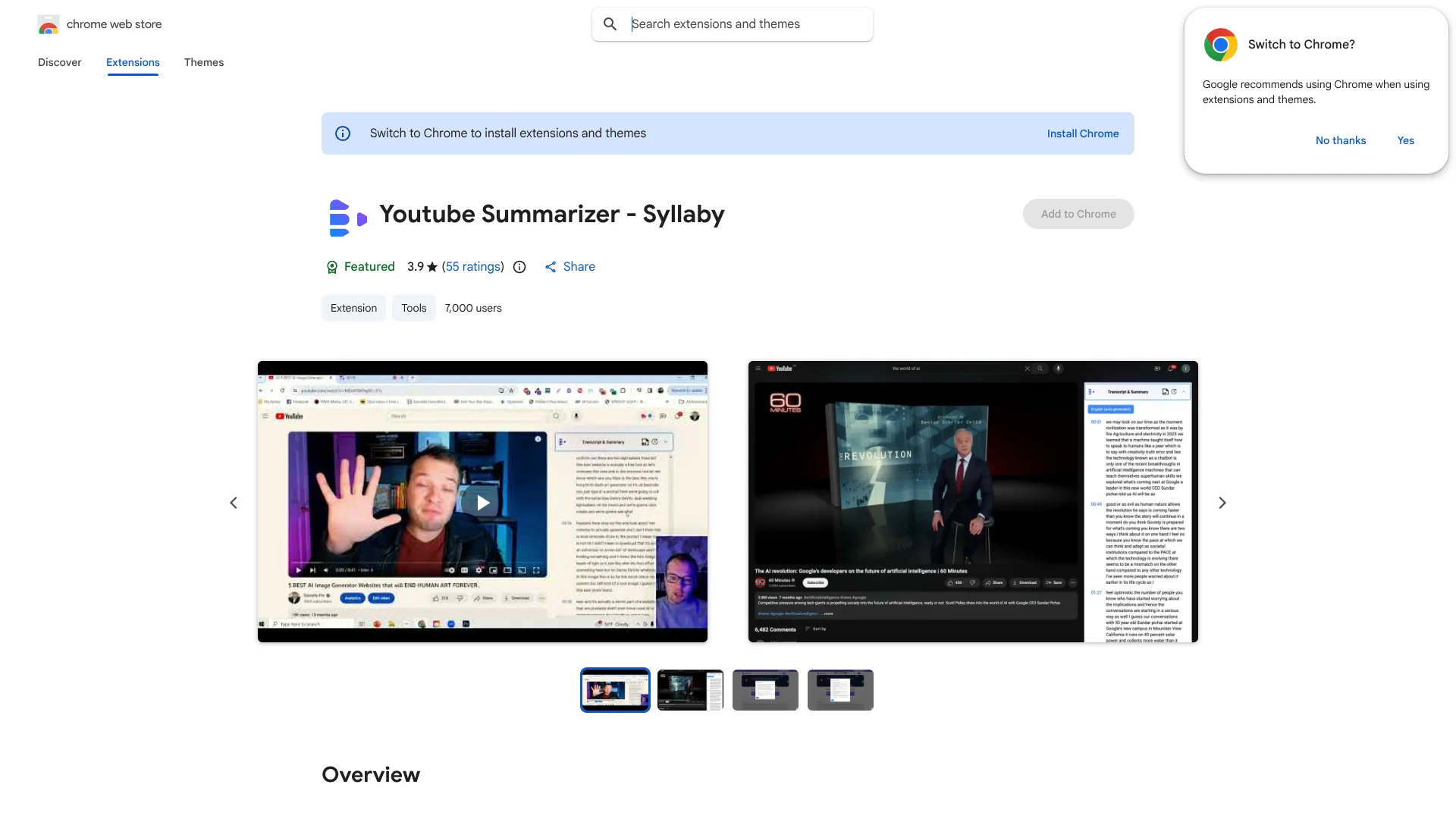
YouTube Summarizer is Syllaby’s Chrome extension for turning YouTube videos into readable notes. It fetches the transcript, creates a short summary, and presents key points in bullets. Content creators, students, and professionals can skim a long video before deciding which sections deserve closer attention.
Its clearest advantage is that the extension generates summaries and key takeaways without requiring a ChatGPT or OpenAI account.
The extension fits people who research, study, or develop content from YouTube, especially when timestamp navigation matters. It is less suitable for people who need a mobile app, file analysis, or a broader workspace beyond YouTube and Chrome.
Who is Using YouTube Summarizer?
Content Strategists
Researching competitor videos and topic coverage becomes faster with transcripts and condensed takeaways.
Students
Course videos can be skimmed through their transcripts before revisiting the sections that matter most.
Copywriters
Key insights from interviews, tutorials, and talks provide source material for scripts and content briefs.
Researchers
Timestamp navigation makes it easier to return to a specific statement or explanation in a long video.
Uncommon Use Cases
Screening long webinars before watching them fully; finding useful sections in interviews for later content research
Key Features
Rating Breakdown
Pricing Plans
Free Tier
Free
- YouTube Summarizer is currently available for free
- Making it accessible to anyone with a Chrome browser
Which YouTube Summarizer plan should you pick?
Start with the free Chrome extension if your work centers on summarizing YouTube videos and reviewing timestamps.
Free Tier
Good for students, creators, and professionals who need transcript-based YouTube summaries without a separate OpenAI account.
YouTube Summarizer Use Cases
Long-Video Screening
A short overview reveals whether a lengthy YouTube video is worth watching in full.
Outcome: Less time spent on irrelevant videos.
Study Notes
Transcript text and bullet points turn educational videos into material that is easier to review.
Outcome: A skimmable study reference.
Content Research
Key insights from existing videos give creators a starting point for scripts, briefs, and topic research.
Outcome: Faster research before writing.
Timestamped Fact Finding
Transcript navigation helps locate the exact part of a video where a point is explained.
Outcome: Quicker returns to relevant video sections.
Workflow Ideas with YouTube Summarizer
Research a Reference Video
- 1Open the YouTube video in Chrome with the extension installed.
- 2Generate the transcript and summary.
- 3Jump to useful timestamps and record the relevant insights.
Screen a Course or Webinar
- 1Open the video and review the generated summary.
- 2Scan the bullet-point takeaways.
- 3Watch only the timestamped sections that match your study goal.
How YouTube Summarizer fits into your stack
Chrome and YouTube
The extension sits directly in the Chrome browsing workflow, where it processes YouTube video content.
Research and Notes
Transcripts, summaries, and bullet points provide a text layer for building study notes or content briefs.
Content Planning
Creators can review source videos faster before developing scripts, research angles, or new video ideas.
Pros
- +No OpenAI account required: The extension can generate summaries without a separate ChatGPT or OpenAI login.
- +Timestamp navigation: Relevant sections can be located through the transcript and video timestamps.
- +Readable output: Bullet points and key insights make long videos faster to review.
- +Free access: The Chrome Web Store lists the extension as available to add at no charge.
Cons
- −Chrome-only: It is delivered as a Chrome extension rather than a mobile or desktop application.
- −Narrow scope: The tool focuses on YouTube transcripts and summaries instead of broader document or image analysis.
- −Mixed store rating: The Chrome Web Store listing shows a 3.9 rating from 54 ratings.
Limitations & when to consider alternatives
Known limitations
- Chrome Extension Format. The product is listed as a Chrome extension, so its documented delivery is tied to the Chrome browser.
- YouTube-Focused Input. The listed features center on YouTube transcripts, timestamps, summaries, bullet points, and key insights.
- English Store Listing. The Chrome Web Store lists English as the available language.
Look elsewhere when
- You need a mobile app for reviewing videos away from Chrome.
- You need file uploads, image analysis, or summaries outside YouTube.
How to Use YouTube Summarizer
- 1
Install the Extension
Add YouTube Summarizer from the Chrome Web Store so its controls are available while browsing YouTube.
- 2
Open a YouTube Video
Choose the video you want to research, study, or screen.
- 3
Fetch the Transcript
Use the transcript feature to view the video's spoken content in text.
- 4
Generate the Summary
Select the AI summary option to receive a shorter overview in a new window.
- 5
Review Key Insights
Scan the bullet points and takeaways before deciding whether to watch the full video.
- 6
Return to Relevant Moments
Follow the timestamps to inspect the original sections that support your research or notes.
Who is YouTube Summarizer For?
Content Creators
Video summaries and key insights help creators research topics and identify material for scripts.
Students
Transcript-based notes make lectures, tutorials, and educational videos easier to review.
Professionals
A quick summary helps professionals decide whether a long research or training video needs full attention.
YouTube Researchers
Timestamped transcripts provide a faster way to locate claims, explanations, and supporting details.
Frequently Asked Questions
Is YouTube Summarizer free?
The Chrome Web Store lists the extension as available to add to Chrome at no charge.
Do I need a ChatGPT or OpenAI account?
No. Syllaby’s listing says the extension can generate summaries and key takeaways without a ChatGPT or OpenAI account.
What does the extension summarize?
It summarizes YouTube videos and can display their transcripts, timestamps, bullet points, and key insights.
Can I jump to a specific part of a video?
Yes. Timestamp navigation helps you move between transcript sections and the corresponding video moments.
Does it work as a mobile app?
The documented product is a Chrome extension. No native iOS or Android app for this exact tool is confirmed.
Community reviews
Be the first to share your experience.
Sign in to leave a review for YouTube Summarizer.
YouTube Summarizer Alternatives
Looking for alternatives to YouTube Summarizer? Here are similar tools in the same category: