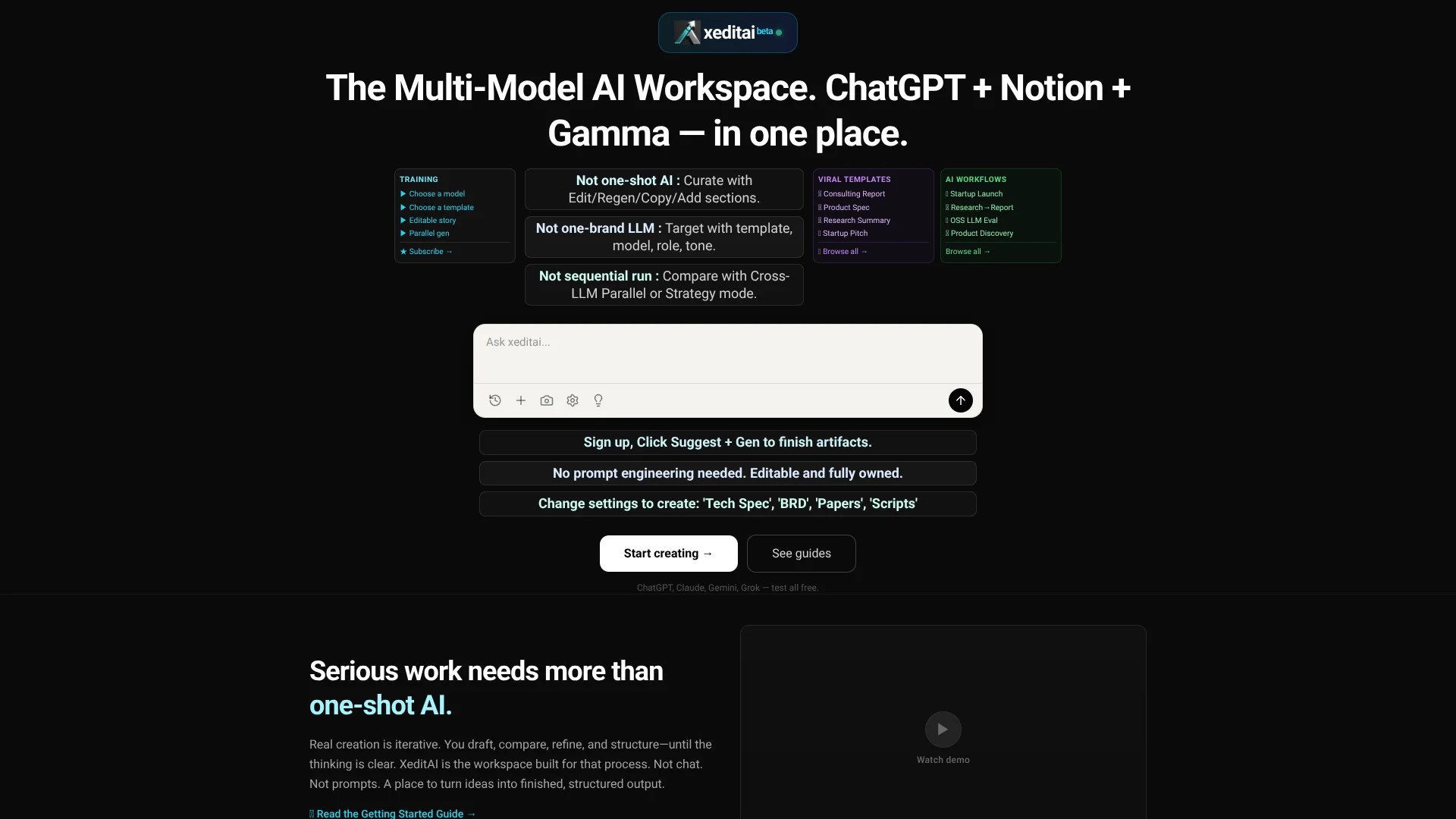
xeditai
Compare AI models while drafting structured documents for product teams.
Key Takeaways
- What it is
- Compare AI models while drafting structured documents for product teams.
- Pricing
- Freemium
- Best for
- Parallel Mode
- Strategy Mode
- Document Templates and Tones
- Rating
- 4.0/5
What is xeditai?
A product manager writing a product requirements document can have xeditai draft it, compare results from two AI models, and combine the strongest sections in an editable document. The workspace is built for founders, product teams, creators, educators, and researchers who need finished documents rather than chat replies. Templates help shape specs, research drafts, scripts, and reports.
In Strategy Mode, three models take assigned roles in a workflow such as drafting, critiquing, and composing a final document. You can inspect and edit each stage, making the model-to-model process visible instead of presenting only one answer.
xeditai fits people whose work ends in structured documents and who want to compare model output before sharing it. Its focus is narrower than a general chat tool, and multi-model modes use more tokens than a single run. It is most useful when a document needs iteration, comparison, and an export-ready form.
Who is Using xeditai?
Product Managers
PRDs and feature specs can be drafted, compared across models, and prepared for engineering handoff.
Founders
Launch documents and investor materials take shape in reusable templates.
Consultants and Analysts
A research-to-report workflow carries findings into a consulting report and executive summary.
Researchers
Research briefs and papers can be organized into sections and refined with targeted regeneration.
Uncommon Use Cases
Model arbitration can compare competing technical proposals; open-source model evaluation can test model outputs side by side.
Key Features
Rating Breakdown
Pricing Plans
Free Access
Free
- The official site advertises free access.
- The Research-to-Report workflow page specifies up to five specs and no credit card.
Which xeditai plan should you pick?
Start with Free Access to try templates and model workflows; consider another plan only if the pricing page confirms a paid option that fits your usage.
Free Access
Good for trying templates and creating a small number of project documents; the Research-to-Report workflow page specifies up to five specs.
xeditai Use Cases
Draft a Product Requirements Document
A product team starts from a PRD template, compares outputs from two models, and edits the best sections into one spec.
Outcome: A structured, editable PRD ready for team review.
Turn Research into a Client Report
The Research-to-Report workflow passes context from a research summary into a consulting report and then an executive summary.
Outcome: Three linked documents saved to the project and ready to export.
Compare AI Models
The same prompt goes to two models in Parallel Mode so a reviewer can compare their responses and select sections.
Outcome: A composite document built from selected model outputs.
Refine a Draft with Multiple Model Roles
Strategy Mode assigns models roles such as drafter, critic, and composer to develop and synthesize a document.
Outcome: A final draft with intermediate model outputs available for review.
Prepare Branded Documents
Document formatting and branding settings add items such as a logo, header, or footer before export.
Outcome: A branded PDF, DOCX, or PPTX.
Workflow Ideas with xeditai
Research to Executive Summary
- 1Generate a research summary from a topic.
- 2Pass its context into a consulting report.
- 3Create an executive summary and export the linked documents.
Compare and Combine Model Drafts
- 1Choose a document template and two AI models.
- 2Generate both drafts in Parallel Mode.
- 3Copy and edit the strongest sections into a composite document.
Draft, Critique, and Compose
- 1Select Strategy Mode and a strategy such as Mixture of Agents.
- 2Assign models to the drafter, critic, and composer roles.
- 3Review the intermediate outputs, edit the final document, and export it.
How xeditai fits into your stack
AI drafting workspace
xeditai brings supported models from providers including OpenAI, Anthropic, Google, Perplexity, and xAI into its document workflow. It is suited to drafting and comparing structured written work.
Project documents and context
Cloud persistence and hierarchical contexts organize specs and related documents. Follow-up work can carry context from higher-level requirements into more detailed specs.
Document editing and export
The editor supports section-level changes and rich-text formatting. Finished work can be exported as PDF, DOCX, or PPTX.
Multi-model workflows
Parallel Mode compares two model outputs, while Strategy Mode assigns roles across three models. These workflows suit documents where comparison or refinement matters more than minimizing token use.
Pros
- +Model comparison: Side-by-side drafts make differences between AI models easier to evaluate.
- +Document control: Sections remain editable, movable, and individually regenerable.
- +Purpose-built templates: PRD and research templates give generated work a document-ready structure.
- +Role-based model workflows: Strategy Mode preserves intermediate drafts and critiques for review.
Cons
- −Token use: Parallel and Strategy modes consume more tokens than a single-model run.
- −Document-focused: The workspace centers on structured written output rather than general chat tasks.
- −Learning curve: Choosing models, templates, and multi-model strategies takes more setup than a basic chat prompt.
Limitations & when to consider alternatives
Known limitations
- Parallel Mode model count. Parallel Mode requires exactly two selected models.
- Strategy Mode model count. Strategy Mode requires exactly three models.
- Higher token use in multi-model modes. The guide says Parallel Mode costs twice as many tokens as a single run, while Strategy Mode uses at least three times as many.
- Regeneration may remove formatting. Regenerating a section produces new model output, and manual formatting may need to be applied again.
Look elsewhere when
- You need a native mobile or desktop app.
- You need a documented developer API or named third-party integrations.
- Your main need is general-purpose chat rather than structured document creation.
- You need a documented feature for analyzing uploaded documents or images.
How to Use xeditai
- 1
Choose a document template
Select a template such as Product Requirements Document to start with a structure suited to the work.
- 2
Set the model and tone
Choose an available AI model and a tone such as Precise, Balanced, or Creative.
- 3
Pick an execution mode
Single mode runs one model, Parallel compares two, and Strategy assigns work across three.
- 4
Generate and refine
Edit the document, reorder sections, or regenerate a specific section when only part needs work.
- 5
Save and organize the work
Save the document to a project context to keep related specs and versions organized.
- 6
Export the finished document
Choose PDF, DOCX, or PPTX and adjust available branding options before exporting.
Who is xeditai For?
Founders
Startup specs, launch materials, and investor documents can be drafted in structured templates.
Product Teams
PRDs, UX rationale, and release notes benefit from editable sections and model comparisons.
Creators and Educators
Templates and tone settings support structured drafts for blogs, videos, and courses.
Researchers
Research drafts and structured arguments can be compared across models and refined for export.
Frequently Asked Questions
Can I try xeditai for free?
The site advertises free access. Its Research-to-Report workflow page says a free account can create up to five specs and does not require a credit card.
Which AI models can I use?
The site lists models from providers including OpenAI, Anthropic, Google, Perplexity, xAI, TogetherAI, DeepInfra, and OpenRouter. The models available can depend on the selected options in the workspace.
What can I export?
The site lists PDF, DOCX, and PPTX export. Some guides also describe HTML export for Strategy Mode.
How many models can run in Parallel and Strategy modes?
Parallel Mode requires exactly two models. Strategy Mode requires exactly three.
Does xeditai save documents?
The site says work is automatically saved to the cloud and describes project contexts and version management.
Community reviews
Be the first to share your experience.
Sign in to leave a review for xeditai.
xeditai Alternatives
Looking for alternatives to xeditai? Here are similar tools in the same category: