Worxflow
Create customer-support AI workflows for chat, email, and phone.
Key Takeaways
- What it is
- Create customer-support AI workflows for chat, email, and phone.
- Best for
- Visual Workflow Canvas
- Multiple Workflow Triggers
- Agent Tools
- Rating
- 3.8/5
What is Worxflow?
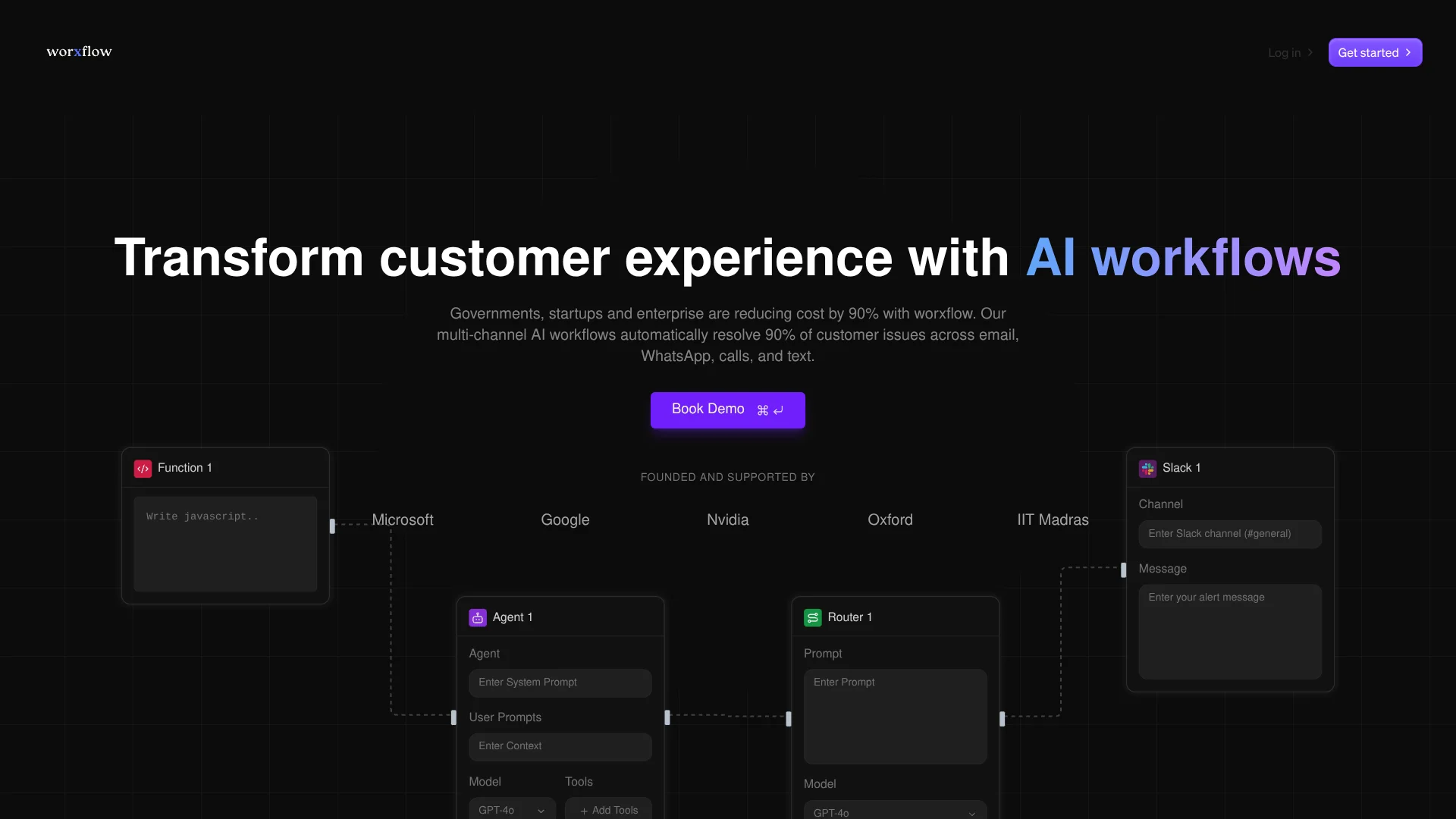
Worxflow lets teams build AI workflows by connecting blocks on a visual canvas, with no coding required. Those workflows can handle customer questions, process documents, or pass information between business apps. Its homepage emphasizes customer support across email, WhatsApp, phone calls, and text messages.
A workflow can be published in different ways, including as a chat interface, API endpoint, scheduled job, or webhook. That lets teams build a process once and choose how people or other systems start it, rather than designing a separate flow for each entry point.
Worxflow suits teams building AI chatbots, business automations, and data-processing flows, including teams that want to host the software themselves. Setting up a workflow can still involve model-provider keys and configuring app connections. It is aimed at people shaping a process, not at buyers looking only for a ready-made support inbox.
Who is Using Worxflow?
Customer Support Operations Managers
Route customer questions to AI workflows and monitor how those workflows handle requests across communication channels.
Automation Specialists
Combine app connections, AI agents, and branching logic to replace repetitive handoffs.
Data Analysts
Turn document and dataset processing into repeatable flows that can return structured results.
Software Developers
Expose workflows through API endpoints and connect them to applications or external services.
Uncommon Use Cases
Search internal documents to supply an agent with relevant context; trigger a workflow from an external service event.
Key Features
Rating Breakdown
Pricing Plans
Starter Plan
- Free trial available with limited features
Enterprise Plan
- Custom pricing based on the specific needs and scale of the business
Which Worxflow plan should you pick?
Start with Free to try building workflows, then consider a paid plan when you need paid-plan features or exceed included usage.
Free
A starting point for trying Worxflow's workflow builder.
Pro
A paid option named in Worxflow's terms for users who need a paid plan.
Team
A paid option named in Worxflow's terms for collaborative use.
Enterprise
A paid option named in Worxflow's terms for enterprise use.
Worxflow Use Cases
Customer Inquiry Routing
Incoming questions can be classified and routed through an AI workflow, with complex cases sent down a different path.
Outcome: A workflow can return an immediate response or route the request for further handling.
Document-Based Answers
A knowledgebase lets an agent find relevant passages in uploaded business documents before answering.
Outcome: Responses can draw on information from the uploaded documents.
Scheduled Reports
A scheduled workflow can gather and process data before producing a report.
Outcome: A recurring, automated reporting process.
App-to-App Data Handling
API and integration blocks can move or transform information between connected services.
Outcome: Data can flow between services through a repeatable workflow.
AI Chat Interface
A published workflow can provide a conversational interface on a custom subdomain.
Outcome: A hosted chat interface connected to the workflow.
Workflow Ideas with Worxflow
Answer Questions from Team Documents
- 1Upload documents to a Worxflow knowledgebase.
- 2Add a Knowledge block and an Agent block to a workflow.
- 3Publish the workflow as a chat interface.
Route Incoming Support Requests
- 1Choose a trigger for incoming requests, such as a webhook.
- 2Add an Agent or Router block to classify the request.
- 3Send each category through its own response or handling path.
Run a Scheduled Data Process
- 1Set a scheduled trigger for the workflow.
- 2Connect the relevant data services and processing blocks.
- 3Review execution logs after a run to check its results.
How Worxflow fits into your stack
Workflow Builder
The visual canvas connects AI agents, app services, and logic blocks into a single process. It can also be used for data processing and API integration workflows.
Business Apps
Built-in tools include services such as Slack, Gmail, Notion, Google Sheets, GitHub, and Airtable.
Documents and Knowledge
Upload supported documents to a knowledgebase and let workflow agents search for relevant information.
APIs and Triggers
Expose a workflow through an API endpoint or start it with a webhook, schedule, chat interface, or external event.
Hosting and AI Models
Choose Worxflow's cloud hosting or self-host it; documentation also describes using local models through Ollama.
Pros
- +Several ways to launch: The same workflow can be reached through chat, an API, schedules, and webhooks.
- +Broad app connections: Documentation names tools such as Slack, Notion, Gmail, GitHub, and Google Sheets.
- +Document search: Uploaded knowledgebase files can be searched with natural-language questions.
- +Hosting choice: Teams can use the cloud service or deploy Worxflow on their own infrastructure.
Cons
- −Setup work: Workflows need configuration for model providers, app connections, and process logic.
- −Provider credentials: An AI agent may need an API key for its selected model provider.
- −Self-hosting effort: Running it on your own infrastructure means handling deployment and maintenance.
Limitations & when to consider alternatives
Known limitations
- Knowledgebase file size. The knowledgebase documentation sets a 100 MB maximum for each file and says files under 50 MB perform best.
- Model and service usage. The terms say paid plans may have usage-based charges when inference and other services exceed included limits.
- Third-party service dependence. The terms state that third-party integrations are subject to their providers' terms and that Worxflow is not responsible for their availability or functionality.
Look elsewhere when
- You need a ready-made customer support inbox rather than a workflow builder.
- Your team needs a native mobile app for building or managing workflows.
How to Use Worxflow
- 1
Start a Workflow
Open the dashboard and create a new workflow to reach the visual canvas.
- 2
Choose a Trigger
Select how the workflow starts, such as chat, an API request, a schedule, or a webhook.
- 3
Add an AI Agent
Set its instructions and select an AI model; the provider may require an API key.
- 4
Connect Tools and Logic
Add the app connections and branching blocks the workflow needs to complete its task.
- 5
Test the Flow
Run it in the editor and inspect execution details to find errors or unexpected outputs.
- 6
Publish the Workflow
Deploy it as a chat interface, API, scheduled run, or webhook, depending on how it should be used.
Who is Worxflow For?
AI Assistants and Chatbot Builders
Build conversational agents that can search the web, access calendars, send email, or use business tools.
Business Process Automation Teams
Map repetitive work such as data entry, report generation, and customer support responses into workflows.
Data Processing Teams
Create flows that extract information from documents, analyze datasets, and sync data between services.
API Integration Builders
Connect services and expose workflow logic through endpoints, webhooks, or scheduled runs.
Frequently Asked Questions
Does Worxflow have a free plan?
Yes. Worxflow's terms list a Free subscription plan.
What plans does Worxflow offer?
Its terms list Free, Pro, Team, and Enterprise plans. The terms do not state their prices.
Can I connect Worxflow to other apps?
Yes. Its documentation lists integrations including Slack, Gmail, Notion, Google Sheets, GitHub, and Airtable.
Can I use documents in a workflow?
Yes. The knowledgebase accepts file uploads, and a Knowledge block can retrieve relevant document content during a workflow.
Can I run Worxflow on my own infrastructure?
Yes. The documentation describes self-hosting with Docker and using local AI models through Ollama.
Community reviews
Be the first to share your experience.
Sign in to leave a review for Worxflow.
Worxflow Alternatives
Looking for alternatives to Worxflow? Here are similar tools in the same category: