
withoutBG
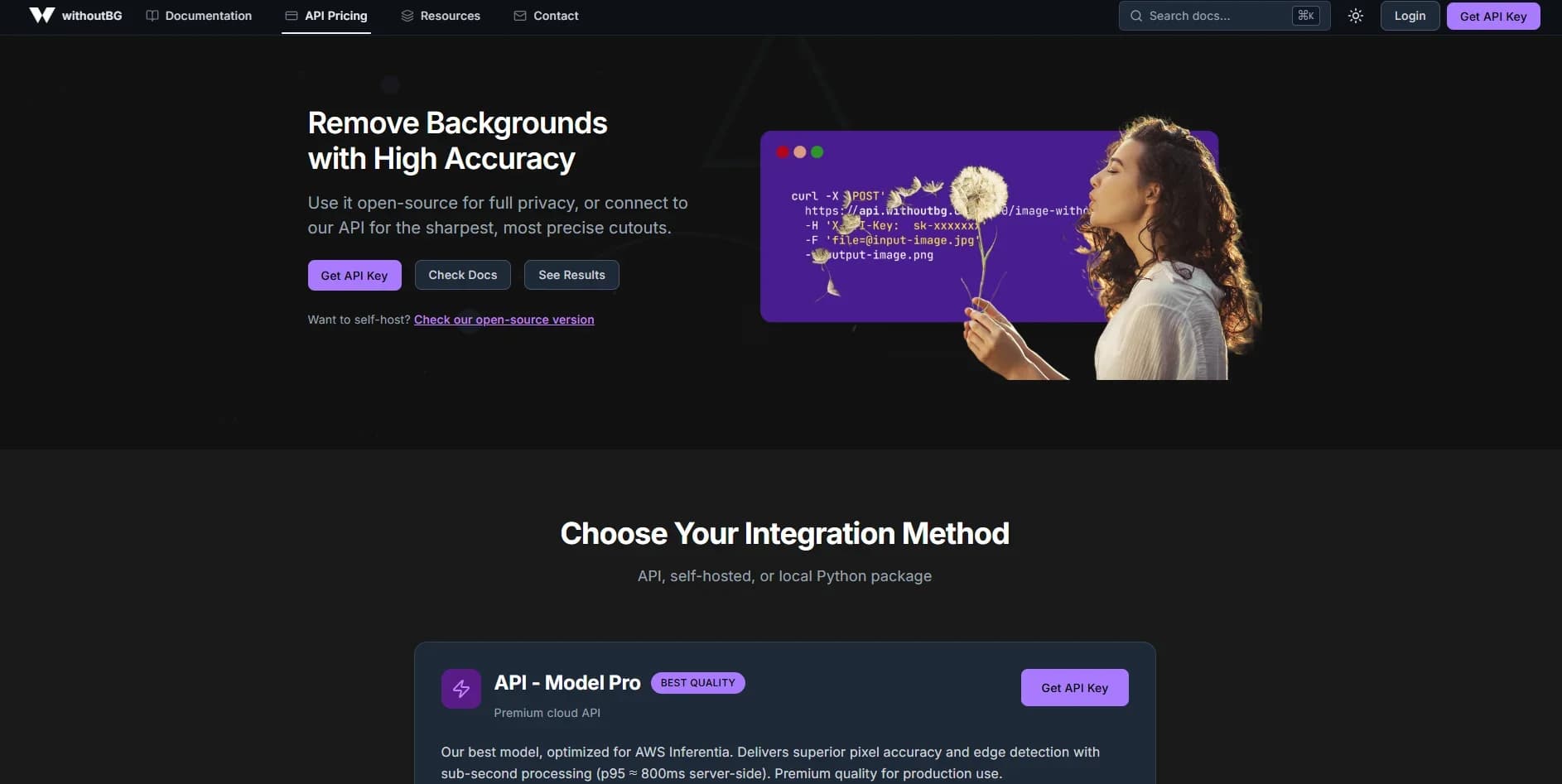
Remove image backgrounds quickly with high precision.
Key Takeaways
- What it is
- Remove image backgrounds quickly with high precision.
- Pricing
- Freemium · $10.80 · $43.20 · $75.60 · $324 · $540
- Best for
- Multiple Deployment Options
- Open Source Focus Model v1.0.0
- Unified Python SDK
- Rating
- 4.6/5
What is withoutBG?
withoutBG provides a full background removal solution built for creators, developers, and privacy focused teams who want control over how images are processed. The tool goes beyond a single API and offers three different deployment paths that fit nearly any workflow. It includes an open source model that runs entirely on local hardware, a premium cloud API called withoutBG Pro, and a Dockerized web application that keeps all files on the device. The system gives users flexible ways to process images while maintaining accuracy, speed, and privacy. It also includes a fully open source codebase under the Apache 2.0 license.
withoutBG stands out by offering true freedom in how background removal is deployed. Users can choose a free offline model, a premium cloud API, or a complete self hosted web app. All options use the same Python SDK, which gives the system a unified developer experience. The open source license, multi platform compatibility, and privacy focused design make it a strong choice for anyone who needs reliable image processing without giving up control.
withoutBG delivers precision and flexibility while letting users decide how private their workflows need to be. The mix of local processing, self hosting, and cloud options gives creators and teams the freedom to match performance with security. The upgraded open source model, expanded Docker support, and improved Pro features make it a reliable solution for anyone who needs fast and accurate background removal without sending images through unknown systems.
Who is Using withoutBG?
E-commerce Businesses
Improving product images for listings across platforms.
Marketing Teams
Producing polished visuals for campaigns and branded content.
Photographers
Reducing editing time for client galleries and batch jobs.
Developers
Embedding background removal into applications through the Python SDK.
Privacy Focused Users
Running local or Docker versions to keep sensitive files in house.
DevOps Teams
Integrating processing into automated pipelines and CI systems.
Government Agencies
Handling sensitive or classified images with local only setups.
IoT and Edge Developers
Running lightweight models on smaller devices.
Uncommon Use Cases
Used for VR world creation workflows; Adopted by researchers contributing to computer vision projects.
Key Features
Rating Breakdown
Pricing Plans
Free Trial
Free
- 50 credits
- Valid for 30 days
Package XS
$10.80
- 100 credits
- Valid for 30 days
Package S
$43.20
- 500 credits
- Valid for 30 days
- 20% off
Package M
$75.60
- 1,000 credits
- Valid for 90 days
- 30% off
Package L
$324
- 5,000 credits
- Valid for 180 days
- 40% off
Package XL
$540
- 10,000 credits
- Valid for 360 days
- 50% off
Which withoutBG plan should you pick?
Start with the Free trial for evaluation, use Open Weights for unlimited local processing, and upgrade to larger Pro credit packages when you need managed quality or volume.
Free trial
Good for testing the Pro API with 50 credits at no cost for 30 days.
100 credits
Good for occasional Pro API use at €0.10 per image-equivalent credit.
500 credits
Good for moderate workloads with a 20% volume discount.
1K credits
Good for recurring workloads with a 30% volume discount and 90-day validity.
10K credits
Good for high-volume processing at €0.05 per credit with 360-day validity.
withoutBG Use Cases
Self-hosted background removal
Run the open-weight model locally with Python, Docker, or the Mac app.
Outcome: Images remain on infrastructure the user controls.
Batch background removal
Process folders using the Mac app, Python, Docker, or the Pro API.
Outcome: Many images can be processed without handling each file individually.
Ecommerce product photos
Create catalog cutouts and alpha mattes for Shopify, Amazon, or custom catalogs.
Outcome: Cleaner product imagery and compositing-ready results.
Python background removal
Use the Python SDK for local open-weight inference or cloud Pro processing.
Outcome: Background removal can be embedded in scripts and batch jobs.
GIMP editing
Run a local withoutBG server and invoke background removal from the GIMP 3.0 Tools menu.
Outcome: The alpha matte is attached as an unapplied layer mask.
Workflow Ideas with withoutBG
Private local batch workflow
- 1Install the withoutBG Python package or Docker image
- 2Process a folder locally with open weights
- 3Export transparent PNG cutouts
Mac creator workflow
- 1Open the native withoutBG Mac app
- 2Drag up to 20 photos into the window
- 3Export individual PNGs or all results as a ZIP
Hybrid quality workflow
- 1Process straightforward images locally with Open Weights
- 2Identify images needing stronger hair, fur, or edge quality
- 3Route difficult cases to the Pro API
How withoutBG fits into your stack
Browser
The hosted web experience lets users submit images and receive transparent PNG cutouts or alpha mattes. The self-hosted Docker app also provides a browser-based drag-and-drop UI.
Desktop / IDE
The native macOS app provides offline batch background removal with drag-and-drop processing. A GIMP 3 plugin connects to the local withoutBG API for in-editor workflows.
Automation and APIs
The REST API, Python SDK, CLI, Docker services, and local Mac API support scripts, batch jobs, CI, Kubernetes, and application integrations.
Pros
- +Flexible Deployment: Offers cloud processing, self hosting, and fully offline use based on preference.
- +Strong Privacy: Local and Docker options keep files on the device at all times.
- +Easy Setup: Full application can run through one Docker command with no extra configuration.
- +Cross Platform Support: Works on Intel, AMD, and Apple Silicon hardware.
- +Transparent Development: Entire project is open source under the Apache 2.0 license.
Cons
- −Learning Curve: Several deployment paths may require users to choose the right approach for their workflow.
- −Local Requirements: The open source model needs around 2GB of RAM and about 320MB of local storage.
- −Rate Limits: API limit of 20 requests per minute may be restrictive for high volume operations.
Limitations & when to consider alternatives
Known limitations
- Pro API file-size limit. The API accepts images up to 20 MB.
- Pro API rate limit. The product rate limit is 30 requests per minute per API key.
- Open Model performance varies. Local latency depends on CPU, GPU, and image resolution, and there is no fixed SLA.
- Mac platform requirements. The native app requires macOS 14 or newer and Apple Silicon; Intel Macs are unsupported.
- Mac batch limit. The Mac app supports up to 20 images per batch.
Look elsewhere when
- You need a live Shopify app.
- You need a mobile app.
- You need manual refinement tools.
How to Use withoutBG
- 1
Choose local or Pro processing
Use Open Weights for free, private, offline processing, or choose the Pro API for stronger results on complex edges.
- 2
Install or obtain access
Install the Python package, launch Docker, download the Mac app, or create an API key for cloud processing.
- 3
Submit images
Upload supported image files to the API, drag photos into the Mac app, or pass paths to the Python SDK or CLI.
- 4
Process batches when needed
Use Python batch methods, Docker services, or the Mac app to process multiple images in one workflow.
- 5
Export the result
Save transparent PNGs, WebP files, ZIP exports, or use the returned alpha matte for compositing.
- 6
Connect other tools
Start the Local API to use withoutBG with GIMP, Blender, scripts, or other HTTP clients.
Who is withoutBG For?
Creators on Mac
The native Mac app supports drag-and-drop batch processing and offline background removal.
Ecommerce teams
Pro is aimed at catalog images with hair, fur, mesh, glass, and reflective packaging.
Privacy-sensitive organizations
Open Weights can run locally so images stay on a laptop, VPC, studio, or controlled server.
Developers and Python users
The Python package provides local and cloud modes, batch processing, and CLI usage.
DevOps and infrastructure teams
Docker CPU and GPU images support headless services, Kubernetes, CI, and batch jobs.
Frequently Asked Questions
Is it really free?
The Open Model is free under Apache-2.0 for local processing. The Pro API includes 50 free signup credits, then uses pay-as-you-go pricing.
Pro Model or open-weight model?
The Pro Model is a managed cloud API with stronger results on hair, fur, and complex edges. The Open Model runs locally on CPU or GPU and keeps images on your hardware.
Do you store or train on my images?
API images are processed in RAM and discarded after the response. Customer uploads are not used to train or fine-tune models.
How do I self-host?
Install the Python package, run a Docker image, or use the native macOS app. The self-hosted options do not require an API key.
Does withoutBG for Mac upload my photos?
No. Images are processed entirely on the Mac and are not sent to the cloud.
Can I use it from GIMP or scripts?
Yes. Start the Local API on 127.0.0.1:8000 and connect GIMP or another HTTP client.
Community reviews
Be the first to share your experience.
Sign in to leave a review for withoutBG.
withoutBG Alternatives
Looking for alternatives to withoutBG? Here are similar tools in the same category:
Learn to Master withoutBG
With Skill Leap courses
Get in-depth training on withoutBG and 50+ other AI tools with our expert-led video courses.
Start 7-Day Free Trial