
Warp AI
AI-enhanced terminal with command suggestions, error explanations, and automation.
Key Takeaways
- What it is
- AI-enhanced terminal with command suggestions, error explanations, and automation.
- Pricing
- Freemium
- Best for
- AI Command Suggestions
- Error Explanation
- Workflow Automation
- Rating
- 4.6/5
What is Warp AI?
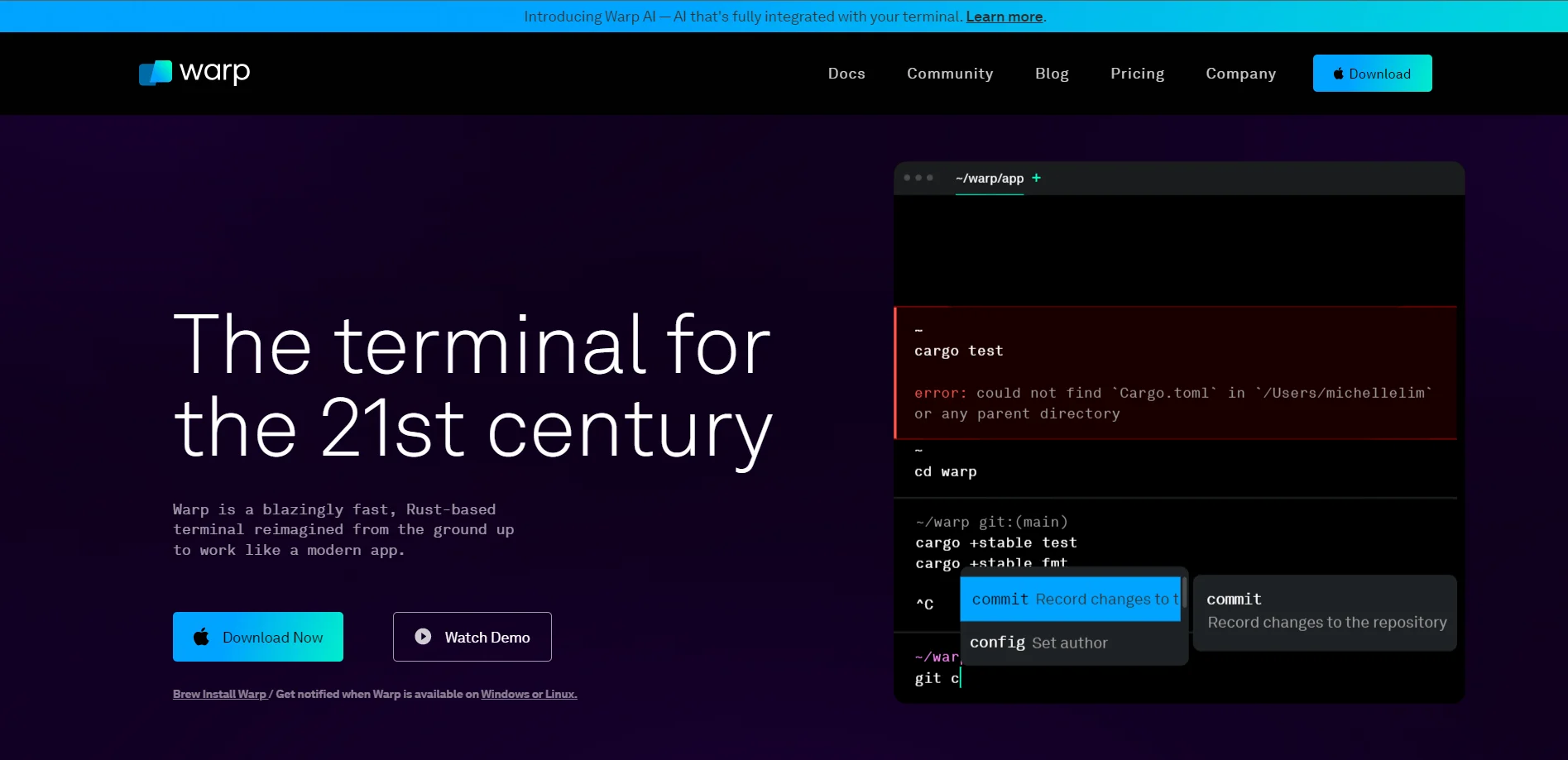
Warp AI is a cutting-edge tool designed to integrate artificial intelligence seamlessly with your command line terminal. Its primary function is to simplify and enhance the user experience for developers by providing AI-driven command suggestions, error explanations, and workflow automation directly within the terminal environment. This tool is a boon for developers looking to streamline their coding and debugging processes, offering a blend of ease and efficiency that is tailored for both novice and experienced coders alike.
Warp AI stands out by fully integrating AI into the terminal, not just as an add-on but as a core part of the terminal experience. This deep integration allows for a smoother workflow and a more intuitive use of AI in daily tasks, setting it apart from other tools that offer AI capabilities as separate components.
Warp AI excels in enhancing the terminal experience for developers by integrating AI-driven commands and workflows. Its unique approach to privacy, combined with powerful features like error explanation and command suggestion, makes it an indispensable tool for a wide range of users. Whether you're a solo developer or part of a larger team, Warp AI offers both the functionality and flexibility to significantly boost productivity and streamline operations.
Who is Using Warp AI?
Software Developers
Streamlining coding and debugging processes.
System Administrators
Automating routine terminal tasks.
Data Scientists
Enhancing data manipulation and analysis commands.
AI Researchers
Integrating AI capabilities into their development environments.
Uncommon Use Cases
Academic institutions use it for teaching coding, while IT professionals employ it for network configuration and management.
Key Features
Rating Breakdown
Pricing Plans
Free Tier
Free
Team Tier
- Unlock higher request limits and additional features for your team. Visit warp.dev/pricing for more details
Which Warp AI plan should you pick?
Start with Free for core terminal and limited AI use, upgrade to Build for regular individual usage, Business for managed teams, or Enterprise for governance and custom infrastructure.
Free
Good for developers who need core terminal features, limited cloud agents, and limited collaboration at no monthly cost.
Build
Good for individual developers and small teams who need higher AI limits, full Warp Agent access, and unlimited Warp Drive collaboration.
Max
Good for developers who need substantially more included AI capacity than Build.
Business
Good for teams that need per-seat credits, usage metrics, administrative data controls, custom inference endpoints, and SAML-based SSO.
Enterprise
Good for organizations needing unlimited seats, advanced governance, self-hosted cloud agents, custom codebase indexing, and dedicated implementation support.
Warp AI Use Cases
Generate and edit code
Prompt Warp’s coding agent to create changes, inspect diffs, and edit files in its native code editor.
Outcome: Faster implementation with reviewable code changes.
Debug failing software
Give the agent repository context, failing tests, or terminal output and ask it to investigate and propose fixes.
Outcome: A faster path from failure diagnosis to a candidate fix.
Automate engineering tasks
Run cloud agents from Slack, Linear, the CLI, or the Oz API using reusable environments.
Outcome: Repeatable background engineering workflows.
Review agent-generated changes
Inspect diffs, leave comments, edit changes, and ask the agent to address review feedback.
Outcome: Interactive code review without switching tools.
Share development knowledge
Store and share workflows, prompts, notebooks, environment variables, and sessions through Warp Drive.
Outcome: Reusable team context and more consistent development practices.
Workflow Ideas with Warp AI
Slack bug report to pull request
- 1Mention the Warp or Oz agent in a Slack thread.
- 2Run the agent in a configured Docker environment against the relevant GitHub repository.
- 3Review the generated changes and pull request with the team.
Local prompt to reviewed code change
- 1Describe the desired change in Warp’s Agent Mode.
- 2Attach a file, diff, or repository context.
- 3Inspect, edit, and apply the proposed code diff.
Reusable cloud-agent automation
- 1Create an environment with a Docker image, repositories, and setup commands.
- 2Connect the environment to Slack, Linear, the CLI, or the API.
- 3Reuse the same environment for repeatable agent runs.
How Warp AI fits into your stack
Cross-Platform Support
Available for macOS, Linux, and Windows (upon release).
Warp Drive Integration
Seamlessly integrates with Warp’s own feature for saving and reusing commands.
API Access
Provides API options for custom integrations tailored to advanced user needs.
Terminal Compatibility
Designed to work flawlessly within various terminal environments.
Pros
- +Enhanced Productivity: Reduces the time spent searching for commands or debugging, significantly speeding up development workflows.
- +Ease of Use: Intuitive interface that integrates directly into the terminal, making it accessible for users of all skill levels.
- +Privacy and Security: Adheres to strict privacy policies ensuring user data is not stored or misused, offering peace of mind for security-conscious developers.
- +Cost-Effective: Offers a free tier suitable for individual users with an option to upgrade for teams, providing flexibility and scalability.
Cons
- −Learning Curve: New users may need some time to familiarize themselves with AI features and command integrations.
- −Limited Free Requests: The free version is limited to 40 requests per month, which might not suffice for heavy users.
- −Platform Availability: Windows version is still on a waitlist, which may limit accessibility for some users.
Limitations & when to consider alternatives
Known limitations
- Some coding features are unavailable over SSH or WSL. Codebase Context, code diffs, the code editor, and the file tree are not currently available in SSH or WSL sessions.
- Warp’s web experience cannot execute workflows or notebooks. The browser-based Warp Drive experience can view and edit objects, but cannot execute a command because no shell session runs on the web.
- Cloud-agent automation requires configured environments. Automation Platform runs require an environment containing a Docker image, repositories, and setup configuration.
- Free AI usage is limited by credits. On the Free plan, AI access stops after the monthly credit limit until the next billing cycle unless users bring their own inference or add credits.
Look elsewhere when
- You need a native iOS or Android app.
- You need a dedicated browser extension.
- You need to fine-tune models on your own data.
How to Use Warp AI
- 1
Explore detailed documentation and user manuals available on the Warp website to get started with Warp AI. These resources are designed to help users from basic setup to advanced feature utilization.
Who is Warp AI For?
Individual developers
Warp provides a modern terminal, AI agents, code generation, debugging, and code editing for day-to-day development.
Small development teams
Teams can share sessions, workflows, prompts, and other Warp Drive resources while collaborating on agent-generated work.
Engineering organizations
Business and Enterprise plans add team administration, SSO, usage controls, governance, analytics, and custom infrastructure options.
Platform and DevOps teams
The Automation Platform supports cloud agents, reusable environments, triggers, integrations, APIs, and SDK-based automation.
Frequently Asked Questions
What is Warp?
Warp is an agentic development environment combining a modern terminal, coding agents, cloud agents, and collaboration features.
Is Warp free?
Yes. Warp offers a Free plan at $0 per month, with core terminal features, limited cloud agents, and limited collaboration access.
Which platforms does Warp support?
Warp provides downloadable applications for macOS, Windows, and Linux.
Does Warp provide an API?
Yes. The Oz API and SDK let developers create and monitor cloud-agent runs from scripts, backend services, CI/CD pipelines, and custom tools.
Can teams collaborate in Warp?
Yes. Teams can share agent sessions, review agent actions, steer running tasks, and share Warp Drive resources.
How does Warp handle data security?
Warp documents AES-256 encryption at rest, TLS encryption in transit, SSO support, and zero-data-retention agreements with contracted model providers.
Community reviews
Be the first to share your experience.
Sign in to leave a review for Warp AI.
Warp AI Alternatives
Looking for alternatives to Warp AI? Here are similar tools in the same category:
Learn to Master Warp AI
With Skill Leap courses
Get in-depth training on Warp AI and 50+ other AI tools with our expert-led video courses.
Start 7-Day Free Trial