VMEG
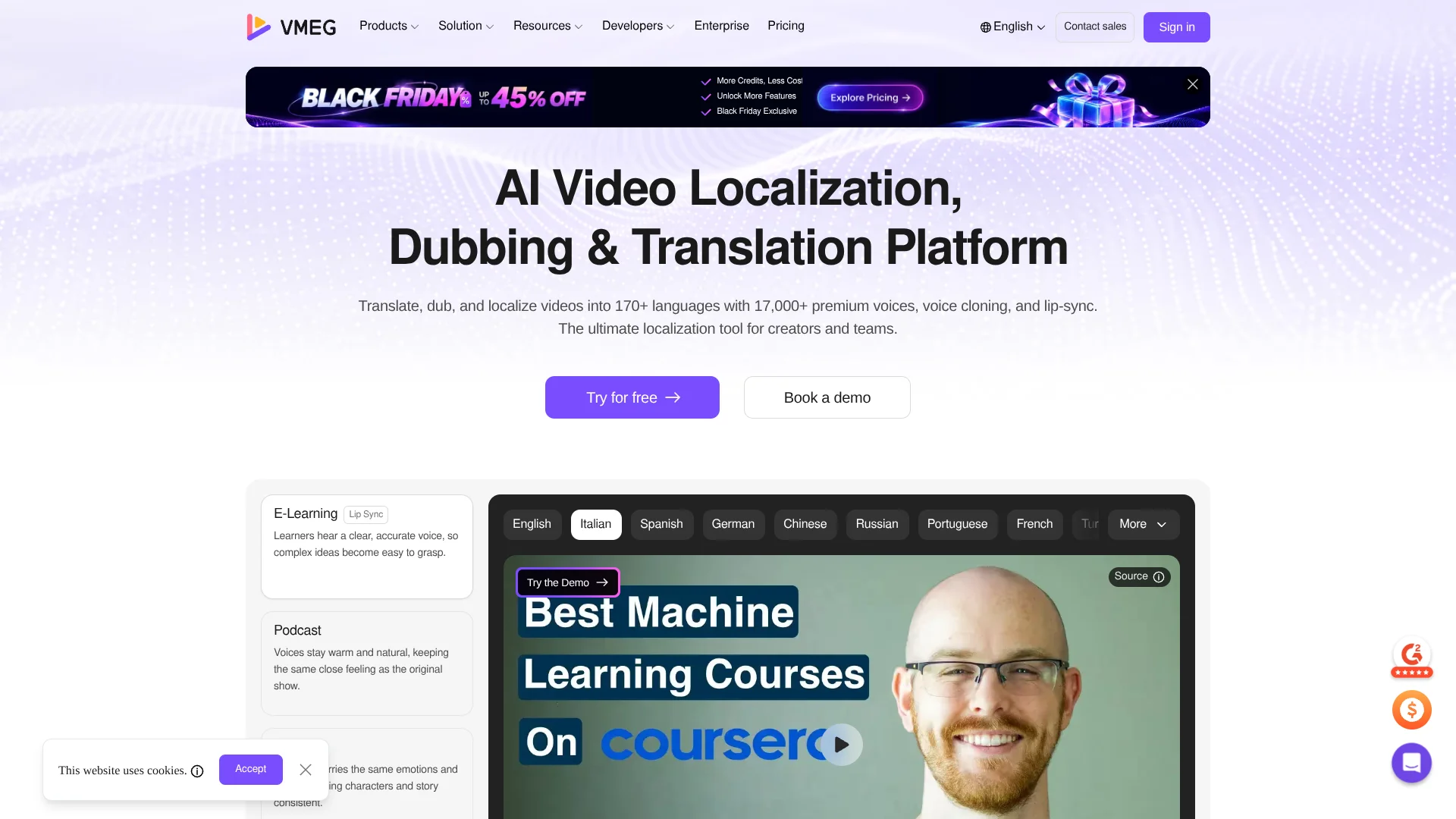
Dub existing videos into new languages in the original speaker’s voice.
Watch VMEG in Action
Key Takeaways
- What it is
- Dub existing videos into new languages in the original speaker’s voice.
- Pricing
- $1.50 for 3 days · $10 per month · $35 per month · $90 per month
- Best for
- Video translation and dubbing
- Voice cloning
- AI lip sync
- Rating
- 4.3/5
What is VMEG?
VMEG turns existing videos into dubbed versions for viewers who speak other languages. Its AI translates speech, identifies speakers, and can recreate their voices in the target language, with optional lip sync to match the new audio to the speaker’s mouth. Creators, marketers, agencies, and training teams can use it to adapt videos without recording each language from scratch.
A particular strength is multilingual voice cloning: VMEG can carry a speaker’s voice into other languages, including languages it lists among its 170+ supported languages. Its editor also lets users adjust scripts, timing, and voice settings before exporting.
VMEG is best for people localizing existing video or audio, especially when keeping the original speaker’s identity matters. It is less suited to teams seeking an independently verified translation process by default; human-reviewed dubbing is offered as a separate service. Reach for VMEG when the job is adapting recorded content for audiences in other languages.
Who is Using VMEG?
YouTube creators
A creator can dub existing videos to reach viewers who watch in another language.
Localization project managers
Project managers can coordinate scripts, speaker assignments, review, and export in the editing workspace.
Marketing managers
Marketing managers can prepare localized versions of product demos and promotional videos.
E-learning producers
E-learning producers can adapt course videos and keep speaker voices consistent across languages.
Uncommon Use Cases
Podcast producers can translate audio while retaining the host’s voice; documentary teams can generate bilingual subtitles and use speaker identification.
Key Features
Rating Breakdown
Pricing Plans
3-Day Studio Trial
$1.50 for 3 days
- Includes 180 credits upfront and access to all Studio features.
- Automatically renews at $96 per year after the trial
- With 12,960 credits provided upfront
Starter Studio
$10 per month
- Includes 1,080 credits per month, equivalent to 18 minutes of AI dubbing/video translation ($0.55 per minute)
- 108 minutes of subtitle translation ($0.09 per minute)
- 36 minutes of standard subtitle removal ($0.27 per minute)
- 180 minutes of transcription ($0.05 per minute)
- 108,000 TTS characters
Creator Studio
$35 per month
- Includes 3,890 credits per month, equivalent to 64 minutes of AI dubbing/video translation ($0.54 per minute)
- 389 minutes of subtitle translation ($0.08 per minute)
- 129 minutes of standard subtitle removal ($0.27 per minute)
- 648 minutes of transcription ($0.05 per minute)
- 389,000 TTS characters
Business Studio
$90 per month
- Includes 10,385 credits per month, equivalent to 173 minutes of AI dubbing/video translation ($0.52 per minute
- 1,038 minutes of subtitle translation ($0.08 per minute)
- 346 minutes of standard subtitle removal ($0.26 per minute)
- 1,730 minutes of transcription ($0.05 per minute), or 1,038,400 TTS characters
Enterprise
- VMEG describes Enterprise as a customized option for large organizations with high-volume, team-based, or specialized needs.
Which VMEG plan should you pick?
Try the free trial credits to check the results on your own media, then review the current pricing page before choosing a paid option; larger organizations can ask VMEG about Enterprise.
Enterprise
For large organizations that need team-based usage, dedicated onboarding, or specialized requirements; pricing is custom.
VMEG Use Cases
Localize a video for another language
A translated dub and optional lip sync help adapt an existing video without a new recording session.
Outcome: A dubbed video in a selected target language.
Expand a video channel internationally
Creators can produce language versions of existing videos while retaining the original speaker’s voice.
Outcome: Localized versions of videos for additional audiences.
Prepare multilingual training
Training teams can adapt onboarding or course videos for employees and learners in different language markets.
Outcome: Training videos with translated audio and subtitles.
Review and refine translated scripts
Side-by-side script editing helps reviewers check wording and timing before export.
Outcome: A reviewed script and synchronized subtitle or dubbed video.
Process a batch of videos
Batch production supports projects that require multiple videos or language versions.
Outcome: Multiple localized video tasks processed in a batch.
Workflow Ideas with VMEG
Localize a creator video
- 1Upload the source video and choose a target language.
- 2Review the translated script, speaker assignments, and voice settings.
- 3Adjust lip sync or subtitles as needed, then export the localized video.
Prepare training videos for several regions
- 1Collect the source videos and target languages for the project.
- 2Submit the videos for batch localization and check terminology in the scripts.
- 3Review the dubbed versions and export the approved outputs.
Create translated subtitles
- 1Provide a video for transcription and subtitle translation.
- 2Review the source and translated text side by side.
- 3Customize the bilingual subtitle style and export.
How VMEG fits into your stack
Video and audio localization
VMEG handles translation, transcription, dubbing, and subtitle creation for existing video and audio. It fits after recording and before publishing localized versions.
Editing and review
The Editing Studio provides side-by-side script review and controls for voice, timing, and subtitles before export.
Batch production
Batch & Automation supports projects with many videos or language versions, rather than handling each localization as a separate one-off task.
Connected AI tools
VMEG lists integrations for ChatGPT, Gemini, Grok, and Claude to support video translation through those tools.
Developer workflows
VMEG offers API documentation for teams that want to connect its localization functions to their own software.
Pros
- +Multilingual voice cloning: Preserve a speaker’s recognizable voice across localized versions.
- +Language coverage: The site lists support for more than 170 languages, dialects, and accents.
- +Revision-friendly editing: Adjust scripts, speed, intonation, or voices without spending extra credits, according to the site.
- +Human-reviewed option: Teams can request dubbing reviewed by native linguists and sound engineers.
Cons
- −Credit-based usage: Processing costs vary by feature and video length, so usage can take planning.
- −Review takes time: Automated translation and dubbing may still need script and pronunciation checks before publishing.
Limitations & when to consider alternatives
Known limitations
- Two-hour upload limit. The FAQ says the maximum supported video upload is two hours and recommends splitting longer content into parts.
- Credit use depends on the task. Credits are charged differently by feature; videos or audio shorter than one minute are billed as one minute.
- Lip sync costs extra credits. The credit guide lists lip sync as an additional per-minute charge on top of video translation.
- AI output may need review. The site describes human-reviewed dubbing as a separate service for teams that need native-linguist and sound-engineer review.
Look elsewhere when
- You need a native mobile app or downloadable desktop application.
- You need SSO or a browser extension for your team.
- Your video is longer than the stated two-hour upload limit.
How to Use VMEG
- 1
Choose a VMEG tool
Select Video Translator, Audio Translator, Subtitle Translator, or another tool based on the media and output you need.
- 2
Provide your source
Upload the video or audio you want to localize.
- 3
Set the language and voice
Choose a target language and select a voice or use voice cloning where suitable.
- 4
Review the generated script
Check wording, speaker identification, timing, and pronunciation before finalizing the dub.
- 5
Polish the output
Adjust the script, voice settings, and subtitles in the Editing Studio; add lip sync when needed.
- 6
Export and check the result
Export the localized media and review it before sharing or publishing.
Who is VMEG For?
Content creators
Creators can localize videos for audiences in other languages while retaining the original speaker’s voice.
Marketing teams
Marketing teams can adapt product videos and ads for different language markets.
Agencies
Agencies can manage multilingual video work and batch production for clients.
Training and e-learning teams
Teams can produce localized versions of training videos without recording each language separately.
Entertainment and media teams
Media teams can dub shows, documentaries, and other recorded content for international distribution.
Frequently Asked Questions
Does VMEG offer a free way to try it?
VMEG’s FAQ says new users can try the video translator with free trial credits.
How does VMEG charge for localization?
VMEG uses credits, with costs depending on the feature and media length. Shorter-than-one-minute videos or audio are charged as one minute.
Can VMEG keep the speaker’s voice in another language?
Yes. VMEG offers voice cloning for localized audio and video.
Which languages does VMEG support?
VMEG lists more than 170 languages, dialects, and accents for its localization tools.
Does VMEG have an API?
VMEG provides API information and documentation for developer integrations.
Can VMEG process long videos?
The FAQ states that uploads can be up to two hours; longer videos should be split into parts.
Community reviews
1 review from people who use VMEG.
Sign in to leave a review for VMEG.
Biao Xu
VMEG Alternatives
Looking for alternatives to VMEG? Here are similar tools in the same category: