Vidext
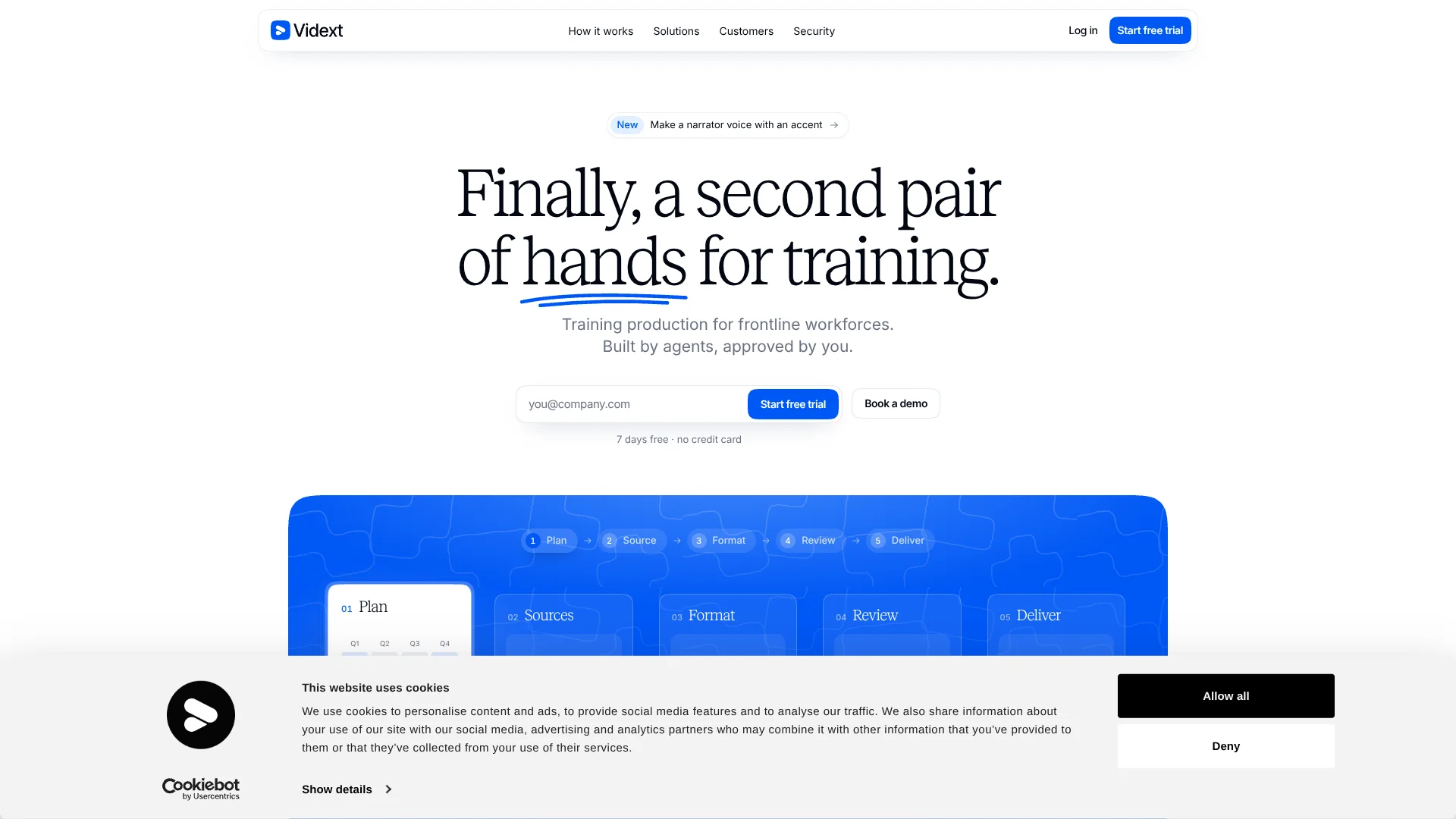
Turn changing workplace procedures into approved, trackable training for frontline teams.
Key Takeaways
- What it is
- Turn changing workplace procedures into approved, trackable training for frontline teams.
- Pricing
- Freemium · $15.99 per month
- Best for
- Agent-led course planning
- Source traceability
- Approval-based updates
- Rating
- 4.2/5
What is Vidext?
Vidext turns procedures, manuals, slides, recordings, websites, YouTube videos, Google Drive folders, and Notion pages into workplace training. It plans the course, builds interactive lessons, supports audio and phone-based learning, and tracks completion for each person. The product is aimed at teams training frontline employees across sites, shifts, roles, and languages.
Vidext's defining capability is its approval-based update process: agents watch source material and learner activity, identify affected courses, draft changes, and wait for a person to approve them before anything is published.
It fits learning and development, compliance, safety, and operations teams that need to turn changing procedures into traceable training. The tradeoff is that Vidext uses custom annual contracts rather than a public self-serve price list, so it is built for organizational training programs rather than casual video creation.
Who is Using Vidext?
Learning and development managers
Course plans, source references, learner progress, and approval steps stay connected from training request to delivery.
EHS and safety managers
Safety procedures become short lessons with checks, language versions, and completion records for frontline teams.
Operations managers
Updated procedures can trigger draft training changes for stores, plants, warehouses, routes, and other operational groups.
Compliance officers
Mandatory courses include records that show who completed the training and when.
Training content reviewers
Reviewers can inspect the sources behind course content, comment on drafts, and approve publication.
Uncommon Use Cases
Convert toolbox talks and recorded walkthroughs into repeatable audio lessons; give learners an AI tutor that answers questions from the course content.
Key Features
Rating Breakdown
Pricing Plans
Free Tier
Free
- Get started with Vidext using the free trial available for 30 days
Pro Tier
$15.99 per month
Vidext Use Cases
Safety and compliance training
Changing safety procedures become short, reviewable courses with questions and completion tracking.
Outcome: Approved mandatory training with evidence for audits.
Frontline onboarding
New hires receive phone-friendly lessons in the language used by their team.
Outcome: Faster access to role-specific procedures for new starters.
Operational procedure updates
When a manual or procedure changes, Vidext identifies affected courses and drafts revisions for review.
Outcome: Less risk of outdated training reaching employees.
Multilingual workforce training
The same course can be prepared for different sites, shifts, and languages while retaining company terminology.
Outcome: Consistent training across distributed teams.
Audit-ready completion tracking
Course assignments and individual progress provide a record of who completed required training.
Outcome: Completion evidence available when leadership or auditors request it.
Workflow Ideas with Vidext
Turn a procedure into training
- 1Connect or upload the procedure, manual, presentation, or recording.
- 2Review Vidext's proposed course structure and approve the brief.
- 3Review the generated lessons, then publish them to your LMS or learner space.
Keep courses current
- 1Maintain the source document or connected knowledge page.
- 2Let the update agent identify affected training and draft revisions.
- 3Approve the changes before the updated course reaches learners.
Prepare for an audit
- 1Assign the required course to the relevant teams or learner groups.
- 2Monitor completion and progress by person and course.
- 3Use the completion record as evidence of assigned training.
How Vidext fits into your stack
Knowledge sources
Vidext sits after the places where operational knowledge already lives, including uploaded files, recordings, websites, YouTube, Google Drive, and Notion.
Course production
The platform converts source material into interactive modules, audio courses, and phone-friendly lessons while keeping human review in the process.
Learning delivery
Approved courses can reach learners through Moodle, any LMS that supports LTI 1.3, a shared link, or Vidext's learner space.
Reporting and records
Vidext tracks assignments, progress, completion, and learner activity so training teams can provide evidence to leadership or auditors.
Pros
- +Procedure-first production: turns operational knowledge into training instead of starting with a blank video editor.
- +Human approval controls: agents draft plans, lessons, and updates, but your team decides what goes live.
- +Frontline delivery: courses can reach people through Moodle, an LMS with LTI 1.3, a shared link, or Vidext's learner space.
- +Language coverage: supports training versions in more than 120 languages and keeps a technical glossary for each company.
- +Audit evidence: stores completion and progress records for courses and individual learners.
Cons
- −Custom buying process: Vidext uses annual contracts instead of publishing a standard self-serve price.
- −Specialized scope: the product is focused on corporate and frontline training, not general-purpose video creation.
- −Human review required: the approval model adds a necessary review step before learners receive new or updated content.
Limitations & when to consider alternatives
Known limitations
- No public standard pricing. Vidext uses custom annual contracts, with pricing shaped by the project, features, sites, integrations, and training volume.
- Annual contract model. The published product information describes Vidext as an annual-contract service rather than a monthly self-serve subscription.
- Approval before publishing. Agents do not publish courses or updates on their own. A person must review and approve the content first.
- Training-focused product. Vidext is built for operational and corporate training production, not general video editing or broad creative content work.
Look elsewhere when
- You need a low-cost self-serve video maker with public monthly plans.
- You want a general-purpose video editor for marketing or social content.
- Your team needs a native mobile app or desktop application.
How to Use Vidext
- 1
Define the training goal
Start with a procedure, training request, or annual plan and identify who needs to perform the task.
- 2
Bring in source knowledge
Upload files or connect sources such as Google Drive, Notion, websites, YouTube, and recordings.
- 3
Approve the course plan
Check the proposed modules, sequence, and timing before Vidext builds the lessons.
- 4
Review the generated content
Inspect source references, edit through the chat, and check narration, visuals, questions, and language versions.
- 5
Publish to learners
Deliver the approved course through Moodle, an LTI 1.3 LMS, a shared link, or Vidext's learner space.
- 6
Monitor and improve
Review completion, learner questions, and proposed updates before approving the next revision.
Who is Vidext For?
Frontline workforces
Teams with employees on the floor, in vehicles, across sites, or without regular access to a desk can deliver short training by phone or audio.
Learning and development teams
Small training teams can turn existing company knowledge into courses and maintain them as procedures change.
Compliance and safety organizations
Regulated teams can create mandatory training with approval records and completion evidence.
Operations-led companies
Organizations with changing procedures can connect source updates to proposed course updates before publishing them.
Frequently Asked Questions
Does Vidext offer a free plan?
The official site advertises a 7-day free trial with no credit card. It does not publish a permanent free plan.
How is Vidext priced?
Vidext uses custom annual contracts rather than publishing standard public plan prices.
What sources can Vidext use?
Vidext can work from uploaded files, recordings, websites, YouTube, Google Drive, and Notion.
Where can Vidext publish courses?
Courses can be delivered through Moodle, any LMS with LTI 1.3, a shared link, or Vidext's learner space.
Does Vidext support multiple languages?
Vidext supports more than 120 languages and can maintain a company-specific technical glossary.
Can Vidext update courses when procedures change?
Update agents can identify affected courses and draft revisions, but a person must review and approve each update before publication.
Community reviews
Be the first to share your experience.
Sign in to leave a review for Vidext.
Vidext Alternatives
Looking for alternatives to Vidext? Here are similar tools in the same category: