Video Candy
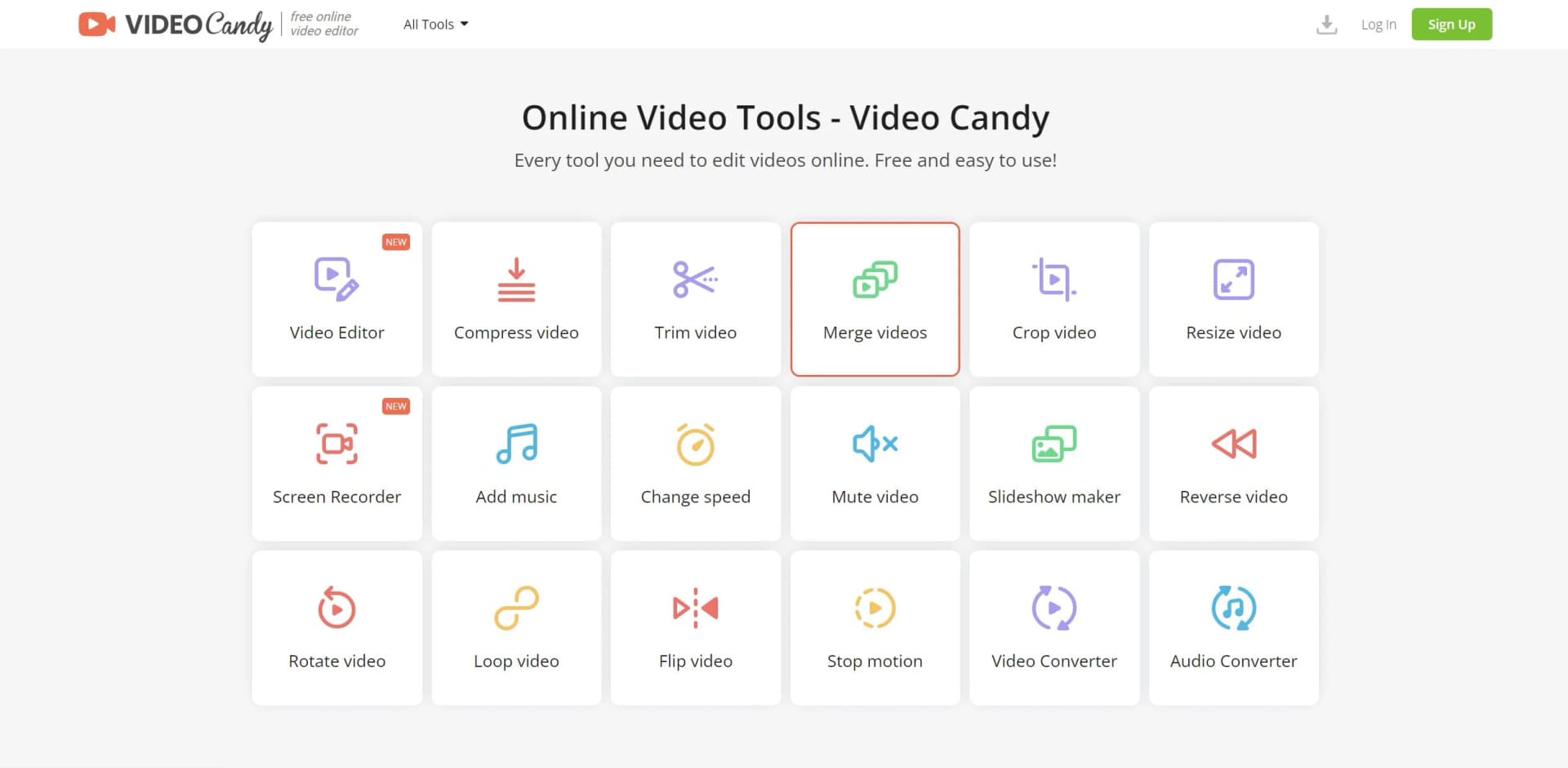
Every tool you need to edit videos online. Free and easy to use!
Key Takeaways
- What it is
- Every tool you need to edit videos online. Free and easy to use!
- Pricing
- $4/month · $8/month · $99
- Best for
- Intuitive Video Editor
- Wide Range of Tools
- Screen Recorder
- Rating
- 4.3/5
What is Video Candy?
Video Candy is a comprehensive online video editing platform that empowers users to enhance and manipulate their videos with ease. Harnessing the power of artificial intelligence, Video Candy provides an array of features designed for a diverse audience, from content creators to marketing professionals. Its primary focus is to streamline the video editing process, making it more accessible and less time-consuming for users of all skill levels.
Video Candy distinguishes itself with its commitment to simplicity and efficiency in video editing. Its unique selling point lies in the fusion of a comprehensive toolset with an AI-powered editing experience, making video editing both accessible and advanced for a wide range of users.
Video Candy excels in providing a user-friendly, feature-rich online video editing experience, making it an indispensable tool for creators and professionals alike. Its commitment to high-quality outputs and a robust suite of editing tools offers an unmatched advantage in the realm of digital video production. Whether for personal or professional use, Video Candy stands out as a reliable and efficient solution for video editing needs.
Who is Using Video Candy?
Content Creators
Utilizing the platform to produce engaging content for various social media platforms.
Marketing Professionals
Crafting compelling video advertisements and promotional materials.
Educators
Creating educational content and presentations with multimedia elements.
Small Business Owners
Producing video content for branding and online presence.
Uncommon Use Cases
Utilized by non-profit organizations for awareness campaigns; Adopted by hobbyists for personal video projects.
Key Features
Rating Breakdown
Pricing Plans
Yearly Subscription
$4/month
- Discounted from $12/month
- Full feature access and high priority processing
Monthly Subscription
$8/month
- Offering the same full features as the yearly plan
Lifetime Access
$99
- Continuous access to all features without recurring fees
Which Video Candy plan should you pick?
Start with the free online tools for occasional editing; choose Yearly or Monthly for watermark-free, higher-priority processing, or Lifetime for ongoing use without recurring payments.
Yearly
Good for regular users who need no watermark, unlimited downloads, uploads up to 8 GB, and high-priority processing at the lowest effective monthly price.
Monthly
Good for users who need the paid features temporarily without committing to an annual subscription.
Lifetime
Good for frequent or long-term users who prefer a one-time payment instead of recurring billing.
Video Candy Use Cases
Trim and split videos
Upload a video, remove unwanted segments, or split it into custom parts.
Outcome: A shorter or segmented video clip.
Merge video clips
Combine multiple videos, rearrange clips, and optionally add transitions or background audio.
Outcome: A single assembled video.
Create slideshows
Turn images into a slideshow and add background music.
Outcome: A slideshow video.
Record the screen
Use the online screen recorder to capture desktop activity.
Outcome: A downloadable screen recording.
Convert and compress media
Convert video or audio formats and reduce video file size.
Outcome: A file in the requested format or a smaller video.
Workflow Ideas with Video Candy
Create a social video montage
- 1Import multiple videos or images by drag and drop or from Dropbox or Google Drive
- 2Rearrange clips and apply trimming, cropping, speed, rotation, or transitions
- 3Add background music and export the finished video
Prepare a video for sharing
- 1Upload the source video
- 2Crop or resize it and remove unwanted audio if needed
- 3Compress or convert the result and download it
Make a screen-recorded tutorial
- 1Open the online Screen Recorder
- 2Capture the desktop activity
- 3Edit the recording with Video Candy tools and download it
How Video Candy fits into your stack
Browser-Based
Accessible on multiple web browsers without the need for software downloads.
File Compatibility
Supports various video and audio file formats for editing and conversion.
Cloud Storage Integration
Enables users to save and retrieve files from cloud storage services.
Cross-Platform Use
Works across different operating systems since it's web-based.
Pros
- +No Watermark: Paid plans allow for watermark-free videos, ensuring a professional look.
- +High Priority Processing: Reduces waiting time with faster video processing capabilities.
- +Generous File Size Limit: Users can upload files up to 4 GB, accommodating larger video projects.
- +Versatile Editing Options: A well-rounded suite of editing tools caters to virtually any video editing need.
Cons
- −Time Limit on Processing: Even with high priority, there is a 20-minute processing time limit.
- −Paid Plans Required for Full Features: Access to all features necessitates a subscription.
- −Learning Curve: New users might require some time to get accustomed to the plethora of features available.
Limitations & when to consider alternatives
Known limitations
- Upload size limit. Paid plans list a maximum upload size of 8 GB.
- Processing-time limit. Paid plans list a 20-minute processing-time limit.
- Uploaded files are automatically deleted. Files uploaded or generated through the service are removed from servers within two hours.
- Browser-based service. Video Candy is presented as an online tool that runs in the browser without software installation.
Look elsewhere when
- You need a native mobile application.
- You need a downloadable desktop editor.
- You need model training or AI customization.
- You need advanced enterprise identity controls.
How to Use Video Candy
- 1
Video Candy offers a Help Center with an intelligent support system and resources to guide users through its features and address common queries.
Who is Video Candy For?
Beginners
Video Candy emphasizes simple, easy-to-use online editing without software downloads or prior technical experience.
Content creators
Its browser-based tools support creating and adapting videos for platforms such as YouTube, Instagram, and TikTok.
Marketers and influencers
Resize, crop, convert, and enhance videos for social media publishing and promotional content.
Professionals
The service offers a broad collection of online video-processing tools for editing, conversion, recording, and audio work.
Personal users and families
The site presents video editing as suitable for family films, memories, and straightforward personal projects.
Frequently Asked Questions
How does Video Candy protect uploaded files?
Video Candy uses HTTPS with TLS/SSL standards and 256-bit AES encryption for files in transit and storage.
How long are uploaded files retained?
Uploaded or generated files are automatically removed from Video Candy servers within two hours.
Does Video Candy require an account?
An account or personal details are required only if users choose to sign up after exceeding the free usage limit.
What plans are available?
Video Candy offers Yearly, Monthly, and Lifetime plans.
What is included in paid plans?
Paid plans include no watermark, the video editor and 70 tools, unlimited downloads, uploads up to 8 GB, high-priority processing, and a 20-minute processing-time limit.
Community reviews
Be the first to share your experience.
Sign in to leave a review for Video Candy.
Video Candy Alternatives
Looking for alternatives to Video Candy? Here are similar tools in the same category: