
Vicarius
Streamline vulnerability management with real-time visibility, AI remediation.
Key Takeaways
- What it is
- Streamline vulnerability management with real-time visibility, AI remediation.
- Best for
- Real-Time Asset Visibility
- Automated Vulnerability Remediation
- Patchless Protection
- Rating
- 4.6/5
What is Vicarius?
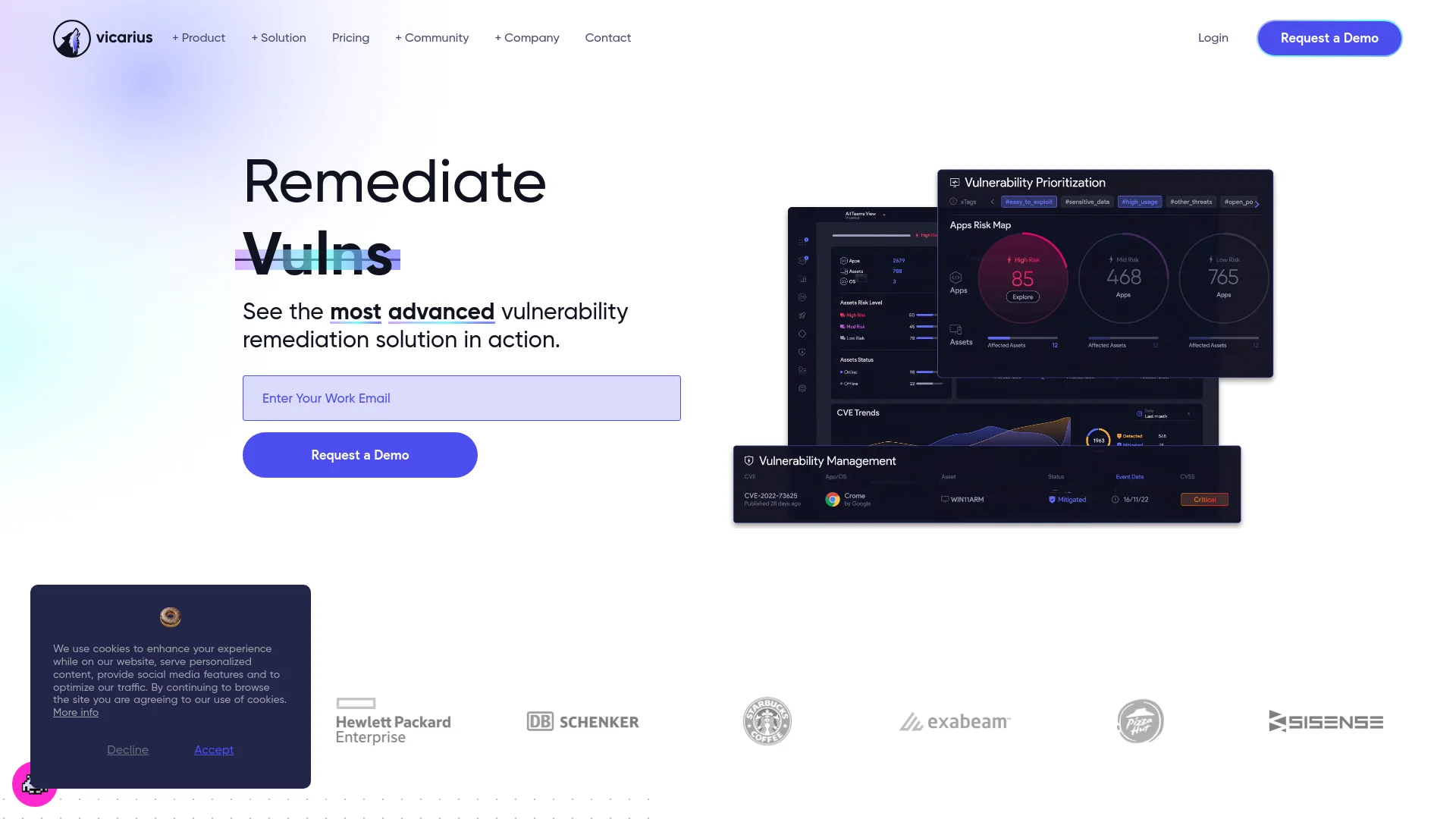
Vicarius is a cutting-edge cybersecurity platform designed to streamline the process of vulnerability management. This tool uniquely combines the capabilities of vulnerability discovery, prioritization, and remediation into a single, integrated solution. Aimed at enhancing the cybersecurity posture of organizations, Vicarius is tailored for IT professionals and security teams seeking a robust, all-in-one platform to safeguard their digital assets effectively.
Vicarius stands out with its proprietary Patchless Protection™ technology, a significant advantage for organizations that need to secure applications between patch cycles. Its comprehensive, real-time asset visibility and AI-driven automation also set it apart in the crowded cybersecurity market.
Vicarius excels in delivering a comprehensive cybersecurity solution that enhances organizational security through advanced features like real-time asset visibility and AI-driven vulnerability management. Its unique Patchless Protection™ technology provides critical security between patches, making Vicarius an indispensable tool for modern enterprises aiming to bolster their cybersecurity infrastructure.
Who is Using Vicarius?
Large Enterprises
Employing Vicarius for comprehensive visibility and management of their vast digital landscapes.
Cybersecurity Teams
Leveraging the platform to streamline vulnerability management processes.
IT Departments
Utilizing Vicarius to maintain system integrity and compliance.
Healthcare Organizations
Using it to protect sensitive data and ensure compliance with regulatory standards.
Uncommon Use Cases
Academic institutions incorporate Vicarius into their IT curriculum; Non-profits use it to secure their operations without substantial IT budgets.
Key Features
Rating Breakdown
Pricing Plans
Free Trial
- Get started with a 14-day free trial to explore all features without any financial commitment
Subscription Plans
- Detailed pricing information is not publicly listed
- Interested users should contact sales for a customized quote
Which Vicarius plan should you pick?
Start with Basic for core vulnerability and patch remediation, upgrade to Essential for broader operational coverage, or choose Custom when you need all features and scoped enterprise pricing.
Basic
Good for teams needing core risk management, patch deployment, network scanning, automation, scripting, and reporting.
Essential
Good for teams needing the expanded paid plan while retaining unlimited patching, automation, scripting, and reporting.
Custom
Good for organizations needing access to all features and scope-based pricing.
Vicarius Use Cases
Automated vulnerability remediation
Discover vulnerabilities, prioritize them by risk, and remediate them with patches, scripts, or patchless protection.
Outcome: Exposure gaps are closed with less manual effort.
Continuous exposure management
Maintain continuous discovery, prioritization, remediation, and validation across the environment.
Outcome: Teams track risk reduction over time.
Security compliance readiness
Map findings to compliance frameworks, fix misconfigurations, and generate audit evidence.
Outcome: Compliance reporting becomes continuous and audit-ready.
When patching is not an option
Use vShield patchless protection or vScript when no conventional patch is available.
Outcome: Unpatchable or legacy applications receive compensating protection.
MSP and MSSP managed remediation
Manage multiple customer environments through multi-tenant controls and centralized administration.
Outcome: Service providers can scale remediation across clients.
Workflow Ideas with Vicarius
Closed-loop vulnerability remediation
- 1Discover assets and vulnerabilities
- 2Score and prioritize exposure
- 3Deploy patches, scripts, or patchless protection
- 4Verify that exposure is closed
AI-assisted remediation scripting
- 1Describe a security or operational need in plain language
- 2Review the generated detection or remediation script
- 3Publish the approved script
- 4Deploy it to matching assets
Continuous compliance remediation
- 1Scan systems and applications against selected frameworks
- 2Map misconfigurations to specific controls
- 3Apply remediation through patching, vShield, or vScript
- 4Export timestamped compliance evidence
How Vicarius fits into your stack
Cloud-Based
Fully operational in cloud environments, ensuring scalability and flexibility.
API Access
Offers API integration for custom uses and automation.
Multi-OS Support
Compatible with Windows, Linux, and Mac systems.
Third-Party Software
Integrates with popular third-party applications for enhanced functionality.
Pros
- +Enhanced Security Posture: Helps organizations strengthen their defenses against potential breaches.
- +Cost-Effective: Reduces the need for multiple tools by consolidating essential functions into one platform.
- +Time-Saving: Automates several processes, which significantly cuts down the time required for vulnerability management.
- +User-Friendly: Simplifies complex cybersecurity tasks, making it accessible even to those with limited technical expertise.
Cons
- −Learning Curve: New users may require some time to fully utilize all advanced features.
- −Integration Limits: While it supports various systems, some third-party integrations are not as extensive as competitors.
- −Subscription Model: Might be a financial strain for smaller organizations or startups.
Limitations & when to consider alternatives
Known limitations
- Trial rather than a permanent free plan. The public pricing page lists 14-day free trials for Basic and Essential, but no ongoing free tier.
- Custom pricing requires scoping. The Custom plan uses scope-based pricing and requires Vicarius to contact the buyer.
- AI scripts require human approval. ScriptAI-generated scripts remain drafts until a team member reviews and publishes them.
- Cloud platform deployment model. Vicarius describes vRx as cloud-based, with agents running on managed endpoints.
- Patchless protection is an alternative remediation path. vShield is intended for cases where patching is unavailable or cannot be performed immediately.
Look elsewhere when
- You need a permanent free plan.
- You need a native mobile application.
- You need model fine-tuning on proprietary training data.
How to Use Vicarius
- 1
For those new to Vicarius or looking to deepen their understanding, the platform offers a range of tutorials from basic setup to advanced operation available on their official website.
Who is Vicarius For?
Security leaders
They use vRx to manage exposure, remediation progress, and board-level risk reporting.
Vulnerability analysts
They use risk prioritization, exploit validation, and remediation workflows to reduce exposure.
Patch engineers
They use automated patch deployment across operating systems and third-party applications.
MSP and MSSP operators
They use multi-tenancy, tenant isolation, delegated roles, and centralized client management.
Compliance leads
They use framework mapping, continuous misconfiguration scanning, and audit-ready evidence.
Frequently Asked Questions
What is vRx by Vicarius?
vRx is a remediation-first exposure assessment platform that discovers, prioritizes, and remediates vulnerabilities across managed environments.
What operating systems does vRx support?
Vicarius documents support for Windows, macOS, and Linux, plus third-party applications.
What does vScript do?
vScript runs custom, community, and AI-generated scripts for detection, remediation, and hardening.
Can ScriptAI deploy scripts automatically?
No. AI-generated scripts are saved as drafts and require team review and publishing before execution.
What patch types does vRx cover?
vRx covers application patches, Windows updates, macOS releases, and Linux package updates.
What compliance frameworks does vRx support?
vRx supports HIPAA, PCI DSS, Cyber Essentials, CMMC, and more than 100 CIS benchmarks.
Community reviews
Be the first to share your experience.
Sign in to leave a review for Vicarius.
Vicarius Alternatives
Looking for alternatives to Vicarius? Here are similar tools in the same category:
Learn to Master Vicarius
With Skill Leap courses
Get in-depth training on Vicarius and 50+ other AI tools with our expert-led video courses.
Start 7-Day Free Trial