Vexub
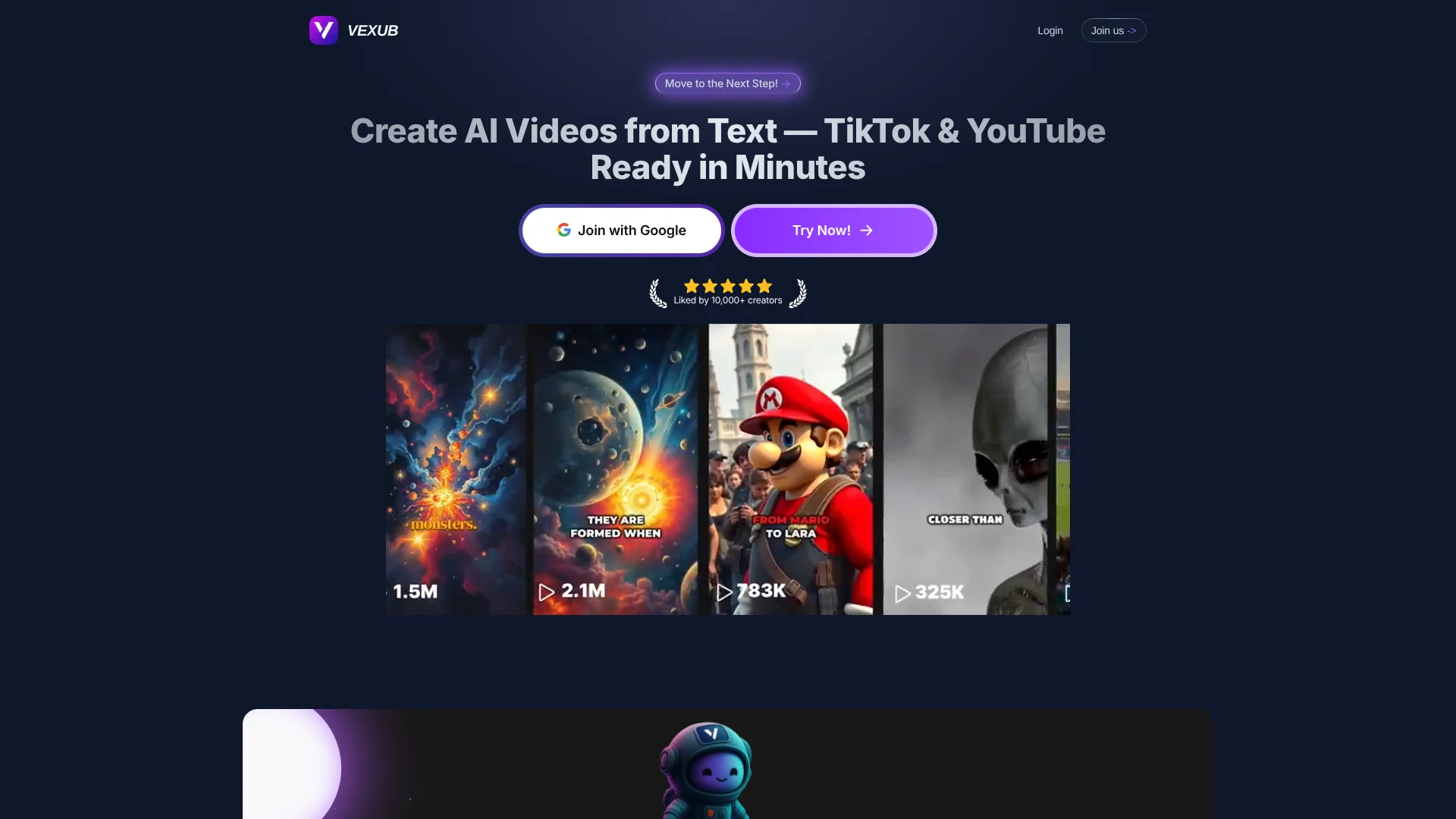
Turn scripts and long videos into faceless short-form content.
Key Takeaways
- What it is
- Turn scripts and long videos into faceless short-form content.
- Pricing
- $50 per month · $100 per month · $375 per month
- Best for
- Text to Video
- YouTube to Clips
- MP3 and MP4 Modes
- Rating
- 4.1/5
What is Vexub?
Vexub turns scripts, MP3 audio, MP4 footage, and YouTube links into publish-ready videos with AI visuals, voiceover, subtitles, music, and platform-specific formats. It is built for creators, agencies, educators, and businesses that need regular TikTok, YouTube Shorts, or Instagram Reels content without filming themselves or editing every scene by hand.
Vexub can identify highlights in YouTube videos and turn them into vertical clips.
Vexub fits people who want high-volume faceless content and a built-in editor rather than a blank timeline. It is less suitable when you need advanced manual production control, native mobile creation, or a documented developer API. The strongest reason to choose it is the combination of script-to-video generation and AI-assisted clipping for social publishing.
Who is Using Vexub?
YouTube Creators
Existing long-form videos become Shorts with selected highlights, automatic captions, and vertical cropping.
Podcast Producers
Audio episodes gain AI-generated visuals and subtitles for distribution beyond podcast apps.
Social Media Managers
A regular stream of platform-ready videos can be produced and published across TikTok, YouTube, and Instagram.
Course Creators
Written lessons and recorded explanations can become visual learning clips with narration and captions.
Marketing Agencies
Client content can be adapted into multiple styles, aspect ratios, and short-form campaigns.
Uncommon Use Cases
Turning songs or voice notes into visual videos; creating short promotional clips from incoming SMS messages
Key Features
Rating Breakdown
Pricing Plans
Plus
$50 per month
- 55 videos
- Premium support
- Personalized AI voice
- 70+ supported languages
Pro
$100 per month
- 120 videos
- Advanced customization
- Pro narrators
- Premium support with human assistance
Enterprise
$375 per month
Which Vexub plan should you pick?
Start with Basic if you are testing one channel, move to Plus for consistent weekly publishing, and choose Pro when you need higher monthly video volume.
Basic
Good for new creators who need up to 30 videos per month and the core AI video workflow.
Plus
Good for agencies and regular publishers who need up to 55 videos per month.
Pro
Good for creators managing several channels or producing up to 120 videos per month.
Vexub Use Cases
Faceless Channel Production
A written idea becomes a narrated video with AI images, subtitles, music, and a chosen visual style.
Outcome: A finished video for TikTok, YouTube Shorts, or Instagram Reels
Podcast Repurposing
An MP3 episode is matched with generated visuals and timed captions for video platforms.
Outcome: A captioned video version of an audio recording
Long-Video Clipping
AI reviews a YouTube, Twitch, or MP4 source and selects moments that can work as short-form content.
Outcome: Multiple vertical clips from one longer video
Product Explainers
Product descriptions and marketing scripts become narrated videos with visual scenes and subtitles.
Outcome: Short promotional content without filming
Multilingual Social Content
AI voice options and language support help adapt video concepts for audiences in different languages.
Outcome: Narrated content prepared for international viewers
Workflow Ideas with Vexub
Script to Social Video
- 1Write or paste a script into Text to Video.
- 2Choose the visual style, voice, format, and subtitle treatment.
- 3Review the generated video, edit scenes if needed, and export or publish.
Podcast to Short Clips
- 1Upload an MP3 recording or select an existing episode.
- 2Let Vexub generate visuals and captions from the audio.
- 3Edit the strongest sections and export versions for each platform.
YouTube Video Repurposing
- 1Paste a YouTube URL or upload an MP4 file.
- 2Let AI identify highlights and crop speakers into vertical framing.
- 3Add captions and publish selected clips to connected social accounts.
How Vexub fits into your stack
Script and Content Ideas
Vexub accepts original scripts, blog-style text, stories, product descriptions, and educational material as starting points for video generation.
Audio and Video Library
MP3 recordings, MP4 footage, YouTube links, and Twitch links can enter the workflow for visual conversion or short-form clipping.
Editing and Branding
The browser editor sits between generation and publishing, giving you control over subtitles, images, transitions, music, framing, and effects.
Social Publishing
Direct connections to TikTok, YouTube, and Instagram reduce the need to download and upload each finished video separately.
AI Model Layer
Vexub uses named models and services including ElevenLabs, Flux Kontext, Google VEO 3, Grok Video, Whisper, and GPT-4o-mini for voices, visuals, transcription, video generation, and script analysis.
Pros
- +Repurposing workflow: Turns long videos, podcasts, and scripts into multiple social clips.
- +Faceless production: Creates narrated videos without requiring a camera appearance.
- +Format control: Supports vertical, horizontal, and square exports for major social platforms.
- +Commercial rights: The site states that generated videos include full commercial rights.
- +Language coverage: AI voices support more than 70 languages.
Cons
- −Web-only access: There is no confirmed native mobile or desktop app.
- −Creator-focused pricing: The monthly cost is high for occasional video projects.
- −Limited developer access: No documented public API was confirmed.
Limitations & when to consider alternatives
Known limitations
- Free video length. The free text-to-video option is limited to 15 seconds.
- Plan video caps. The Basic, Plus, and Pro plans list monthly limits of 30, 55, and 120 videos.
- Instagram account requirement. Direct Instagram publishing requires a Business or Creator account linked to a Facebook Page.
- Web-based workflow. The confirmed product experience runs in the browser, with no official native app or desktop installer identified.
Look elsewhere when
- You need a native iPhone or Android video creation app.
- You need a public API for automated video generation.
- Your workflow depends on shared workspaces with roles and team permissions.
- You need deep frame-by-frame editing for complex productions.
How to Use Vexub
- 1
Choose a creation mode
Select Text to Video, MP3 to Video, MP4 to Video, or YouTube to Clips based on the material you already have.
- 2
Set the publishing format
Pick 9:16 for TikTok, Reels, and Shorts, 16:9 for YouTube, or 1:1 for square social posts.
- 3
Select voice and visual direction
Choose an AI voice, visual style, music direction, and subtitle treatment that match the content.
- 4
Generate the first version
Let Vexub create the scenes, narration, captions, and supporting visuals.
- 5
Edit before export
Replace images, adjust subtitles, change transitions, rebalance music, or rearrange scenes in the browser editor.
- 6
Export or publish
Download the video or connect TikTok, YouTube, and Instagram for direct publishing.
Who is Vexub For?
Content Creators
Faceless channel owners can produce recurring TikTok, Shorts, and Reels content from scripts or source videos.
Agencies
Client teams can create branded short-form videos and manage multiple publishing destinations.
Podcasters and Streamers
Long recordings can be converted into captioned clips with vertical framing and speaker tracking.
Educators
Lessons, explanations, and audio material can become narrated videos with subtitles and supporting visuals.
Businesses
Product explainers, motivational clips, and promotional content can be produced without a filming setup.
Frequently Asked Questions
Can I try Vexub for free?
Yes. Vexub lets you create initial videos for free without a credit card. Free text-to-video output is limited to 15 seconds.
How much does Vexub cost?
The confirmed monthly plans are Basic at $30, Plus at $50, and Pro at $100.
What can Vexub turn into a video?
Vexub supports text, MP3 audio, MP4 video, and YouTube or Twitch sources for different creation and clipping workflows.
Which platforms can receive Vexub videos?
Videos can be exported for TikTok, YouTube, Instagram, and other destinations. Connected TikTok, YouTube, and Instagram accounts can also receive videos directly.
Does Vexub support multiple languages?
Yes. Vexub states that its AI voice system supports more than 70 languages.
Do I own the videos I create?
Vexub states that users receive full commercial rights to generated videos.
Community reviews
Be the first to share your experience.
Sign in to leave a review for Vexub.
Vexub Alternatives
Looking for alternatives to Vexub? Here are similar tools in the same category: