
ValidMind
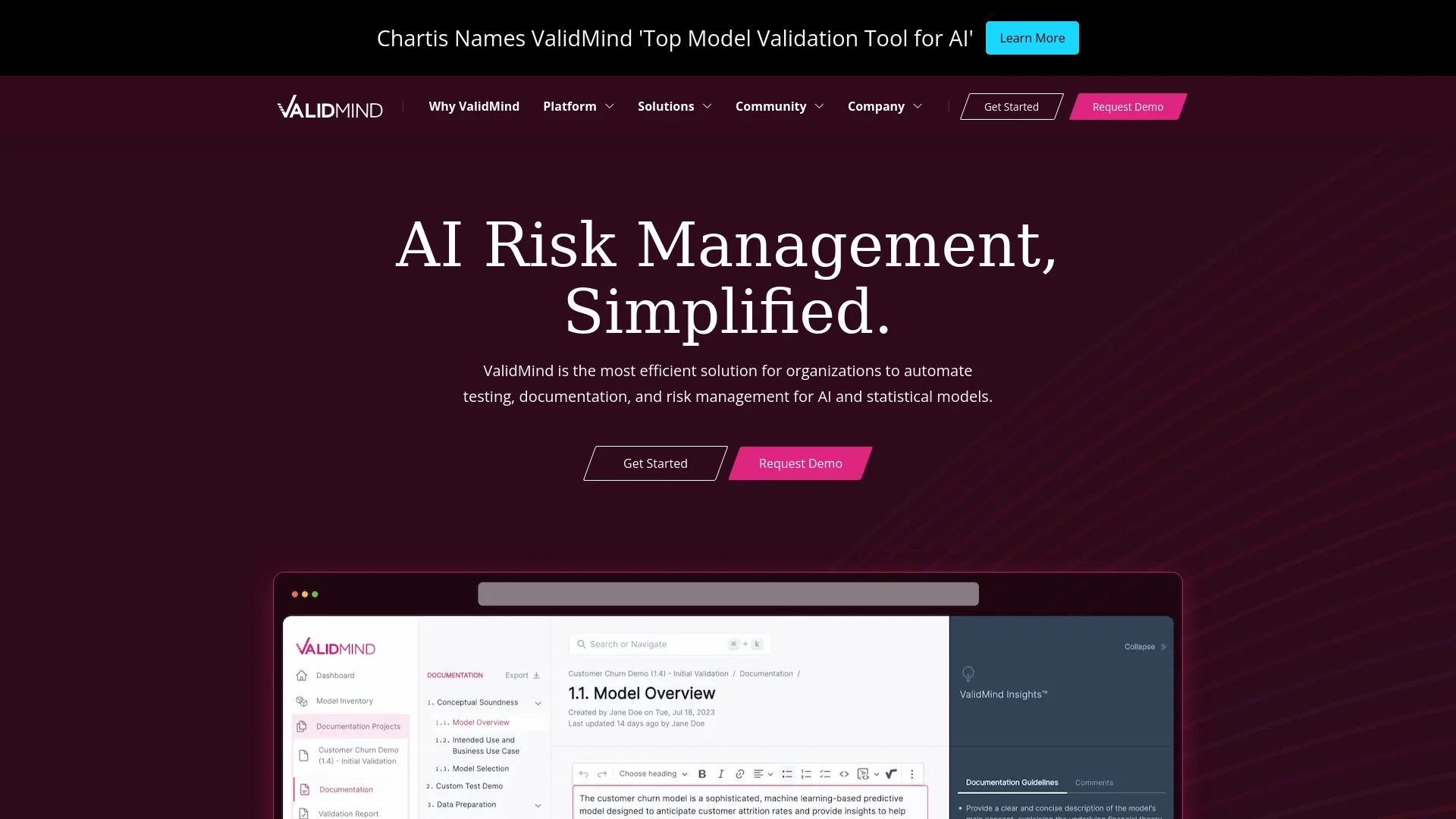
Automates AI model testing, documentation, and risk management.
Key Takeaways
- What it is
- Automates AI model testing, documentation, and risk management.
- Best for
- Model Documentation Automation
- Model Risk Governance
- Speed and Efficiency
- Rating
- 4.5/5
What is ValidMind?
In the ever-evolving landscape of artificial intelligence, managing risks associated with AI models is paramount. That's where ValidMind steps in. This tool is specifically designed to automate the testing, documentation, and risk management of AI and statistical models, making it a vital asset for organizations aiming to implement these technologies in a compliant and efficient manner. With features aimed at enhancing productivity and ensuring accuracy, ValidMind serves as a crucial resource for model developers and validators alike.
ValidMind distinguishes itself with a laser focus on model risk management, a critical area that is often overlooked until issues arise. The platform's ability to dramatically reduce the time and effort required for model documentation and compliance checks makes it a standout in the field of AI risk management.
ValidMind excels in providing sophisticated tools for AI risk management, making it an indispensable asset for organizations heavily reliant on AI and statistical models. Its powerful automation features and compliance assurance capabilities set it apart in the tech landscape, ensuring that businesses can adopt AI technologies with confidence and efficiency.
Who is Using ValidMind?
Financial Institutions
Employing the tool to ensure that their AI models comply with evolving regulations.
Healthcare Organizations
Using the platform to manage risks in patient care prediction models.
Insurance Companies
Leveraging the tool to validate risk assessment models.
Academic Researchers
Applying ValidMind to maintain integrity and compliance in research models.
Uncommon Use Cases
Non-profit organizations use it for data handling and compliance; startups integrate it to streamline their model development processes.
Key Features
Rating Breakdown
Pricing Plans
Free Trial
- Get started with ValidMind with a no-cost demo to explore the features
Custom Pricing
- Due to the specialized nature of the services
- Pricing is tailored to the specific needs of an organization
Which ValidMind plan should you pick?
Start with the solution category matching your governance scope, then request a quote when you need deployment, automation, or enterprise controls.
ValidMind AI Governance
Good for organizations needing centralized oversight, AI inventories, risk tiers, approvals, and reporting.
ValidMind AI & Model Risk Management
Good for organizations that need to unify AI governance with traditional model risk management.
ValidMind Validation Automation
Good for teams that need automated testing, documentation, validation evidence, and review-ready outputs.
ValidMind Development Automation
Good for development teams that need ValidMind Library automation integrated into existing workflows.
ValidMind Use Cases
Model documentation
Run ValidMind Library tests and generate documentation artifacts for models.
Outcome: More consistent and automated model documentation.
Model validation
Generate validation reports, capture evidence, record findings, and route reports for review and approval.
Outcome: Structured, review-ready validation workflows.
AI governance
Register AI systems, assign risk tiers, manage stakeholders, configure approvals, and maintain governance records.
Outcome: Centralized oversight across the AI lifecycle.
Ongoing monitoring
Track model metrics, detect threshold breaches, and trigger remediation, review, or escalation workflows.
Outcome: Faster response to model performance or risk issues.
Regulatory documentation checking
Use Document Checker to compare documentation against regulatory standards and identify missing or weak evidence.
Outcome: Improved clarity, completeness, and regulatory alignment.
Workflow Ideas with ValidMind
Model development and peer review
- 1Register the model and collect required development documentation
- 2Run tests and populate documentation with ValidMind Library results
- 3Route the model to peer review and approval
Risk-based approval workflow
- 1Classify the AI system by risk tier
- 2Branch to the required approvers and review stages
- 3Record the approval decision and advance the lifecycle
Monitoring breach escalation
- 1Trigger a workflow when a monitoring metric breaches its threshold
- 2Notify stakeholders and assign remediation or review actions
- 3Escalate overdue or unresolved issues through additional workflow steps
How ValidMind fits into your stack
API Access
Facilitates integration with existing systems via a well-documented API.
Custom Integrations
Capable of bespoke integrations tailored to the specific needs of an organization.
Data Import/Export
Supports a variety of data formats for seamless data flow.
Cloud-Based
Fully compatible with major cloud services for scalable deployments.
Pros
- +Enhanced Productivity: Reduces the time spent on model testing and documentation by up to 80%.
- +Increased Validation Speed: Accelerates model validation processes by up to 10 times.
- +Compliance Assurance: Helps ensure that model governance meets industry and regulatory standards.
- +Community Engagement: Offers a platform for users to connect, share insights, and collaborate on best practices.
Cons
- −Complexity for Beginners: The depth of features might be overwhelming for new users without prior experience in model risk management.
- −Niche Focus: Primarily suits organizations involved in heavy model usage, which might not be applicable for smaller entities.
- −Limited Third-Party Integrations: While robust, the platform could benefit from more integrations with other tools and systems.
Limitations & when to consider alternatives
Known limitations
- Custom quote pricing. The pricing page does not publish fixed plan prices; pricing depends on models, governance complexity, automation needs, and deployment requirements.
- Browser-based platform. The main ValidMind Platform is accessed as a web application through supported browsers rather than as a native desktop application.
- PDF upload restriction. New documents can accept PDF uploads, but only one PDF can be uploaded per document and only empty documents can be created from PDF upload.
- Static PDFs are not editable. PDFs uploaded as static documents can be viewed but their structure and contents cannot be modified.
- Entra ID is the self-service cloud SSO provider. The self-service SSO configuration guide currently identifies Microsoft Entra ID as the supported identity provider for the multi-tenant cloud.
Look elsewhere when
- You need a native mobile application.
- You need a native desktop application.
- You need published self-service subscription pricing.
How to Use ValidMind
- 1
Explore a range of tutorials from basic setup to advanced features directly on the ValidMind website, designed to help users maximize the platform's capabilities.
Who is ValidMind For?
Regulated organizations
ValidMind provides enterprise AI governance, security controls, audit trails, and regulatory-oriented workflows.
Banks and financial institutions
The platform is purpose-built for regulated financial organizations managing AI and traditional model risk.
Model risk management teams
Teams can centralize model inventories, validation evidence, approvals, findings, monitoring, and reporting.
AI governance teams
Governance teams can manage AI inventories, risk tiers, approval decisions, workflows, and board-ready reporting.
Developers and validators
The ValidMind Library automates model testing, documentation, validation evidence, and uploads results to the platform.
Frequently Asked Questions
What is ValidMind used for?
ValidMind is a system of record for AI governance, model risk management, documentation, workflows, and analytics.
Does ValidMind support integrations?
Yes. It supports integrations with systems including AWS SageMaker, AWS Bedrock, Databricks, MLflow, GitLab, Jira, ServiceNow, Power BI, Claude Code, and Cursor IDE.
Can ValidMind support collaborative document work?
Yes. Multiple users can edit documents simultaneously, leave comments or suggestions, save named versions, and review activity history.
Can users upload documents and files?
Yes. Users can upload PDFs, attach supporting files to records and artifacts, and convert PDFs into editable documents.
Does ValidMind support custom workflows?
Yes. Organizations can configure review and approval workflows with stages, branches, notifications, deadlines, webhooks, HTTP requests, and automated triggers.
What LLM features does ValidMind provide?
ValidMind uses LLMs for test interpretation, qualitative documentation checks, risk assessments, generated summaries, and regulatory document checking.
Community reviews
Be the first to share your experience.
Sign in to leave a review for ValidMind.
ValidMind Alternatives
Looking for alternatives to ValidMind? Here are similar tools in the same category:
Learn to Master ValidMind
With Skill Leap courses
Get in-depth training on ValidMind and 50+ other AI tools with our expert-led video courses.
Start 7-Day Free Trial