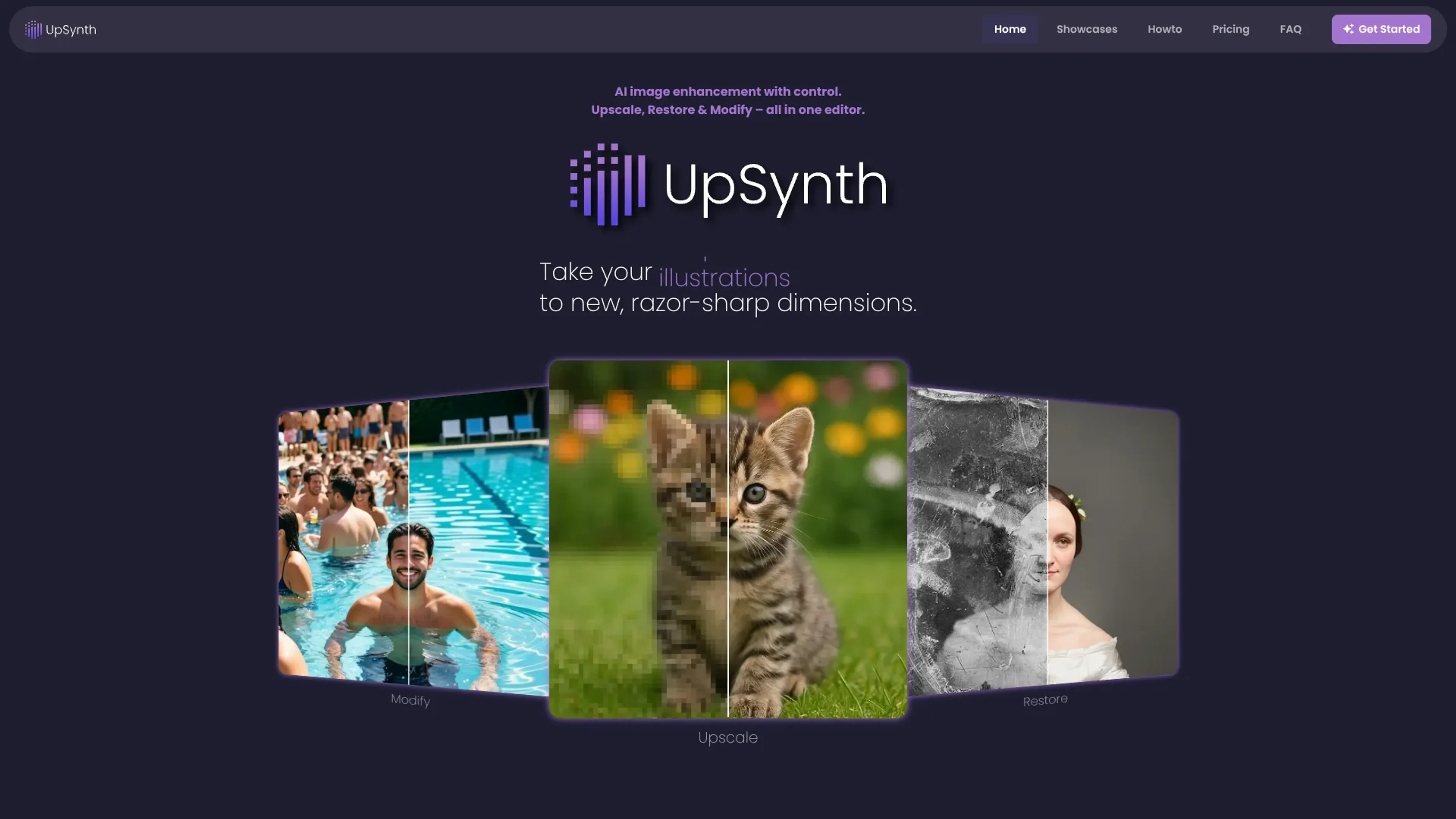
UpSynth is a browser-based AI image editor focused on controlled upscaling, restoration, and selective modification. Instead of guessing what a user wants, it lets them decide exactly how much the AI is allowed to change an image, from subtle clean-up through to more imaginative enhancement. Old photos, movie posters, illustrations, and digital artwork can be repaired, sharpened, and reworked in a single interface that combines three AI tools: Upscale, Restore, and Modify.
Key Features:
AI Upscale: Intelligently enlarges images while preserving overall appearance. UpSynth analyzes the source, reconstructs missing details, and reduces artifacts or noise so results stay close to the original character instead of looking overly synthetic.
Selective Restore: Targets problem areas such as distorted faces, damaged regions, or overcooked AI details. Users brush over a region and UpSynth rebuilds it using the original as a reference, keeping creative freedom to a minimum where accuracy matters.
Prompt-Based Modify: Lets users mark an area and describe, in plain language, what should change. This supports object replacement, cleanup, and stylistic tweaks without regenerating the entire frame, and returns multiple variants to choose from.
Magic Creativity Control: A “magic” slider determines how conservative or imaginative the AI can be. Low values stay very close to source pixels, medium values add detail while staying on-style, and higher values lean into more generative interpretation.
Stepwise Browser Editor: Upscale, Restore, and Modify can be combined in stages, with the ability to undo and refine each step. Everything runs in the browser, avoiding complex settings or separate apps.
Pros
High Degree Of Control: Separate tools for upscaling, restoration, and modification plus the magic slider give users far more say over the final look than typical one-button upscalers.
Strong For Old Or Damaged Images: Workflows highlighted on the site show credible restoration of old photos, posters, and scans, where identity and original styling need to be preserved.
Good For Faces And Fine Details: Restore mode helps keep small faces and delicate features recognizable instead of letting the AI “redraw” people.
Efficient Creative Iteration: Modify mode generates multiple localized variants from a single prompt, useful for art direction, layout experiments, and quick visual A/B tests.
Low-Risk Testing: The first upscale is free, and users are invited to try a one-time trial before deciding whether ongoing use fits their needs.
Cons
More Involved Than One-Click Tools: Getting the best out of UpSynth means learning when to use Upscale vs Restore vs Modify, and how far to push the magic value.
Browser-Based Processing: Large files and slower connections can mean longer upload and processing times compared with native desktop software, and privacy-sensitive users must be comfortable uploading images.
Opaque Pricing At A Glance: From the available home-page messaging, exact ongoing prices are not immediately obvious, so budget-conscious users will need to inspect the dedicated Pricing section.
Who is Using UpSynth?
Professional Photographers And Retouchers: Using it to rescue soft wedding, portrait, and event shots, especially when faces or small background details need careful treatment.
Graphic Designers And Illustrators: Cleaning and enlarging posters, cover art, and illustrations for print and high-resolution displays without repainting from scratch.
Print Shops, Agencies, And Publishers: Refreshing older campaign assets, flyers, and key art originally created at low resolution so they hold up in modern formats.
Marketing Teams And Online Sellers: Sharpening product photos and promotional imagery where clarity matters but the original brand look has to stay intact.
Uncommon Use Cases: Employed by archivists and film enthusiasts reviving vintage posters and scanned memorabilia; adopted by tabletop game creators and indie comic artists to revive low-res assets for reprints and special editions.
Pricing:
UpSynth Basic: $26.40 per month. Includes 1 concurrent worker, 1,000 credits per month, 25 standard upscales, 10 large upscales, 40 edits, and up to 3x retention.
UpSynth Standard: $55.44 per month. Includes 3 concurrent workers, 2,250 credits per month, 60 standard upscales, 25 large upscales, 90 edits, and up to 3x retention.
UpSynth Premium: $264.03 per month. Includes 5 concurrent workers, 11,000 credits per month, 300 standard upscales, 125 large upscales, 440 edits, and up to 3x retention.
Disclaimer: Please note that pricing information may not be up to date. For the most accurate and current pricing details, refer to the official UpSynth website.
What Makes UpSynth Unique?
UpSynth leans hard into controlled AI enhancement rather than full-image regeneration. The combination of Upscale, Restore, and Modify in one editor, plus the magic creativity slider, means users can dial in a spectrum from forensic-faithful restoration to more inventive detail generation. Selective, prompt-driven edits that still respect the original image’s structure make it especially attractive for work where both authenticity and creativity matter, such as restoring archival material while still having room for tasteful artistic adjustments.
How We Rated It:
Accuracy and Reliability: 4.4/5
Ease of Use: 4.1/5
Functionality and Features: 4.3/5
Performance and Speed: 4.0/5
Customization and Flexibility: 4.5/5
Data Privacy and Security: 3.8/5
Support and Resources: 3.9/5
Cost-Efficiency: 4.0/5
Integration Capabilities: 3.4/5
Overall Score: 4.0/5
Controlled AI Upscaling For Detail-Oriented Creators:
UpSynth suits photographers, designers, and archivists who care more about control and fidelity than automation for its own sake. By treating upscaling as a guided process instead of a single button, it helps keep faces recognizable, styles consistent, and artifacts under control while still offering powerful AI-driven restoration and modification when needed. Anyone working with old, compressed, or sensitive imagery who wants AI assistance without giving up artistic or factual accuracy will find UpSynth a thoughtful addition to their toolkit.