
Upheal
Revolutionizes therapy note-taking with AI, enhancing care through insightful analytics.
Key Takeaways
- What it is
- Revolutionizes therapy note-taking with AI, enhancing care through insightful analytics.
- Pricing
- Freemium
- Best for
- Automated Progress Notes
- Treatment Plans and Goals
- Session Analytics
- Rating
- 4.5/5
What is Upheal?
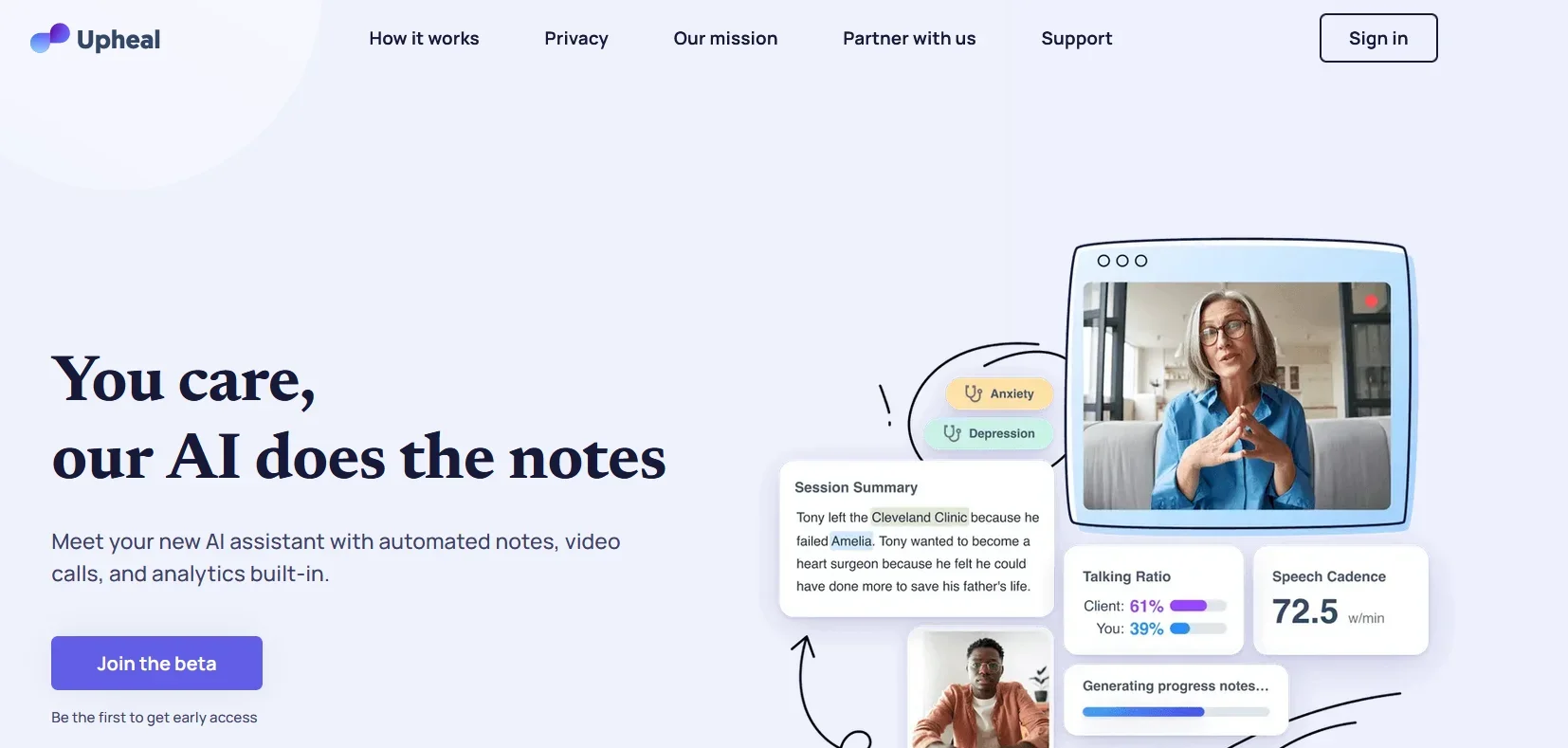
In the evolving landscape of mental health care, Upheal emerges as a revolutionary AI-powered platform designed to transform the way therapy notes are created and managed. At its core, Upheal aims to streamline clinical workflows, making the documentation process not just faster, but also more insightful for mental health professionals. By automating therapy notes and providing analytics, Upheal allows therapists to focus more on their clients and less on paperwork, thereby enhancing the quality of care provided.
Upheal stands out by offering a comprehensive suite of features designed specifically for mental health professionals. Its ability to generate automated therapy notes, coupled with insightful session analytics, positions Upheal as a unique tool that not only saves time but also enriches the therapeutic process.
Upheal is a groundbreaking tool for mental health professionals, offering a seamless, efficient way to manage therapy notes and gain insights into client sessions. Its unique combination of automated documentation, comprehensive analytics, and robust security measures makes it an invaluable asset for enhancing the quality of mental health care. With its user-friendly interface and extensive support resources, Upheal is poised to revolutionize mental health practices by allowing therapists to focus more on their clients and less on administrative tasks.
Who is Using Upheal?
Licensed Professional Counselors
For automating therapy notes and enhancing the quality of their practice.
Psychotherapists & Counselors
Utilizing smart AI for simplifying note-taking and gaining therapeutic insights.
Mental Health Counselors
To stay present with clients while efficiently managing session documentation.
Registered Counsellors
For accurate note-taking and accessing analytics for self-development.
Uncommon Use Cases
Educational institutions integrating Upheal into training programs; Researchers analyzing therapeutic sessions for academic purposes.
Key Features
Rating Breakdown
Pricing Plans
Free Tier
Free
- Upheal offers about 20 free client sessions monthly on the starter plan
- Allowing users to familiarize themselves with its features
Paid Subscriptions
- More extensive use
- Paid subscriptions are available
- Though specific pricing details are best found on the Upheal website
Which Upheal plan should you pick?
Start with Free to evaluate basic notes and uploaded recordings; upgrade to Premium for full clinical and practice features, or contact sales for group-practice needs.
Free
Good for individual practitioners who need unlimited basic notes, calendar access, and processing of written input or uploaded recordings.
Premium
Good for practitioners who need automated notes, broader note types, treatment plans, AI Assistant features, scheduling, billing, and client-management tools.
Upheal Use Cases
Generate session notes
Capture a session or upload a recording, then generate transcripts, structured notes, and insights.
Outcome: Less manual documentation after sessions.
Create treatment plans
Use session notes, transcripts, or intake data to generate treatment plans with goals, objectives, and interventions.
Outcome: Treatment plans remain connected to ongoing progress notes.
Run telehealth sessions
Hold secure video sessions through Upheal and optionally generate notes and analytical insights.
Outcome: Telehealth and documentation are handled in one platform.
Manage scheduling and payments
Schedule appointments, sync calendars, enable client self-scheduling, create invoices, and track payments.
Outcome: Practice administration is consolidated in one workspace.
Transfer notes into another EHR
Use the Chrome extension and Smart Fill to copy Upheal notes into supported EHRs.
Outcome: Less tab switching and manual copying.
Workflow Ideas with Upheal
Capture and document an online session
- 1Start a session using Upheal telehealth, the Mac app, virtual capture, Zoom, or the Chrome extension.
- 2End the session and let Upheal process the audio into a transcript and notes.
- 3Review, edit, and sign the generated documentation.
Create and maintain a treatment plan
- 1Select prior notes, intake data, or transcripts as source material.
- 2Generate a treatment plan with goals, objectives, and interventions.
- 3Link treatment-plan goals to future progress notes through Golden Thread.
Move notes into an external EHR
- 1Open the supported EHR progress-note page in Google Chrome.
- 2Open the Upheal browser extension and select the matching session.
- 3Click Smart Fill to populate matching note sections.
How Upheal fits into your stack
EHR Compatibility
Easily integrates with existing Electronic Health Records (EHR) systems for seamless documentation.
Video Calling Platforms
Supports integration with Zoom and other video-calling tools for online sessions.
Google Calendar
Simplifies scheduling by integrating with Google Calendar, reducing the chances of double-bookings and cancellations.
Secure Online Sessions
Offers HIPAA-compliant video calls directly through the browser, ensuring client confidentiality.
Pros
- +Increased Efficiency: Therapists can write therapy notes up to 90% faster, allowing more time for clients or self-care.
- +Enhanced Client Insights: Through session analytics, therapists gain additional perspectives on sessions, improving therapeutic outcomes.
- +Streamlined Workflows: Integrates easily into existing clinical workflows, whether using EHRs, video calls, or in-person sessions.
- +Privacy and Security: Built on modern cloud infrastructure, Upheal ensures the highest standards of data privacy and security, being HIPAA, PHIPA, PIPEDA, & GDPR compliant.
Cons
- −Learning Curve: New users may need time to familiarize themselves with the platform's features and integrations.
- −Dependence on Technology: Relies on the availability and reliability of internet connections for online sessions and data processing.
- −Limited Personalization: While Upheal offers customization through third-party integrations, some therapists might find its note templates less flexible for unique needs.
Limitations & when to consider alternatives
Known limitations
- Free-plan telehealth limitations. Free-plan telehealth calls do not generate AI notes or transcripts; notes require written input, dictation, or an uploaded recording.
- Browser extension platform restriction. The browser extension works only with Google Chrome on computers and is unavailable on phones or tablets.
- Mac-only desktop application. The current desktop app supports macOS 14.4 or newer; Upheal says a Windows desktop app is planned.
- Couples and family self-scheduling restriction. Client self-scheduling is not currently available for couple or family profiles.
- Limited dictation language support. Written observations support listed languages, but verbal dictation is currently supported only in English.
Look elsewhere when
- You need a Windows desktop capture application.
- You need mobile browser-extension support.
- Your practice requires couples or family self-scheduling.
How to Use Upheal
- 1
Upheal provides a range of tutorials and resources to help users get the most out of the platform. These include step-by-step guides on setting up and using the various features, ensuring a smooth integration into any practice.
Who is Upheal For?
Therapists
They can automate session documentation, treatment plans, scheduling, payments, and client management.
Coaches
They can use AI-assisted notes, transcripts, analytics, and administrative workflows.
Psychologists and psychiatrists
They can create structured clinical documentation and treatment plans from captured sessions.
Social workers
They can reduce documentation workload and organize client records in one workspace.
Group practices and virtual care clinics
They can manage multiple providers, shared clients, roles, permissions, and practice-wide settings.
Frequently Asked Questions
What does Upheal do?
Upheal generates AI session notes, transcripts, treatment plans, analytical insights, and practice-management tools for mental health professionals.
What session capture methods does Upheal support?
You can use telehealth, browser capture, mobile apps, a Mac desktop app, Chrome extension, Zoom integration, written or dictated observations, and uploaded recordings.
Which languages does Upheal support?
Upheal supports sessions in 35 languages and generates documentation in English, Spanish, Portuguese, German, French, and Italian variants.
Can Upheal support group practices?
Yes. Group practices can add providers and administrators, assign clients to multiple team members, and manage shared client records.
Does Upheal offer a free plan?
Yes. The Free plan includes unlimited basic notes, calendar access, support, and notes from written input or uploaded recordings.
Does Upheal support Google single sign-on?
Yes. Practice administrators can require team members to sign in with workplace Google accounts using Google SSO.
Community reviews
Be the first to share your experience.
Sign in to leave a review for Upheal.
Upheal Alternatives
Looking for alternatives to Upheal? Here are similar tools in the same category:
Learn to Master Upheal
With Skill Leap courses
Get in-depth training on Upheal and 50+ other AI tools with our expert-led video courses.
Start 7-Day Free Trial