Undetectable AI
Humanize AI-written drafts for writers concerned about AI detection.
Watch Undetectable AI in Action
Key Takeaways
- What it is
- Humanize AI-written drafts for writers concerned about AI detection.
- Pricing
- $9.99 per month · $19 per month · $31 per month · $42.50 per month · $29 per month · $49 per month
- Best for
- AI Detector
- AI Humanizer
- Writing Level Matching
- Rating
- 3.8/5
What is Undetectable AI?
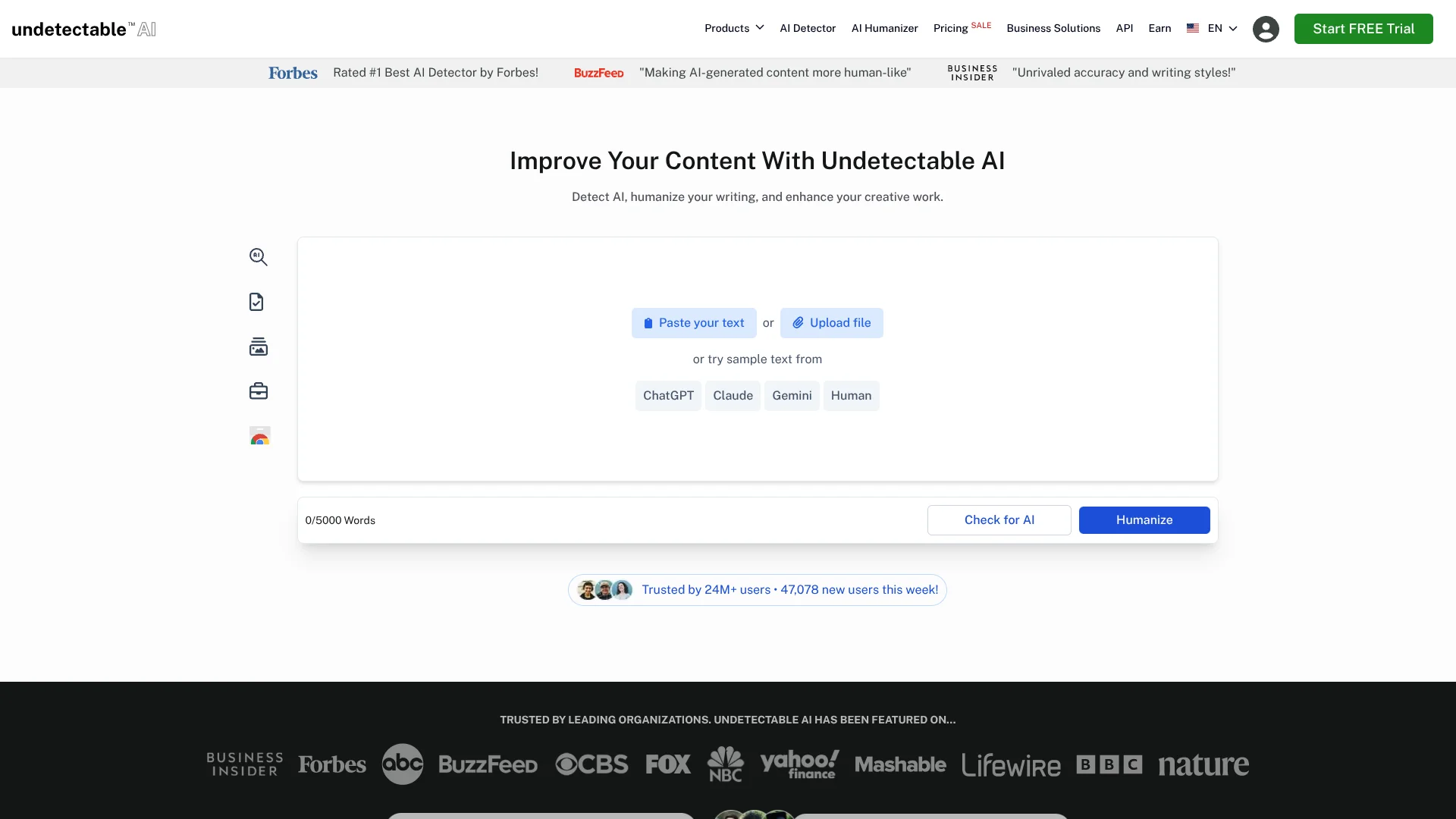
Undetectable AI checks writing for signs of AI generation, then rewrites flagged passages to sound more natural while aiming to keep the original meaning. Its AI Detector highlights sentences that may be flagged, and its AI Humanizer adjusts wording and writing level. Students, educators, and content writers can use it to review AI-assisted drafts before sharing or submitting them.
The developer API extends beyond text humanizing: its listed API access includes text, image, video, and audio detection, plus a writing style replicator. That lets developers add several kinds of AI-content checks to their own products through one vendor’s API.
It is best suited to people polishing AI-assisted writing or checking whether text or images appear AI-generated. English is the tool’s primary focus, and the free trial is limited to 250 words, so it is less suited to extended testing without a paid plan.
Who is Using Undetectable AI?
Content Writers
A consistent writing voice helps them refine AI-assisted drafts before publishing.
Students
Sentence-level detection results show which parts of a draft may read as AI-generated.
Educators
AI detection can offer another signal when reviewing student writing.
Developers
The REST API lets them add humanizing and AI-content checks to their applications.
Uncommon Use Cases
Checking whether an image appears AI-generated; checking a PDF for AI-generation metadata or signs of digital editing.
Key Features
Rating Breakdown
Pricing Plans
10K words/month
$9.99 per month
- 10K words per month.
- Annual billing is $60.00 total, or $5.00 per month.
20K words/month
$19 per month
- 20K words per month.
- Annual billing is $114.00 total, or $9.50 per month.
35K words/month
$31 per month
- 35K words per month.
- Annual billing is $189.00 total, or $15.75 per month.
50K words/month
$42.50 per month
- 50K words per month.
Starter
$29 per month
- Includes 72,500 words.
- Additional usage is $0.40 per 1,000 words.
Growth
$49 per month
- Includes 245,000 words.
- Additional usage is $0.20 per 1,000 words.
For Business
- Bulk credits can be non-expiring.
- Business features include redistribution and white labeling.
Which Undetectable AI plan should you pick?
Start with the 10K words/month subscription for occasional humanizing, and consider a higher word allowance or an API plan when your regular volume or integration needs grow.
10K words/month
Good for occasional use and a first paid plan with a monthly 10K-word humanizing allowance.
Starter
Good for developers who need API access with 72,500 included words and standard rate limits.
Growth
Good for API users who need 245,000 included words, higher rate limits, and priority support.
For Business
Good for organizations seeking bulk non-expiring credits, redistribution, or white labeling.
Undetectable AI Use Cases
Review an AI-assisted draft
A sentence-level detector identifies sections that may appear AI-generated before the writer revises them.
Outcome: A clearer view of which sentences may need attention.
Refine writing style
Writing level matching helps bring a humanized passage closer to the tone and level of supplied text.
Outcome: A more consistent draft.
Check an image’s likely origin
The AI Image Detector analyzes an uploaded image for signs that it was generated by AI.
Outcome: An estimate of whether the image appears AI-generated.
Add text checks to an application
Developers can call the API to humanize writing or check text for AI-generated content.
Outcome: Humanizing and detection features inside an existing application.
Inspect a PDF
The Fake PDF Detector checks PDFs for AI-generation metadata and signs of digital editing.
Outcome: A report on possible AI generation or document tampering.
Workflow Ideas with Undetectable AI
Review and refine a draft
- 1Paste text or upload a file in the web tool.
- 2Run AI detection and review the highlighted sentences.
- 3Humanize passages that need revision, then check the result.
Edit while working in a browser
- 1Open the Undetectable AI Chrome extension where you write.
- 2Select or enter text to check or humanize.
- 3Review the result and revise it in the page.
Add detection to an application
- 1Create an account and get an API key from the developer page.
- 2Send text to the relevant API endpoint.
- 3Use the returned result in your application’s content-review process.
How Undetectable AI fits into your stack
Web writing and review
The web tool accepts pasted text or uploaded files for AI detection and humanizing.
Browser writing
The Chrome extension brings detection, rewriting, and paraphrasing to browser pages, including Google Docs and Gmail.
Developer applications
The REST API connects Undetectable AI’s humanizing and detection functions to a developer’s own application.
Image and document checks
Separate detection tools analyze images and PDFs for signs of AI generation or editing.
Pros
- +Sentence-level results: The detector points to specific passages that may need review.
- +Writing style matching: Humanized text can be adjusted to match the level and style of supplied writing.
- +More than text checks: The product lineup includes image, video, and audio detection tools.
- +Browser access: The Chrome extension brings its tools into supported writing pages.
Cons
- −Small trial allowance: The free trial covers only 250 words.
- −English-first support: The vendor says English is its primary focus and offers its highest accuracy.
- −Monthly word budgets: Standard paid plans cap humanizing by monthly word allotment.
Limitations & when to consider alternatives
Known limitations
- Free trial limit. The pricing page limits the free trial to 250 words; additional use requires a paid plan.
- Monthly word allotments. The standard monthly subscriptions include set humanizing budgets, ranging from 10K to 50K words per month on the listed plans.
- API request rate. The default API rate limit is 3 requests per second per IP address; higher limits require contacting the vendor.
- English is the primary focus. The help center lists multilingual humanizing support but identifies English as its primary focus.
Look elsewhere when
- You need a free plan with ongoing use rather than a 250-word trial.
- Your workflow requires a published integration with a named third-party service beyond the Chrome extension or API.
- You need a native mobile app published by Undetectable AI.
How to Use Undetectable AI
- 1
Start with a short sample
The free trial includes 250 words, so begin with a passage you want to check or refine.
- 2
Check the writing
Paste text or upload a file, then run the AI Detector to see which sentences may be flagged.
- 3
Humanize selected passages
Run the AI Humanizer on text that needs a more natural voice, using writing level matching when you want to follow supplied text.
- 4
Review the revised text
Read the output for meaning and accuracy rather than treating an AI-detection result as a guarantee.
- 5
Choose a plan for regular use
Select a monthly word allotment from the pricing page; developers can instead review the separate API plans.
Who is Undetectable AI For?
Students and Educators
The detector and humanizer can help review drafts and make writing clearer before submission.
Content Writers
Writing level matching can help keep AI-assisted drafts closer to a writer’s established style.
Professionals
The tools can help refine client emails, reports, proposals, and pitches.
Business Owners
Business plans offer bulk credits, redistribution, and white-label options for larger content operations.
Developers
The API offers text humanizing and detection tools to add to an existing product.
Frequently Asked Questions
Does Undetectable AI have a free plan?
The pricing page lists a free trial capped at 250 words. Additional use requires a paid plan.
How much does Undetectable AI cost?
The listed monthly plans start at $9.99 for 10K words per month. Higher monthly options cost $19.00, $31.00, and $42.50.
Does Undetectable AI have an API?
Yes. The developer API uses account word credits and has separate Starter and Growth API plans.
Which languages does the humanizer support?
The help center lists support for multiple languages, while noting that English is its primary focus.
Can I use Undetectable AI in my browser?
Yes. The vendor offers a Chrome extension for detection, humanizing, and paraphrasing while working in browser pages.
Community reviews
Be the first to share your experience.
Sign in to leave a review for Undetectable AI.
Undetectable AI Alternatives
Looking for alternatives to Undetectable AI? Here are similar tools in the same category: