
TypingMind
Enhance ChatGPT interaction with intuitive UI, conversation management, and customization.
Key Takeaways
- What it is
- Enhance ChatGPT interaction with intuitive UI, conversation management, and customization.
- Best for
- Enhanced User Interface
- Conversation Management
- Customization Options
- Rating
- 4.4/5
What is TypingMind?
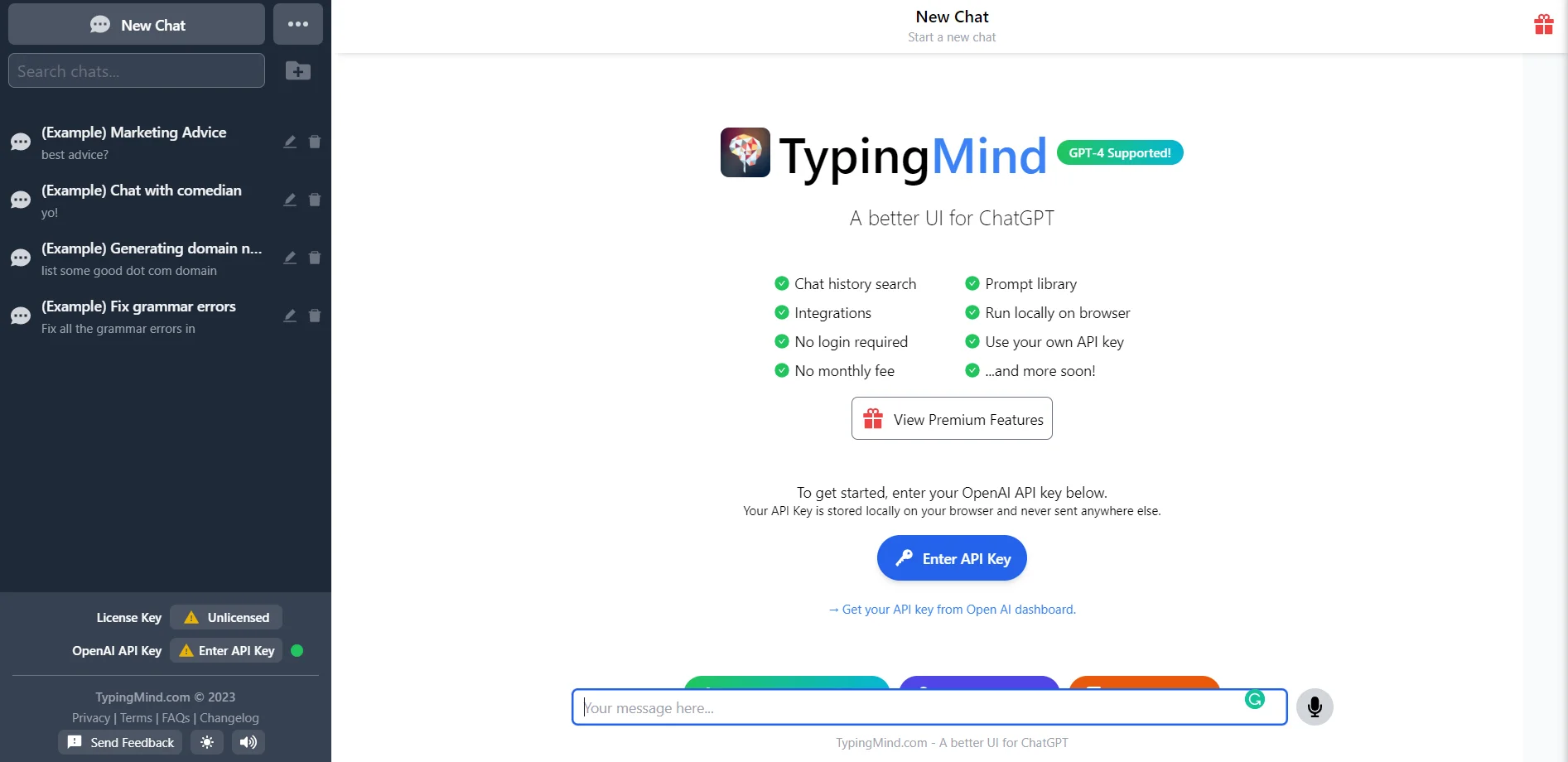
TypingMind is an intriguing AI tool designed to enhance user interaction with ChatGPT by offering a more intuitive and refined user interface. Its primary objective is to streamline the experience of communicating with the advanced language model, making it more accessible and user-friendly for a diverse audience. By focusing on improving the UI, TypingMind aims to simplify the process of generating and managing responses from ChatGPT, catering to personal, professional, and educational needs.
TypingMind stands out with its user-centric approach, offering a refined interface that significantly enhances interaction with ChatGPT. Its commitment to accessibility and ease of use makes it an exceptional choice for users seeking a more intuitive and streamlined AI experience.
TypingMind excels in providing an engaging and simplified interaction with ChatGPT, offering invaluable assistance for users looking to leverage conversational AI effectively. Its emphasis on accessibility and customization makes it an indispensable tool for a diverse range of users, whether they're students, professionals, educators, or content creators. With TypingMind, users can seamlessly tap into the capabilities of ChatGPT, enhancing their productivity and unlocking new possibilities in AI-driven communication.
Who is Using TypingMind?
Students
Engaging in educational research and learning through conversational AI assistance.
Professionals
Utilizing the tool for drafting documents, emails, and managing professional correspondence efficiently.
Educators
Leveraging the tool to create interactive teaching materials and engage with students in innovative ways.
Content Creators
Using the tool for brainstorming ideas and generating written content swiftly and creatively.
Uncommon Use Cases
Adopted by therapists for simulating conversational scenarios; embraced by hobbyists for exploring creative writing and storytelling.
Key Features
Rating Breakdown
Pricing Plans
Free Version
- Access basic TypingMind features at no cost
Premium Subscription
- Unlock advanced features and customization options with a monthly subscription fee
Which TypingMind plan should you pick?
Start with Standard for core chat and agents, upgrade to Extended for vision, documents, and web search, or choose Premium for projects, canvas, and unlimited plugins.
Standard
Good for users who need basic chat features, AI agents, chat sharing, plugins, and voice input.
Extended
Good for users who need web search, vision, image generation, text-to-speech, and document uploads.
Premium
Good for users who need multi-model chats, projects, folders, artifacts, canvas, unlimited plugins, and free updates.
TypingMind Use Cases
Customer support automation
Connect support systems, classify incoming tickets, update ticket records, and notify team members.
Outcome: Faster support handling and reduced repetitive work.
Marketing content pipeline
Research trends, draft content, optimize it for SEO, generate visuals, and publish through connected platforms.
Outcome: Move from research to publication in a single workflow.
Internal reporting
Retrieve metrics from analytics tools, databases, or spreadsheets, then summarize results and deliver digests.
Outcome: Automated reporting without manually maintaining dashboards.
Document-based question answering
Upload documents or connect knowledge sources and ask AI questions about their contents.
Outcome: Answers grounded in the user's documents and connected knowledge base.
Multi-agent workflows
Combine specialized agents for research, planning, writing, analysis, scheduling, or other sequential tasks.
Outcome: More complex tasks can be completed through coordinated agent steps.
Workflow Ideas with TypingMind
Marketing content production
- 1Research trends and competitors using Web Search
- 2Generate and optimize a draft with specialized AI agents
- 3Create visuals and publish through WordPress or HubSpot
Customer support ticket handling
- 1Receive or query a support ticket through a connected system
- 2Have an AI agent classify and organize the ticket
- 3Notify the team and generate a customer follow-up
Automated reporting digest
- 1Pull daily metrics from analytics tools, databases, or spreadsheets
- 2Summarize insights and generate charts
- 3Deliver the digest to Slack or Gmail
How TypingMind fits into your stack
Cross-Platform Availability
Accessible across various devices and operating systems, ensuring versatility.
Browser Compatibility
Seamlessly integrates with popular web browsers, facilitating ease of use.
Language Support
Accommodates multiple languages to cater to a diverse global user base.
API Integration
Offers integration capabilities with external applications, enhancing functionality and interoperability.
Pros
- +Improved Usability: Makes ChatGPT more approachable for non-technical users, enhancing accessibility.
- +Efficient Interaction: Streamlines the process of asking questions and receiving answers, boosting productivity.
- +User-Centric Design: Prioritizes user experience to enhance satisfaction and engagement with the tool.
- +Adaptability: Offers a flexible interface that caters to diverse user needs and scenarios.
Cons
- −Potential Overhead: May introduce additional steps compared to using ChatGPT directly for some users.
- −Feature Limitations: Could lack some advanced functionalities available in the original ChatGPT interface.
- −Dependency: Relies on the availability and performance of ChatGPT for its core functionality.
Limitations & when to consider alternatives
Known limitations
- The free plan does not save chat history. Free users can use basic functionality, but chat history is not saved and periodic reminder popups appear.
- AI provider costs are separate. TypingMind does not include model credits; users must supply provider API keys and pay usage costs directly.
- Uploaded files are constrained by model context. Directly attached documents are treated as prompts and may be forgotten when the model context limit is reached.
- Mobile access is PWA-based. TypingMind uses Add to Home Screen installation rather than native Android or iOS applications.
- Training files do not modify model weights. TypingMind describes training files as prompt-injected context and knowledge bases as retrieval-augmented generation.
Look elsewhere when
- You need a native iOS or Android app.
- You need a downloadable Windows, macOS, or Linux application.
- You need true model fine-tuning that changes model weights.
How to Use TypingMind
- 1
TypingMind provides a user-friendly interface, but for users seeking guidance, tutorials and resources are available to maximize the tool's potential.
Who is TypingMind For?
Individual AI users
The personal app supports multiple AI providers, chat management, agents, prompts, plugins, and document uploads.
Small teams
The Starter team plan provides a branded AI workspace with five seats, shared prompts, agents, and plugins.
Businesses
Businesses can automate support, marketing, reporting, and CRM-related workflows through plugins, APIs, and MCP.
Content teams
Content teams can research topics, draft and optimize content, generate visuals, and publish through connected tools.
Customer support teams
Support teams can classify tickets, update support systems, notify Slack channels, and generate follow-up responses.
Frequently Asked Questions
Is TypingMind free?
TypingMind offers basic features for free, but users need their own AI provider API key. Premium capabilities require a one-time license purchase.
What does TypingMind cost?
Personal licenses are one-time purchases: Standard costs $39, Extended costs $79, and Premium costs $99. API usage and additional cloud storage are billed separately.
Does TypingMind provide AI model credits?
No. Users connect their own API keys and pay providers such as OpenAI, Anthropic, or Google directly.
Is there a native mobile app?
There is no native Android or iOS app. TypingMind can be installed as a mobile Progressive Web App from Safari or Chrome.
Can I upload documents?
Yes. TypingMind supports document uploads including PDF, CSV, XLSX, TXT, DOCX, JSON, HTML, and Markdown.
Can TypingMind be used by teams?
TypingMind Team provides shared prompts and agents, user management, analytics, authentication options, and multiple user seats.
Community reviews
1 review from people who use TypingMind.
Sign in to leave a review for TypingMind.
Benjamin Fleming
TypingMind Alternatives
Looking for alternatives to TypingMind? Here are similar tools in the same category:
Learn to Master TypingMind
With Skill Leap courses
Get in-depth training on TypingMind and 50+ other AI tools with our expert-led video courses.
Start 7-Day Free Trial