Transcriptik
Turn TikTok, Instagram, and YouTube videos into editable transcripts.
Key Takeaways
- What it is
- Turn TikTok, Instagram, and YouTube videos into editable transcripts.
- Pricing
- Freemium · $5.99 per month · $9.99 per month · $19.99 per month
- Best for
- Social Video Transcription
- Audio and Video Uploads
- AI Transformations
- Rating
- 4.2/5
What is Transcriptik?
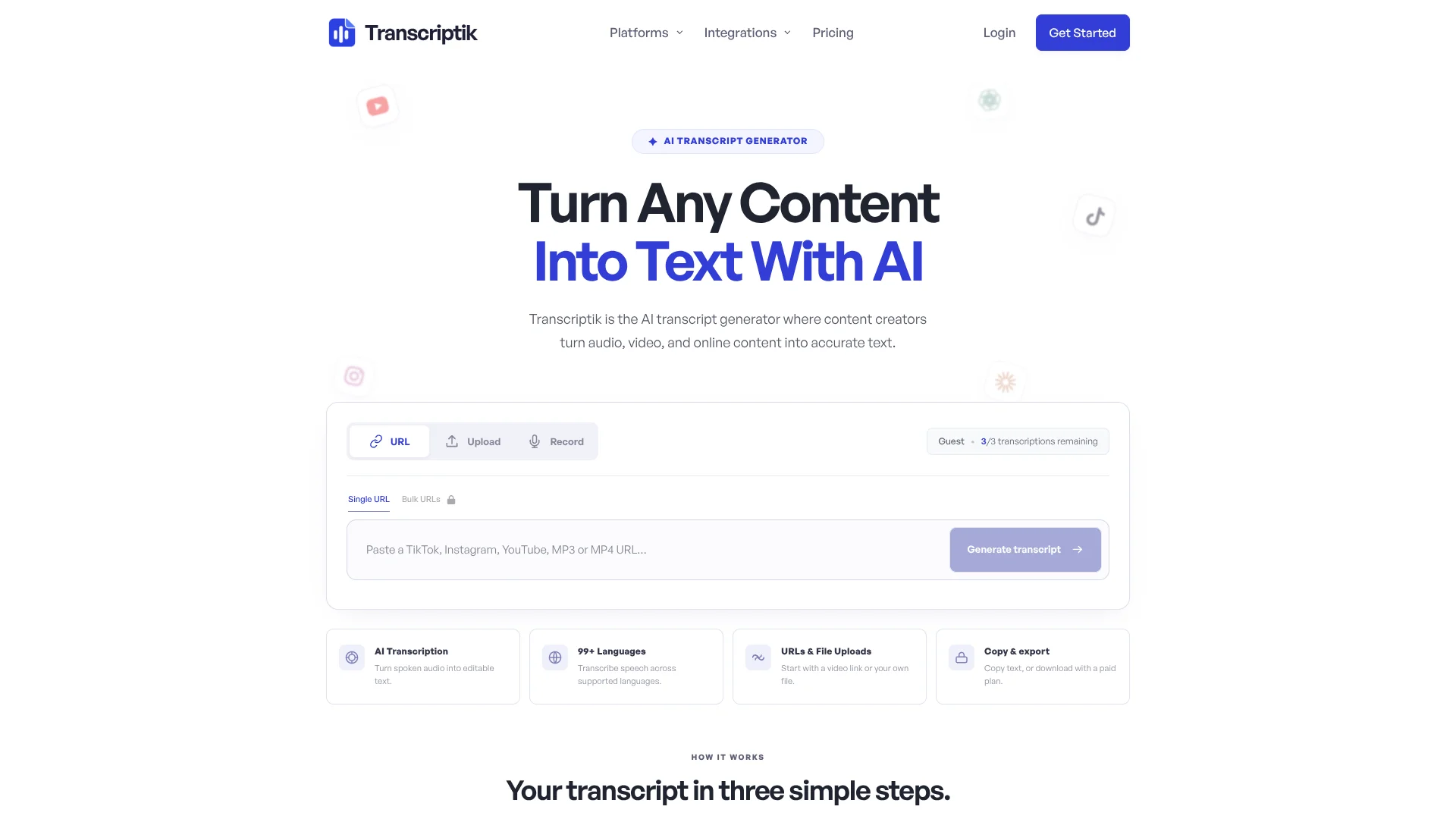
Transcriptik turns TikTok, Instagram, YouTube, direct media links, and uploaded audio or video into editable text with timestamps when available. It is aimed at content creators, researchers, marketers, and anyone who needs spoken content in a reusable format. The free plan works without an account and includes three transcriptions per month.
Transcriptik can run inside ChatGPT and Claude through its remote MCP connection, using the same account and transcription quota as the website. You can send a supported video link from a conversation and receive the transcript there.
The tool fits people who regularly turn videos, interviews, and recordings into text, captions, or new content. It is less suitable for private or restricted videos that the service cannot access, and Free users cannot download transcripts. Transcriptik stands out when your source material lives on social platforms and your next step is editing, repurposing, or translating the spoken content.
Who is Using Transcriptik?
Podcast Editors
A transcript provides editable text for episode notes, quotes, summaries, and promotional copy.
Social Media Managers
The source video becomes text for captions, hooks, newsletters, and platform-specific posts.
Journalists and Interviewers
Uploaded recordings can be converted into timestamped text for checking quotes and drafting stories.
Video Producers
SRT and VTT exports provide timed subtitle files, while DOCX and TXT support editing.
Uncommon Use Cases
Translate spoken content into another language for wider distribution; review public video libraries for recurring themes and quotes.
Key Features
Rating Breakdown
Pricing Plans
Free
Free
- 3 transcriptions per month
- Up to 5 minutes per item
- Uploads up to 10 MB
- Copying, timestamps, and speaker labels
- No downloads, bulk processing, MCP, AI transformations, or translation
Starter
$5.99 per month
- $59.90 per year
- 200 transcriptions per month
- Up to 30 minutes per item and 100 MB uploads
- Bulk URLs or files up to 5 at once
- Editing, exports, and ChatGPT and Claude MCP access
Pro
$9.99 per month
- $99.90 per year
- 600 transcriptions per month
- Up to 60 minutes per item and 150 MB uploads
- Bulk URLs or files up to 10 at once
- AI transformations, translation, exports, and ChatGPT and Claude MCP access
Studio
$19.99 per month
- $199.90 per year
- Unlimited transcriptions
- Up to 90 minutes per item and 250 MB uploads
- Bulk URLs or files up to 25 at once
- AI transformations, translation, exports, and ChatGPT and Claude MCP access
Which Transcriptik plan should you pick?
Start with Free for occasional transcripts, choose Starter for editing and exports, and upgrade to Pro when you need AI transformations or translation.
Free
Good for trying the service or transcribing up to three short items per month.
Starter
Good for regular transcription, editing, exports, bulk processing, and ChatGPT or Claude access.
Pro
Good for creators who need longer media, higher volume, AI transformations, and translation.
Studio
Good for heavy use with unlimited monthly transcriptions, longer items, larger uploads, and batches of up to 25.
Transcriptik Use Cases
Social Video to Text
A public TikTok, Instagram, or YouTube link becomes a transcript that can be copied or exported.
Outcome: Readable text from a social video.
Interview Transcription
Recorded conversations become timestamped text for review, quotations, and notes.
Outcome: A searchable working transcript.
Content Repurposing
Pro and Studio reshape transcript material into social posts, newsletters, emails, and video scripts.
Outcome: Several content drafts from one source.
Subtitle Preparation
Timed transcript exports in SRT or VTT support caption workflows for compatible video tools.
Outcome: A subtitle-ready file.
ChatGPT or Claude Transcription
Supported video links can be sent through an MCP connection while the website and conversation share one quota.
Outcome: A transcript inside the conversation where you are working.
Workflow Ideas with Transcriptik
Turn a Video into Social Content
- 1Paste a public YouTube, TikTok, or Instagram link into Transcriptik.
- 2Review and edit the generated transcript.
- 3Use Pro or Studio to create a social post, email, or video script.
Prepare Interview Notes
- 1Upload an audio or video recording in a supported format.
- 2Check timestamps and speaker labels against the recording.
- 3Export the transcript as DOCX or TXT for editing and quotes.
Transcribe from ChatGPT or Claude
- 1Connect Transcriptik through its MCP setup page.
- 2Send one supported video link or a batch within your plan limit.
- 3Ask for the transcript or remaining quota in the conversation.
How Transcriptik fits into your stack
Browser Research
The web app accepts social links, direct media URLs, and uploaded files. The Chrome extension opens a supported video in Transcriptik and starts transcription.
ChatGPT and Claude
The remote MCP connection lets supported video links run through ChatGPT or Claude. Both services use the same Transcriptik account and quota.
Writing and Content
Edited transcripts can become social posts, newsletters, emails, and video scripts on Pro and Studio.
Caption and Document Workflows
Paid exports in TXT, PDF, DOCX, SRT, and VTT fit document editing and subtitle preparation.
Pros
- +Social source support: Handles TikTok, Instagram, and YouTube links alongside uploaded media.
- +MCP access: Starter and higher plans let ChatGPT and Claude use the same Transcriptik quota.
- +Repurposing tools: Pro and Studio can turn one transcript into posts, emails, newsletters, and scripts.
- +Flexible exports: Paid users can save transcripts as text, documents, or subtitle files.
- +Free testing: The Free plan provides three monthly transcriptions without requiring an account.
Cons
- −Limited Free plan: Three monthly transcriptions and five-minute items are restrictive for regular work.
- −Paid downloads: Free users can copy transcripts but cannot export files.
- −Source dependence: Private, restricted, removed, or inaccessible videos may fail.
Limitations & when to consider alternatives
Known limitations
- Restricted media may fail. Private, removed, restricted, or otherwise inaccessible videos cannot be transcribed.
- MCP has a narrower feature set. The ChatGPT and Claude connection does not expose file uploads, voice recording, or the website's AI editing tools.
- Plan limits apply. Each plan sets a monthly transcription quota, maximum item length, upload size, and bulk-processing limit.
- Free exports are restricted. Free users can generate and copy transcripts but cannot download files.
Look elsewhere when
- You need transcription from private or inaccessible video sources.
- You need a native mobile or desktop application.
- Your workflow requires file uploads or AI editing directly inside ChatGPT or Claude.
- Your team needs shared workspaces, roles, or single sign-on.
How to Use Transcriptik
- 1
Choose a source
Paste a supported TikTok, Instagram, YouTube, or direct media link, or select an audio or video file.
- 2
Check the plan limit
Confirm that the media length, file size, and monthly quota fit your plan before starting.
- 3
Generate the transcript
Start transcription and wait for Transcriptik to process the spoken audio.
- 4
Review the text
Read the transcript, check timestamps and speaker labels, and edit it on an eligible paid plan.
- 5
Copy, transform, or export
Copy the text on the Free plan, or use paid exports, AI transformations, and translation when your plan includes them.
Who is Transcriptik For?
Content Creators
Turn social videos and recordings into captions, scripts, posts, and other reusable text.
Researchers and Analysts
Convert interviews, talks, and online videos into searchable text for review and comparison.
Marketers
Extract spoken content from videos and reshape it into newsletters, emails, and social copy.
Editors and Subtitle Makers
Export timed transcripts as SRT or VTT files for caption and video workflows.
Frequently Asked Questions
Does Transcriptik have a free plan?
Yes. Free includes three transcriptions per month, up to five minutes each, with uploads up to 10 MB. It also includes timestamps, speaker labels, and copying.
What does the Starter plan include?
Starter costs $5.99 per month and includes 200 monthly transcriptions, items up to 30 minutes, uploads up to 100 MB, editing, exports, bulk processing up to five items, and ChatGPT and Claude MCP access.
Which plans include AI transformations and translation?
Pro and Studio include Clean Up, Rewrite, Summarize, Key Takeaways, Viralize, Repurpose, and translation into 17 languages.
Can Transcriptik export subtitle files?
Yes. Paid plans can export TXT, PDF, DOCX, SRT, and VTT files.
Can I use Transcriptik inside ChatGPT or Claude?
Yes. Starter, Pro, and Studio include MCP access for supported video links. The website and both connections share the same account and quota.
Can I cancel a Transcriptik subscription?
Yes. You can cancel anytime, and access remains active until the end of the current paid period.
Community reviews
Be the first to share your experience.
Sign in to leave a review for Transcriptik.
Transcriptik Alternatives
Looking for alternatives to Transcriptik? Here are similar tools in the same category: