ThumbnailCreator.com
YouTube creators get thumbnails tailored to each video's subject.
Key Takeaways
- What it is
- YouTube creators get thumbnails tailored to each video's subject.
- Pricing
- $29 per month · $49 per month · $99 per month
- Best for
- AI Thumbnail Generator
- Face Training and Person Swap
- Style Cloning
- Rating
- 4.3/5
What is ThumbnailCreator.com?
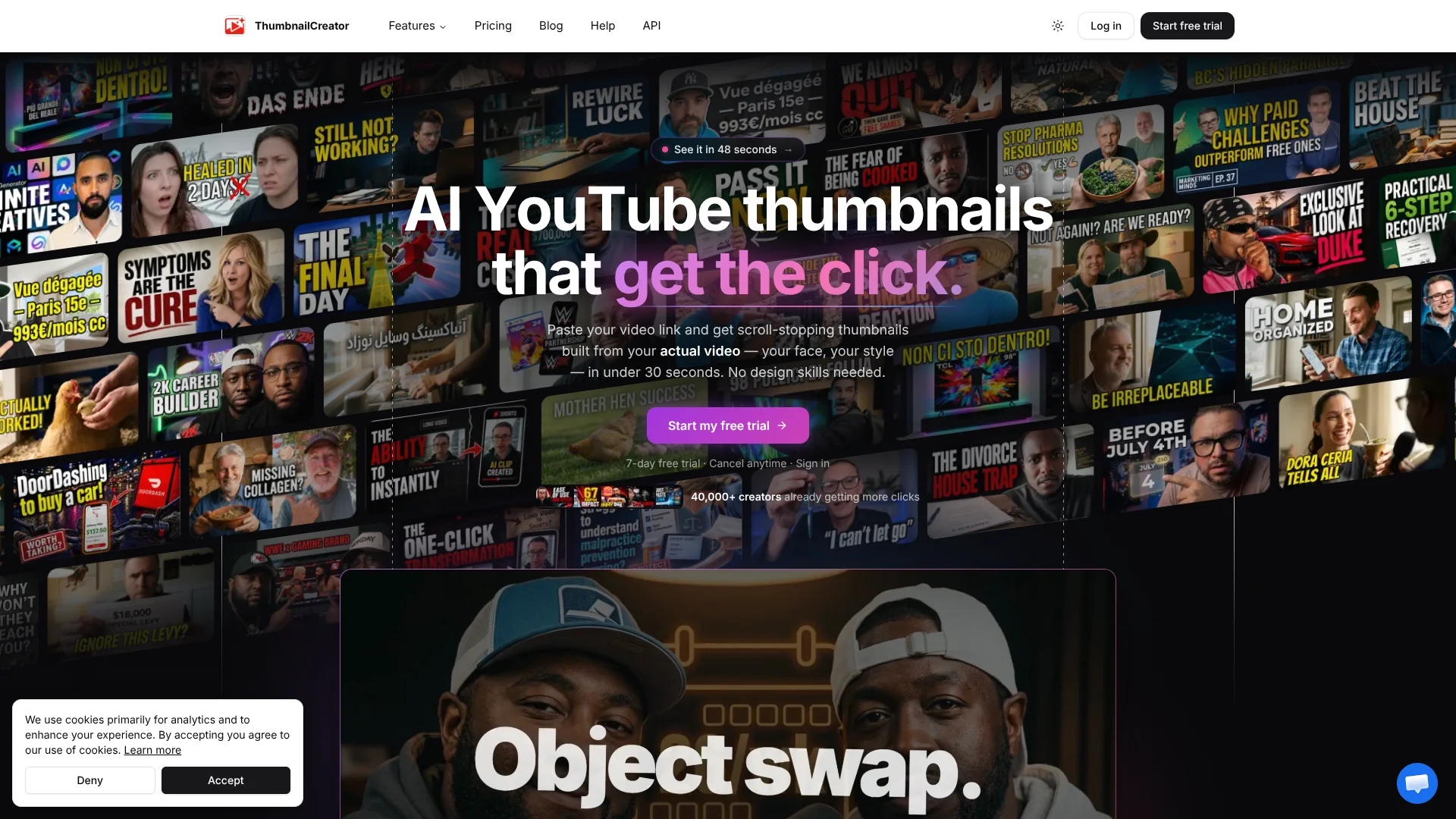
ThumbnailCreator turns a YouTube video or written concept into thumbnail options, then lets creators edit and compare them before publishing. It is built for YouTube creators who want visuals tied to a video's subject without spending hours arranging text, faces, and backgrounds by hand. The editor can also extract an existing thumbnail from a YouTube link, giving channel refreshes a starting point.
A video-aware workflow can analyze a YouTube link's title, description, and transcript to suggest thumbnail concepts tied to that video. After choosing a design, creators can connect a YouTube channel and upload the thumbnail from ThumbnailCreator.
Regular YouTube publishers, their editors, and agencies managing several channels are the clearest fit. AI edits and variations use credits, so frequent redesigns can draw down a plan's allowance; the product is focused on YouTube packaging rather than broad graphic design.
Who is Using ThumbnailCreator.com?
YouTube Creator
A creator turns a video link or concept into thumbnail choices before publishing.
Video Editor
An editor prepares variations and uploads the approved design to a connected channel.
Channel Manager
A manager refreshes older thumbnails and keeps channel visuals consistent with design rules.
Agency Designer
A designer works across client brands using shared team resources and face models.
Uncommon Use Cases
A podcaster turns an episode into thumbnail concepts; a creator repurposes a long video into short clips.
Key Features
Rating Breakdown
Pricing Plans
Starter
$29 per month
- Annual billing is $174 per year.
- Annual billing unlocks 600 thumbnails up front.
- Includes AI Thumbnail Generator, basic face features, variations, YouTube Thumbnail Extractor, and Auto-Optimize Thumbnails.
Creator
$49 per month
- Annual billing is $294 per year, or $24.50 per month when paid yearly.
- The monthly option includes 100 thumbnails per month; annual billing unlocks 1,200 up front.
- Includes Advanced Face Training, Person Swap, Expression Morphing, unlimited YouTube extractions, trending thumbnail access, and AI-powered Auto-Optimize.
Teams
$99 per month
- Annual billing is $594 per year, or $49.50 per month when paid yearly.
- Annual billing unlocks 3,000 thumbnails up front.
- Includes multiple face training, batch variations, API access, priority trending access, and unlimited team members.
Which ThumbnailCreator.com plan should you pick?
Start with Starter for a lighter publishing schedule, choose Creator for advanced face tools and more thumbnails, and consider Teams for shared work or API access.
Starter
For creators posting 1–2 videos per week who need thumbnail generation, basic face features, variations, and auto-optimization.
Creator
For creators posting 3–5 videos per week who want advanced face training, person swaps, expression morphing, and trending thumbnail access.
Teams
For agencies and multi-channel networks that need batch variations, API access, multiple face models, and unlimited team members.
ThumbnailCreator.com Use Cases
Create a Thumbnail from a YouTube Video
Video-aware concepts give a creator a content-specific starting point for a new upload.
Outcome: Thumbnail options based on the video's context.
Keep a Consistent Creator Face
A trained face model can carry a creator's appearance across a run of thumbnails.
Outcome: More consistent face branding across videos.
Refresh an Existing Channel
A batch of new designs can bring older video thumbnails closer to a channel's current look.
Outcome: Updated thumbnail options for existing videos.
Compare Thumbnail Variations
Different compositions, colors, and hooks give creators options to review before choosing a design.
Outcome: Multiple thumbnail versions to compare.
Publish Directly to YouTube
A connected channel lets creators upload a selected thumbnail without going to YouTube Studio.
Outcome: The selected thumbnail is uploaded to the video.
Workflow Ideas with ThumbnailCreator.com
Prepare a Thumbnail for a New Video
- 1Paste the YouTube video link to generate video-aware concepts.
- 2Create and edit thumbnail variations.
- 3Upload the chosen design to the connected channel.
Refresh a Channel's Visual Style
- 1Set up a brand profile and design rules.
- 2Generate refreshed thumbnails for selected videos.
- 3Review each option and apply approved designs.
Repurpose a Long Video
- 1Analyze the YouTube video for short-form moments.
- 2Choose clips and render them with captions and a selected format.
- 3Download the finished clips for Shorts, TikTok, or Reels.
How ThumbnailCreator.com fits into your stack
Thumbnail workspace
The web editor handles generation, edits, variations, and collections. It is the main place to prepare video artwork.
YouTube publishing
A channel connection supports direct thumbnail uploads. The browser extension can also generate thumbnails from YouTube Studio.
Team production
Shared workspaces let editors, designers, and managers use the same styles, brands, face models, and design rules.
API and AI agents
The documented API supports thumbnail generation, editing, video analysis, and asset management. Its MCP server lets compatible AI agents work with those resources.
Video repurposing
AI Clips can identify short-form moments in long YouTube videos and render clips for Shorts, TikTok, and Reels.
Pros
- +Video-specific concepts: A YouTube link can provide context for thumbnail ideas.
- +Face consistency: Face models help creators keep their own appearance across designs.
- +Direct publishing: Connected channels can receive selected thumbnails from the tool.
- +Shared team workspace: Editors and managers can share styles, brands, face models, and collections.
Cons
- −Credit budgeting: Generations, edits, and variations can use credits.
- −Narrow focus: The main workspace is built around YouTube thumbnails and video packaging.
Limitations & when to consider alternatives
Known limitations
- Credit-based actions. Thumbnail generation and many edits use credits, while some actions, such as downloading and extracting YouTube thumbnails, are free.
- API request limits. The API has tier-based rate limits, from 20 requests per minute on Trial to 300 on Agency.
- Trial period. The pricing page offers a 7-day trial and says to cancel before day 7 to avoid a charge.
Look elsewhere when
- You need a general-purpose design workspace for work beyond thumbnails and video packaging.
How to Use ThumbnailCreator.com
- 1
Create an account
Sign up with Google, Microsoft, or email and password to reach the dashboard.
- 2
Choose a starting point
Paste a YouTube link, upload an image, or begin with a text description.
- 3
Generate options
Describe the thumbnail you want, or use video analysis to get concepts connected to your content.
- 4
Refine the design
Edit with text instructions, use face or style tools, or generate variations to compare.
- 5
Download or publish
Download the thumbnail at 1280 x 720 or upload it to a connected YouTube channel.
Who is ThumbnailCreator.com For?
YouTube Creators
Creators publishing regularly can make video-specific thumbnail options and refresh older designs.
Agencies
Agencies can manage thumbnail work for multiple clients with shared brands and team access.
Multi-Channel Networks
Teams managing several channels can organize thumbnail work with collections and shared resources.
Gaming Creators and Podcasters
The site offers thumbnail workflows for gaming videos and podcast episodes.
Frequently Asked Questions
Is there a free plan?
The pricing page lists a 7-day free trial, not a permanent free plan. It says the trial starts with 10 thumbnails and that you should cancel before day 7 to avoid a charge.
What does one credit cover?
One credit equals one AI thumbnail on the pricing page. Many edits and variations also use credits, while some actions are free.
Can ThumbnailCreator upload thumbnails to YouTube?
Yes. Connect a YouTube channel to upload a selected thumbnail directly, or use the browser extension from YouTube Studio.
Does it have an API?
Yes. Its documented API supports thumbnail generation, editing, video analysis, and asset management. API request limits vary by subscription tier.
Can a team share work?
Yes. Team members can share a workspace, resources, and design rules, with admin and member roles.
Community reviews
Be the first to share your experience.
Sign in to leave a review for ThumbnailCreator.com.
ThumbnailCreator.com Alternatives
Looking for alternatives to ThumbnailCreator.com? Here are similar tools in the same category: