Terrakotta
Streamline data analysis and automate workflows efficiently.
Key Takeaways
- What it is
- Streamline data analysis and automate workflows efficiently.
- Pricing
- $99 per month
- Best for
- Advanced Data Processing
- Automated Workflows
- Customizable Dashboards
- Rating
- 4.6/5
What is Terrakotta?
Terrakotta is an innovative AI tool designed to streamline complex data analysis and automation processes. At its core, Terrakotta is built to enhance productivity and decision-making in businesses by leveraging advanced artificial intelligence technologies. This tool is particularly beneficial for professionals and organizations looking to optimize their workflows, reduce operational costs, and gain deeper insights into their data.
Terrakotta stands out due to its robust real-time analytics and customizable features that cater to a wide range of industries. Its ability to seamlessly integrate with existing IT infrastructures makes it a versatile choice for businesses looking to enhance their data-driven decision-making processes.
Terrakotta excels in providing sophisticated tools for data analysis and automation, making it an essential tool for businesses aiming to leverage big data. Its user-friendly interface and powerful real-time analytics are particularly beneficial, offering a significant advantage in today's fast-paced market environment.
Who is Using Terrakotta?
Data Analysts
Employing the tool to dissect complex datasets and generate actionable insights.
Marketing Agencies
Using advanced analytics to drive campaign strategies and measure performance.
IT Departments
Leveraging automation to manage network operations and security monitoring.
Retail Businesses
Utilizing predictive analytics to adjust inventory levels and optimize supply chain decisions.
Uncommon Use Cases
Non-profits using data insights for better resource allocation; educational institutions employing analytics for administrative decision-making.
Key Features
Rating Breakdown
Pricing Plans
Free Trial
- Get started with Terrakotta with a 14-day free trial
Standard Plan
$99 per month
- Full access to all features
Which Terrakotta plan should you pick?
Start with Individual for one user, choose Team for three or more seats, and upgrade to Enterprise when you need custom integrations or enterprise support.
Individual
Good for a single user who needs calling, voicemail, AI summaries, skip tracing, and phone verification.
Team
Good for teams with three or more seats that need the same core calling, voicemail, skip-tracing, and verification features.
Enterprise
Good for larger organizations that need custom arrangements, faster support response times, or custom integrations.
Terrakotta Use Cases
Property owner prospecting
Users look up property and owner information from Google, CRM records, listing sites, and other webpages.
Outcome: Faster identification of high-value prospects.
AI skip tracing
Users search for owner phone numbers and verify contact information using property and ownership data.
Outcome: More reachable contacts for outreach.
Power dialing
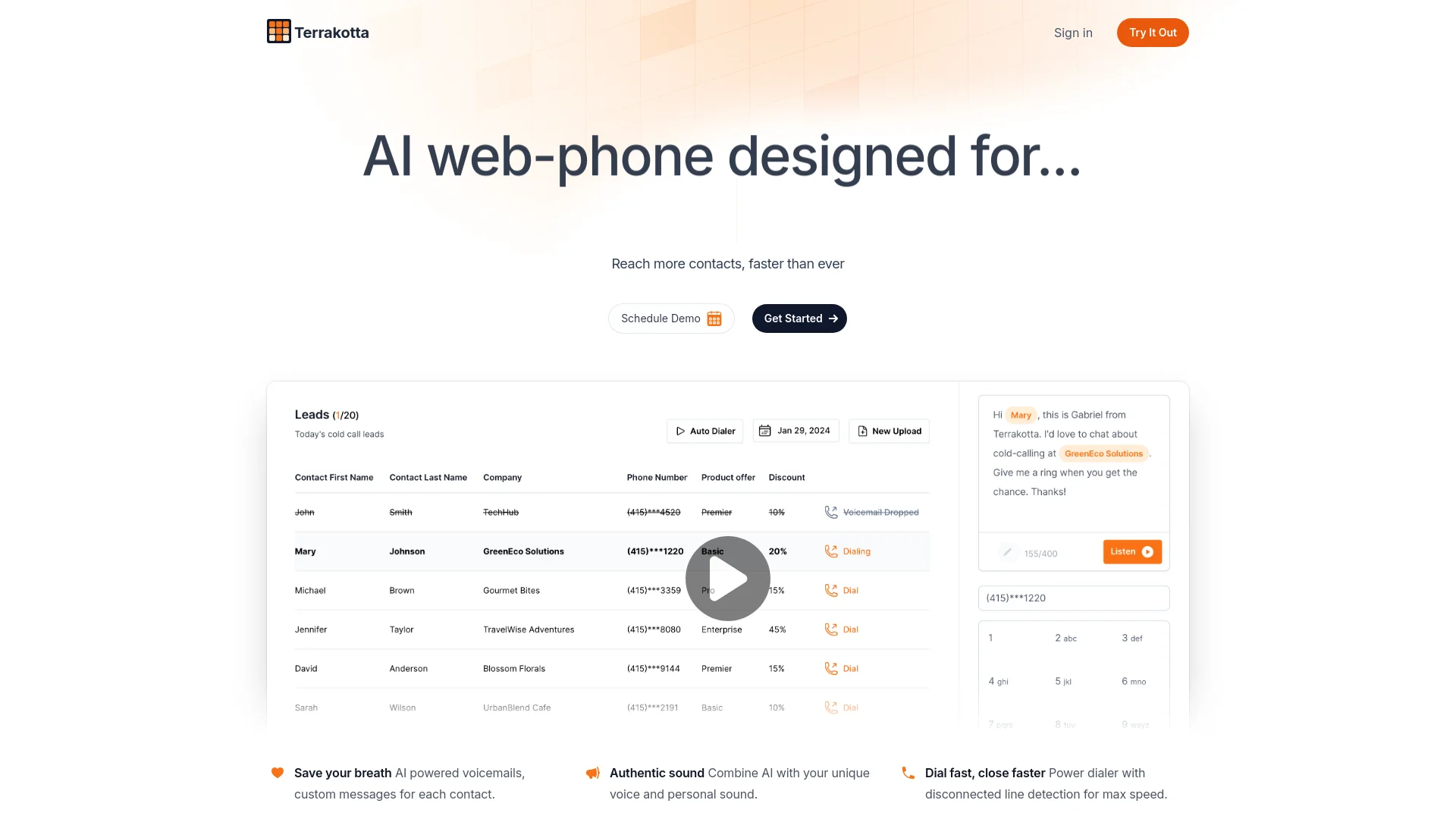
Users import or connect contacts, configure voicemail behavior, and call prospects inside Terrakotta.
Outcome: Higher-volume outbound calling.
AI voicemail personalization
Users record a voice sample and create customizable AI voicemails for contacts who do not answer.
Outcome: Personalized voicemail outreach at scale.
Conversation tracking
Users retain call recordings, transcripts, outcomes, summaries, and follow-up information in one place.
Outcome: Better visibility into prospect conversations and next steps.
Workflow Ideas with Terrakotta
Find and call property owners
- 1Open a property or listing webpage
- 2Use the Terrakotta Chrome Extension to identify owner and contact information
- 3Call the prospect through Terrakotta and review the conversation outcome
Run CRM-based prospecting
- 1Connect Salesforce, HubSpot, RealNex, Follow-Up Boss, Monday, or another supported integration
- 2Sync or import contact data into Terrakotta
- 3Use skip tracing, verification, dialing, and AI summaries to manage outreach
Create AI voicemail follow-ups
- 1Record voice prompts to create a voice clone
- 2Edit the voicemail script and configure voicemail settings
- 3Send personalized AI voicemails to contacts who do not answer
How Terrakotta fits into your stack
Cloud Storage Services
Integrates with popular cloud storage providers to facilitate easy data access.
API Access
Offers API integration to allow developers to build custom applications.
CRM Systems
Compatible with major CRM platforms to enhance customer relationship management.
Business Intelligence Tools
Works alongside BI tools to provide enhanced analytical capabilities.
Pros
- +Increased Productivity: Automates routine tasks, allowing teams to focus on more strategic activities.
- +Cost Reduction: Minimizes the need for extensive manual processes, cutting down on operational expenses.
- +Scalable Solutions: Easily scales to meet the growing data needs of any business.
- +User-friendly Interface: Designed with a focus on simplicity, making it accessible for users of all technical levels.
Cons
- −Initial Setup Complexity: Setting up and customizing the tool to fit specific needs can be time-consuming.
- −Advanced Features Learning Curve: Users may require time to fully utilize all the advanced features available.
- −Dependency on Internet Connectivity: Real-time analytics features require a stable internet connection to function effectively.
Limitations & when to consider alternatives
Known limitations
- Caller-ID spam risk. Terrakotta warns that phone numbers may be labeled Spam Likely and recommends registering affected numbers or dialing from another number while the label recovers.
- Custom integrations may require Enterprise. The pricing FAQ says custom integrations may be built on request and typically require an enterprise-tier subscription.
- Voice cloning requires setup. AI voicemail requires users to record voice prompts and enable microphone access before the feature can be used.
- Team pricing does not document collaboration controls. The Team plan specifies three or more seats but does not describe shared workspaces, roles, permissions, or collaborative editing.
- No native mobile application is documented. Terrakotta promotes an iMessage Assistant and Chrome Extension but does not provide an official iOS or Android app listing.
Look elsewhere when
- You need a native iOS or Android application.
- You need a publicly documented developer API.
- You need SSO or SAML.
- You need image analysis or code generation.
How to Use Terrakotta
- 1
Explore the extensive range of tutorials available on Terrakotta's official website, covering everything from basic setup to advanced features utilization.
Who is Terrakotta For?
Commercial real estate brokers
Terrakotta is positioned for CRE brokers who need property research, owner contacts, enrichment, and calling tools.
CRE acquisitions teams
The platform supports prospect discovery, skip tracing, property context, and outreach for acquisition activity.
Commercial services brokers
Commercial services professionals can use property and owner intelligence to support prospecting and calls.
High-growth brokerages
Terrakotta markets its platform to brokerages seeking scalable prospecting, CRM syncing, and calling workflows.
Enterprise real estate organizations
The site presents an Enterprise plan and references enterprise customers and custom integrations.
Frequently Asked Questions
How fast can Terrakotta verify phone numbers?
The pricing page says verification typically takes less than two seconds per number and supports bulk requests of up to 1,000 numbers.
Can Terrakotta integrate with my CRM?
Terrakotta lists Salesforce, HubSpot, RealNex, Follow-Up Boss, and Monday integrations, plus REST API and pre-built connector support.
How does Terrakotta skip trace data?
Its skip-tracing system uses publicly available resources and cross-references multiple data sources to validate matches.
Does Terrakotta store voice-clone information?
Terrakotta says voice data is stored on encrypted servers and can be deleted through account settings.
What happens when a contact answers?
The user is connected to the contact in a live conversation through the device running Terrakotta.
Can users bring their existing phone number?
Users can register an existing phone number in Terrakotta and place calls from it.
Community reviews
Be the first to share your experience.
Sign in to leave a review for Terrakotta.
Terrakotta Alternatives
Looking for alternatives to Terrakotta? Here are similar tools in the same category: