Teal Resume Builder
Tailor each resume to a job opening without rebuilding your career history.
Key Takeaways
- What it is
- Tailor each resume to a job opening without rebuilding your career history.
- Pricing
- Freemium · $29 per month
- Best for
- Job Matcher
- AI Resume Writer
- Resume Analyzer
- Rating
- 4.2/5
What is Teal Resume Builder?
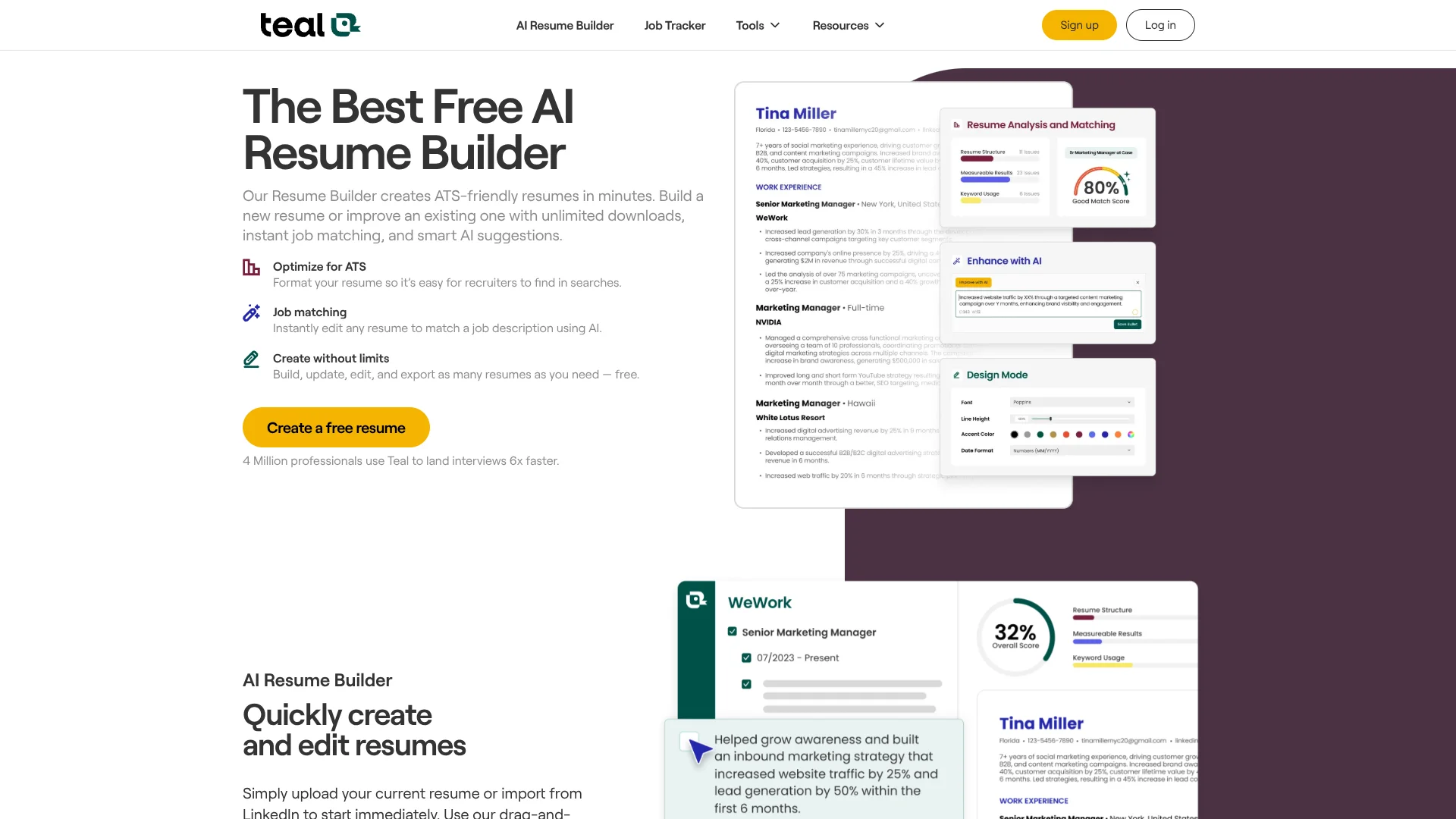
Teal Resume Builder helps job seekers turn their work history into resumes tailored to specific openings. Start with a blank resume, import a PDF or Word document, or bring in LinkedIn profile details. Its AI can draft resume bullets and summaries, while the editor lets you choose which experience to feature for each application.
The Job Matcher compares a resume with a job description and shows a Match Score plus relevant keywords, so you can see where your application aligns before sending it. You can also keep one fuller career history and select the details that fit each version.
It suits people applying to multiple roles who want help with both resume writing and job-specific edits. The free plan limits AI writing credits and keyword visibility, and the builder exports resumes as PDFs only. Teal is most useful when you want to tailor each application without rebuilding your resume from scratch.
Who is Using Teal Resume Builder?
Recent Graduates
Build an initial resume with guided sections and tailor it to entry-level job descriptions.
Career Changers
Bring forward transferable experience and compare it with the requirements of a new role.
Experienced Professionals
Keep a fuller career history and select the achievements that fit each application.
Returning Professionals
Collect past roles and accomplishments in one place before preparing a current resume.
Uncommon Use Cases
Turn LinkedIn profile details into a resume draft; use the Job Tracker to export application progress for a career coach or accountability partner.
Key Features
Rating Breakdown
Pricing Plans
Free
Free
- Unlimited resume creation and PDF exports
- 10 free resume templates
- Top 5 job-description keywords
- One-time AI credits for resume bullets, professional summaries, and cover letters
Teal+
$29 per month
- $13 every 7 days, $79 every 90 days, or $179 per year are also listed billing options.
- Unlimited AI resume bullet, professional summary, and cover letter generation
- Advanced resume analysis and full job-description keyword matching
- Full resume template library and advanced design settings
Which Teal Resume Builder plan should you pick?
Start with Teal Free for unlimited resumes and PDF exports; consider Teal+ if you need unlimited AI writing, advanced analysis, or full keyword matching.
Free
Good for job seekers who want unlimited resume versions and PDF downloads, with a limited set of AI writing credits.
Teal+
Good for active job seekers who need unlimited AI writing, advanced resume analysis, and the full keyword list.
Teal Resume Builder Use Cases
Tailor a Resume to a Job
A job description comparison points out relevant keywords and shows how well the resume matches the role.
Outcome: A resume version shaped around the target job, with a Match Score to review.
Draft Resume Content
AI suggestions give you a starting point for professional summaries and achievement-focused bullets.
Outcome: Editable resume wording based on your experience and target role.
Improve an Existing Resume
Resume analysis highlights areas to review in the content and structure.
Outcome: Specific feedback to guide revisions.
Keep Multiple Resume Versions
A shared career history lets you select relevant experience for different applications.
Outcome: Separate resume versions drawing from common career details.
Track Applications Alongside Resume Work
The Job Tracker keeps saved roles and application stages alongside the resume tailoring process.
Outcome: A view of bookmarked jobs and application progress.
Workflow Ideas with Teal Resume Builder
Tailor a Resume for a Job
- 1Import your resume or LinkedIn profile, or start a new resume.
- 2Select a job in the Job Matcher or add its description.
- 3Review the Match Score and keyword suggestions, then edit the resume and export a PDF.
Build a Master Resume and Role-Specific Versions
- 1Gather your work history, skills, education, and achievements in Teal.
- 2Create resume versions for different roles by selecting relevant experience.
- 3Review changes across versions and export the version for the application.
Save and Track Job Applications
- 1Save a job from a posting with the Teal Chrome extension or add it manually.
- 2Match a resume to the saved job and make role-specific edits.
- 3Update the application stage and follow-up details in the Job Tracker.
How Teal Resume Builder fits into your stack
Resume Builder
The web editor holds career details and tailored resume versions. Its AI writing and analysis features support drafting and revision.
Job Descriptions
The Job Matcher compares a resume with a target job description and surfaces a Match Score and relevant keywords.
LinkedIn Import
LinkedIn profile details can provide a starting point for your resume.
Job Tracker and Chrome Extension
Save job postings with the Teal Chrome extension, then track them alongside resume work in Teal's Job Tracker.
PDF Applications
Export finished resumes as PDFs for applications. Teal's help center says resume exports are PDF only.
Pros
- +Free PDF exports: Create and download unlimited resume versions without paying.
- +Job-specific feedback: The Match Score and keyword view show how a resume lines up with a target role.
- +Multiple starting points: Begin with an existing resume, LinkedIn details, or a blank page.
- +Shared career details: Resume Syncing can make updates available across tailored versions.
Cons
- −Limited free AI writing: Free accounts have a one-time set of credits for AI-generated content.
- −Teal templates only: You cannot import your own resume design.
Limitations & when to consider alternatives
Known limitations
- PDF-Only Resume Export. Teal's help center says resumes export as PDFs, not Word documents.
- Teal Templates Only. Teal says its builder uses its own editable templates rather than allowing imported custom templates.
- Free AI Credits Are Limited. Free members receive a one-time set of credits for resume bullets, professional summaries, and cover letters.
Look elsewhere when
- You need to export an editable Word document from the resume builder.
- Your workflow depends on importing and editing a custom resume template.
- You need unlimited AI writing without a paid subscription.
How to Use Teal Resume Builder
- 1
Start with Your Career Details
Import a PDF or Word resume, bring in LinkedIn profile details, or enter your information in the guided builder.
- 2
Choose a Resume Version
Keep a fuller career history, then select the sections and experience relevant to the role.
- 3
Match a Target Job
Choose a saved job, search for a role, or add a job description in the Job Matcher.
- 4
Review AI Suggestions
Check the Match Score, keyword suggestions, and any generated summaries or bullets, then edit them to reflect your actual experience.
- 5
Adjust the Design
Choose a Teal template and customize its layout, fonts, spacing, and section order.
- 6
Export and Track
Download the finished resume as a PDF and keep the application organized in the Job Tracker.
Who is Teal Resume Builder For?
Job Seekers
A job-specific Match Score and keyword suggestions help focus each application.
Career Changers
Tailored resume versions help bring forward experience relevant to a new field.
Recent Graduates
Guided sections and AI writing suggestions can help turn early experience into resume content.
Professionals Returning to Work
A central career history makes it easier to gather and tailor experience for new applications.
Frequently Asked Questions
Is Teal Resume Builder free?
Yes. The free Teal account includes unlimited resume creation and PDF exports, plus limited AI writing credits.
What does Teal+ add?
Teal+ adds unlimited AI generation, advanced resume analysis, full keyword matching, and access to the full resume template library.
Can I import my existing resume?
Yes. Teal supports PDF and Word resume imports, pasted text, and LinkedIn profile imports.
Can I download my resume as a Word document?
No. Teal's help center says resume exports are PDFs only.
Does Teal have a Chrome extension?
Yes. The Teal Job Search Companion is a Chrome extension for desktop and laptop browsers that can save job postings.
Community reviews
3 reviews from people who use Teal Resume Builder.
Sign in to leave a review for Teal Resume Builder.
Brad Barron
Thibault BM
Lia Zneimer
Teal Resume Builder Alternatives
Looking for alternatives to Teal Resume Builder? Here are similar tools in the same category: