
SYNQ
Streamline communications, enrich data, and enhance productivity with SYNQ.
Key Takeaways
- What it is
- Streamline communications, enrich data, and enhance productivity with SYNQ.
- Pricing
- Freemium · $10 per month
- Best for
- Calendar.AI Integration
- Calls.AI Functionality
- Sync.AI Mail
- Rating
- 4.6/5
What is SYNQ?
In the bustling world of business communications, SYNQ emerges as a beacon of innovation, designed to enhance the synergy between your daily activities and communication tools. At its core, SYNQ is a powerful suite of applications that integrates your calls, emails, and calendar events with rich business data, providing a comprehensive overview of your business interactions. This tool is tailored for professionals seeking to streamline their communication processes, boost productivity, and make every interaction count.
SYNQ sets itself apart by seamlessly integrating various communication platforms with actionable business insights. Its unique ability to turn every interaction into an opportunity for data-driven decision-making truly distinguishes it in the market.
SYNQ excels in transforming business communications into dynamic and data-enriched interactions. Its comprehensive suite of tools not only fosters increased productivity but also ensures that every piece of communication is leveraged to its fullest potential. For professionals and businesses aiming to maximize their communication efficacy, SYNQ stands out as an indispensable tool.
Who is Using SYNQ?
Sales Professionals
Utilize SYNQ to keep track of customer interactions and optimize their sales processes.
Project Managers
Leverage the tool to maintain oversight of project timelines and team communications.
HR Managers
Employ SYNQ for scheduling interviews and managing communications with potential candidates.
Marketing Teams
Use SYNQ to coordinate campaign launches and integrate customer feedback into marketing strategies.
Uncommon Use Cases
Non-profits use SYNQ to coordinate volunteer events and donor communications; Educational institutions apply it to manage faculty and student interactions.
Key Features
Rating Breakdown
Pricing Plans
Free Tier
Free
- Get started with SYNQ with a basic set of features at no cost
Premium Tier
$10 per month
SYNQ Use Cases
Schedule meetings automatically
Create a personal scheduling page, define meeting rules, and let contacts choose available times.
Outcome: Reduce back-and-forth scheduling.
Prepare for customer meetings
Review attendee work history, company details, social profiles, and other contact information before a meeting.
Outcome: Enter meetings with more relevant business context.
Turn calls into CRM activity
Create tasks, reminders, follow-ups, leads, and customers directly from phone calls.
Outcome: Keep post-call sales activity organized.
Manage caller relationships
Group contacts, add call notes, identify callers, and block robocalls or telemarketers.
Outcome: Prioritize useful calls and maintain customer context.
Enrich email outreach
View contact insights and connect email information with related calls, meetings, notes, and tasks.
Outcome: Build a more complete view of leads and recipients.
Workflow Ideas with SYNQ
Meeting preparation workflow
- 1Open the upcoming calendar meeting
- 2Review attendee and company insights
- 3Prepare an agenda and add notes or action items
Call-to-follow-up workflow
- 1Review the caller and available business insights
- 2Add call notes during or after the call
- 3Create tasks, reminders, or follow-ups linked to the call
Cross-channel lead workflow
- 1Review an enriched email contact
- 2Connect the contact with related calls and calendar meetings
- 3Use notes and tasks to organize the next sales action
How SYNQ fits into your stack
CRM Integration
Easily connects with popular CRM systems to enhance customer relationship management.
API Access
Offers developers the ability to create custom integrations and extensions.
Cloud-Based
Fully cloud-based, allowing for access from any device, anywhere.
Email Platforms
Integrates with major email platforms to streamline communication workflows.
Pros
- +Free download available
- +AI-powered meeting scheduling with custom availability rules
- +Attendee and company insights before meetings
- +Tasks, reminders, and follow-ups connected to phone calls
- +Calendar, calls, email, and notes are synchronized
Cons
- −Initial Setup Complexity: Requires initial time investment to integrate and customize according to specific business needs.
- −Overwhelming Features: For smaller teams, the wide array of features might be overwhelming at first.
- −Dependency on Internet Connectivity: Performance is heavily reliant on stable internet connection.
Limitations & when to consider alternatives
Known limitations
- Sync.AI Mail is in beta. The Mail page asks users to join beta users rather than presenting a generally available product.
- Calls.AI availability is Android-focused. The Calls.AI page identifies the app as available on Android and links to Google Play.
- Calendar.AI has a seven-day iOS trial reference. The official site references a seven-day free trial for Calendar.AI on iOS.
Look elsewhere when
- You need a documented developer API.
- You need a desktop installer.
- You need enterprise SSO.
- You need document upload or image analysis.
How to Use SYNQ
- 1
Discover a variety of tutorials on SYNQ’s official website, ranging from basic setup to advanced feature utilization.
Who is SYNQ For?
Sales professionals
They can research leads, organize callers, create follow-ups, and prepare for customer meetings.
Freelancers
They can use smart scheduling, booking links, meeting insights, and calendar notes.
Business professionals
They can view company and attendee information directly within their communication workflows.
Recruiters
They can use attendee insights, professional details, scheduling, and contact information.
Entrepreneurs and executives
They can coordinate meetings, manage contacts, and use business intelligence to prepare for conversations.
Frequently Asked Questions
What is Sync.AI?
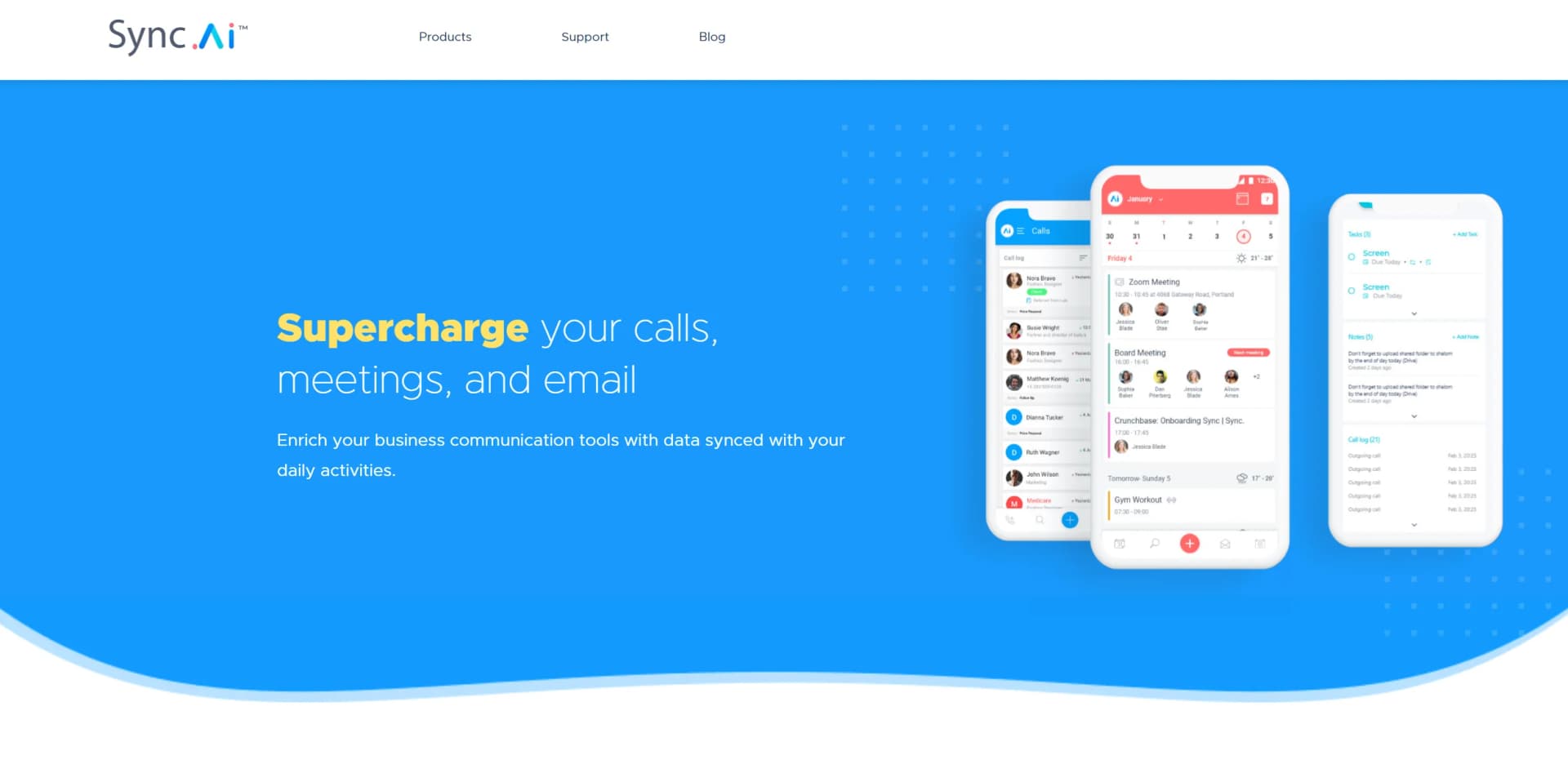
Sync.AI connects calendar, calls, and email with business data about leads, customers, companies, and contacts.
What products does Sync.AI offer?
The product family includes Calendar.AI, Calls.AI, and Sync.AI Mail.
What does Calendar.AI do?
Calendar.AI provides smart scheduling, meeting rules, attendee insights, company information, agendas, notes, and action items.
What does Calls.AI do?
Calls.AI provides professional caller ID, spam blocking, customer management, tasks, reminders, follow-ups, and call notes.
What is Sync.AI Mail?
Sync.AI Mail enriches email with contact insights and connects email information with calls, meetings, notes, and tasks. The page invites users to join its beta.
Community reviews
Be the first to share your experience.
Sign in to leave a review for SYNQ.
SYNQ Alternatives
Looking for alternatives to SYNQ? Here are similar tools in the same category:
Learn to Master SYNQ
With Skill Leap courses
Get in-depth training on SYNQ and 50+ other AI tools with our expert-led video courses.
Start 7-Day Free Trial