
sync.
Lip sync and dub videos with multilingual precision.
Key Takeaways
- What it is
- Lip sync and dub videos with multilingual precision.
- Pricing
- $5 per month + $3 per minute. Best for small projects and experiments · $19 per month · $49 per month + $2.85 per minute. Designed for teams · $249 per month + $2.40 per minute. Built for high-volume needs
- Best for
- Lipsync-2 Model
- Video Editing Flexibility
- Voice Cloning
- Rating
- 4.5/5
What is sync.?
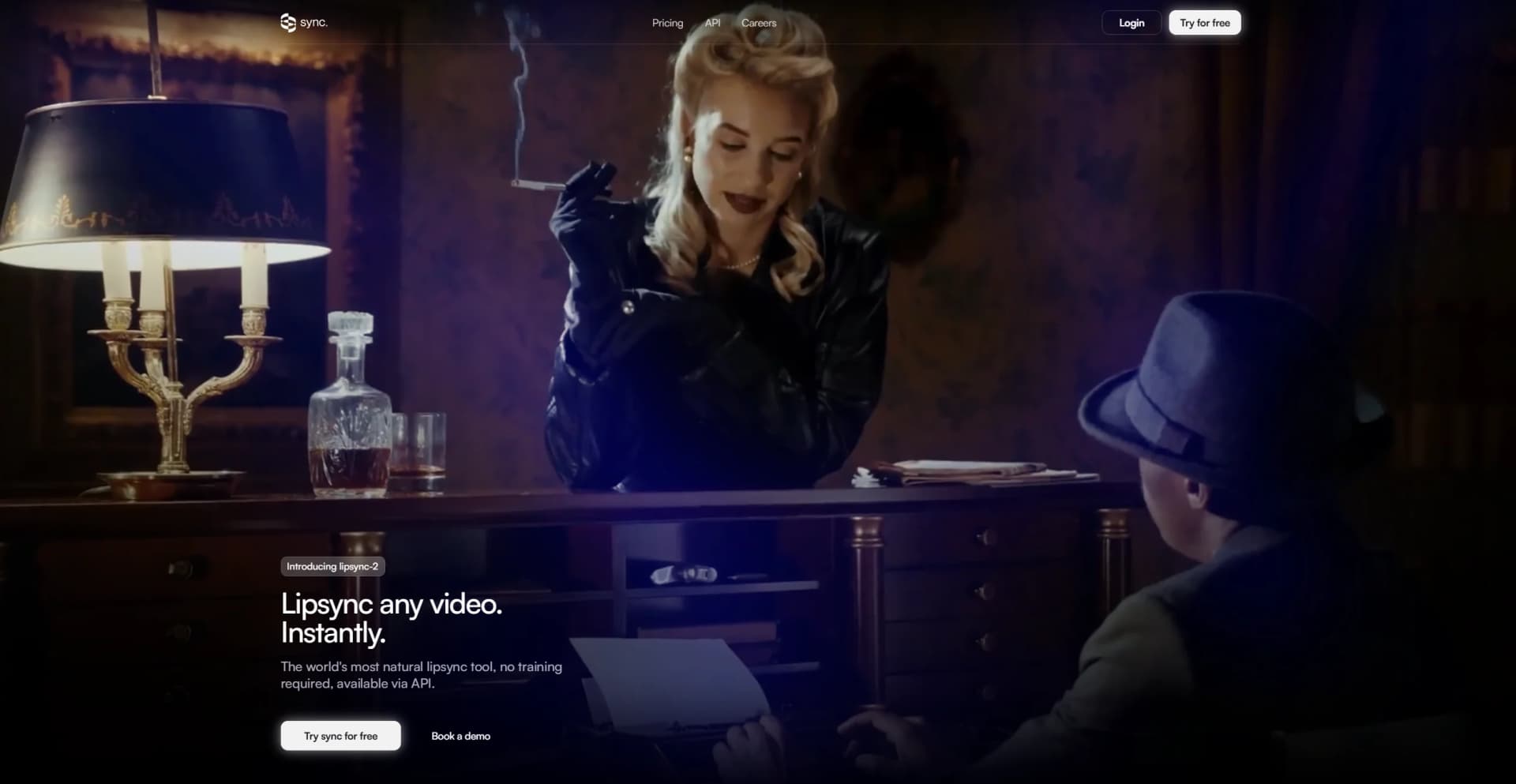
Sync is an innovative AI tool designed to revolutionize video content editing through its advanced lip sync capabilities. This tool allows users to effortlessly lip sync any video without requiring prior training on the speaker. It's tailored for content creators, marketers, and professionals who need to edit video dialogue seamlessly, ensuring that translated or altered content maintains its natural flow and emotional impact.
Sync stands out with its lipsync-2 model, which can adapt to any speaker's unique style without prior training. This capability is a significant advantage for professionals who need to edit content quickly and efficiently while maintaining the original emotional depth and authenticity.
Sync offers a unique blend of advanced technology and user-friendly features, making it an invaluable tool for anyone looking to enhance video content through seamless lip sync With its ability to adapt to various styles and languages, it empowers creators to reach global audiences without compromising on quality or emotional impact. Whether you're in marketing, content creation, or education, sync provides the tools you need to elevate your video projects.
Who is Using sync.?
Content Creators
Enhancing video content with natural lip sync and multilingual dubbing.
Marketing Agencies
Producing creative ads with localized dialogue for different markets.
Film and Animation Studios
Editing dialogue in films and animations to maintain emotional integrity across languages.
Podcasters
Modifying audio-visual content to reach diverse audiences.
Uncommon Use Cases
Utilized by educational institutions for language courses and adopted by game developers for character dialogue editing.
Key Features
Rating Breakdown
Pricing Plans
Hobbyist
$5 per month + $3 per minute. Best for small projects and experiments
- Includes up to 1-minute videos, 1 job at a time, API access, Lipsync Studio, and community support
Creator
$19 per month
- + $3 per minute. Adds up to 5-minute videos
- 3 concurrent jobs
- A personal TTS API key
- Removes watermark
Growth
$49 per month + $2.85 per minute. Designed for teams
- Includes 10-minute videos, 6 jobs at a time, 5% discount on usage, 3 team seats, and additional seats at $25 per month
Scale
$249 per month + $2.40 per minute. Built for high-volume needs
- Includes 30-minute videos, 15 jobs at a time, 20% discount, 5 team seats, and dedicated support
Which sync. plan should you pick?
Start with Free for evaluation, choose Hobbyist or Creator for individual production use, and upgrade to Growth or Scale for team workspaces, discounts, and batch processing.
Free
Good for evaluating the models with three monthly generations and short videos.
Hobbyist
Good for side projects needing one-minute videos, three voice clones, API access, and SDKs.
Creator
Good for creators who need five-minute videos, more concurrency, custom TTS keys, and watermark-free output.
Growth
Good for teams needing ten-minute videos, six concurrent jobs, usage discounts, and three workspace seats.
Scale
Good for high-volume production needing 30-minute videos, 15 concurrent jobs, five seats, and Batch API access.
Enterprise
Good for organizations needing custom limits, pricing, and support arrangements.
sync. Use Cases
E-learning localization
Record an instructor once and generate versions in multiple languages.
Outcome: Localized training content without repeated filming or voice-actor sessions.
Personalized video outreach
Use text-to-speech to create a custom greeting for each prospect and lip-sync it onto a source recording.
Outcome: One recording becomes many tailored videos.
Video dubbing
Provide translated audio or text and generate lip-synced video in the target language.
Outcome: More natural-looking multilingual video.
Content creation
Enter new dialogue or use audio to make a person in a video or image appear to say different words.
Outcome: New talking-head and social content from existing media.
High-volume media processing
Submit hundreds of generation jobs through the Batch API.
Outcome: Platform-scale processing of localized or personalized videos.
Workflow Ideas with sync.
Multilingual video dubbing
- 1Upload or reference the source video
- 2Provide translated audio or text with an ElevenLabs voice
- 3Generate and download the lip-synced dubbed video
Personalized outreach videos
- 1Prepare a source recording and prospect-specific scripts
- 2Generate speech and lip-sync each script onto the recording
- 3Deliver the resulting personalized videos through your application
Batch localization pipeline
- 1Create a JSONL batch containing generation requests
- 2Submit the batch through the Batch API
- 3Receive completion notifications through the webhook URL and retrieve results
How sync. fits into your stack
Browser
Studio is a browser-based web app for uploading media, selecting models, and generating lip-synced videos.
Desktop / IDE
Integrations place Sync Labs inside Adobe Premiere, DaVinci Resolve Studio, ComfyUI, and developer clients such as Cursor.
Automation and APIs
REST APIs, Python and TypeScript SDKs, webhooks, Batch API, and MCP support production pipelines and custom agent workflows.
Pros
- +Free account includes monthly generations without requiring a credit card
- +Official REST API plus Python and TypeScript SDKs
- +Supports video, image, audio, and text inputs
- +Dubbing supports broad multilingual content localization
- +Integrations for Premiere, DaVinci Resolve, ChatGPT, MCP, ComfyUI, and ElevenLabs
Cons
- −Initial Learning Curve: Some users may require time to familiarize themselves with the full range of features.
- −Limited Integration: Currently, integration with certain third-party platforms might be restricted.
Limitations & when to consider alternatives
Known limitations
- Free usage is limited. Free accounts receive three generations per month, with a 20-second maximum duration and limited Sync 3 access.
- Video duration depends on plan. Maximum duration ranges from 1 minute on Hobbyist to 30 minutes on Scale; Enterprise limits are custom.
- Direct uploads have size limits. The API quickstart documents direct uploads up to 20 MB, while batch input files are limited to 5 MB.
- Batch processing requires Scale. The documented Batch API requires the Scale plan and accepts 20 to 500 records by default.
- Script inputs are limited. The API documentation limits a script field to 5,000 characters per generation.
Look elsewhere when
- You need a native mobile app.
- You need a dedicated desktop application.
- You need fine-tuning or model training on your own data.
How to Use sync.
- 1
Create an account and API key
Sign up at Sync Labs and create an API key from the Dashboard for Studio or programmatic use.
- 2
Choose Studio or an integration
Use Studio in the browser, or connect an integration such as Adobe Premiere, DaVinci Resolve, ChatGPT, ComfyUI, MCP, or ElevenLabs.
- 3
Prepare visual and performance inputs
Provide one video or image plus audio or text; use uploaded assets, public URLs, or asset IDs.
- 4
Select a model and options
Choose a model such as sync-3, lipsync-2, lipsync-2-pro, or react-1, then configure speaker selection or sync mode if needed.
- 5
Generate and monitor the result
Submit the generation, poll its status with the SDK, or configure a webhook for completion notifications.
- 6
Scale production workloads
Use projects to organize assets and generations, and use the Batch API on Scale for high-volume processing.
Who is sync. For?
E-learning and training teams
Localize instructor-led training videos into multiple languages while preserving natural lip movement.
Marketing and personalized outreach teams
Create personalized video messages at scale from a single recording.
Content localization and dubbing teams
Dub films, YouTube videos, and social content into other languages with synchronized lips.
Entertainment, media, and gaming teams
Use API-based lip sync for post-production dubbing, animated content, and in-game characters.
Frequently Asked Questions
What is Sync Labs?
Sync Labs is an AI video platform focused on generating lip-synced media from video or image inputs plus audio or text.
Can I test Sync Labs for free?
Free accounts receive three generations per month, with a maximum duration of 20 seconds and no credit card required.
What inputs does Sync Labs support?
The API supports video or image inputs combined with audio or text; assets can be provided by URL, upload, or asset ID.
Which models are available?
Available models include sync-3, lipsync-2, lipsync-2-pro, lipsync-1.9.0-beta, and react-1.
How long can generated videos be?
Maximum duration depends on the plan: from 1 minute on Hobbyist to 30 minutes on Scale, with custom Enterprise limits.
Does Sync Labs support dubbing?
Yes. Sync Labs supports multilingual dubbing using translated audio or its built-in ElevenLabs text-to-speech integration.
Community reviews
Be the first to share your experience.
Sign in to leave a review for sync..
sync. Alternatives
Looking for alternatives to sync.? Here are similar tools in the same category:
Learn to Master sync.
With Skill Leap courses
Get in-depth training on sync. and 50+ other AI tools with our expert-led video courses.
Start 7-Day Free Trial