
Swyft AI
Maximize sales efficiency with AI-powered CRM automation and data accuracy.
Key Takeaways
- What it is
- Maximize sales efficiency with AI-powered CRM automation and data accuracy.
- Best for
- Automated Sales Motions
- Custom Workflows
- Data Hygiene Improvement
- Rating
- 4.4/5
What is Swyft AI?
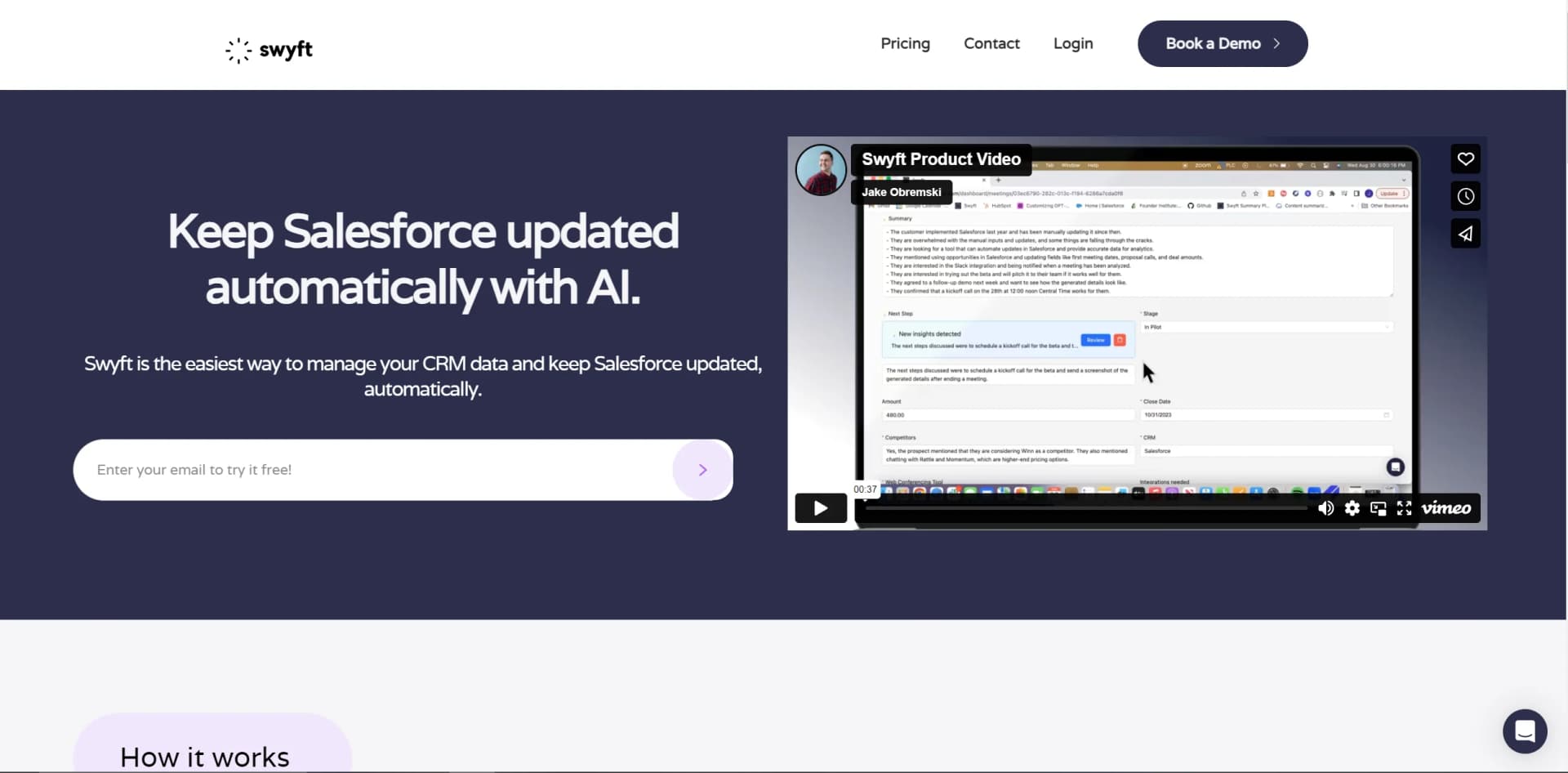
Discovering Swyft AI was like stumbling upon a secret weapon for revenue teams looking to boost their efficiency and data accuracy. Swyft AI is a sophisticated tool designed to automate Customer Relationship Management (CRM) data and revenue-related tasks. By eliminating the tedious admin work that can bog down sales teams, Swyft AI ensures that crucial data is captured accurately and that sales reps can focus on what they do best—selling.
What truly sets Swyft AI apart is its ability to automate any manual sales motion directly from communication platforms. Its integration with tools like Gong and Zoom allows for real-time data capture and updates, which is a game-changer for sales efficiency.
Swyft AI excels at automating CRM data capture and sales processes, making it an indispensable tool for sales and revenue teams. Its seamless integration with popular CRM and web conferencing platforms, along with its impressive boost to data hygiene and time savings per rep, offers an unmatched advantage for businesses looking to scale their sales operations efficiently.
Who is Using Swyft AI?
Sales Teams
For automating CRM updates and reducing manual data entry.
Revenue Operations (RevOps)
To ensure data hygiene and adherence to sales processes without the hassle.
Sales Managers
For efficient team management and performance review through centralized data.
Marketing Professionals
Who rely on accurate CRM data for targeted campaigns and lead management.
Uncommon Use Cases
Non-profits using it for donor management and event organizers for seamless participant engagement.
Key Features
Rating Breakdown
Pricing Plans
Custom Pricing
- Swyft AI provides tailored pricing based on team needs and scale
Demo Available
- Prospective users can request a demo to experience the features before committing
Which Swyft AI plan should you pick?
Start with the credit-based subscription tier sized for your expected workflow actions, then upgrade when execution volume increases.
Swyft AI Use Cases
Expansion Signal Detection
Monitor emails, calls, and support tickets for expansion signals, then create CRM opportunities and notify the account team.
Outcome: Potential expansion opportunities are surfaced and routed automatically.
Churn Risk Alerts
Analyze customer communications for negative sentiment or churn indicators, then create intervention tasks and alert customer-success teams.
Outcome: Customer-success teams receive earlier warnings about churn risk.
Weekly Pipeline Reports
Analyze CRM pipeline data on a recurring schedule, identify at-risk deals, and send formatted reports to leadership.
Outcome: Leadership receives recurring pipeline intelligence through email and Slack.
Closed-Won Handoff Notes
When an opportunity is marked Closed Won, analyze sales interactions and generate handoff notes with requirements, pain points, and commitments.
Outcome: Customer-success teams receive structured handoff information.
Workflow Ideas with Swyft AI
Detect expansion opportunities
- 1Monitor customer emails, calls, and support tickets
- 2Use AI to extract expansion signals
- 3Create or update a CRM opportunity and notify the account team
Automate churn-risk intervention
- 1Analyze customer communications for sentiment and churn indicators
- 2Create an intervention task in the CRM
- 3Alert the customer-success team with recent interaction history
Generate weekly pipeline reports
- 1Trigger a recurring analysis of CRM pipeline data
- 2Identify at-risk deals and competitor mentions
- 3Send the formatted report to leadership by email and Slack
How Swyft AI fits into your stack
Salesforce and HubSpot CRM
Automates data capture and processes within these CRM giants.
Gong and Zoom
Captures CRM data directly from calls made on these web conferencing platforms.
Slack and Microsoft Teams
Offers notifications and data capture functionalities within these collaboration tools.
Pros
- +Enhanced Productivity: Allows teams to focus on selling rather than administrative tasks.
- +Data Accuracy: Automates data entry, reducing human error and improving data quality.
- +Seamless Integration: Integrates with popular tools like Salesforce, HubSpot, Gong, Zoom, and Microsoft Teams.
- +Centralized Management: Offers managers a single place to review meetings and team performance.
Cons
- −Learning Curve: New users may need time to adapt to the automation features and workflow configurations.
- −Feature Overload: Some users might find the extensive features overwhelming at first.
- −Dependence on Integrations: Full functionality requires integration with other CRM and conferencing tools.
Limitations & when to consider alternatives
Known limitations
- Actions consume credits. Workflow actions such as CRM updates, notifications, enrichment, and ticket creation consume account credits.
- Credit requirements are usage-dependent. Swyft estimates the appropriate monthly credit bucket during a demo based on the customer’s workflows.
- Some roles may require paid seats. Standard User and Cortex roles may require paid seats depending on the plan.
- Collaborators are read-only. Collaborators can view analyzed meetings, workflows, and data but cannot trigger or modify workflows.
Look elsewhere when
- You need a native mobile app.
- You need image analysis or file processing.
- You need fine-tuning on proprietary data.
How to Use Swyft AI
- 1
Swyft AI provides resources and support to ensure users can maximize the tool's potential. Detailed tutorials and guides are available to help teams get started and optimize their workflows.
Who is Swyft AI For?
Sales Operations
Analyze sales calls, sync opportunity data, route leads, and trigger follow-up sequences when deals stall.
Customer Success Operations
Monitor customer sentiment, identify churn risk, trigger health-check workflows, and automate renewal tracking.
Marketing Operations
Route qualified leads, synchronize campaign data, and trigger nurture sequences based on engagement signals.
Revenue Operations
Synchronize activity data across CRM and communication tools, send pipeline reports, and detect forecast risks.
Frequently Asked Questions
What counts as a credit?
A credit is consumed when Swyft executes an action, such as updating a CRM record, sending a notification, enriching data, or creating a ticket. Monitoring and data reads do not consume credits.
Do certain integrations cost more credits?
No. All integrations use the same credit system, with no premium integrations or hidden integration fees.
What does onboarding and training look like?
Onboarding includes guided setup, integration configuration, workflow training, and ongoing support. Swyft says most teams become operational within days.
How do I know how many credits I need?
During a demo, Swyft estimates monthly credit needs based on the customer’s workflows and usage.
Can I invite teammates?
Admins can invite users, assign them to teams, and choose permission levels such as Standard User, Viewer, or Admin.
What roles are available?
Roles include Standard User, Collaborator, Admin, Technical Admin, and Cortex, each with different access and workflow permissions.
Community reviews
Be the first to share your experience.
Sign in to leave a review for Swyft AI.
Swyft AI Alternatives
Looking for alternatives to Swyft AI? Here are similar tools in the same category:
Learn to Master Swyft AI
With Skill Leap courses
Get in-depth training on Swyft AI and 50+ other AI tools with our expert-led video courses.
Start 7-Day Free Trial