
Supernormal
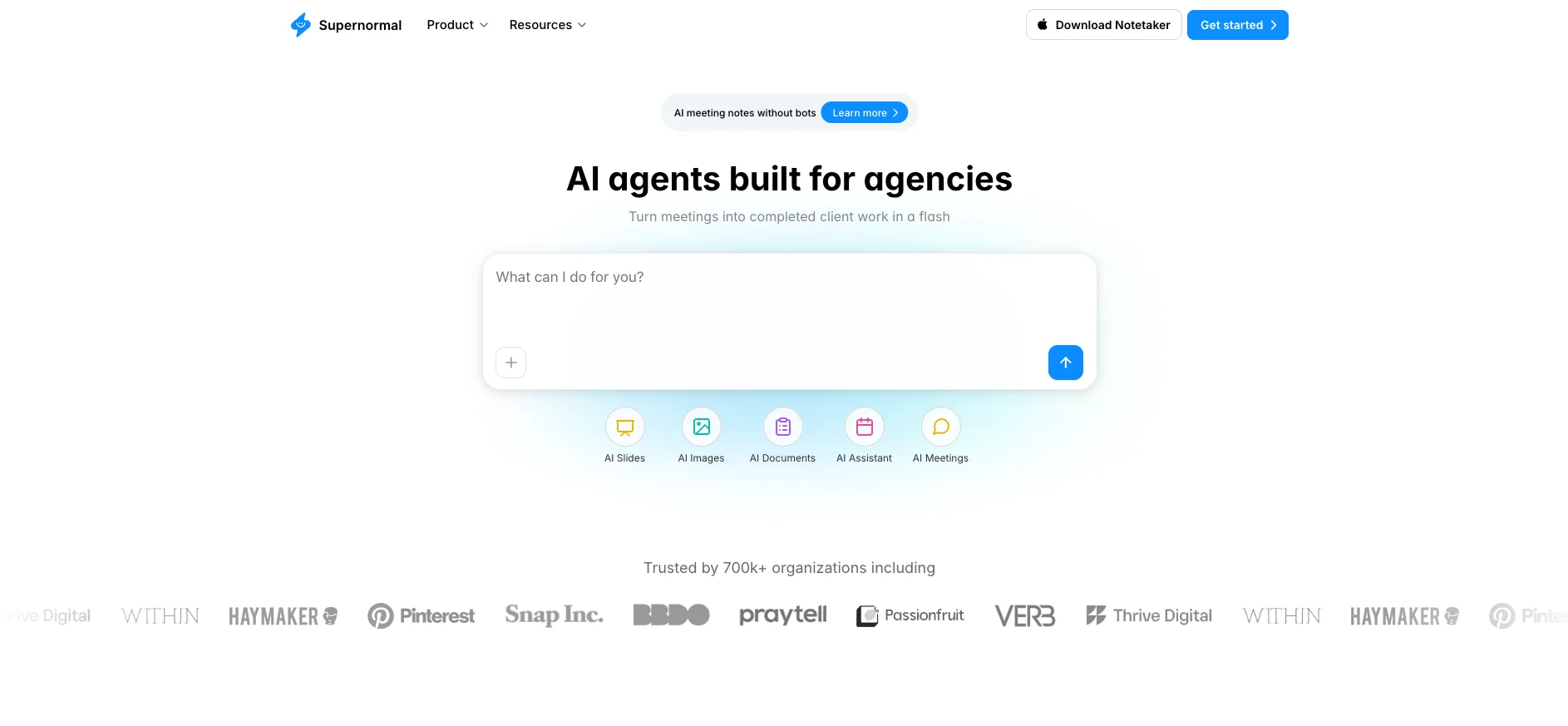
Turn meetings into finished client deliverables.
Key Takeaways
- What it is
- Turn meetings into finished client deliverables.
- Pricing
- Freemium · $20 per month · $40 per month
- Best for
- Bot-Free Recording
- AI-Powered Summaries and Action Items
- AI Agents for Client Deliverables
- Rating
- 4.3/5
What is Supernormal?
Supernormal is an AI meeting assistant built to eliminate the friction between what gets discussed in meetings and what actually gets done afterward. Trusted by over 700,000 organizations, the platform automatically captures, transcribes, and summarizes meetings held on Google Meet, Zoom, and Microsoft Teams, then takes things a step further by using AI agents to convert that meeting context into finished client deliverables like pitch decks, project briefs, campaign strategies, follow-up emails, and more. Designed with agencies and professional teams in mind, Supernormal is positioned as the connective tissue between conversations and completed work.
Where most AI meeting tools stop at transcription and summaries, Supernormal pushes into actual deliverable creation. Its AI agents are built to understand the full context of a client relationship, drawing on past calls, emails, and documents together, rather than treating each meeting in isolation. That cross-context intelligence is what separates Supernormal from tools that simply replay what was said. The bot-free recording option also stands out in a market full of tools that announce themselves the moment a meeting starts, offering a more discreet and professional experience for client-facing teams.
Supernormal has evolved well beyond the note-taking category it originally occupied. For agencies and client-facing teams, the combination of accurate AI transcription, bot-free recording, and context-aware deliverable generation creates a genuinely useful end-to-end workflow. The platform is not the cheapest option on the market, and teams with very light meeting loads may find the free tier too limited to fully evaluate what it offers. But for professionals whose work lives in meetings and whose success depends on fast, accurate follow-through, Supernormal makes a strong case for being the tool that connects what was said to what gets done.
Who is Using Supernormal?
Marketing and Creative Agencies
Using Supernormal to turn client strategy sessions into ready-to-send proposals, campaign briefs, and presentation decks without the manual lift.
Sales Teams
Capturing discovery calls and demos automatically, then syncing notes and action items to CRM platforms to maintain deal momentum.
Remote and Distributed Teams
Using Supernormal to stay aligned across time zones by sharing structured meeting summaries and searchable archives of past discussions.
Recruiters and HR Professionals
Recording interviews and candidate conversations to generate consistent, structured notes that inform hiring decisions without relying on memory.
Uncommon Use Cases
Adopted by legal and compliance teams to maintain detailed, searchable records of internal review meetings; used by academic research groups to document collaborative working sessions and extract structured action items from lengthy discussions.
Key Features
Rating Breakdown
Pricing Plans
Free
Free
- 5 daily credits, 15 monthly credits, unlimited projects, MCP access, and basic desktop note capture
Pro
$20 per month
- 50 credits per month, no daily credit limits, credit rollover, unlimited seats, and badge removal
Business
$40 per month
- 50 credits per month, plus SSO, audit logs, data retention, and admin controls
Which Supernormal plan should you pick?
Start with Free to test meeting capture and agent outputs, upgrade to Team for shared credits and unlimited seats, and choose Business for SSO and administrative controls.
Free
Good for individuals who need meeting notes, limited credits, unlimited projects, and basic agent-generated work.
Team
Good for teams who need unlimited seats, shared credits, no daily credit limits, and credit rollover.
Business
Good for larger organizations that need SSO, audit logs, data retention, member visibility, and admin controls.
Supernormal Use Cases
Create client proposals
Use discovery calls, strategy sessions, and requirement discussions as context for project or consulting proposals.
Outcome: A structured proposal draft with context and next steps.
Generate creative briefs
Turn client calls and planning meetings into design briefs, campaign briefs, or content briefs.
Outcome: A focused brief containing goals, direction, and audience insights.
Prepare RFP responses
Attach an RFP brief and reference review meetings, past proposals, and client context.
Outcome: A draft RFP response with sections such as approach, budget, timeline, and references.
Turn meetings into project actions
Use meeting outcomes to draft emails, create Linear tickets, and prepare updates for connected tools.
Outcome: Post-meeting work is prepared for review and execution.
Build internal documentation
Use meetings and project context to create summaries, SOP drafts, status updates, and internal documents.
Outcome: Reusable documentation grounded in actual discussions.
Workflow Ideas with Supernormal
Meeting to client proposal
- 1Capture the discovery or strategy meeting with the desktop app
- 2Attach the client brief or requirement documents
- 3Generate and review a project or consulting proposal
Meeting to project execution
- 1Capture the meeting and extract decisions and action items
- 2Generate follow-up messages or Linear tickets
- 3Review and send the drafted updates through connected tools
Meeting to internal SOP
- 1Capture the meeting where the process is discussed
- 2Reference the relevant project meetings and uploaded files
- 3Generate an SOP or internal document for review
How Supernormal fits into your stack
Browser
Supernormal’s web app organizes captured meetings into projects and lets users generate documents, presentations, spreadsheets, images, emails, and other deliverables.
Desktop
A Mac and Windows desktop app captures meetings directly from the computer without bots or browser extensions, then syncs notes to the web app.
Knowledge and files
Users can upload files into prompts, reference meeting groups and projects, and connect Google Drive so Supernormal reads briefs, decks, and notes for context.
Automation and APIs
The REST API supports custom integrations and scripts, while MCP connects Supernormal meeting context to tools such as Claude, ChatGPT, and Cursor.
Pros
- +Time Savings at Scale: Automating note-taking and deliverable generation frees up significant time per meeting, especially for agencies managing multiple client relationships.
- +Context-Aware AI Outputs: The AI agents do not just pull generic summaries; they reference specific calls, emails, and documents to produce outputs that are accurate and immediately usable.
- +Enterprise-Grade Security: Supernormal is SOC 2 Type 2 certified, HIPAA compliant, and GDPR adherent, making it viable for organizations handling sensitive information.
- +Centralized Meeting History: All notes are stored and searchable in one place, reducing the time spent hunting through old emails or chat logs for what was decided three weeks ago.
Cons
- −Limited Offline Capability: Supernormal cannot transcribe meetings recorded offline, which may be a drawback for users in low-connectivity environments or those who prefer local recording setups.
- −Free Tier Restrictions: The free plan caps meeting storage, which limits its usefulness for teams with heavy meeting schedules before they commit to a paid tier.
- −Platform Dependency: Some core features, particularly for Google Meet, rely on the Chrome extension, which may not fit every organization's browser policy or setup.
Limitations & when to consider alternatives
Known limitations
- Desktop capture requires supported hardware. The app requires an Apple Silicon Mac with macOS 14.4.1 or later, or Windows 11 or later; Intel Macs and Chromebooks are unsupported.
- Current desktop language coverage is limited. The current desktop apps support English, Spanish, Italian, German, French, Swedish, and Portuguese.
- Video and audio playback recording is unavailable. The desktop-app transition retired video and audio recording functionality.
- API access is plan-restricted. The support documentation says API access is currently provided to Business and Enterprise customers.
- Some legacy integrations were retired. The company announced retirement of native integrations including ClickUp, HubSpot, GitHub, Salesforce, Pipedrive, Workable, Zapier, and Asana.
Look elsewhere when
- You need a native mobile app.
- You need a browser-extension-based meeting capture workflow.
- You need meeting video or audio playback recording.
- You need built-in code generation or image analysis.
How to Use Supernormal
- 1
Install the desktop app
Download the Mac or Windows app, sign in, and allow it to capture meetings from your computer.
- 2
Connect your calendar
Connect Google or Outlook Calendar so Supernormal can detect scheduled meetings automatically.
- 3
Review captured notes
After a meeting, open the generated summary, transcript, decisions, and action items.
- 4
Create a task from meeting context
Use New Task or Work with this meeting to ask Supernormal to create documents, slides, spreadsheets, images, or follow-ups.
- 5
Add project or file context
Connect a project and upload relevant files so the agent can ground its output in the right meetings and documents.
- 6
Export or share the result
Export generated work to Google Drive or Microsoft Office, save it locally, or share it through a public link.
Who is Supernormal For?
Agencies
Supernormal is positioned for agencies that need to turn client meetings into briefs, proposals, presentations, documents, and follow-up work.
Client-service teams
Meeting context can be converted into client deliverables, emails, project documents, and other outputs.
Project teams
Teams can group meetings into projects so agents reference the relevant project context.
Sales and consulting teams
Discovery and strategy meetings can become proposals, one-pagers, executive summaries, and RFP responses.
Organizations needing administrative controls
The Business plan adds SSO, audit logs, data retention, member visibility, and administrative controls.
Frequently Asked Questions
What is Supernormal?
Supernormal captures meetings and turns them into notes, summaries, action items, documents, slides, spreadsheets, and other work products.
Does Supernormal join client calls?
The desktop app captures audio from your computer instead of joining meetings as a participant or bot.
What can Supernormal create from meetings?
It can create images, spreadsheets, slide decks, documents, presentations, and other client-work deliverables.
What languages does Supernormal support?
The current Mac and Windows desktop apps support English, Spanish, Italian, German, French, Swedish, and Portuguese.
Does Supernormal offer an API?
Supernormal provides a REST API with API keys and documented endpoints; API access is available to Business and Enterprise customers.
What operating systems are supported?
The desktop app supports Apple Silicon Macs running macOS 14.4.1 or later and Windows 11 or later.
Community reviews
Be the first to share your experience.
Sign in to leave a review for Supernormal.
Supernormal Alternatives
Looking for alternatives to Supernormal? Here are similar tools in the same category:
Learn to Master Supernormal
With Skill Leap courses
Get in-depth training on Supernormal and 50+ other AI tools with our expert-led video courses.
Start 7-Day Free Trial