
super.AI
Automate complex document tasks with precision and efficiency.
Key Takeaways
- What it is
- Automate complex document tasks with precision and efficiency.
- Pricing
- Freemium
- Best for
- Advanced Document Processing
- Human-in-the-Loop (HITL)
- Document Classification
- Rating
- 4.6/5
What is super.AI?
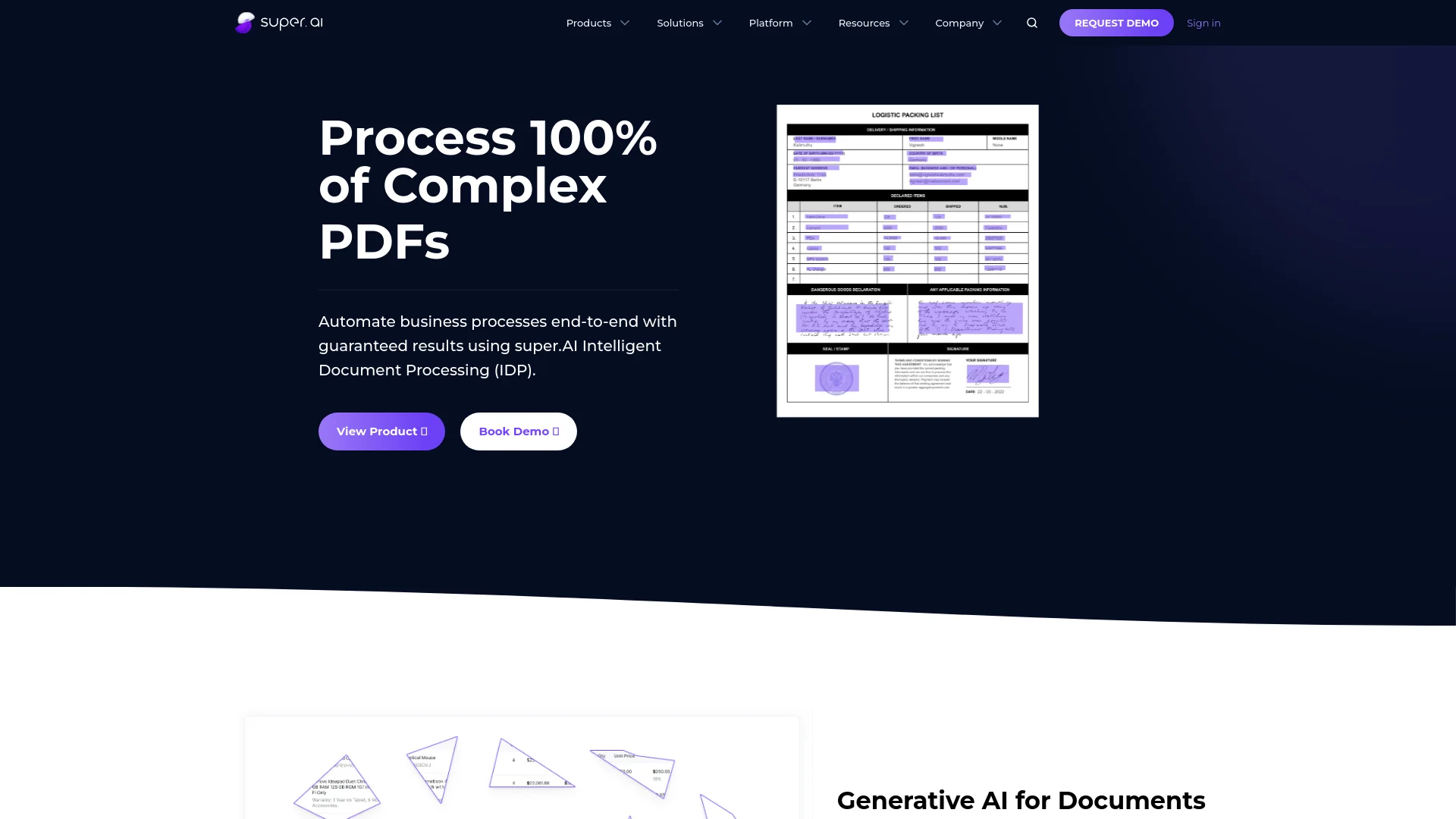
super.AI revolutionizes document automation by offering Intelligent Document Processing (IDP) powered by Large Language Models (LLMs). Designed for businesses and professionals handling complex documents, it simplifies tasks such as document classification, redaction, and data extraction. With super.AI, users can automate end-to-end business processes, ensuring accuracy, efficiency, and cost-effectiveness.
super.AI stands out with its Intelligent Document Processing (IDP), a game-changer for automating complex documents. Its ability to integrate human review (HITL) for exception handling ensures unparalleled accuracy and reliability.
super.AI excels in providing high-accuracy document processing, making it an essential tool for businesses dealing with complex documents. Its Intelligent Document Processing (IDP) offers unmatched automation capabilities, ensuring efficiency and reliability.
Who is Using super.AI?
Financial Services
Enhancing transaction data, improving KYC standards, and automating interbank settlements.
Insurance
Streamlining claims processing and damage assessment.
Logistics
Automating the processing of logistics documents such as invoices and packing lists.
TIC Services
Automating data extraction and processing for technical inspection and certification services.
Uncommon Use Cases
Utilized by educational institutions for teaching data processing courses; adopted by freelance consultants for automating document-related tasks.
Key Features
Rating Breakdown
Pricing Plans
Free Tier
Free
- Experience super.AI with a free trial
Pro Tier
- The Pro Tier starts at a competitive monthly rate
Which super.AI plan should you pick?
Start with Free to test document processing, then move to Growth for broader usage or Enterprise for customized volume, support, compliance, and deployment needs.
Free
Good for users who need to test the document-processing platform before committing to paid usage.
Growth
Good for growing teams that need higher usage and a broader production trial.
Enterprise
Good for organizations needing customized volume, support, compliance, security, or deployment requirements.
super.AI Use Cases
Bills of lading
Extract and route information from bills of lading and logistics documents.
Outcome: Automated logistics document processing.
Contracts
Process contracts and extract relevant structured information.
Outcome: Faster contract review and downstream routing.
Customer onboarding and KYC
Process onboarding documentation and verify extracted customer information.
Outcome: More automated customer onboarding.
Document classification
Classify incoming business documents before extraction or routing.
Outcome: Documents are automatically organized and routed.
Table recognition
Extract structured rows and columns from complex, multi-page tables.
Outcome: Clean structured table data.
Workflow Ideas with super.AI
Document extraction and routing
- 1Upload documents from a local computer, URL, cloud provider, or API
- 2Extract the required fields and validate results
- 3Route structured data to connected enterprise systems
Human-in-the-loop document review
- 1Submit documents for automated processing
- 2Send low-confidence or selected outputs to reviewers
- 3Mark results correct, edit outputs, and download the final data
Multi-step workflow automation
- 1Describe the desired workflow in plain English
- 2Build a workflow that extracts, transforms, and routes data
- 3Deploy the workflow with validation and business-logic handling
How super.AI fits into your stack
API Access
Developers can harness super.AI's API for custom integrations.
Third-Party Integration
Supports integration with various third-party tools.
Pros
- +Time Efficiency: Reduces document processing time by up to 75%, significantly speeding up workflows.
- +High Accuracy: Achieves up to 99.9% accuracy in reading and extracting information from documents.
- +Scalability: Handles large volumes of documents effortlessly, making it suitable for enterprises.
- +Customizable Workflows: Allows users to define project priorities for quality, cost, and speed.
Cons
- −Initial Learning Curve: Requires some time to get accustomed to advanced features.
- −Limited Third-Party Integration: Currently supports a limited number of third-party platforms.
Limitations & when to consider alternatives
Known limitations
- Single-document size limit. The maximum size for the contents of a single URL is 50MB.
- Input file size limit. The API upload endpoint limits uploaded files to below 4MB.
- Maximum page count. Supported files are limited to a maximum of 100 pages.
- Batch size limit. A batch must remain under the 50MB CSV input limit.
- Parallel processing limit. The default parallel-processing constraint is 20 documents.
Look elsewhere when
- You need a dedicated mobile application.
- You need a browser extension or desktop installer.
- You need a coding assistant that generates or edits software code.
How to Use super.AI
- 1
Explore the comprehensive tutorial series on YouTube, covering everything from basic setup to advanced features of super.AI.
Who is super.AI For?
Financial services
Automate extraction, validation, and routing of financial documents.
Insurance
Process insurance documents and automate document-centric workflows.
Logistics
Automate logistics document processing, including bills of lading and related records.
Shared services
Replace manual document review with structured extraction and workflow automation.
TIC services
Process inspection, testing, and certification data from images and documents.
Frequently Asked Questions
How can I upload or send documents for processing?
Documents can be uploaded through the user interface or submitted using the API.
How do I correct extracted outputs?
Open the work queue, select Review, and correct the extracted output.
How can I download extracted data?
Extracted data can be downloaded through the interface in CSV or JSON format.
How can I include human review as a mandatory step?
Choose the Collaborator Worker option during project setup.
What is the maximum size for a single document?
The maximum size for the contents of a single URL is 50MB.
Are there limitations on parallel batch processing?
The default limit is 20 documents processed simultaneously; higher capacity can be arranged.
Community reviews
Be the first to share your experience.
Sign in to leave a review for super.AI.
super.AI Alternatives
Looking for alternatives to super.AI? Here are similar tools in the same category:
Learn to Master super.AI
With Skill Leap courses
Get in-depth training on super.AI and 50+ other AI tools with our expert-led video courses.
Start 7-Day Free Trial