
Staccato
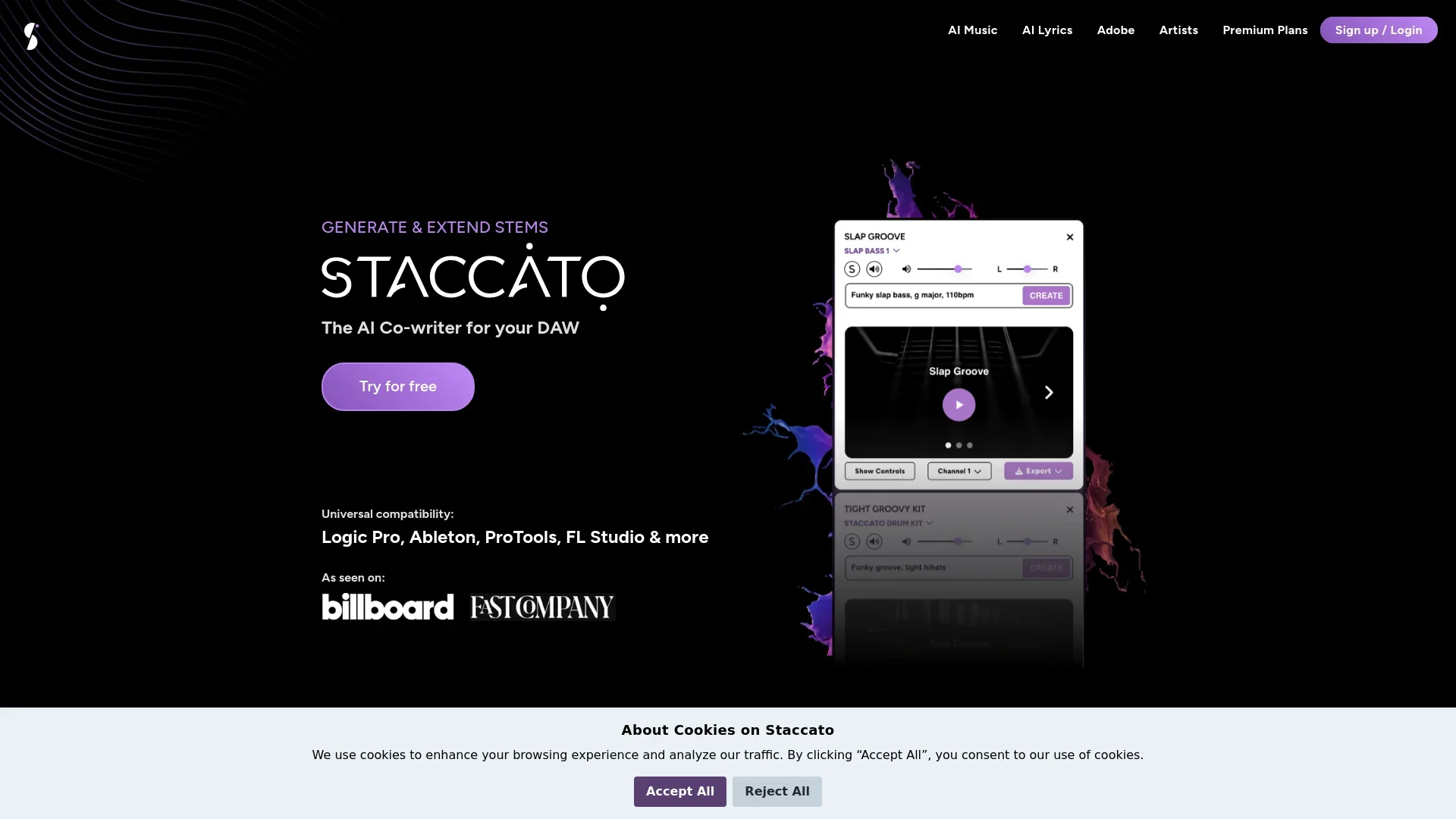
Generate unique music compositions across genres with this AI MIDI.
Key Takeaways
- What it is
- Generate unique music compositions across genres with this AI MIDI.
- Pricing
- $7.99/month · $11.99/month · $14.99/month
- Best for
- AI-Powered Composition
- Genre Versatility
- Customizable Outputs
- Rating
- 4.3/5
What is Staccato?
Staccato is an innovative AI tool designed to transform the world of music composition. By leveraging advanced AI algorithms, it assists musicians, composers, and producers in creating original music effortlessly. Tailored for both amateurs and professionals in the music industry, Staccato simplifies the creative process, enabling users to generate unique compositions with ease.
Staccato stands out with its AI-powered MIDI, a game-changer for the music industry. Its ability to generate diverse and original compositions tailored to various genres and styles sets it apart, making it a valuable tool for anyone involved in music creation.
Staccato offers an impressive blend of AI MIDI innovation and musical creativity, making it a must-have for musicians and composers seeking to elevate their work. With its user-friendly interface and extensive genre support, it provides both inspiration and efficiency, though it might require some initial familiarization. Whether you're an independent artist or part of a larger production team, Staccato is poised to enhance your musical journey.
Who is Using Staccato?
Independent Musicians
Leveraging Staccato to enhance their creative process and produce unique tracks.
Film and TV Composers
Utilizing the tool to generate background scores and soundtracks efficiently.
Music Educators
Employing Staccato in teaching composition techniques to students.
Content Creators
Using the AI MIDI to create engaging background music for videos and podcasts.
Uncommon Use Cases
Adopted by game developers for creating dynamic in-game music; Used by therapy professionals to craft music for therapeutic settings.
Key Features
Rating Breakdown
Pricing Plans
Starter Plan
- Dive into Staccato's core features with a 7-day free trial. No credit card required. Limited access to Lyric Tools & AI INSTRUMENT™
Lyrics Plan
$7.99/month
- Unlimited access to Lyric Tools
Music Plan
$11.99/month
- Offering unlimited access to Staccato’s AI INSTRUMENT™
Pro Plan
$14.99/month
Which Staccato plan should you pick?
Start with Basic for personal, noncommercial projects; upgrade to Pro when you need uploads, commercial rights, or the web-based AI Lyrics Generator.
BASIC
Good for personal projects that need unlimited monthly credits and the Create, Extend, Rewrite, and Accompany plugin features.
PRO
Good for producers and composers who need unlimited commercial use, MIDI and audio uploads, and the web-based AI Lyrics Generator.
Staccato Use Cases
Break through writer’s block
Prompt Staccato for a melody, beat, chord progression, or section when starting a new track.
Outcome: A set of editable MIDI ideas to develop.
Extend an existing MIDI idea
Upload a MIDI song or stem and use Extend to create a continuation that follows its genre, key, and style.
Outcome: A longer musical passage or new direction.
Rewrite a MIDI part
Upload or select MIDI and request changes such as different instrumentation, genre, timing, velocity, or rhythmic variation.
Outcome: A revised MIDI part closer to the intended vision.
Create accompaniments
Provide a MIDI melody or track and ask Staccato to add complementary drums, bass, harmony, strings, or other parts.
Outcome: Supporting MIDI tracks that fit the source material.
Record and develop a performance
Use Listen to record MIDI from an instrument or DAW, then ask Staccato to rewrite, accompany, or extend it.
Outcome: Recorded musical material transformed into additional editable ideas.
Workflow Ideas with Staccato
Prompt to DAW arrangement
- 1Enter a prompt describing the genre, mood, instruments, key, and rhythmic feel.
- 2Choose among the generated MIDI stems or tracks.
- 3Drag the selected MIDI into the DAW and assign virtual instruments.
Extend a loop into a section
- 1Upload or drag a MIDI loop into Extend.
- 2Adjust Creativity and Length to control how closely the continuation follows the source.
- 3Generate the extension and drag the resulting MIDI into the DAW.
Record, rewrite, and accompany
- 1Enable Listen and record MIDI from an instrument or DAW.
- 2Ask Staccato to rewrite the recorded material or change its instrumentation.
- 3Request accompanying parts, then export the generated MIDI to the DAW.
How Staccato fits into your stack
Browser
Staccato provides a web dashboard for account access and a web-based AI Lyrics Generator. The browser experience supports music-production conversations and lyric creation.
Desktop / IDE
The AI Instrument is available as a standalone macOS or Windows application and as VST3/AU plugins. It runs inside supported DAWs including Ableton Live, Logic Pro, Reaper, Cubase, FL Studio, and Studio One.
Docs and writing
Staccato includes a web-based AI Lyrics Generator for writing, rewriting, and developing song lyrics alongside its MIDI composition tools.
Pros
- +Time Efficiency: Drastically reduces the time required to create music compositions, allowing users to focus on refinement and creativity.
- +Inspiration Boost: Provides a creative spark for musicians experiencing writer’s block, offering fresh ideas and new directions.
- +Cost-Effective Solution: Offers a budget-friendly alternative to hiring composers or purchasing expensive music software.
- +Broad Genre Support: Accommodates a diverse range of musical styles, making it suitable for various projects and audiences.
Cons
- −Initial Learning Curve: Some users may need time to fully explore and utilize all features effectively.
- −Limited Human Touch: While the AI is advanced, it may not fully replicate the emotional depth of human-composed music.
- −Integration Constraints: Currently, it offers limited integration with other music production software.
Limitations & when to consider alternatives
Known limitations
- MIDI output rather than finished audio. The AI Instrument generates MIDI, not audio, so users must route it to their own virtual instruments or samplers.
- Not a complete-song generator. Staccato is designed for stems, sections, melodies, bridges, and loops; the user remains responsible for the overall arrangement.
- Internet required. Prompts are processed in the cloud, so the product requires an internet connection.
- No personal model adaptation. The current model does not adapt to individual users or learn from their input over time.
- Pro Tools limitation. The user guide states that Pro Tools is not supported by Staccato AI Instrument.
Look elsewhere when
- You want finished audio or vocal performances rather than editable MIDI.
- You want Staccato to compose and arrange a complete song automatically.
- You need an offline music-generation tool.
- You need the AI Instrument to adapt its model to your individual playing or input.
How to Use Staccato
- 1
Create an account
Sign up through Staccato’s dashboard; the signup page states that no credit card is required.
- 2
Install the product
Download the installer for your operating system, or install the VST3/AU plugin for use inside a compatible DAW.
- 3
Start with Create
Enter a prompt describing the desired genre, mood, instruments, key, or rhythmic feel to generate MIDI stems.
- 4
Refine the result
Use Rewrite or Accompany on generated or uploaded MIDI to revise parts or add complementary tracks.
- 5
Extend the idea
Upload a MIDI file or select a generated track, adjust Creativity and Length, and generate a continuation.
- 6
Export to your DAW
Play the MIDI through a virtual instrument, then drag generated tracks into the DAW for sound selection, arrangement, and mixing.
Who is Staccato For?
Music producers
Staccato helps producers generate editable MIDI ideas, accompaniments, rewrites, and extensions inside DAW workflows.
Composers
Composers can use Staccato to explore musical directions, create arrangements, and develop longer ideas.
Songwriters
The product includes an AI Lyrics Editor and tools for developing musical ideas from prompts.
Skilled performers
The Listen feature lets performers record MIDI directly into the plugin and request harmonies, accompaniments, or revisions.
Frequently Asked Questions
What does Staccato generate?
Staccato generates MIDI stems, sections, melodies, beats, chord progressions, bridges, loops, and accompaniments rather than finished audio.
Can Staccato generate full songs?
The AI Instrument is designed for musical ideas such as stems, melodies, bridges, and loops; the user drives the overall arrangement.
Does Staccato output audio?
No. Staccato generates MIDI, which can be routed to a virtual instrument or sampler.
Do I need an internet connection?
Yes. Prompts are processed in the cloud.
Which languages does Staccato support?
Prompts can be typed in any language, while the plugin interface is currently in English.
Which DAWs and notation software are supported?
The AI Instrument works with software supporting VST3 or AU, including Ableton, Logic, FL Studio, Pro Tools, Cubase, Reaper, Dorico, and MuseScore; the guide separately notes that Pro Tools is not supported by Staccato AI Instrument.
Community reviews
1 review from people who use Staccato.
Sign in to leave a review for Staccato.
Bryce Jacobs
Staccato Alternatives
Looking for alternatives to Staccato? Here are similar tools in the same category:
Learn to Master Staccato
With Skill Leap courses
Get in-depth training on Staccato and 50+ other AI tools with our expert-led video courses.
Start 7-Day Free Trial