
Splutter AI
Streamline business operations with AI-driven chatbots and automation.
Key Takeaways
- What it is
- Streamline business operations with AI-driven chatbots and automation.
- Pricing
- Freemium
- Best for
- Generative AI Large Language Model Chatbot
- Scalable Messaging
- Customizable and Flexible
- Rating
- 4.6/5
What is Splutter AI?
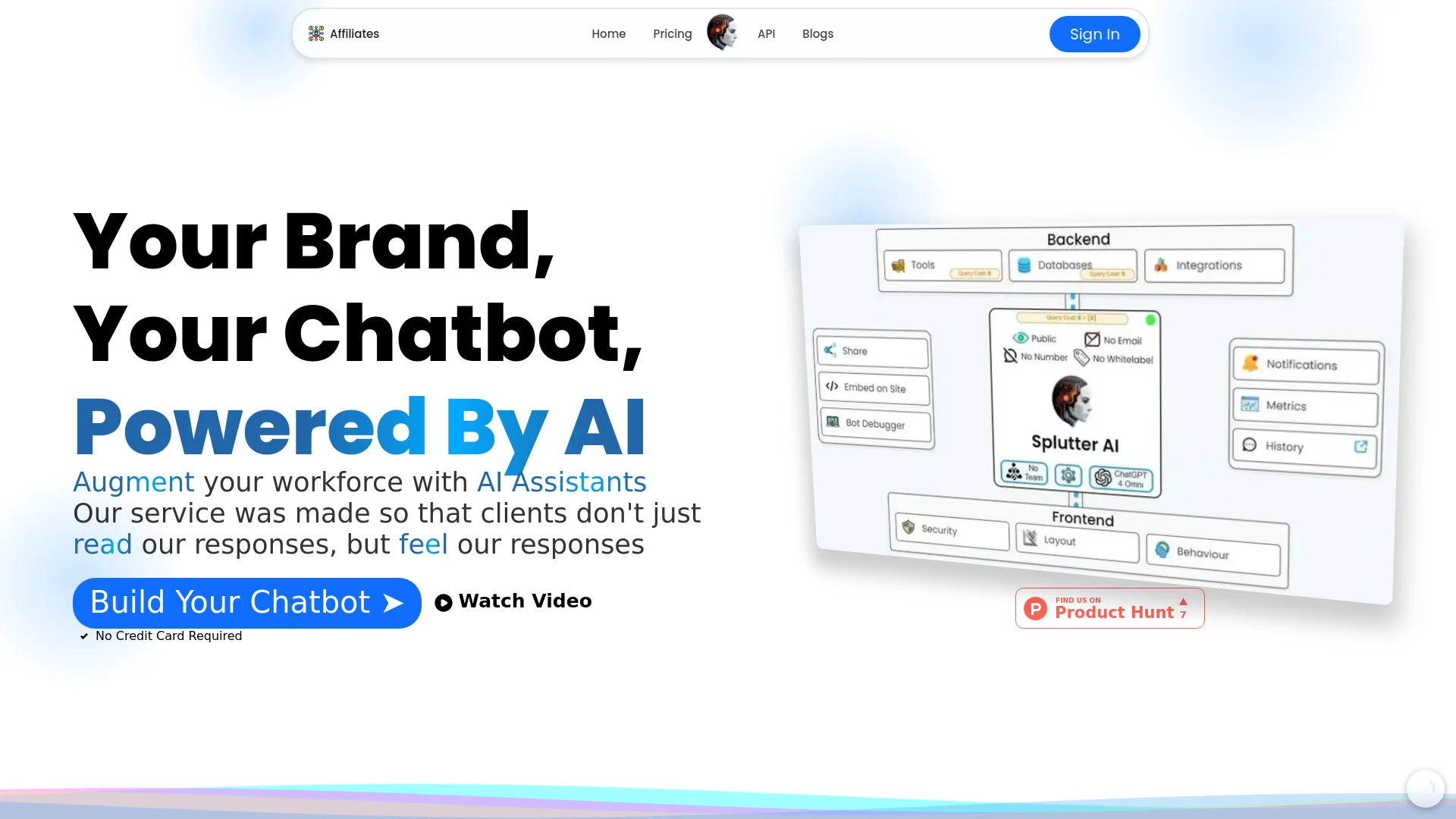
Splutter AI is an innovative AI chatbot solution designed to enhance business operations across various sectors. With a focus on support, marketing, and sales automation, Splutter AI streamlines customer interactions, generates leads, and provides valuable insights. Whether you're a small business owner or part of a larger enterprise, this tool offers a comprehensive platform to simplify complex processes, making it an indispensable asset for modern businesses.
Splutter AI stands out with its rapid deployment and customization capabilities, allowing businesses to tailor chatbot behaviors to their specific needs. Its ability to integrate seamlessly with various data sources and tools ensures that it can adapt to diverse applications, making it a versatile solution in the AI chatbot market.
Splutter AI excels in providing a robust and adaptable chatbot solution, making it an essential tool for businesses seeking to automate and optimize customer interactions. Its unique feature of seamless integration with multiple data sources offers an unmatched advantage, ensuring that Splutter AI can meet the dynamic needs of its users.
Who is Using Splutter AI?
E-commerce Businesses
Utilizing the tool for automated customer support and sales inquiries.
Digital Marketing Agencies
Employing the tool to engage potential clients and enhance marketing strategies.
Customer Service Teams
Leveraging the tool to provide efficient and consistent customer support.
Sales Departments
Using the tool to qualify leads and streamline sales processes.
Uncommon Use Cases
Educational institutions adopting it for interactive learning sessions; non-profit organizations using it for volunteer coordination and engagement.
Key Features
Rating Breakdown
Pricing Plans
Free Tier
Free
- Experience Splutter AI with a free trial
- No credit card required
Pro Tier
- Detailed pricing
- Visit the official Splutter AI website
Which Splutter AI plan should you pick?
Start with the Hobby Plan or the advertised trial to validate a basic chatbot; upgrade when you need higher usage, additional tools, voice, teams, or agency capabilities.
Hobby Plan
Good for individuals or small projects that need to try Splutter AI and build an initial chatbot.
Splutter AI Use Cases
Automated customer support
Deploy a chatbot to answer common questions, resolve customer problems, create tickets, and route complex conversations to humans.
Outcome: Faster support with automated handling of routine inquiries.
Lead capture and qualification
Use conversational agents to collect, qualify, and segment leads before passing them to sales or marketing systems.
Outcome: More structured lead generation and handoff.
Website sales assistant
Launch an AI sales agent on websites or landing pages to educate prospects and create personalized offers.
Outcome: More engaged prospects and streamlined sales conversations.
Voicebot and telephony support
Create a voice agent, configure a Twilio number, and test the agent through phone calls.
Outcome: Automated voice interactions across telephony channels.
Knowledge-base chatbot
Upload text, websites, question-and-answer pairs, and documents, then connect the resulting database to a chatbot.
Outcome: A chatbot grounded in the organization’s business resources.
Workflow Ideas with Splutter AI
Launch a website support agent
- 1Import business data into a database
- 2Customize the agent’s appearance and behavior
- 3Embed the agent on the website
- 4Connect ticketing, lead capture, or other tools
Automate lead qualification
- 1Deploy the chatbot on a landing page
- 2Collect visitor details and requirements
- 3Qualify and segment the lead
- 4Pass the lead to CRM or marketing systems
Handle complex support requests
- 1Let the chatbot answer routine questions
- 2Create a ticket when additional work is needed
- 3Escalate the conversation to a human with context
How Splutter AI fits into your stack
Browser
Splutter AI is primarily used as a web-based chatbot and voicebot platform, with agents embedded into business websites and tested through the web.
Knowledge and files
Teams can create databases from text, website pages, Q&A pairs, and PDF, Word, or text documents. The platform chunks and embeds this material for chatbot knowledge.
Team chat and tickets
Teams can collaborate on leads and support tickets, escalate conversations to human agents, and engage users through channels including Slack, WhatsApp, Messenger, and SMS.
Automation and APIs
Splutter AI supports API calling, webhooks, documented API access, and integrations with tools such as Zapier, Stripe, Calendly, WordPress, Webflow, and Bubble.io.
Pros
- +Time Efficiency: The chatbot operates around the clock, handling customer inquiries and tasks without downtime.
- +Cost-Effective: Automates numerous processes, potentially reducing the need for additional staff and lowering operational costs.
- +User-Friendly Design: Easy to set up and modify, even for those without technical expertise, thanks to its intuitive interface.
- +Comprehensive Integration: Seamlessly connects with other tools and platforms, enhancing its functionality and reach.
Cons
- −Initial Learning Curve: While user-friendly, some advanced features may require time to fully understand and utilize.
- −Limited Customization for Non-Technical Users: Deep customization options can be overwhelming without some technical knowledge.
Limitations & when to consider alternatives
Known limitations
- Individual member permissions are not yet available. The site says adding or inviting team members with individual permissions is coming soon.
- The free access described is a trial. The site advertises a 14-day free trial rather than documenting a permanent $0 plan.
- Complex queries may require additional training. Splutter AI’s own material notes that training chatbots for complex or nuanced questions remains a challenge.
- Legacy-system integrations can be complex. The site notes that integrating with existing legacy systems and databases may require significant effort and resources.
Look elsewhere when
- You need a permanently free plan rather than a trial.
- You need a documented native desktop application.
- You need fine-tuning that changes model weights.
- You need a coding-focused AI assistant.
How to Use Splutter AI
- 1
Create an account
Sign up through Splutter AI and begin with the advertised trial or Hobby Plan.
- 2
Import business data
Upload documents, text, websites, or question-and-answer pairs to create the chatbot’s knowledge base.
- 3
Configure the agent
Choose models, databases, tools, prompts, layout, branding, and security settings.
- 4
Connect integrations
Add channels and tools such as WordPress, Webflow, Bubble.io, Zapier, Twilio, Slack, or WhatsApp.
- 5
Deploy and test
Embed the chatbot on a website or configure a voicebot and test it through web or telephone interactions.
- 6
Monitor and improve
Review conversations, analytics, leads, tickets, and bot-debugging results, then refine the agent configuration.
Who is Splutter AI For?
Agencies
Agencies can create teams for clients, set permissions, and use resource-based or usage-based billing strategies.
Customer-support teams
Support teams can answer routine questions, create and resolve tickets, send help-center links, and escalate complex issues.
Marketing teams
Marketing teams can initiate conversations, collect leads, educate prospects, and deploy bots on landing pages.
Sales teams
Sales teams can qualify and segment leads, pass leads to CRM systems, and create personalized offers.
Frequently Asked Questions
What is Splutter AI?
Splutter AI is an AI chatbot and voicebot platform for automating customer support, marketing, and sales interactions.
How do I integrate Splutter AI with my website?
Embed the provided code snippet or use dedicated plugins for platforms such as WordPress, Bubble.io, and Webflow.
What pricing options are available?
The site advertises a 14-day free trial with no credit card required and also references a Hobby Plan.
Can I customize the chatbot?
You can customize layout, behavior, branding, models, databases, tools, and security settings.
Which integrations does Splutter AI support?
Named integrations include WordPress, Twilio, Bubble.io, Webflow, Zapier, OpenAI, Notion, Slack, Stripe, Anthropic, Calendly, WhatsApp, Messenger, Google, and more.
Can Splutter AI handle voice interactions?
Yes. The platform supports AI voicebots, telephony testing, voice chat, and voice input and output.
Community reviews
1 review from people who use Splutter AI.
Sign in to leave a review for Splutter AI.
Digital Agency
Splutter AI Alternatives
Looking for alternatives to Splutter AI? Here are similar tools in the same category:
Learn to Master Splutter AI
With Skill Leap courses
Get in-depth training on Splutter AI and 50+ other AI tools with our expert-led video courses.
Start 7-Day Free Trial