SPIRITT
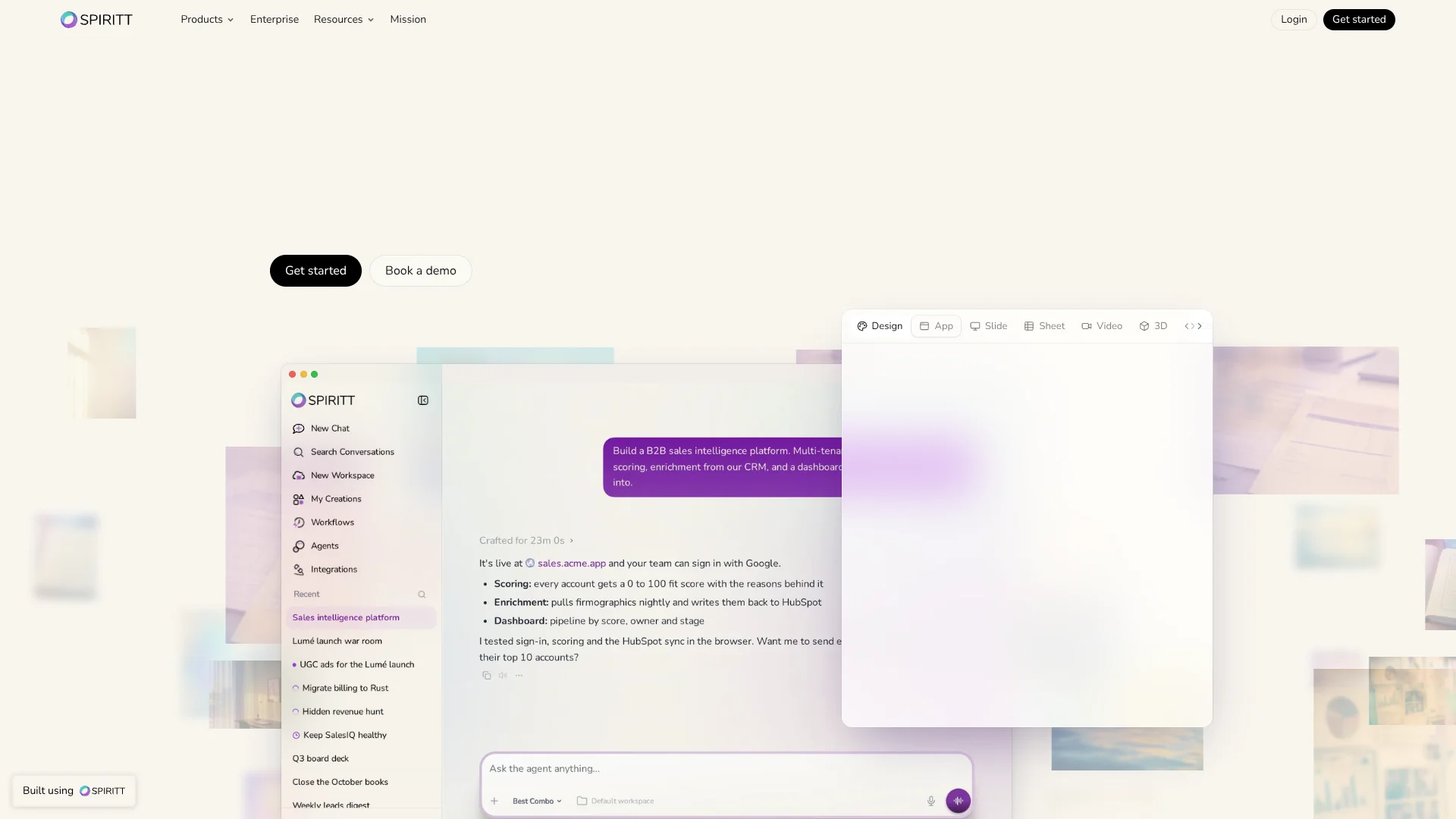
AI agents with their own cloud computer that run your team's work across apps.
Key Takeaways
- What it is
- AI agents with their own cloud computer that run your team's work across apps.
- Pricing
- Freemium · $32 per month, or $320 per year · $128 per month, or $1,280 per year · $256 per month, or $2,560 per year · $512 per month, or $5,120 per year · $1,024 per month, or $10,240 per year
- Best for
- Cloud computer and computer use
- Routines and workflows
- On-demand tool creation
- Rating
- 4.2/5
What is SPIRITT?
SPIRITT gives founders and teams an AI agent with its own cloud computer, so it can carry work across the apps they already use instead of stopping at a chat reply. Describe a task in everyday language, and it can connect to services such as Slack, Salesforce, or Gmail, operate apps with clicks and typing, write code, and run recurring jobs on a schedule. It is built for work that needs follow-through, not only an answer.
When an app has no API, SPIRITT can work through its on-screen controls; when a needed tool is missing, it can build and test one for the job.
Founders, operators, and teams that want recurring work handled across business apps are a natural fit. Credit use varies with the work, and tasks pause when the balance reaches zero, so SPIRITT works best when you want an agent to own an outcome and can set budgets and review sensitive actions.
Who is Using SPIRITT?
Sales operations managers
A scheduled agent can score accounts, prepare sales reports, and send reps a weekly digest.
Revenue analysts
Invoice and account data can be compared across connected systems to flag mismatches for review.
Software engineers
The coding agent can write, test, and ship code, while the desktop app can work with approved local project files.
Customer support leads
Support teams can route customer messages to agents that look up order details and prepare replies.
Uncommon Use Cases
A team can have SPIRITT prepare incorporation paperwork; a marketer can generate voiceovers and original music in different languages.
Key Features
Rating Breakdown
Pricing Plans
Free
Free
- Up to 8 credits a day per person while the daily pool lasts, no card needed
Starter
$32 per month, or $320 per year
- 260 credits a month for light usage and testing workflows
Growth
$128 per month, or $1,280 per year
- 1,070 credits a month for regular personal use and small team workflows
Pro
$256 per month, or $2,560 per year
- 2,150 credits a month for regular workflows and larger monthly usage
Scale
$512 per month, or $5,120 per year
- 4,400 credits a month for growing teams and heavier agent workloads
Max
$1,024 per month, or $10,240 per year
- 9,000 credits a month for high-volume usage and advanced automation
Credit Packs
- 150, 800, 1,700 or 4,350 credits for $20, $100, $200 or $500; pack credits never expire
Open Tap
- For teams and organizations, with one monthly invoice and budgets by team, project, and agent
Which SPIRITT plan should you pick?
Try the free daily credits first, then choose a monthly plan or a credit pack based on how much work your agents run; the features are the same across plans.
Free
Good for testing tasks with up to 8 daily credits while the free pool lasts.
Starter
Good for light usage and testing workflows with 260 credits a month.
Growth
Good for regular work that needs 1,070 credits a month.
Pro
Good for heavier use that needs 2,150 credits a month.
Scale or Max
Good for larger workloads needing 4,400 or 9,000 monthly credits; teams and organizations can ask about Open Tap.
SPIRITT Use Cases
Weekly sales reporting
A recurring report can summarize sales data and share the results with the team.
Outcome: A scheduled report with results ready to review.
Lead research
Account research can combine company data with a personalized opening for each lead.
Outcome: A set of researched leads with individual outreach drafts.
Invoice reconciliation
Invoices can be matched against bank or ledger data, with exceptions explained for a person to check.
Outcome: Matched records and a list of explained mismatches.
Support inbox triage
Customer emails can be reviewed alongside order information, with replies drafted and refunds flagged.
Outcome: Draft responses and flagged cases for review.
Build and publish a landing page
An agent can create a page, check it on mobile, and publish it on its own domain.
Outcome: A live landing page.
Workflow Ideas with SPIRITT
Weekly leads digest
- 1Connect the sales data and account sources the agent needs.
- 2Describe which leads to score and what reasons to include.
- 3Set a weekly schedule and review the first report.
Invoice review
- 1Connect the invoice and ledger sources.
- 2Ask SPIRITT to match records and explain exceptions.
- 3Review mismatches before approving any follow-up.
Support inbox assistance
- 1Connect the support inbox and order lookup source.
- 2Have SPIRITT draft replies and flag refund requests.
- 3Review the drafts and decide which actions need approval.
How SPIRITT fits into your stack
Web workspace
The web app is the main place to describe work, review results, manage agents, and set budgets.
Browser and desktop
The Chrome extension lets the agent work in logged-in websites, while the desktop app grants approved access to selected local folders and commands.
Business apps and files
SPIRITT connects to services such as Slack, Gmail, Salesforce, and Google Sheets, and can process PDFs, spreadsheets, scans, audio, and video.
Scheduled workflows
Recurring jobs run in the cloud and can continue when your laptop is closed; budgets and alerts help keep their usage in check.
Pros
- +Works beyond APIs: Its agent can operate apps through their visible controls.
- +Scheduled work: Routines can keep running in the cloud when your laptop is closed.
- +Flexible integrations: The agent connects to 1,500+ integrations and can build custom connections for APIs.
- +Shared credits: Teammates use one organization balance, with no per-seat charge.
- +Budget controls: Set spending limits and get alerts before reaching them.
Cons
- −Variable credit use: The amount used depends on the task and the services it calls.
- −Work can pause: Tasks stop when credits run out until the balance is topped up or refreshes.
- −Sensitive steps need you: Logins, two-factor prompts, payments, and other approvals may require your attention.
Limitations & when to consider alternatives
Known limitations
- Daily free credits are limited. The free option provides up to 8 credits per day per person while the daily pool lasts.
- Work stops at zero credits. Tasks pause when the prepaid balance runs out, until you top up or the plan refreshes.
- Plan credits refresh. Monthly plan credits refresh each billing period, while one-time pack credits do not expire.
- Some actions need your approval. The agent may hand a login, two-factor prompt, payment, or sensitive action back to you.
Look elsewhere when
- You need a native iOS or Android app.
- You need a fixed price for every task instead of credit-based usage.
How to Use SPIRITT
- 1
Start with a real task
Sign up for the free daily credits; no card is needed to start.
- 2
Describe the result you want
Write the task in everyday language, including any limits or approvals the agent should follow.
- 3
Connect the tools it needs
Choose from SPIRITT's integrations, connect an existing ChatGPT, Claude, or Grok plan, or request a custom API integration.
- 4
Set a budget
Give the task, agent, project, or team a credit limit and check the run's cost afterward.
- 5
Make repeat work a routine
Once the task works as intended, set it to run on a schedule and review its progress and results.
Who is SPIRITT For?
Founders
A founder can hand off recurring research, sales, and administrative work to agents.
Small teams
Teams can share agents, workflows, and a single credit balance without per-seat charges.
Large enterprises
Enterprise controls include SSO, audit logs, isolated workspaces, and budgets by team or project.
Individual operators
A solo operator can connect personal work apps and automate repeat tasks from one workspace.
Frequently Asked Questions
Can I use SPIRITT for free?
Yes. The free option provides up to 8 credits per day per person while the daily pool lasts. No card is needed to start.
Do SPIRITT plans charge per person?
No. The organization shares one credit balance, and adding a teammate does not add a seat charge.
Do credits expire?
One-time credit pack balances do not expire. Plan credits refresh each billing period.
Which apps and services does SPIRITT connect to?
SPIRITT lists more than 1,500 integrations, including Gmail, Slack, Salesforce, Notion, and Shopify. It also offers custom integrations for services with an API.
Which devices can I use SPIRITT on?
SPIRITT lists a web app, a Chrome extension, and desktop apps for macOS, Windows, and Linux. A native mobile app is not listed.
Community reviews
Be the first to share your experience.
Sign in to leave a review for SPIRITT.
SPIRITT Alternatives
Looking for alternatives to SPIRITT? Here are similar tools in the same category: