Speaktor
Create voiceovers from written content in more than 55 languages.
Watch Speaktor in Action
Key Takeaways
- What it is
- Create voiceovers from written content in more than 55 languages.
- Pricing
- $9.99 per month · $24.99 per month · $30 per seat per month
- Best for
- Text-to-audio conversion
- Document upload
- Multi-speaker audio
- Rating
- 4.1/5
What is Speaktor?
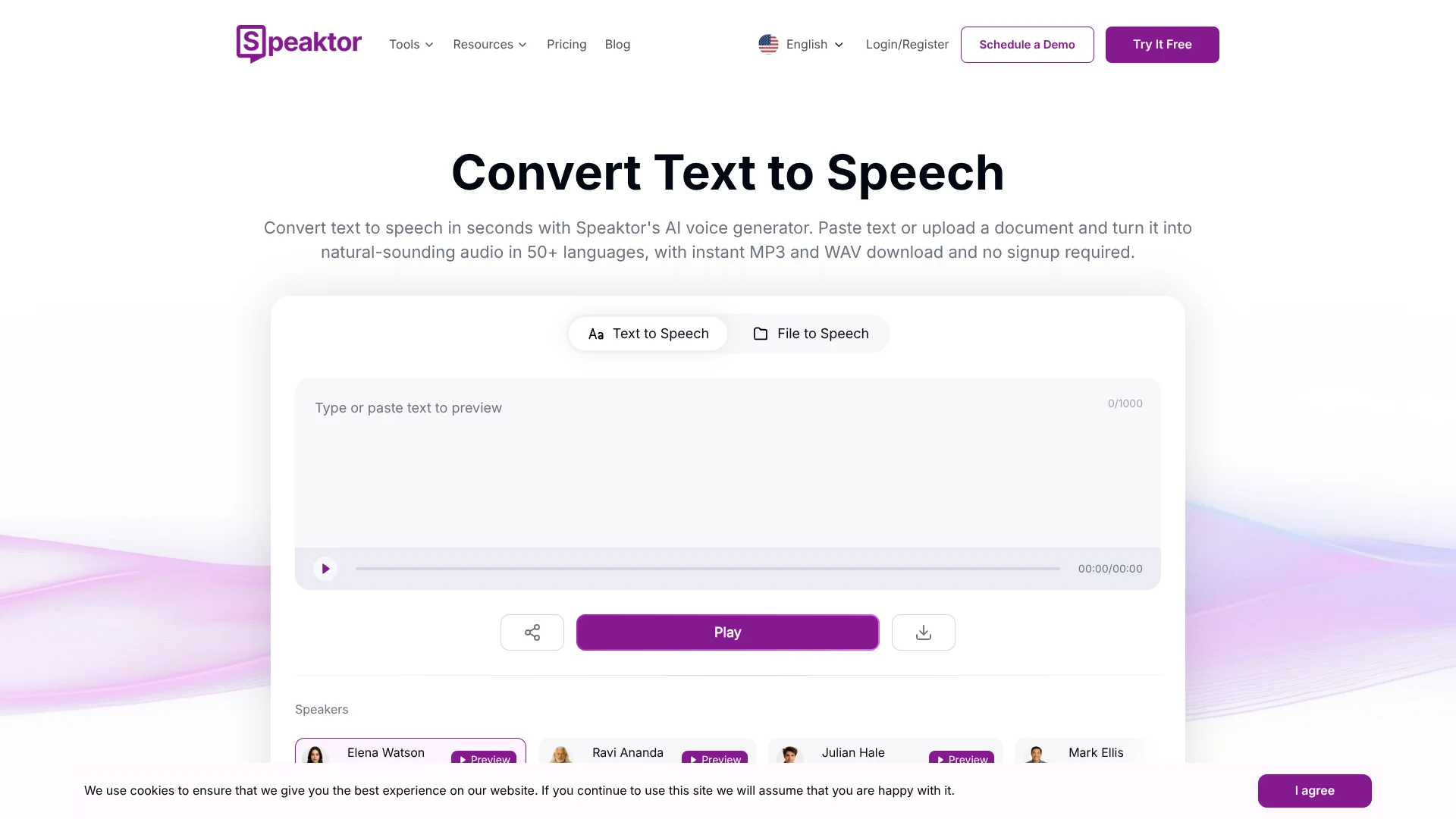
Speaktor turns text and uploaded documents into spoken audio, giving creators, educators, and readers a way to produce voiceovers or listen to written material. Choose from voices in more than 55 languages, then export audio as MP3 or WAV and subtitles as SRT. It works on the web and mobile, with monthly audio-minute limits on paid plans.
A useful feature for multilingual publishing is its voiceover translation: Speaktor says it can translate voiceovers into more than 100 languages, while generated speech is available in more than 55. That gives creators a path from a written script to audio for audiences who speak different languages.
Speaktor fits people who regularly turn scripts, articles, or documents into audio, especially creators and educators working across languages. Its monthly minute allowances can be a constraint for large projects, and unused subscription minutes expire after a month. Think of it as a text-to-audio production tool, not a full audio-editing studio.
Who is Using Speaktor?
Video creators
A finished script becomes a downloadable voiceover for video narration.
Educators
Spoken versions of lecture notes and course documents give students another way to review material.
Publishers and editors
Articles can be turned into audio for audiences who want to listen instead of read.
Localization specialists
Translated voiceovers help adapt written content for audiences in other languages.
Uncommon Use Cases
Turn technical documents into spoken reference material; create multi-speaker audio from a script.
Key Features
Rating Breakdown
Pricing Plans
Lite
$9.99 per month
- 90 minutes of text-to-audio conversion per month
- MP3 or WAV audio and SRT subtitle exports
- Output in more than 55 languages
Pro
$24.99 per month
- 600 minutes of text-to-audio conversion per month
- Pro voices and video dubbing with voice cloning
- Voice cloning uses about 10 times the credits
Team
$30 per seat per month
- 3,000 minutes per seat per month
- Shared workspaces and centralized billing
- Includes Pro plan features
Enterprise
- Flexible seats and text-to-audio credits
- Full API access, custom workflows, and system integrations
- Advanced security and compliance, including SOC 2 and GDPR
Which Speaktor plan should you pick?
Start with Lite for occasional audio projects, choose Pro for higher volume and voice-cloned dubbing, and consider Team or Enterprise when you need shared work or system integrations.
Lite
Good for individual projects that fit within 90 minutes of text-to-audio conversion per month.
Pro
Good for advanced projects needing 600 monthly minutes, Pro voices, or video dubbing with voice cloning.
Team
Good for collaborative projects that need shared workspaces and 3,000 minutes per seat each month.
Enterprise
Good for organizations needing flexible credits, API access, custom workflows, or system integrations.
Speaktor Use Cases
Video narration
A written video script becomes a downloadable voiceover without a recording session.
Outcome: MP3 or WAV narration for a video.
Listening to documents
PDF, TXT, and DOCX files can be converted into spoken audio for hands-free listening.
Outcome: An audio version of a document.
Multilingual voiceovers
Translated voiceovers help make written content available to audiences in other languages.
Outcome: Voiceovers translated into more than 100 languages.
Multi-speaker audio
Scripts with multiple speakers can be produced as audio with distinct speaker voices.
Outcome: A multi-speaker audio file.
Video dubbing
The Pro and Team plans include video dubbing with voice cloning for projects that need a cloned voice.
Outcome: A dubbed video; voice cloning uses about 10 times the credits.
Workflow Ideas with Speaktor
Create a narrated video
- 1Prepare a written script.
- 2Choose a voice and generate the audio.
- 3Download the audio as MP3 or WAV for your video project.
Make a document listenable
- 1Upload a PDF, TXT, or DOCX file.
- 2Select a voice and generate spoken audio.
- 3Listen to the result or download it.
Prepare translated voiceovers
- 1Start with the written content for your project.
- 2Generate and translate the voiceover into the required languages.
- 3Download the audio for each audience.
How Speaktor fits into your stack
Web and mobile
Create and listen to audio through the web product or Speaktor's iOS and Android apps.
Documents and reading
PDF, TXT, and DOCX uploads make it useful when written material needs an audio version.
Browser extension
The Chrome extension can turn text and webpage content into audio.
Team projects
The Team plan provides shared workspaces for projects and centralized billing.
Enterprise systems
Enterprise includes full API access, custom workflows, and integration with internal and external systems.
Pros
- +Multilingual output: Generate speech in more than 55 languages.
- +Several export formats: Download audio as MP3 or WAV and subtitles as SRT.
- +Document input: Convert PDF, TXT, and DOCX files directly.
- +Team workspaces: The Team plan includes shared workspaces and centralized billing.
Cons
- −Monthly minute budgets: The Lite, Pro, and Team plans each have a set conversion allowance.
- −Higher credit use for advanced voices: Pro voices use about five times the credits, and voice-cloned dubbing uses about ten times.
- −Limited editing scope: Speaktor focuses on generating and translating speech rather than editing a complete audio or video project.
Limitations & when to consider alternatives
Known limitations
- Monthly minutes expire. Unused subscription minutes expire after one month.
- Advanced voice use consumes more credits. Pro voices use about five times the credits, while video dubbing with voice cloning uses about ten times.
- Plan allowances differ. Lite includes 90 minutes per month, Pro includes 600, and Team includes 3,000 per seat.
Look elsewhere when
- You need a full audio or video editor rather than a tool focused on generating speech.
- Your workflow depends on a documented, named third-party integration.
How to Use Speaktor
- 1
Choose your starting point
Paste text or upload a PDF, TXT, or DOCX document to begin with content you already have.
- 2
Set the voice
Select a voice and adjust available options such as reading speed to suit the material.
- 3
Generate the audio
Convert the text into speech, keeping your plan's monthly minute allowance in mind.
- 4
Export the result
Download audio as MP3 or WAV, or subtitles as SRT.
- 5
Move up for higher volume
The Pro plan raises the allowance to 600 minutes per month and adds Pro voices and video dubbing with voice cloning.
- 6
Invite a team
The Team plan adds shared workspaces, centralized billing, and 3,000 minutes per seat per month.
Who is Speaktor For?
Content creators
Voiceovers can add narration to videos, podcasts, and other written-content projects.
Educators
Lecture notes and course materials can become audio for learners who prefer listening.
Publishers
Articles and other written material can be turned into spoken content.
Accessibility-focused teams
Read-aloud audio can make written information easier to consume.
Businesses
Teams can create narrated materials and collaborate in shared workspaces on the Team plan.
Frequently Asked Questions
Does Speaktor have a free plan?
The pricing page lists paid plans rather than a permanent free plan. Speaktor advertises a free trial, which is different from an ongoing free tier.
How many languages does Speaktor support?
The pricing page says generated output is available in more than 55 languages. The site also says voiceovers can be translated into more than 100 languages.
Can I upload documents?
Yes. Speaktor lists PDF, TXT, and DOCX uploads for read-aloud conversion.
What audio formats can I download?
The plans include MP3 or WAV audio exports and SRT subtitle exports.
Do unused minutes carry over?
No. Unused subscription minutes expire after one month.
Does Speaktor have an API?
The Enterprise plan lists full API access.
Community reviews
Be the first to share your experience.
Sign in to leave a review for Speaktor.
Speaktor Alternatives
Looking for alternatives to Speaktor? Here are similar tools in the same category: