SketchBubble AI
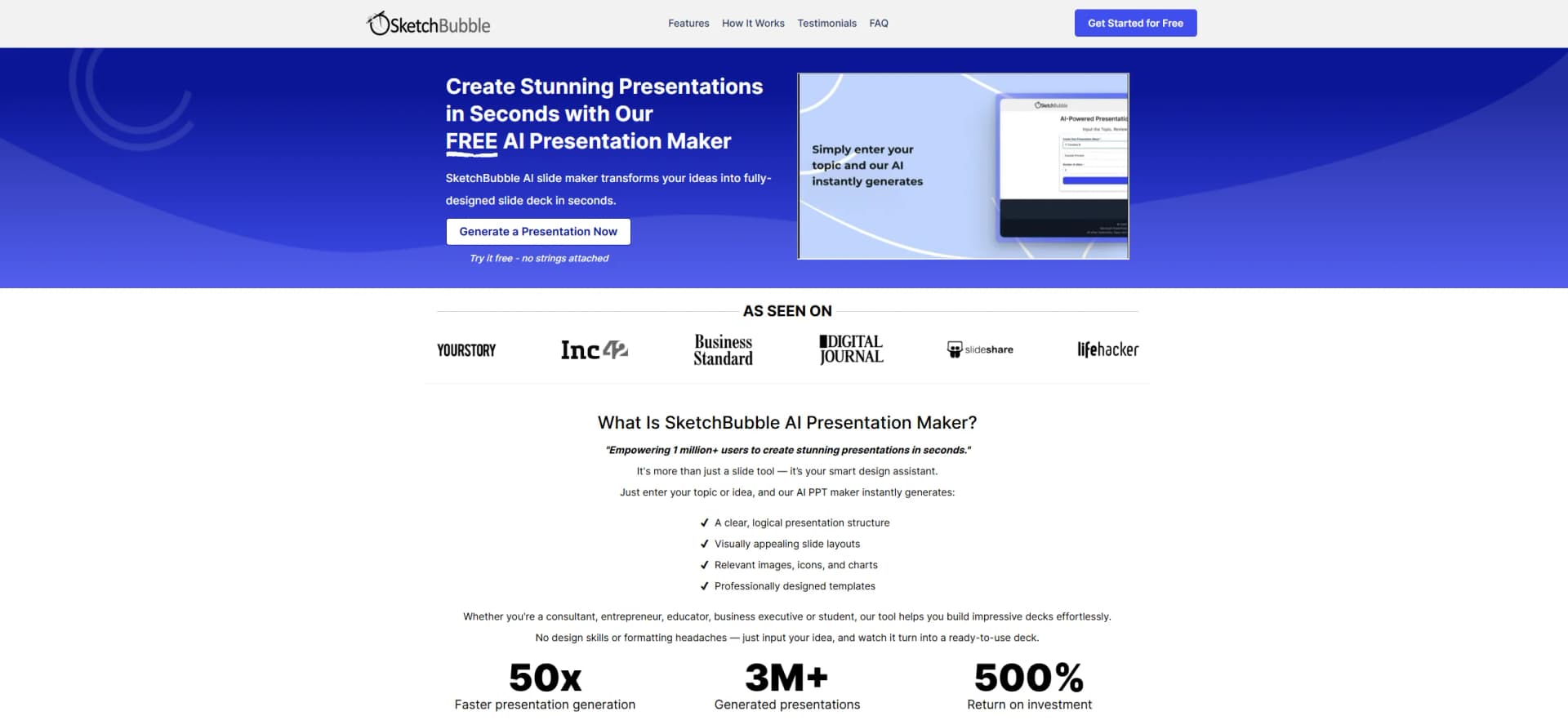
Create stunning presentations with AI.
Watch SketchBubble AI in Action
Key Takeaways
- What it is
- Create stunning presentations with AI.
- Pricing
- Freemium · $15 per month · $50 per month
- Best for
- AI-Powered Slide Design
- Customizable Templates
- Image and Icon Library
- Rating
- 4.4/5
What is SketchBubble AI?
SketchBubble AI offers a sophisticated AI-driven presentation maker. It is designed to assist professionals and individuals in crafting visually appealing and informative presentations swiftly and efficiently. The tool simplifies the process of creating slides by incorporating AI technology to automate design tasks and enhance user productivity.
SketchBubble AI shines with its AI-driven design capabilities, which streamline the presentation creation process by automating design tasks. This feature is particularly beneficial for users seeking to produce professional-quality slides without investing extensive time or requiring advanced design skills.
SketchBubble AI stands out as an efficient and user-friendly tool for creating professional presentations. Its AI-powered features help streamline the design process, making it an excellent choice for users seeking to save time while maintaining quality. Despite some limitations in customization and integration, its strengths in ease of use and design quality make it a valuable asset for a wide range of users looking to enhance their presentation capabilities.
Who is Using SketchBubble AI?
Business Professionals
Rely on SketchBubble AI to create compelling presentations for meetings and pitches.
Educators
Utilize the tool to develop engaging lecture materials and educational content.
Marketers
Employ it to design visually striking presentations for marketing campaigns.
Consultants
Use it to prepare detailed and visually engaging client presentations.
Uncommon Use Cases
Employed by event planners to design event proposals; Used by non-profit organizations for creating impactful fundraising presentations.
Key Features
Rating Breakdown
Pricing Plans
Free Plan
Free
- Includes 10 downloads per month, access to free templates, 75 AI credits on signup, and export in PDF/PPT or Google Slides. Best for personal use
AI Only Plan
$15 per month
- Includes 3,000 AI credits on signup and export options, but limits access to free templates only. Ideal for users focused on AI features without premium designs
Pro Plan
$50 per month
- Includes 20 downloads monthly, full access to all templates, 3,000 AI credits on signup, and export in multiple formats. Great for professionals creating frequent presentations
Which SketchBubble AI plan should you pick?
Start with FREE to test presentation generation, choose AI Only for recurring AI decks without premium templates, and upgrade to Pro when you also need the full template library.
FREE
Good for users who want to test the AI Presentation Maker with 75 credits, free templates, and limited monthly downloads.
AI Only
Good for users who primarily need AI-generated presentations and do not require SketchBubble’s premium template library.
Pro
Good for users who need both AI presentation generation and access to all premium presentation templates.
SketchBubble AI Use Cases
Create a presentation from a topic
Enter a topic or prompt and let the AI generate the presentation structure, content, and design.
Outcome: A structured, visually polished presentation draft.
Convert documents into slides
Upload PDFs, Word documents, notes, or reference material for the AI to organize into slides.
Outcome: Long-form source material becomes a presentation-ready deck.
Build sales pitches
Generate proposals, personalized visual pitches, workflows, funnels, and solution overviews.
Outcome: Clearer sales storytelling and easier prospect decision-making.
Create marketing presentations
Produce campaign pitches, product-launch decks, performance reports, and brand-positioning presentations.
Outcome: Marketing ideas are arranged into a coherent visual narrative.
Prepare academic or training decks
Use notes or research to create lectures, school projects, and training presentations.
Outcome: Complex information is organized into editable slides.
Workflow Ideas with SketchBubble AI
Document-to-deck workflow
- 1Upload a PDF, Word document, or reference material
- 2Review the AI-generated outline and choose a style, tone, and slide density
- 3Export the finished presentation as PPT, PDF, or Google Slides
Sales pitch workflow
- 1Enter the target audience, needs, goals, and decision-making triggers
- 2Generate a pitch with problem, solution, benefits, case studies, and call to action
- 3Customize messaging, visuals, data points, and brand elements
Collaborative review workflow
- 1Generate the presentation in SketchBubble AI
- 2Open it directly in Google Slides
- 3Invite teammates to edit, comment, and suggest changes in real time
How SketchBubble AI fits into your stack
Browser
SketchBubble AI is used as an online presentation maker: enter a topic, upload content, review the outline, choose a style, and generate slides.
Knowledge and files
Users can provide PDFs, Word documents, notes, transcripts, research material, and other reference content for conversion into presentation slides.
Pros
- +User-Friendly: Intuitive interface makes it easy for users of all skill levels to create professional presentations.
- +Time-Saving: Automates many design tasks, significantly reducing the time required to create presentations.
- +High-Quality Designs: Ensures that presentations are visually appealing and professionally designed.
- +Versatile: Suitable for various industries and presentation types, from business meetings to educational lectures.
Cons
- −Limited Customization for Advanced Users: While great for beginners, users looking for extensive customization might find it somewhat restrictive.
- −Internet Dependency: Requires an internet connection for optimal performance and access to full features.
- −Learning Curve for Team Features: Some users may find the collaboration features challenging to navigate initially.
Limitations & when to consider alternatives
Known limitations
- AI credits limit generation. The FREE plan includes 75 AI credits, while paid plans provide 3,000 credits that are refilled monthly; five credits equal one slide.
- FREE plan has limited template access. The FREE plan provides access only to free templates and limits template downloads to 10 per month.
- AI Only excludes premium templates. The AI Only plan includes the AI Presentation Maker but no premium pre-designed template library.
- Export formats are presentation-focused. The documented outputs are PDF, PPT, and Google Slides rather than native website, video, or design-file formats.
- Collaboration depends on Google Slides. Team editing, comments, and suggestions are performed after opening the generated presentation in Google Slides.
Look elsewhere when
- You need a documented developer API.
- You need a native mobile application.
- You need a desktop installer.
- You need fine-tuning or custom model training.
How to Use SketchBubble AI
- 1
Enter a topic or upload content
Start with a topic, prompt, pasted notes, PDF, Word document, or reference material so the AI can understand the subject.
- 2
Choose the presentation direction
Select a design style, communication tone, color palette, and slide density to guide the generated deck.
- 3
Review the outline
Check the AI-created structure before slide generation to confirm that the narrative and content match your goal.
- 4
Generate and customize
Create the slides, then refine text, visuals, data points, and brand elements as needed.
- 5
Export or collaborate
Download the deck as PPT or PDF, open it in Google Slides, or use Google Slides for real-time team feedback.
Who is SketchBubble AI For?
Professionals
Create polished business presentations without design or PowerPoint expertise.
Trainers and educators
Turn teaching material and complex topics into structured, easy-to-follow presentations.
Consultants
Convert strategy topics, market analysis, and recommendations into organized client-ready decks.
Students and researchers
Transform notes, research, or reference documents into editable presentation drafts.
Sales and marketing teams
Build pitches, proposals, campaign decks, product-launch presentations, and performance reports quickly.
Frequently Asked Questions
What is SketchBubble AI?
It is an AI-powered presentation generator that creates complete PowerPoint slides automatically from topics, prompts, notes, or uploaded material.
Can I edit the generated slides?
Yes. Generated presentations are fully editable in PowerPoint or Google Slides.
What files can I upload?
You can upload PDFs, Word documents, notes, and other reference material, or paste text directly.
Does SketchBubble AI support multiple languages?
Yes. It can create presentations in English and many global languages.
How can teams collaborate?
Open the generated presentation in Google Slides so multiple people can edit, comment, and suggest changes in real time.
How fast can it create a presentation?
The site says it can generate a 10–20-slide deck in under a minute.
Community reviews
Be the first to share your experience.
Sign in to leave a review for SketchBubble AI.
SketchBubble AI Alternatives
Looking for alternatives to SketchBubble AI? Here are similar tools in the same category: