
Setter AI
Revolutionizes lead engagement with AI, boosting conversions and personalizing calls at scale.
Watch Setter AI in Action
Key Takeaways
- What it is
- Revolutionizes lead engagement with AI, boosting conversions and personalizing calls at scale.
- Best for
- AI Appointment Setter
- AI Call Center
- Personalization at Scale
- Rating
- 4.4/5
What is Setter AI?
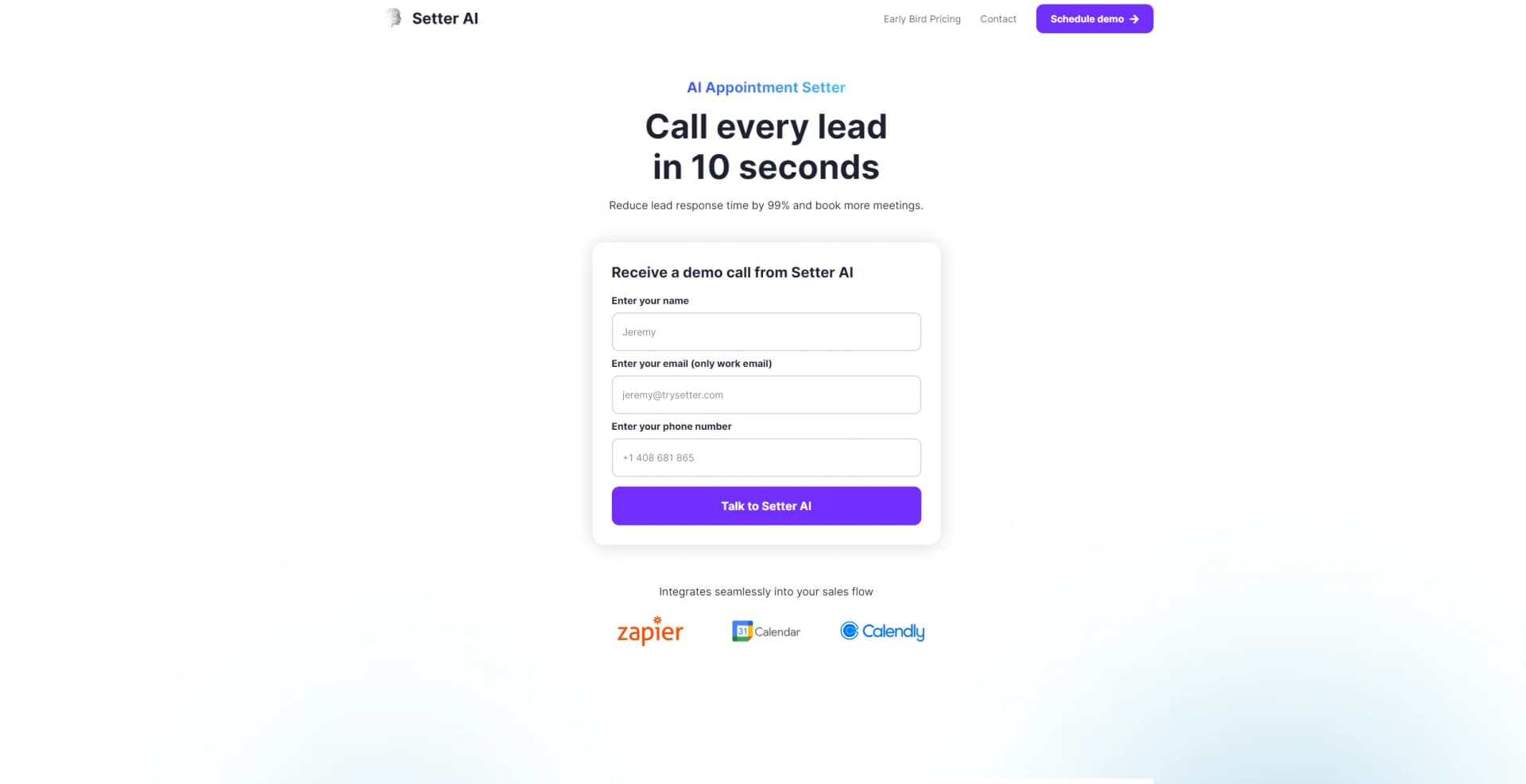
In the fast-paced world of sales and marketing, Setter AI emerges as a cutting-edge solution designed to revolutionize the way businesses engage with their leads. At its core, Setter AI is an AI-powered phone appointment setter that promises to drastically reduce lead response time by 99%, thereby increasing the chances of booking more meetings. Developed with the modern business's needs in mind, it integrates seamlessly into sales workflows, turning every lead into a potential sales call within seconds. For professionals and businesses looking to maximize their lead engagement and conversion rates, Setter AI offers an intriguing proposition.
Setter AI distinguishes itself by offering real-time engagement with leads, a critical factor in today’s competitive market. Its ability to initiate calls to leads within 10 seconds of form submission sets a new standard for responsiveness. Moreover, the personalization at scale feature ensures that every call is tailored, making each lead feel valued and understood, significantly enhancing the chances of conversion.
Setter AI is a game-changer for businesses looking to enhance their lead engagement and conversion rates. Its innovative approach to instant lead engagement, coupled with its ability to personalize calls at scale, positions it as an essential tool for sales teams and marketing professionals. Despite the potential learning curve and reliance on technology, the benefits of incorporating Setter AI into your sales strategy are clear. Its unique selling points, particularly the speed of lead engagement and the quality of interactions, offer an unmatched advantage in today's competitive market.
Who is Using Setter AI?
Sales Teams
Looking to increase their lead engagement and conversion rates.
Marketing Agencies
Seeking efficient ways to follow up on leads for their clients.
E-commerce Platforms
Aiming to instantly connect with potential customers.
Customer Service Departments
Interested in providing immediate responses to inquiries or support requests.
Uncommon Use Cases
Educational institutions leveraging it for enrollment inquiries; Event organizers using it for instant engagement with interested attendees.
Key Features
Rating Breakdown
Pricing Plans
Early Bird Pricing
- Special pricing options are available for early adopters
Custom Pricing Plans
- Due to the tailored nature of the service
- Interested parties are encouraged to contact Setter AI for detailed pricing information
Which Setter AI plan should you pick?
Start with Free to test basic lead booking, then upgrade to Hobby, Standard, or Pro as monthly lead volume grows; choose Custom Plan for high volume, all channels, custom integrations, analytics, and SLAs.
Free
Good for testing Setter AI with up to 10 leads, 100 messages, and one AI sales agent.
Hobby
Good for smaller businesses needing WhatsApp and website embed channels with up to 50 new leads per month.
Standard
Good for growing businesses handling up to 250 new leads per month.
Pro
Good for higher-volume teams handling up to 750 new leads per month and needing a dedicated developer or onboarding.
Custom Plan
Good for businesses exceeding 750 leads per month that need all channels, custom integrations, advanced analytics, onboarding, a success manager, or SLAs.
Setter AI Use Cases
Automate Facebook lead follow-up
Connect Facebook lead forms and send an initial WhatsApp or SMS response automatically.
Outcome: Leads receive a response in about 10 seconds.
Qualify and book website visitors
Embed the Website AI Setter to engage visitors, ask qualifying questions, and book meetings in chat.
Outcome: More qualified prospects reach the calendar.
Book appointments through WhatsApp
Connect WhatsApp Business so the AI can converse with leads and schedule appointments.
Outcome: Leads book without leaving the conversation.
Send automated meeting reminders
Link Calendly and WhatsApp to send reminder templates before scheduled events.
Outcome: Invitees receive automated reminders before meetings.
Route lead events through Zapier
Use Zapier or webhooks to trigger Setter AI messages and downstream CRM or SMS workflows.
Outcome: Lead-response and fallback processes run automatically.
Workflow Ideas with Setter AI
Facebook lead to booked meeting
- 1Connect a Facebook lead form through Zapier or the API
- 2Send an automated WhatsApp or SMS message within about 10 seconds
- 3Qualify the lead and book an appointment in Calendly or another connected calendar
WhatsApp booking reminder
- 1Connect Calendly and WhatsApp Business
- 2Create a reminder configuration and select an approved WhatsApp template
- 3Send the reminder approximately two hours before the event
WhatsApp failure to SMS fallback
- 1Receive a message-delivery-failed webhook from Setter AI
- 2Filter the event in Zapier
- 3Send an SMS through Twilio using the contact phone number
How Setter AI fits into your stack
Google Calendar
For direct booking of meetings.
Custom Voice Creation
Allows businesses to maintain their brand voice.
Seamless Sales Flow Integration
Designed to fit into existing sales processes without disruption.
Pros
- +Increased Conversion Rates: Boosts conversion rates by up to 12x by engaging leads the moment they show interest.
- +24/7 Lead Engagement: Ensures that no lead is missed, regardless of the time of day.
- +Efficiency and Scalability: Outperforms human SDRs by conducting multiple calls simultaneously without breaks or downtimes.
- +Enhanced Personalization: Each call is tailored, improving the quality of interactions and potentially the success rate of conversions.
Cons
- −Learning Curve: Users may need time to familiarize themselves with the system and its features to fully leverage its capabilities.
- −Dependence on Technology: Relies heavily on AI, which may not always capture the nuances of human interaction.
- −Potential for Integration Challenges: While designed to integrate smoothly, there could be challenges depending on the existing sales stack.
Limitations & when to consider alternatives
Known limitations
- Free-plan usage limits. The Free plan allows 10 leads, 100 messages, and one AI sales agent.
- Reminder timing is fixed. Setter AI currently sends meeting reminders approximately two hours before the event; different schedules require contacting support.
- Phone number required for reminders. WhatsApp reminders are sent only to invitees who provided a phone number during booking.
- API bot-message rate limit. The API does not allow another bot-initiated message to the same phone number within 30 minutes.
- SMS depends on Twilio. SMS integration requires a Twilio account and a suitable SMS-capable phone number.
Look elsewhere when
- You need a native mobile or desktop application.
- You need file or image uploads for AI analysis.
- You need SSO or SAML authentication.
- You need model fine-tuning on your own training data.
How to Use Setter AI
- 1
Setter AI provides comprehensive support and tutorials for users, ensuring they can maximize the tool's potential from setup to advanced usage.
Who is Setter AI For?
Businesses generating online leads
Setter AI responds to leads from Meta ads, lead forms, landing pages, websites, WhatsApp, and SMS.
Call centers and SDR teams
The system pre-qualifies and books appointments so sales representatives can focus on warm, high-intent prospects.
Businesses with more than 500 monthly leads
Setter AI offers done-for-you implementation for businesses collecting more than 500 leads per month.
Service businesses
The website and WhatsApp booking flows help service businesses convert inquiries into scheduled meetings.
Frequently Asked Questions
How does Setter AI work?
Setter AI follows up with leads in about 10 seconds through website chat, text, or WhatsApp, then qualifies and books appointments.
Does Setter AI work inbound or outbound?
Yes. It can respond to inbound website requests or follow up with leads through WhatsApp and SMS.
Can Setter AI follow up with leads?
Yes. It automatically sends follow-ups when leads stop responding.
Can Setter AI connect to WhatsApp?
Yes. Setter AI connects with WhatsApp Business to manage conversations, qualify leads, and book appointments.
Which languages does Setter AI support?
Setter AI states that it supports more than 113 languages.
How do I connect lead forms?
Lead forms such as Facebook, LinkedIn, and website forms can connect through Zapier, Make, or the API.
Community reviews
4 reviews from people who use Setter AI.
Sign in to leave a review for Setter AI.
Josef Büttgen
Tom
Timo Tzschetzsch
Timo T
Setter AI Alternatives
Looking for alternatives to Setter AI? Here are similar tools in the same category:
Learn to Master Setter AI
With Skill Leap courses
Get in-depth training on Setter AI and 50+ other AI tools with our expert-led video courses.
Start 7-Day Free Trial