
SEOWriting AI
Effortlessly create multilingual, SEO-optimized content with AI.
Key Takeaways
- What it is
- Effortlessly create multilingual, SEO-optimized content with AI.
- Pricing
- Freemium · $79 per month
- Best for
- 1-Click Article Generation
- Multilingual Support
- AI Image Generation
- Rating
- 4.5/5
What is SEOWriting AI?
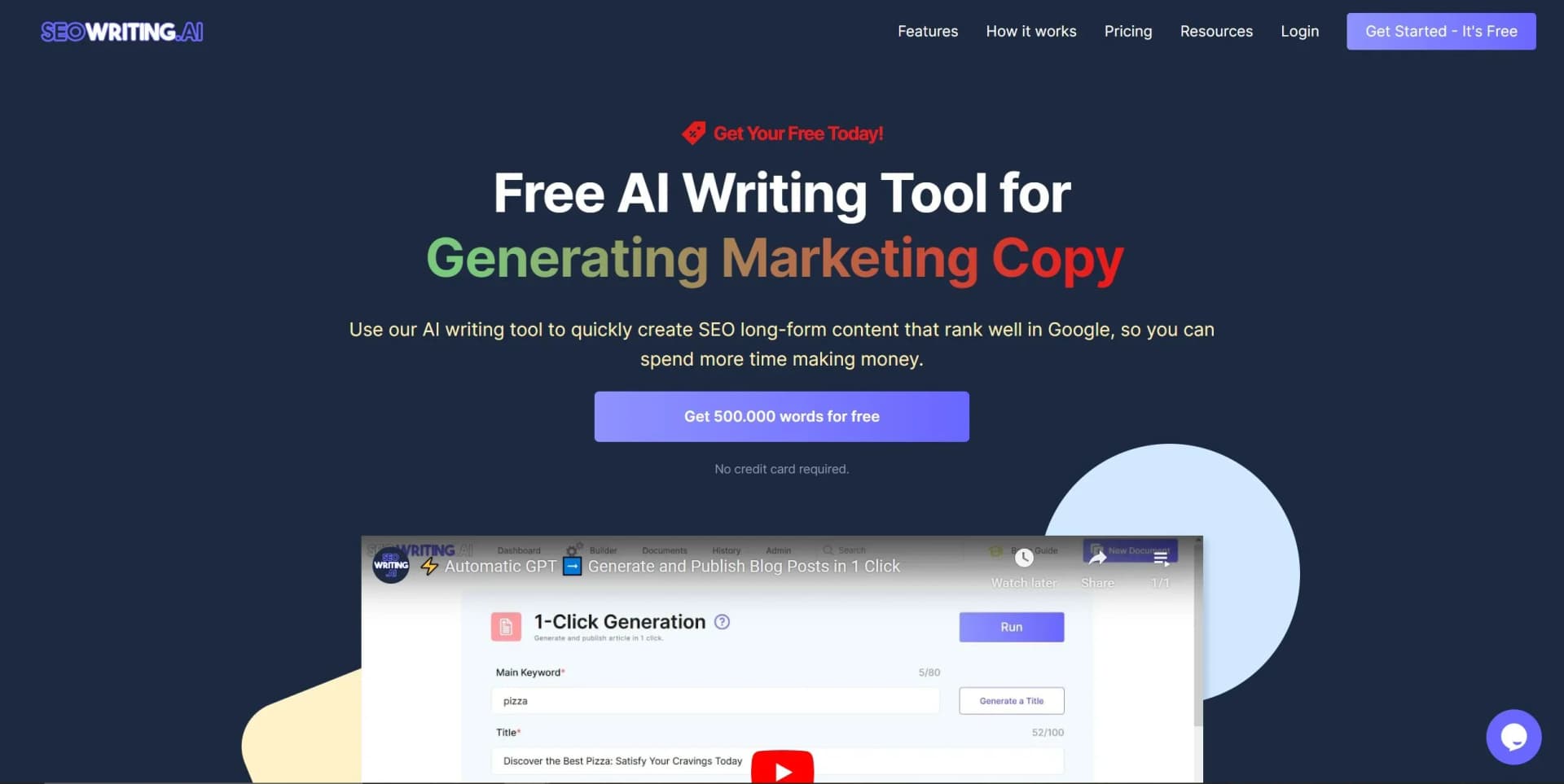
SEOWriting AI is an innovative tool designed to revolutionize content creation, particularly in the realm of SEO-optimized articles. This AI-powered tool caters to bloggers, marketers, and businesses aiming to enhance their online presence with minimal effort. By offering functionalities like 1-click blog post creation and affiliate content generation, SEOWriting AI simplifies the process of producing high-quality, SEO-friendly content in multiple languages.
SEOWriting AI stands out with its ability to generate comprehensive SEO-optimized content with just a click. The integration of AI-driven image generation and multilingual support sets it apart, making it a versatile tool for diverse content needs.
SEOWriting AI offers an exceptional solution for anyone looking to streamline their content creation process. With its robust features, ease of use, and powerful SEO optimization capabilities, it’s a valuable tool for enhancing productivity and achieving higher search rankings. Whether you're a seasoned marketer or a novice blogger, SEOWriting AI provides the tools needed to produce high-quality, engaging content efficiently.
Who is Using SEOWriting AI?
E-commerce Businesses
Leveraging the tool for generating detailed product listings and descriptions.
Digital Marketing Agencies
Utilizing it to produce SEO-optimized content for various campaigns.
Bloggers and Influencers
Creating engaging blog posts and affiliate content effortlessly.
SEO Specialists
Enhancing content strategies with keyword-optimized articles.
Uncommon Use Cases
Educational Institutions: Teaching SEO techniques with AI-powered content.; Non-Profit Organizations: Streamlining content creation for awareness campaigns.
Key Features
Rating Breakdown
Pricing Plans
Free Tier
Free
- Offers step-by-step blog creation using your OpenAI Key with up to 5 articles
Starter Plan
- Includes up to 50 articles, 50 workflow credits, and unlimited words
Professional Plan
$79 per month
- Ideal for businesses needing up to 250 articles with advanced features
Which SEOWriting AI plan should you pick?
Start with Free to test article generation; upgrade to Starter for regular publishing, Professional for advanced SEO workflows, or Professional Plus for higher volume.
Free Plan
Good for users testing SEO Writing with up to 5 articles and 25,000 words.
Starter Plan
Good for individual creators who need up to 50 articles monthly with unlimited words.
Professional Plan
Good for growing publishers who need up to 250 articles, advanced linking, rewrites, and multiple brand voices.
Professional Plus
Good for high-volume teams producing up to 500 articles with broader feature access and more brand voices.
SEOWriting AI Use Cases
SEO blog posts
Enter a main keyword and generate a structured article with SEO settings, metadata, and optional images.
Outcome: A publishable SEO-focused blog post.
Affiliate product roundups
Add Amazon product URLs or ASINs to generate product names, specifications, features, pros, cons, and descriptions.
Outcome: A structured affiliate roundup or review.
Bulk content publishing
Add up to 100 article-generation tasks, configure settings, and connect WordPress for automated publishing.
Outcome: Large batches of scheduled or published articles.
Content rewriting
Paste up to 5,000 words into the Rewriter Tool and optimize the text using SERP data.
Outcome: A more SEO-optimized rewritten article.
High-converting pages
Use Super Page to analyze ranking competitors and generate pages with structure, images, and calls to action.
Outcome: A complete optimized landing or product page.
Workflow Ideas with SEOWriting AI
Keyword-to-WordPress article
- 1Enter the main keyword in 1-Click Blog Post Generation
- 2Select language, article type, size, model, and media settings
- 3Publish or schedule the completed article to WordPress
Bulk scheduled publishing
- 1Add article tasks manually or import them from Excel
- 2Configure shared generation, SEO, brand voice, and media settings
- 3Schedule the generated posts for automatic WordPress publication
Research-to-optimized-content workflow
- 1Enable Connect to Web and choose search results, news, or reference URLs
- 2Generate the article using the retrieved factual context
- 3Review and edit the result in AI Editor before publishing
How SEOWriting AI fits into your stack
Browser
The primary workspace is the SEO Writing web application, where users create, edit, optimize, and manage documents.
Docs and writing
The AI Editor supports regeneration, keyword insertion, brand voice, tables, lists, media, HTML or Markdown export, and one-click WordPress publishing.
Automation and APIs
Bulk Article Generation can automate WordPress publishing and scheduling; the WordPress MCP Server lets Claude create, analyze, rewrite, and publish website content.
Knowledge and files
Brand Voice can analyze pasted text, linked pages, or uploaded files to create reusable style elements for article generation.
Pros
- +Time Efficiency: Generate up to 1000+ articles in hours, significantly reducing the time spent on content creation.
- +High Conversion: Tailor content that is not only unique but also highly converting, aiding in marketing success.
- +SEO Optimization: Built-in SEO tools help rank content for valuable keywords, boosting visibility.
- +User-Friendly: Simple interface allows for easy navigation and content creation without extensive technical knowledge.
Cons
- −Learning Curve: New users may require some time to fully leverage advanced features despite its user-friendly design.
- −Limited Customization: While effective, customization options for content style and tone might be limited compared to manual writing.
- −WordPress Dependency: Full automation features are best utilized with WordPress, which might not suit all users.
Limitations & when to consider alternatives
Known limitations
- Rewriter input limit. The Rewriter Tool supports up to 5,000 words per input.
- Image upload limit. Uploaded images must use JPG, WEBP, GIF, or PNG format and be no larger than 8 MB.
- Reference URL limit. Connect to Web allows up to three reference URLs.
- Details-to-include limit. The Details to Include field supports up to 1,000 characters.
- Model-specific humanization limits. Text Readability and AI Content Cleaning are unavailable with DeepSeek R1 and DeepSeek V3.
Look elsewhere when
- You need a native mobile app.
- You need a public developer API.
- You need image understanding.
- You need enterprise SSO or SAML.
How to Use SEOWriting AI
- 1
Choose a generation tool
Open 1-Click Blog Post, Bulk Article Generation, Rewriter Tool, or Super Page from the Dashboard based on your goal.
- 2
Set the content brief
Enter a keyword, title, URLs, product information, or imported Excel tasks so the tool has the required inputs.
- 3
Configure SEO and language settings
Select language, target country, article type, article size, AI model, tone, point of view, and keyword options.
- 4
Add style and media
Apply Brand Voice, enable Connect to Web, generate images, add YouTube videos, or configure internal and external linking.
- 5
Generate and review
Run the generation, then use AI Editor, Content Score, regeneration, or Humanizer features to refine the result.
- 6
Publish or export
Publish or schedule to WordPress or Shopify, or download the content as HTML or Markdown.
Who is SEOWriting AI For?
Bloggers
The tool creates long-form SEO content, images, and publishable blog posts.
Affiliate marketers
It supports product reviews, roundups, Amazon product lists, affiliate links, and SEO optimization.
Freelancers
Freelancers can produce SEO articles and use brand voice settings for consistent client content.
Entrepreneurs
One-click generation and publishing reduce the time needed to create website content.
Marketing specialists
SEO scoring, keyword optimization, SERP analysis, and automated publishing support marketing workflows.
Frequently Asked Questions
What is SEO WRITING and how do I use it?
SEO Writing creates one-click SEO-optimized articles, blog posts, and affiliate content, with 48-language support, AI images, and WordPress publishing.
How many words can an article contain?
The tool can generate articles of up to 5,000 words.
Can SEO Writing publish to WordPress?
Yes. Articles can be published, drafted, or scheduled through the WordPress integration.
Does SEO Writing support real-time web research?
Connect to Web uses real-time search, news search, or up to three reference URLs as factual input.
Can users customize the writing style?
Brand Voice can be created from pasted text, a URL, or an uploaded text file.
Can SEO Writing generate images?
The Media Hub can generate relevant images and add YouTube videos alongside articles.
Community reviews
1 review from people who use SEOWriting AI.
Sign in to leave a review for SEOWriting AI.
Emma Duesn
SEOWriting AI Alternatives
Looking for alternatives to SEOWriting AI? Here are similar tools in the same category:
Learn to Master SEOWriting AI
With Skill Leap courses
Get in-depth training on SEOWriting AI and 50+ other AI tools with our expert-led video courses.
Start 7-Day Free Trial