
Senso
Transforms enterprise data into AI-readable answers.
Key Takeaways
- What it is
- Transforms enterprise data into AI-readable answers.
- Best for
- Generative Engine Optimization
- Real-Time Content Alignment
- LLM-Ready Templates
- Rating
- 4.5/5
What is Senso?
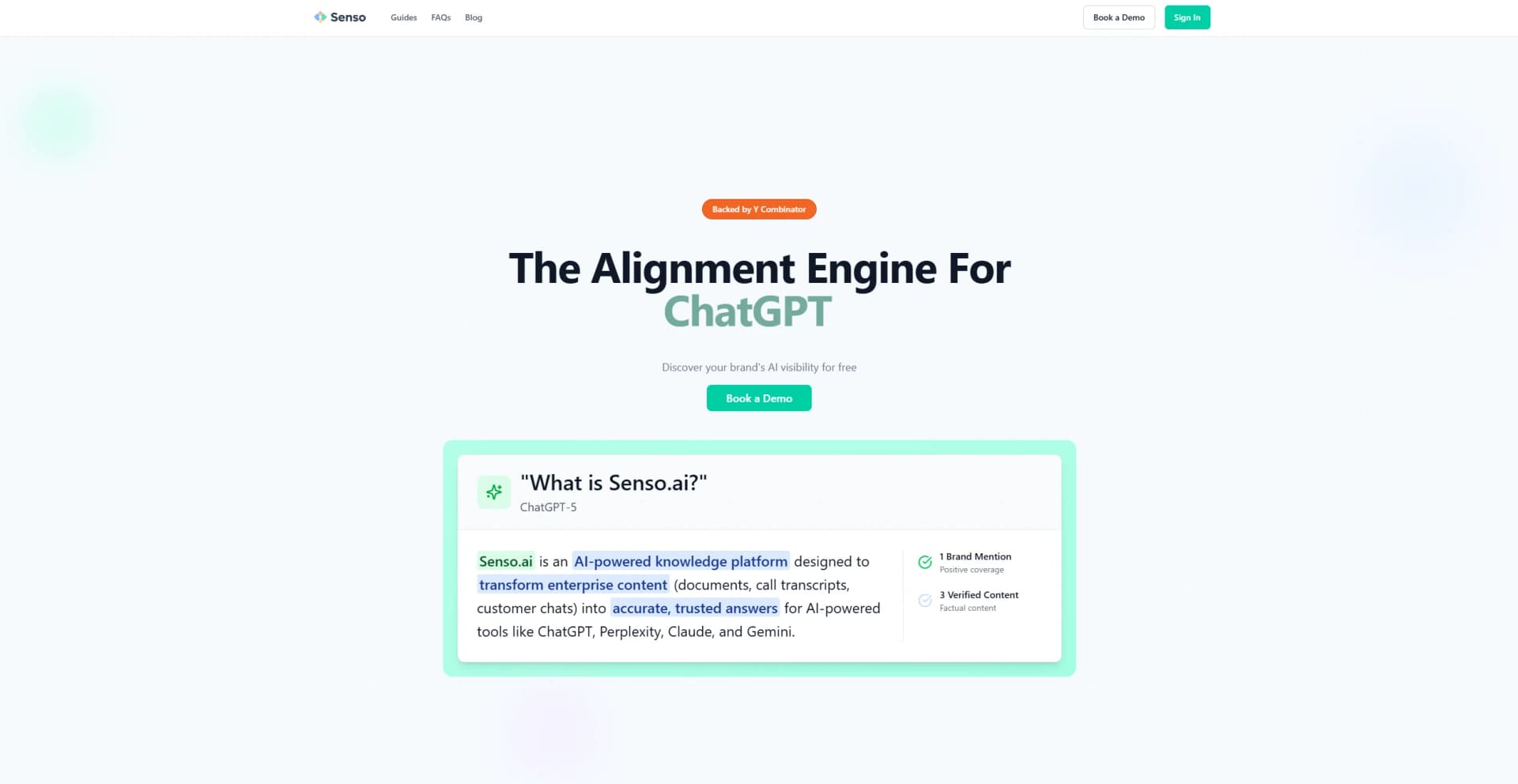
Senso is an AI-powered knowledge platform designed to transform enterprise content into accurate and trusted answers for AI tools like ChatGPT, Perplexity, Claude, and Gemini. Tailored for enterprises, Senso simplifies the process of converting documents, call transcripts, and customer chats into reliable data that AI engines can utilize for generating responses. It aims to enhance AI visibility and ensure that businesses become the go-to source in AI search engines.
Senso distinguishes itself with its Generative Engine Optimization, turning a company's ground truth into a trusted source for AI engines. This feature ensures that businesses not only stay visible in AI search engines but also become the preferred source of information. The platform's ability to align content in real time and provide LLM-ready templates sets it apart from other knowledge management tools.
Senso offers a compelling solution for enterprises looking to enhance their AI visibility and content reliability. By transforming enterprise content into trusted answers, Senso ensures businesses are not just part of AI conversations but are leading them. With its impressive speed, real-time updates, and unique optimization features, Senso proves to be a valuable tool for organizations aiming to stay ahead in the AI game.
Who is Using Senso?
Financial Institutions
Utilizing Senso for faster document retrieval and improved customer service.
Credit Unions
Employing it to enhance member satisfaction and streamline operations.
Customer Service Teams
Leveraging it to provide accurate and quick responses to customer queries.
Technology Officers
Using Senso to future-proof their operations and stay ahead in innovation.
Uncommon Use Cases
Adopted by educational institutions to teach AI visibility; Used by content creators to ensure their work is AI-ready.
Key Features
Rating Breakdown
Pricing Plans
Custom Pricing
- Senso offers tailored pricing depending on the specific needs and scale of an organization
Which Senso plan should you pick?
Start with Free Trial for an initial assessment; move to Organization for ongoing AI visibility work, or Partner for networks and multi-organization programs.
Free Trial
Good for teams that need to calculate baseline metrics within their network before committing.
Organization
Good for organizations that need AI-model tracking, mentions, share of voice, citation usage, leaderboards, and industry prompts.
Partner
Good for partners creating networks, supporting multiple organizations, and using collaborative intelligence and community-management tools.
Senso Use Cases
Ground an AI agent
Ingest company documents and query them through MCP or the API with source citations.
Outcome: Answers are grounded in the organization's verified knowledge.
Improve AI brand visibility
Track prompts across AI models, analyze mentions and citations, and identify representation gaps.
Outcome: Teams can measure and improve how AI systems describe the brand.
Generate verified content
Combine tracked prompts, templates, brand rules, and knowledge-base sources to draft content.
Outcome: Drafts are traceable to source material and ready for review.
Publish approved context
Review generated drafts, approve them, and publish to configured destinations.
Outcome: Approved content becomes available to agents and other AI surfaces.
Operate a governed knowledge base
Organize documents with folders, tags, versions, permissions, and organization-level access.
Outcome: Teams maintain a controlled source of truth for AI workflows.
Workflow Ideas with Senso
Build a grounded support agent
- 1Upload policies, manuals, and support documents
- 2Connect the knowledge base through MCP or the REST API
- 3Query it for cited answers to customer questions
Create and publish verified GEO content
- 1Track questions where the brand is missing or inaccurately represented
- 2Generate a draft using the knowledge base, brand kit, and content type
- 3Review, approve, and publish the verified draft
Measure the effect of a content update
- 1Record baseline mentions, citations, and share for tracked prompts
- 2Publish an approved source or content update
- 3Re-run the same prompts after recrawling and compare the results
How Senso fits into your stack
Browser
Senso is delivered as a cloud-based SaaS platform and accessed through its web application. Users manage knowledge, generated drafts, review, and publishing in the browser.
Knowledge and files
Teams upload PDFs, Word, Excel, PowerPoint, HTML, CSV, JSON, and XML into a compiled, queryable knowledge base. Senso returns grounded answers with citations to source documents.
Automation and APIs
The REST API, MCP server, CLI, and agent skills support ingestion, querying, content generation, verification, publishing, and analytics. Senso also documents integrations such as the OpenAI Agents SDK and Stripe MCP.
Desktop / IDE
Senso's CLI runs from Linux, macOS, or Windows terminals and is designed for coding agents including Claude Code, Cursor, Codex, Copilot, Gemini CLI, and Cline.
Pros
- +Improved Communication: Enhances communication between back-office and frontline teams by speeding up document retrieval.
- +Operational Excellence: Continuously improves documentation, helping organizations set the pace for operational efficiency.
- +Member Satisfaction: Reduces response time for customer queries, significantly boosting member satisfaction.
- +Practical Application: Sessions are focused on real-world applications, directly contributing to successful AI initiatives.
Cons
- −Initial Setup Complexity: The initial setup might require some technical expertise and time investment.
- −Customization Limitations: Some users may find limitations in customizing the platform to fit very specific needs.
Limitations & when to consider alternatives
Known limitations
- Upload batches are limited. The documented limit is 10 files per upload call.
- Markdown is not a file-upload format. Markdown and plain text must be sent through MCP or the raw-content endpoint.
- MCP has a request limit. The MCP server allows 60 requests per minute per API key.
- Publishing requires tracked questions. A new organization must create at least one tracked question before publishing can succeed.
- MCP cannot edit file-backed documents. Uploaded PDFs and other file-backed documents are queryable through MCP but remain read-only there.
Look elsewhere when
- You need a native iOS or Android app.
- You need a dedicated desktop application.
- You need direct image understanding.
- You need model fine-tuning on your own data.
How to Use Senso
- 1
Create an API key
Open the API Keys page and create a scoped key for the organization or knowledge-base folders you need.
- 2
Ingest your sources
Upload supported files, or send Markdown and plain text through MCP or the raw-content API.
- 3
Connect your agent or application
Use the MCP endpoint for assistants and coding agents, or call the REST API from your own application.
- 4
Query for grounded answers
Search the compiled knowledge base and use the returned citations to keep answers tied to source documents.
- 5
Generate and review content
Use prompts, templates, brand rules, and source content to create drafts, then review the verification queue.
- 6
Publish and measure
Approve verified content, publish it to configured destinations, and re-run tracked prompts to measure changes.
Who is Senso For?
Marketing teams
Measure AI visibility, improve positioning, and create content grounded in verified brand knowledge.
Product marketing teams
Use tracked questions and grounded content to keep product messaging accurate across AI surfaces.
Support and compliance teams
Give agents a shared, cited source of truth for policies, procedures, and customer answers.
Developers
Connect applications and agents to Senso through the REST API, MCP server, CLI, or SDK examples.
Enterprise organizations
Manage organization-scoped knowledge, permissions, governance, approvals, and publishing workflows.
Frequently Asked Questions
How do I connect Senso to an AI assistant?
Connect Claude, ChatGPT, Claude Desktop, or another MCP client through Senso's MCP endpoint, or use the REST API and CLI.
How do I get an API key?
Create an organization API key from the API Keys page. Keys can be supplied as Bearer, ApiKey, or X-API-Key credentials.
What files can I upload?
Senso supports PDF, TXT, CSV, DOC, DOCX, XLS, XLSX, PPT, PPTX, HTML, JSON, and XML uploads.
Can Senso ingest Markdown?
Markdown and plain text are submitted through the MCP server or raw-content endpoint rather than the file uploader.
Does Senso publish content automatically?
No. Drafts require human review and explicit approval before publication.
What is the MCP rate limit?
The MCP server allows 60 requests per minute per API key, counted across the whole fleet.
Community reviews
Be the first to share your experience.
Sign in to leave a review for Senso.
Senso Alternatives
Looking for alternatives to Senso? Here are similar tools in the same category:
Learn to Master Senso
With Skill Leap courses
Get in-depth training on Senso and 50+ other AI tools with our expert-led video courses.
Start 7-Day Free Trial