
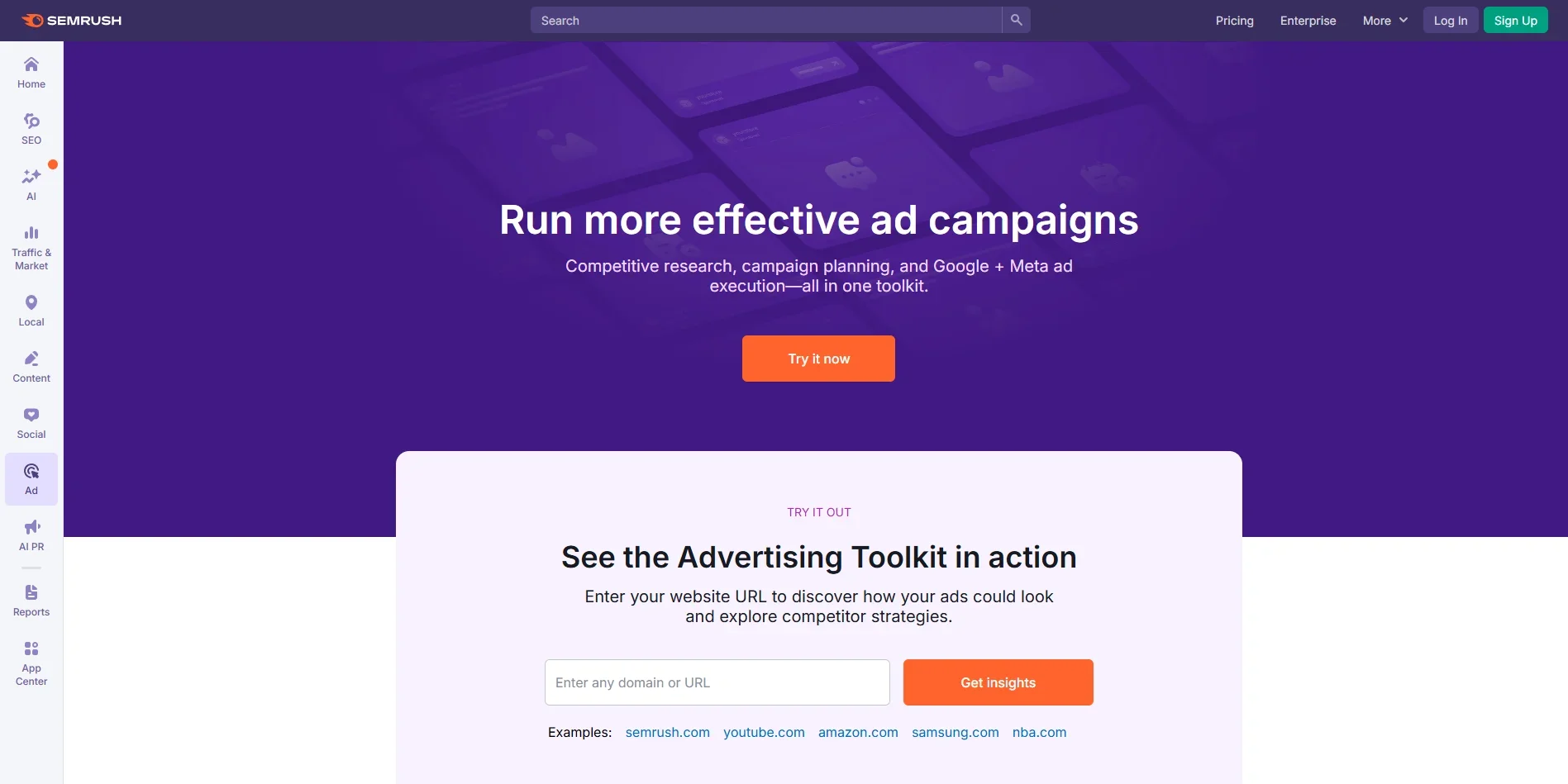
Semrush Advertising Toolkit
Streamline ad campaigns with AI-driven insights.
Key Takeaways
- What it is
- Streamline ad campaigns with AI-driven insights.
- Pricing
- $99 per month · $220 per month. Adds AdClarity
- Best for
- Competitive Research
- PPC Campaign Organization
- AI-Powered Ad Creation
- Rating
- 4.6/5
What is Semrush Advertising Toolkit?
The Semrush Advertising Toolkit transforms how businesses approach online advertising. This tool is designed to simplify the process of creating, managing, and optimizing ad campaigns across multiple platforms like Google and Meta. It offers a comprehensive suite of features for marketers looking to gain a competitive edge in digital advertising, making it a must-have for anyone aiming to streamline their ad operations and maximize ROI.
The Semrush Advertising Toolkit stands out with its AI-enhanced ad creation and optimization capabilities. The ability to gain exclusive competitor insights and manage cross-platform campaigns with ease sets it apart in the digital advertising landscape.
The Semrush Advertising Toolkit offers a powerful suite of tools for marketers looking to enhance their advertising efforts. Its AI-driven features make ad creation and optimization more efficient, while competitive insights ensure that users can stay ahead in the digital space. Whether you're a small business or a large enterprise, this toolkit provides the resources needed to run successful ad campaigns.
Who is Using Semrush Advertising Toolkit?
Digital Marketing Agencies
Leverage the toolkit to create and manage client campaigns with precision.
E-commerce Businesses
Utilize the tool for competitive analysis and ad optimization.
Small Businesses
Benefit from AI-powered ad creation to enhance local advertising efforts.
Freelance Marketers
Use the tool to manage multiple client campaigns efficiently.
Uncommon Use Cases
Employed by educational institutions to teach digital marketing strategies; adopted by non-profits to optimize fundraising campaigns.
Key Features
Rating Breakdown
Pricing Plans
Base Plan
$99 per month
- Includes unlimited ad spend, unified dashboards for Google and Meta, ad creative generation, keyword and shopping ads research, and unlimited Google Ads exports. Free trial available
Pro Plan
$220 per month. Adds AdClarity
- Access to all competitor ads across formats
- Landing page insights for deeper performance analysis
- Also with a free trial option
Which Semrush Advertising Toolkit plan should you pick?
Start with Base for Google and Meta campaign research and execution; upgrade to Pro when you need AdClarity and broader competitor intelligence.
Base
Good for small businesses and marketers who need campaign research, AI ad creation, Google and Meta execution, and Google Shopping research.
Pro
Good for advanced advertisers who need AdClarity, competitor display/video/social ads, placements, spend, and historical insights.
Semrush Advertising Toolkit Use Cases
Research competitor paid search
Enter a competitor domain to inspect paid keywords, ad copy, competitors, and landing pages.
Outcome: Identify opportunities and improve keyword and ad strategy.
Analyze Google Shopping competitors
Use PLA Research to review product-ad keywords, titles, prices, creatives, and landing pages.
Outcome: Build better-informed Shopping campaigns.
Launch Google and Meta campaigns
Connect advertising accounts and generate campaign copy, visuals, keywords, audiences, and settings.
Outcome: Publish campaigns from one workspace.
Monitor campaign performance
Review clicks, impressions, CTR, conversions, CPC, ROI, audiences, and creatives.
Outcome: Compare channels and identify underperforming campaigns.
Analyze display, video, and social advertising
Use AdClarity to investigate competitor creatives, placements, spending, and share of voice.
Outcome: Make more informed decisions before committing ad budget.
Workflow Ideas with Semrush Advertising Toolkit
Research, launch, and optimize a paid campaign
- 1Analyze competitor keywords and ads in Advertising Research.
- 2Connect Google Ads or Meta Ads in Ads Launch Assistant.
- 3Launch the campaign and apply AI performance recommendations.
Build a Google Shopping strategy
- 1Enter a competitor domain in PLA Research.
- 2Review product-ad keywords, titles, creatives, and landing pages.
- 3Use the findings to refine Shopping campaign targeting and messaging.
Benchmark cross-platform performance
- 1Connect Google Ads and Meta Ads accounts.
- 2Review clicks, impressions, CTR, conversions, CPC, and ROI in the unified dashboard.
- 3Pause, resume, or adjust bids and budgets based on performance.
How Semrush Advertising Toolkit fits into your stack
Browser
The Advertising Toolkit is accessed through Semrush's web application and central navigation. It combines competitor research, campaign planning, ad creation, launch, and reporting in one browser workspace.
Automation and APIs
The toolkit connects Google Ads and Meta Ads for campaign execution, while Semrush's documented API provides programmatic access to Advertising Research and PLA Research data.
Team workspace
Additional Semrush users can access shared projects with individual logins, enabling teams to collaborate on advertising work while maintaining account-level oversight.
Pros
- +Efficiency Boost: Streamlines the entire ad campaign process from research to execution.
- +Cost Reduction: Helps reduce cost-per-click through better keyword organization and ad relevance.
- +Comprehensive Insights: Provides detailed competitor analysis for more informed decision-making.
- +Easy Customization: Offers extensive templates and customization options for ad creation.
Cons
- −Learning Curve: May take time for new users to fully utilize all features.
- −Platform Limitations: Integration with platforms outside Google and Meta may be limited.
Limitations & when to consider alternatives
Known limitations
- AI ad-copy quotas. The published plan limits include 100 AI-generated Google ad copies and 100 AI-generated Meta ad copies per month.
- AdClarity reporting limits. The listed limits include one geography, three months of historical data, up to 50 reports, one channel, five campaign results, 100 ad-search results, and five exports.
- Competitor data is estimated. Advertising Research uses benchmark estimates and may not capture local, time-specific, niche, or narrowly targeted ads.
- Campaign reporting requires launched campaigns. Campaign reporting becomes available only after accounts are connected and at least one campaign has launched.
- AdClarity is Pro-only. AdClarity is included in the Pro plan and excluded from the Base plan.
Look elsewhere when
- You need a permanently free advertising-research plan.
- You need competitor data without estimation limits.
- You need display, video, or social competitor intelligence on the Base plan.
- You need reporting before launching a campaign.
How to Use Semrush Advertising Toolkit
- 1
Open Advertising Toolkit
Sign in to Semrush and open Advertising from the left navigation menu.
- 2
Research competitors
Use Advertising Research for paid search and PLA Research for Google Shopping competitor analysis.
- 3
Connect ad accounts
Connect Google Ads, Meta Ads, or both in Ads Launch Assistant.
- 4
Generate campaign assets
Provide campaign details and let the assistant generate copy, keywords, images, videos, templates, and mockups.
- 5
Review and launch
Check the campaign preview, budget, audience, language, and creative settings, then launch or save as a draft.
- 6
Monitor and optimize
Review campaign reporting and apply recommendations to bids, budgets, keywords, geographies, or ad copy.
Who is Semrush Advertising Toolkit For?
Small to medium business owners
They can launch and control paid advertising without relying on external agencies.
In-house marketers
They can manage campaigns across multiple platforms from one dashboard.
Solopreneurs
They get simple tools for scaling paid marketing reach.
Agencies
They can research, plan, report on, and improve client advertising campaigns.
Frequently Asked Questions
What is the Advertising Toolkit?
It is a set of tools for paid-ad competitor research, campaign planning, ad creation, publishing, and performance tracking.
What tools are included?
The toolkit includes Advertising Research, PLA Research, AdClarity, Ads Launch Assistant, and Ads AI Agent.
Who can benefit from the Advertising Toolkit?
Semrush names SMB owners, in-house marketers, solopreneurs, and agencies as suitable users.
How much does it cost?
The Base plan costs $99 per month and the Pro plan costs $220 per month when billed annually; both offer a 7-day trial.
What is the difference between Base and Pro?
Pro adds AdClarity and deeper display, video, and social competitor insights.
Which advertising platforms can it manage?
Ads Launch Assistant connects to and manages campaigns across Google Ads and Meta Ads.
Community reviews
Be the first to share your experience.
Sign in to leave a review for Semrush Advertising Toolkit.
Semrush Advertising Toolkit Alternatives
Looking for alternatives to Semrush Advertising Toolkit? Here are similar tools in the same category:
Learn to Master Semrush Advertising Toolkit
With Skill Leap courses
Get in-depth training on Semrush Advertising Toolkit and 50+ other AI tools with our expert-led video courses.
Start 7-Day Free Trial