Segwise
Helps mobile game teams see how playable-ad creative relates to ad performance.
Key Takeaways
- What it is
- Helps mobile game teams see how playable-ad creative relates to ad performance.
- Pricing
- $250 per month · $499 per month
- Best for
- AI Creative Tagging
- Creative Analytics
- Creative Strategy Agent
- Rating
- 4.2/5
What is Segwise?
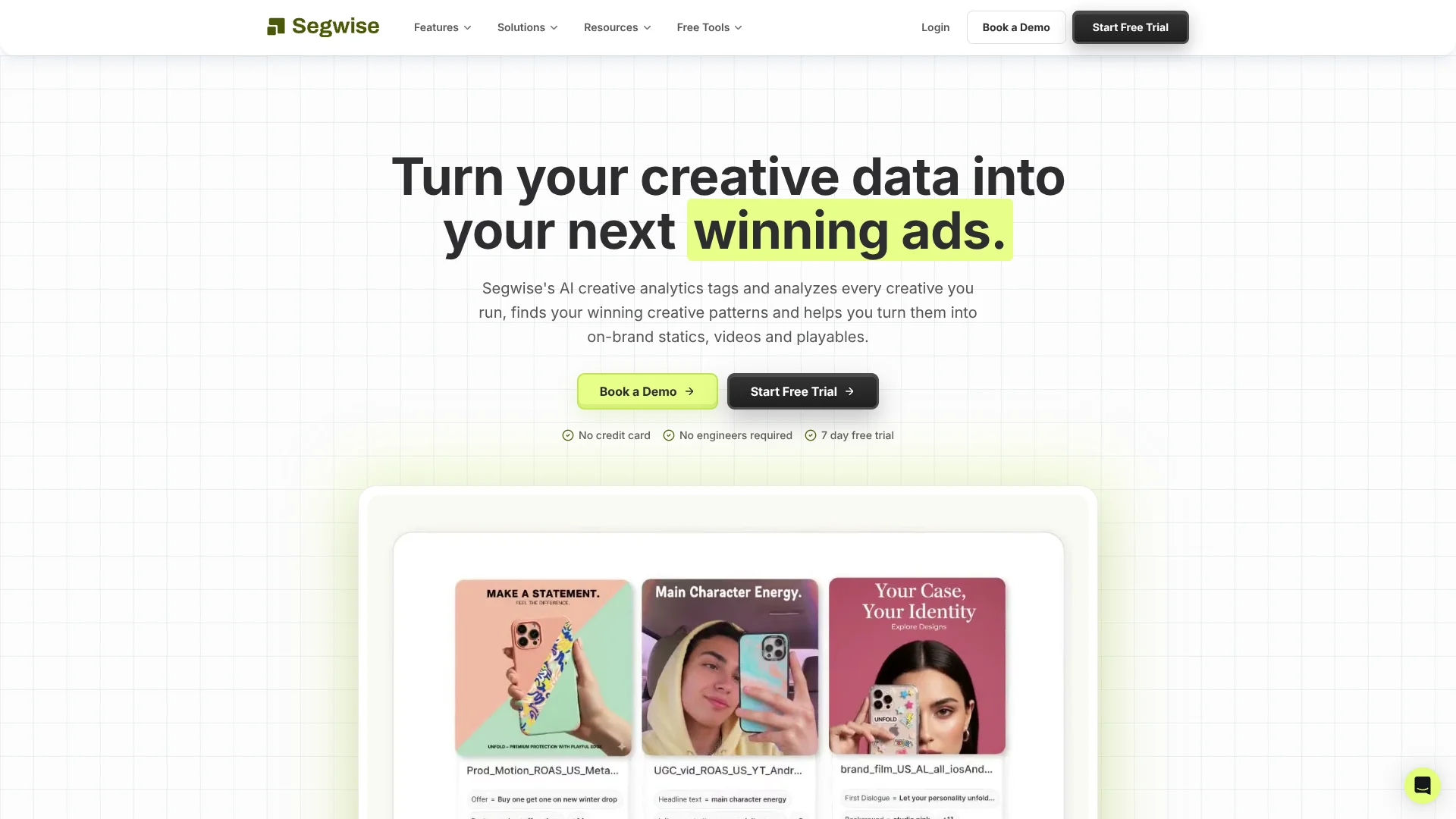
Segwise connects advertising performance data with the actual images, videos, and playable ads behind it, then uses AI to tag creative elements such as hooks, visuals, and calls to action. Performance marketing and creative teams can see which elements relate to results like ROAS, then use those findings to plan and generate new ads. It is built for teams running campaigns across multiple ad networks.
Segwise analyzes interactive playable ads as well as image and video ads, then connects the elements it identifies to performance metrics. That gives mobile game teams a way to examine what happens inside a playable, not only how the ad performs overall.
It is best suited to mobile game, DTC, and subscription app teams that run frequent creative tests and need a clearer link between ad ideas and results. Competitor ad tracking is currently limited to Meta, so teams looking to compare rivals across several platforms will need another source for that research.
Who is Using Segwise?
User Acquisition Managers
Cross-network creative reports help them see which ad elements are tied to installs and ROAS.
Creative Strategists
Tag-level findings and the strategy agent help turn campaign results into testable briefs.
Performance Marketers
Fatigue tracking and performance reports help them spot declining ads across connected networks.
Growth Agency Leads
Multi-brand views and shared reporting help them review creative performance across client accounts.
Uncommon Use Cases
Game teams can compare playable mechanics with ad results; creative teams can track whether new concepts meet custom performance targets.
Key Features
Rating Breakdown
Pricing Plans
Startup
$250 per month
- For early-stage teams spending under $50K a month.
- Limited eligibility.
- Includes chat support and 200 complimentary tokens per month.
- Includes 20 static ads and 4 videos.
Growth
$499 per month
- Billed monthly.
- For teams with up to $250K monthly ad spend.
- Includes chat support and 200 complimentary tokens per month.
- Includes 20 static ads and 4 videos.
Pro
- For brands with $250K to $500K monthly ad spend.
- Includes Slack support and onboarding.
Enterprise
- For agencies and large organizations with $500K or more monthly ad spend.
- Custom annual contracts.
- Includes Slack support and a dedicated CSM.
Free Trial
- 7 days.
- No credit card required.
Which Segwise plan should you pick?
Try the 7-day trial to test the workflow, then choose a plan based on your monthly ad spend and eligibility.
Startup
For early-stage teams spending under $50K a month that meet the plan's limited eligibility requirements.
Growth
For teams scaling AI-driven creative with up to $250K in monthly ad spend.
Pro
For growing brands with $250K to $500K in monthly ad spend; pricing is custom.
Enterprise
For agencies and large organizations spending $500K or more per month; pricing is custom.
Segwise Use Cases
Find Winning Creative Elements
Creative tags connected to performance data help teams compare which hooks, visuals, and calls to action perform well.
Outcome: A clearer basis for deciding what to test next.
Spot Creative Fatigue
Performance monitoring flags sustained declines so teams can review ads before they keep spending on tired concepts.
Outcome: Earlier notice of ads that may need replacing.
Research Competitor Ads
Meta competitor tracking gives teams a view of rivals' creative approaches and potential gaps.
Outcome: A competitor-informed view of creative opportunities on Meta.
Create Data-Backed Ad Concepts
The generation tools turn patterns from successful ads into new static, video, and playable concepts.
Outcome: New concepts grounded in your own creative performance data.
Track New Creative Tests
Custom success criteria help teams monitor how newly launched creatives perform against their targets.
Outcome: A way to identify promising new ads and underperformers.
Workflow Ideas with Segwise
Turn Ad Results Into a New Brief
- 1Connect an ad network and measurement partner.
- 2Review creative tags alongside performance reports.
- 3Ask the Creative Strategy Agent for patterns worth testing.
- 4Generate a creative concept or brief from those findings.
Review and Replace Fatigued Ads
- 1Set a performance threshold for fatigue alerts.
- 2Review flagged creatives and their tagged elements.
- 3Generate fresh concepts based on patterns from stronger ads.
Compare Playable Ad Approaches
- 1Connect the relevant ad and measurement data.
- 2Review tags on playable ads alongside their performance.
- 3Use the strongest patterns to inform the next creative test.
How Segwise fits into your stack
Ad Networks and Measurement
Segwise brings data from supported advertising networks and measurement partners into its creative reporting. Named connections include Meta, Google Ads, TikTok, AppsFlyer, Adjust, and Singular.
Creative Reporting
Creative Reports, Tags Reports, Launch Reports, and Fatigue Reports help teams review ads and performance from different angles.
Creative Planning
The Creative Strategy Agent answers questions about connected creative data and can prepare shareable reports and briefs.
Ad Production
Creative Generation can produce static, video, and playable ad concepts based on patterns in your performance data.
AI Tools
The Segwise MCP can connect account data to supported AI clients such as Claude, ChatGPT, Cursor, and Codex; it is read-only and available on request.
Pros
- +Playable ad analysis: Tags interactive ad elements, a useful detail for mobile game teams.
- +Performance-linked tags: Shows how creative elements relate to metrics such as ROAS.
- +Many ad connections: Supports more than 15 ad networks and multiple measurement partners.
- +Data-backed generation: New ad concepts can draw on patterns from your own campaign results.
Cons
- −Specialized audience: Its strongest fit is teams running performance advertising, not general-purpose AI work.
- −Limited competitor coverage: Competitor ad tracking is currently available for Meta.
- −Ad-spend-based pricing: Plan eligibility and pricing depend in part on monthly ad spend.
Limitations & when to consider alternatives
Known limitations
- One active measurement partner. The help center says only one MMP can be active at a time, and changing it requires contacting Segwise support.
- No manual data import. The help center says data cannot be imported manually when an integration is unavailable.
- Competitor tracking coverage. The competitor tracking page says monitoring currently covers Meta, with more platforms in development.
Look elsewhere when
- You need competitor ad tracking on platforms beyond Meta.
- Your team needs to import performance data manually from sources Segwise does not connect to.
- You need several measurement partners active in the same account.
How to Use Segwise
- 1
Start a trial
Create an account for the 7-day free trial; the pricing page says no credit card is required.
- 2
Connect your ad data
Open Settings, then Integration Hub, and connect an ad network; Segwise recommends connecting the network before your measurement partner.
- 3
Review creative reports
Explore Creative Reports and Tags Reports to see ad performance alongside AI-identified creative elements.
- 4
Ask about performance
Query the Creative Strategy Agent in plain language when you want to investigate a pattern or prepare a report.
- 5
Make the next creative
Use the generation tools to develop a static, video, or playable concept based on patterns from your ads.
Who is Segwise For?
Mobile Games
Game marketing teams can compare playable and video ad elements with performance results.
DTC Brands
Direct-to-consumer teams can look for creative patterns linked to stronger ad performance.
Subscription Apps
App growth teams can study which creative approaches support their acquisition campaigns.
Growth Agencies
Agencies can analyze client creatives and organize reporting across multiple brands.
Frequently Asked Questions
Does Segwise have a free plan?
The pricing page offers a 7-day free trial with no credit card required. It does not list a permanent free plan.
What does Segwise cost?
The listed Startup plan is $250 per month and Growth is $499 per month, billed monthly. Pro and Enterprise list custom pricing.
Which ad networks and measurement partners does it support?
Segwise lists more than 15 ad network connections. Named measurement partners include AppsFlyer, Adjust, Singular, and Kochava.
Can Segwise analyze playable ads?
Yes. Its creative tagging feature analyzes playable ads as well as images, video, and text.
Can it track competitors outside Meta?
The competitor tracking page currently lists Meta support, with more platforms in development.
Community reviews
Be the first to share your experience.
Sign in to leave a review for Segwise.
Segwise Alternatives
Looking for alternatives to Segwise? Here are similar tools in the same category: