
Seal Security
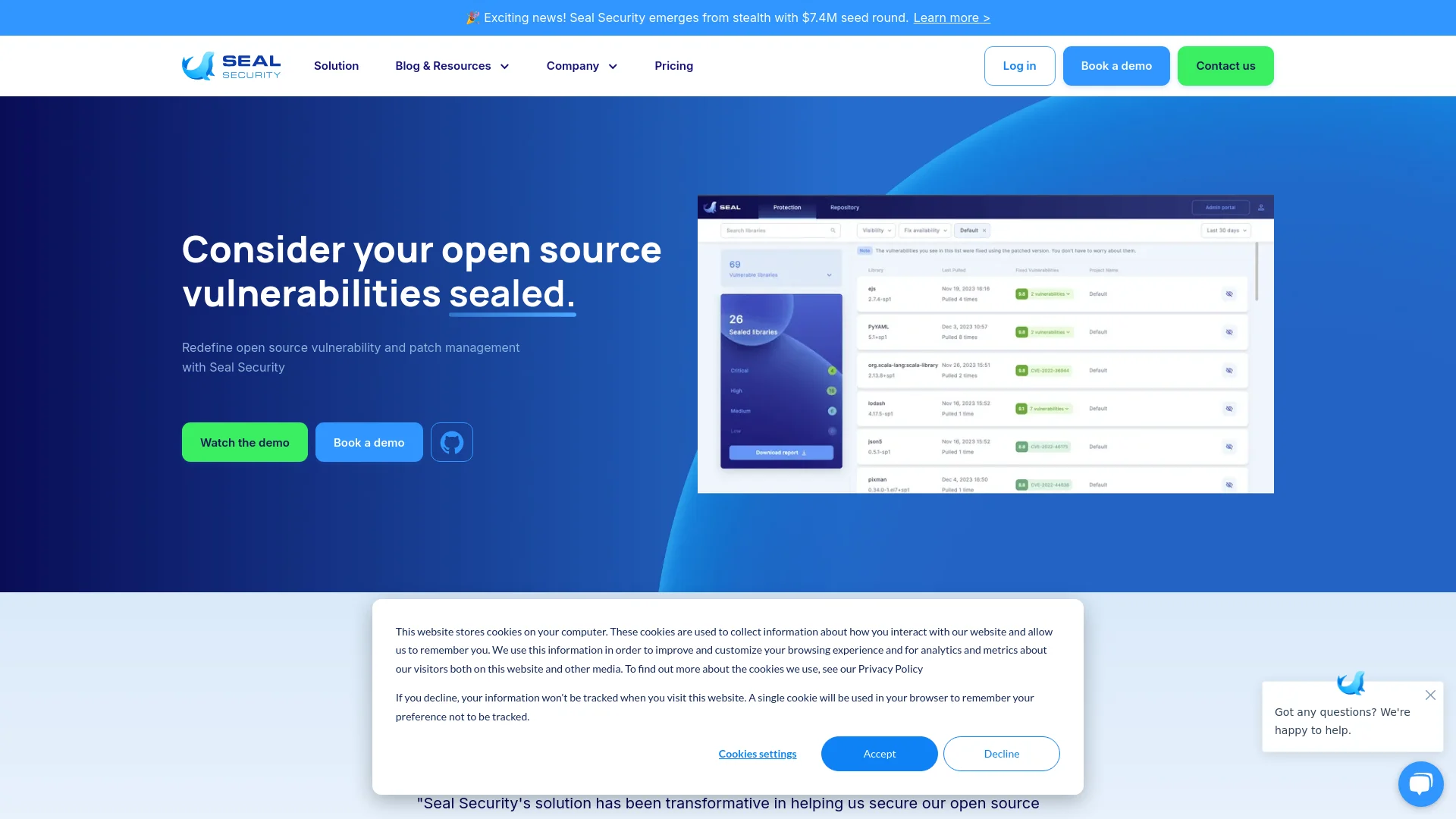
Automates open source vulnerability detection and delivers immediate patches.
Key Takeaways
- What it is
- Automates open source vulnerability detection and delivers immediate patches.
- Best for
- Automated Vulnerability Remediation
- Standalone Security Patches
- Integration with SDLC
- Rating
- 4.6/5
What is Seal Security?
Seal Security is a pioneering platform specifically designed to address the complex challenges of open source vulnerability and patch management. In today's digital landscape, where open source components are integral to software development, Seal Security offers an innovative solution that not only identifies vulnerabilities but also provides robust, actionable patches without disrupting existing operations. Aimed at enhancing the security posture of organizations, this tool is a game-changer for companies relying heavily on open source software, ensuring compliance and fortifying security without the typical headaches associated with patch management.
Seal Security stands out with its ability to provide immediate, standalone patches for open source vulnerabilities, a feature not commonly found in similar tools. Its integration capabilities, which connect seamlessly with existing systems without requiring significant overhauls, make it a unique asset for any security-sensitive organization.
Seal Security excels in providing a comprehensive solution for managing open source vulnerabilities, making it an essential tool for any organization that relies on open source software. Its standout feature of delivering immediate, standalone patches sets it apart in the cybersecurity landscape, ensuring rapid compliance and enhanced security postures without disrupting existing systems.
Who is Using Seal Security?
Large Enterprises
Managing vast arrays of open source software components securely.
Tech Startups
Ensuring quick remediation of vulnerabilities as they scale operations.
Government Agencies
Complying with strict regulatory standards while using open source software.
Healthcare Providers
Securing patient data and ensuring compliance with healthcare regulations.
Uncommon Use Cases
Academic institutions for teaching cybersecurity practices; Non-profits for securing limited tech resources efficiently.
Key Features
Rating Breakdown
Pricing Plans
Free Trial
- Offers a robust free trial period
Subscription Plans
- Detailed subscription plans are available
- Tailored to the size and needs of different organizations
Which Seal Security plan should you pick?
Start with Starter for a scoped proof of value, move to Business for ongoing remediation, and upgrade to Scale for unlimited enterprise coverage.
Starter
Good for teams that want to prove value quickly with a defined scope covering specific applications or packages.
Business
Good for organizations needing ongoing remediation, guided onboarding, and access to the Seal Patch Catalogue for selected applications and environments.
Scale
Good for enterprises standardizing coverage across apps, teams, and environments with rollout support, governance, and reporting.
Seal Security Use Cases
Patch application dependencies
Remediate direct and transitive open-source dependencies in the versions already used by applications.
Outcome: Vulnerabilities are fixed without forced major-version upgrades.
Secure end-of-life Linux systems
Apply backported security fixes to legacy Linux distributions and packages that no longer receive upstream support.
Outcome: EOL environments remain protected without migration.
Remediate container and base-image vulnerabilities
Patch operating-system packages and dependencies inside containers and base images.
Outcome: Container scans show remediated packages and fewer unresolved findings.
Automate vulnerability remediation in CI
Run the Seal CLI and integrations in CI pipelines to discover vulnerable packages, substitute sealed versions, and synchronize scanner results.
Outcome: Security remediation becomes part of the existing build and release workflow.
Support compliance and audit evidence
Use signed provenance, patch records, SBOMs, and traceability for regulated security and compliance processes.
Outcome: Teams can provide evidence for audits and customer security reviews.
Workflow Ideas with Seal Security
Detect and seal vulnerable dependencies
- 1Scan repositories or ingest findings from an SCA or vulnerability-scanning tool.
- 2Select or approve the applicable sealed patch.
- 3Run the Seal CLI in CI and rescan the resulting build.
Automated GitHub remediation
- 1Connect Seal to GitHub repositories.
- 2Let Seal periodically scan dependency files for new CVEs.
- 3Review and merge automatically generated pull requests containing sealed patches.
Deliver patched artifacts through a registry
- 1Publish sealed artifacts to Artifactory, Nexus, or another supported repository workflow.
- 2Resolve the patched package through the existing build pipeline.
- 3Verify the fix through scanners and retain signed provenance or SBOM evidence.
How Seal Security fits into your stack
Broad Language Support
Compatible with numerous programming languages, enhancing its versatility.
Patch Management Systems Integration
Integrates smoothly with existing patch management frameworks.
Open Source Platform Compatibility
Works effortlessly with various open source platforms through powerful APIs.
Secure Container Patching
Capable of patching containers and base images, crucial for maintaining uninterrupted business operations.
Pros
- +Enhanced Security Compliance: Helps maintain stringent security standards such as FedRAMP, crucial for businesses in regulated industries.
- +Reduction in Alert Fatigue: Streamlines the remediation process, reducing the overload of alerts typically faced by security teams.
- +Support for Legacy Applications: Effectively patches legacy and third-party applications, extending the lifecycle of critical software.
- +Scalable Patch Management: Designed to handle the scale of modern enterprises, managing dependencies both direct and transitive efficiently.
Cons
- −Initial Setup Complexity: The integration requires an initial setup that might be complex depending on the existing tech stack.
- −Learning Curve: Users new to automated patch management systems may experience a learning curve.
- −Dependency on Open Source Software: Its utility is limited to environments heavily utilizing open source components.
Limitations & when to consider alternatives
Known limitations
- Critical and high CVE SLA only. The documented 72-hour remediation SLA applies to critical and high-rated vulnerabilities.
- Starter coverage is scoped. The Starter plan provides a defined scope covering specific applications or packages rather than unlimited coverage.
- Pricing depends on deployment scope. Pricing varies according to coverage scope, supported ecosystems, deployment requirements, and support level.
- Supported ecosystems and languages are defined. Seal documents support for specific programming languages, package managers, Linux distributions, scanners, and DevOps integrations.
Look elsewhere when
- You need a native mobile application.
- You need a browser extension.
- You need visual image analysis.
How to Use Seal Security
- 1
Explore detailed tutorials and documentation available on the Seal Security website, covering everything from basic setup to advanced feature utilization.
Who is Seal Security For?
Security analysts
Use Seal to remediate open-source vulnerabilities and maintain visibility, traceability, and audit-ready evidence.
Open-source contributors
Use Seal to address vulnerabilities in open-source packages without forcing upgrades or breaking changes.
Incident response teams
Use Seal to deploy production-ready patches rapidly when vulnerable components require urgent remediation.
DevOps engineers
Integrate Seal into CI/CD pipelines, artifact repositories, scanners, and source-control workflows.
System administrators
Use Seal to patch Linux packages, containers, virtual machines, bare-metal systems, and end-of-life distributions.
Frequently Asked Questions
What is Seal Security?
Seal Security delivers one-click, backported, compatible patches for existing versions of open-source packages, Linux operating systems, base images, and legacy systems.
How does Seal provide patches?
Seal delivers backported security patches that apply only the minimal changes required to fix a vulnerability while preserving compatibility with the existing package version.
How do I know that Seal will not break my code?
Remediated versions undergo automated testing, quality assurance, manual inspection by the vulnerability research team, and AI validation for breaking changes.
What programming languages does Seal Security support?
Seal supports major programming languages including Java, Python, JavaScript, C/C++, Go, PHP, C#, and Ruby.
What integrations does Seal Security support?
Seal integrates with GitHub, GitLab, Azure DevOps, Snyk, Black Duck, GitHub Advanced Security, Checkmarx, Wiz, Trivy, StackRox, Grype, Docker, and JFrog.
What is Seal Security’s SLA for new vulnerabilities?
Seal Security handles all critical and high-rated vulnerabilities within 72 hours of public disclosure.
Community reviews
Be the first to share your experience.
Sign in to leave a review for Seal Security.
Seal Security Alternatives
Looking for alternatives to Seal Security? Here are similar tools in the same category:
Learn to Master Seal Security
With Skill Leap courses
Get in-depth training on Seal Security and 50+ other AI tools with our expert-led video courses.
Start 7-Day Free Trial