
Scenario
AI-driven game asset creation with unmatched style consistency and efficiency.
Key Takeaways
- What it is
- AI-driven game asset creation with unmatched style consistency and efficiency.
- Pricing
- Freemium
- Best for
- Custom-Trained AI Models
- Advanced Editing Tools
- Seamless Workflow Integration
- Rating
- 4.6/5
What is Scenario?
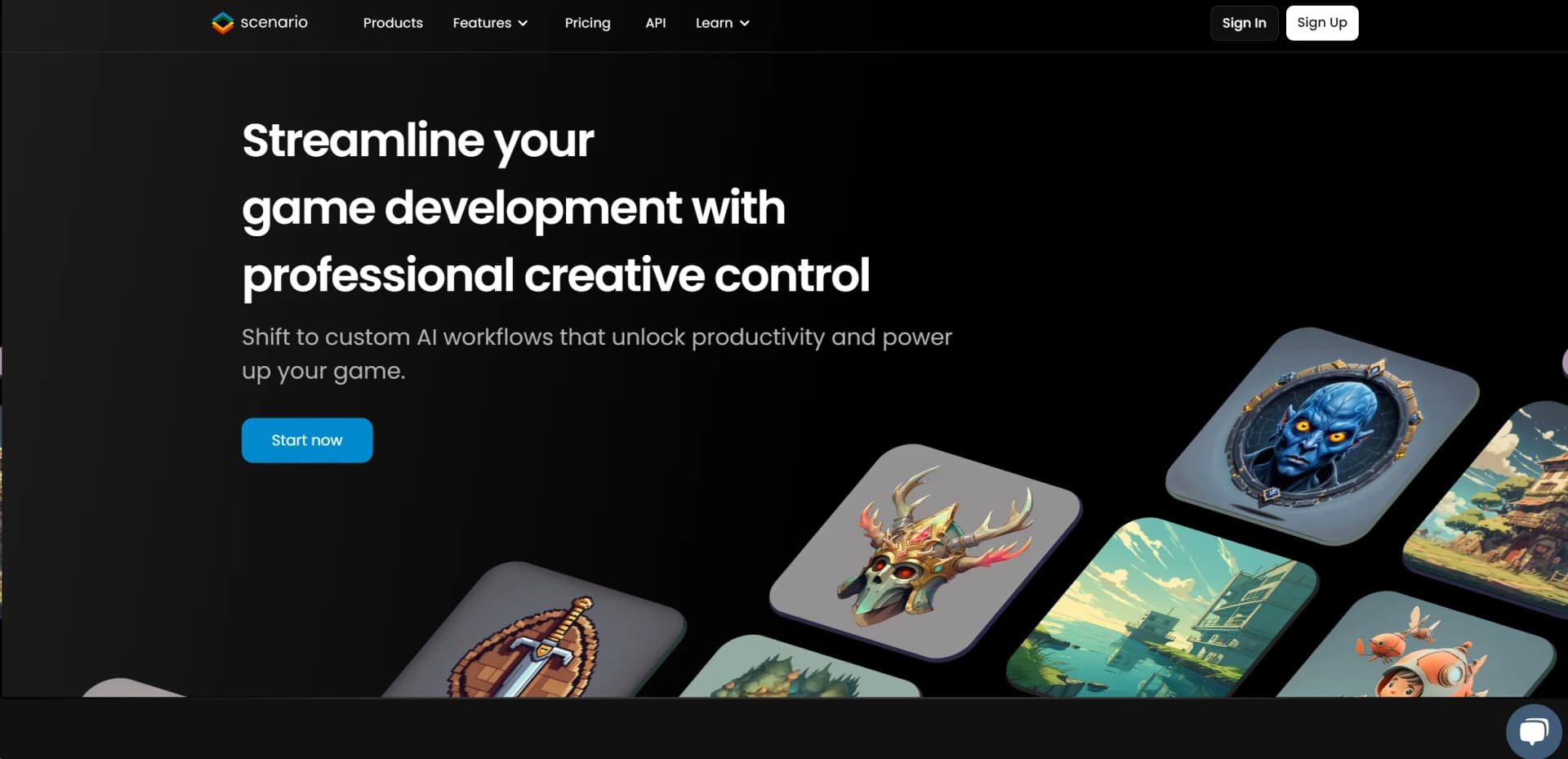
In the evolving landscape of game development, where time is as valuable as creativity, Scenario emerges as a groundbreaking tool designed to revolutionize the way game creators develop and deploy assets. At its core, Scenario is an AI-powered platform that specializes in generating game assets with a level of precision and style consistency previously unattainable without extensive human effort. Tailored specifically for game developers, artists, and creative teams, Scenario promises to streamline the game development process by offering custom AI workflows that enhance productivity and creativity. From generating intricate game environments to creating character models that align perfectly with a game's aesthetic, Scenario is setting a new standard for efficiency and control in game asset creation.
Scenario's unique selling point lies in its ability to seamlessly merge AI's computational power with the creative process of game development. Unlike generic asset creation tools, Scenario provides a platform that is both highly customizable and deeply integrated into game development workflows, ensuring that the generated assets are not only high quality but also uniquely tailored to each project's specific needs.
Scenario stands as a transformative tool in the realm of game development, offering unparalleled control and efficiency in the creation of game assets. Its ability to generate style-consistent, high-quality assets on demand makes it an indispensable asset for game creators aiming to reduce development time while maintaining artistic integrity. With its robust set of features, comprehensive support resources, and flexible integration capabilities, Scenario is poised to become a staple in the toolchains of game developers worldwide, pushing the boundaries of what's possible in game design and production.
Who is Using Scenario?
Game Development Studios
Incorporating Scenario into their asset creation pipelines to produce everything from characters to environments efficiently.
Indie Game Creators
Leveraging Scenario to overcome budget and time constraints, allowing them to compete with larger studios.
Educational Institutions
Utilizing Scenario to teach students about the intersection of AI and game design.
Marketing Teams
Creating promotional game assets quickly to support marketing campaigns.
Uncommon Use Cases
Architects and urban planners are exploring Scenario for visualizing new projects in gamified environments; concept artists are using it to rapidly prototype ideas.
Key Features
Rating Breakdown
Pricing Plans
Free Tier
Free
- Scenario offers a free trial
- Allowing users to explore its capabilities before committing
Subscription Plans
- Detailed pricing information was not available at the time of this review. Users are encouraged to visit Scenario's website for the most current pricing details
Which Scenario plan should you pick?
Start with Free or Starter for experimentation, use Pro for custom models and heavier individual work, upgrade to Max for multi-user collaboration, and choose Enterprise for SSO, custom integrations, and organization-wide support.
Free
Good for trying Scenario and exploring its creative generation capabilities before committing to a paid plan.
Starter
Good for casual creators who need a single-user workspace, core models, editing tools, and storage.
Pro
Good for demanding individual creators who need custom training, higher performance models, advanced editing, and priority processing.
Max
Good for small or mid-sized teams that need multi-user workspaces, additional seats, higher usage, and team activity reporting.
Enterprise
Good for organizations needing user management, SSO/SAML, custom integrations, dedicated support, and customized onboarding.
Scenario Use Cases
Train custom style or character models
Upload a dataset and train a LoRA model for a visual style, recurring character, subject, product, or environment.
Outcome: More consistent generated assets.
Create game assets
Generate characters, props, environments, UI, textures, skyboxes, and 3D models.
Outcome: A broader game-asset library.
Build automated creative pipelines
Connect generation, editing, upscaling, image-to-video, and image-to-3D steps in a workflow.
Outcome: Repeatable multi-step production runs.
Edit and refine images
Use prompt editing, inpainting, outpainting, background removal, restyling, vectorization, and upscaling.
Outcome: Production-ready visual assets.
Generate localized audio
Create music, narration, sound effects, voice clones, and multilingual speech.
Outcome: Audio assets for multiple markets and formats.
Workflow Ideas with Scenario
Train, generate, and refine branded visuals
- 1Upload a consistent dataset and train a custom model
- 2Generate images using prompts and reference controls
- 3Edit, retouch, upscale, and organize the approved assets
Create a game asset pipeline
- 1Generate or upload concept images
- 2Convert selected images into 3D models or textures
- 3Export and organize the finished assets for production
Automate a media production pipeline
- 1Connect image, video, 3D, audio, and editing nodes
- 2Run the workflow with consistent inputs and model settings
- 3Retrieve the generated assets through the Scenario workspace or API
How Scenario fits into your stack
Game Engines
Direct integration with Unity and other popular game engines.
Design Software
Can be used alongside leading design programs for asset refinement.
API Access
Enables developers to connect Scenario with their own tools and systems for enhanced functionality.
Cross-Platform Support
Designed to work across various platforms, ensuring flexibility in asset creation and deployment.
Pros
- +Reduction in Development Time: Significantly cuts down the time required to produce game assets.
- +Style Consistency: Ensures that all generated assets remain true to the game's established art direction.
- +Flexibility and Control: Offers game developers the tools to make precise adjustments to AI-generated assets.
- +Support for Custom AI Model Training: Enables the training of AI models on specific datasets, providing unique and customizable solutions.
Cons
- −Learning Curve: Like any sophisticated tool, Scenario requires a period of learning to fully exploit its capabilities.
- −Dependence on Quality Training Data: The quality of the generated assets heavily relies on the quality of the training data provided.
- −Potential for Over-Reliance: Teams might become overly dependent on AI-generated assets, potentially limiting creative exploration.
Limitations & when to consider alternatives
Known limitations
- Plan-based access. Some features and models may be gated by the selected Scenario plan.
- Model-specific restrictions. Different image and video models have independent provider policies and may reject prompts or reference images.
- Custom training uses LoRAs. Most custom models are LoRA adapters rather than full retraining of the foundation model.
- Generated content can require cleanup. Complex outputs such as motion, hair, clothing, or partially occluded limbs may need additional editing.
- API-only feature availability. Some model capabilities are available through the Scenario API but not through the web interface.
Look elsewhere when
- You need a dedicated coding tool.
- You need a native mobile application.
- You need a native desktop installer.
How to Use Scenario
- 1
Scenario offers a comprehensive tutorial series available on its website and YouTube, covering everything from basic setup to advanced features and custom model training.
Who is Scenario For?
Game developers and studios
Scenario supports consistent game characters, props, environments, UI, textures, and 3D assets.
Marketing teams
Teams can create on-brand visuals and localized audio assets at scale.
Entertainment and media teams
Scenario supports concept art, pre-visualization, storyboards, cinematic clips, video, and audio production.
Design teams
Designers can create product mockups, architectural renders, industrial design visuals, and consistent image assets.
Creative teams with proprietary styles
Teams can train custom models on their own datasets to maintain a consistent visual identity.
Frequently Asked Questions
What is Scenario and what does it do?
Scenario is an AI platform for generating consistent assets across images, video, 3D, and audio. Users can train custom models, generate with controls, and edit results in one workspace.
What use cases can I achieve with Scenario?
Use cases include game assets, marketing visuals, concept art, storyboards, cinematic clips, product mockups, textures, skyboxes, architectural renders, and image-to-3D meshes.
What are Workflows and Apps?
Workflows are visual node-based editors for multi-step pipelines. Apps are pre-configured workflows for common tasks such as background removal and character portraits.
Can I use Scenario for 3D assets?
Yes. Scenario generates high-resolution meshes with PBR textures from one or more images and includes a built-in 3D viewer.
Can I create videos in Scenario?
Yes. Scenario generates videos from text prompts or reference images and supports controlled sequences, looping, and video upscaling.
Can I generate audio in Scenario?
Yes. Scenario supports music generation, text-to-speech, sound effects, and video-to-audio.
Community reviews
Be the first to share your experience.
Sign in to leave a review for Scenario.
Scenario Alternatives
Looking for alternatives to Scenario? Here are similar tools in the same category:
Learn to Master Scenario
With Skill Leap courses
Get in-depth training on Scenario and 50+ other AI tools with our expert-led video courses.
Start 7-Day Free Trial