
Sanctum AI
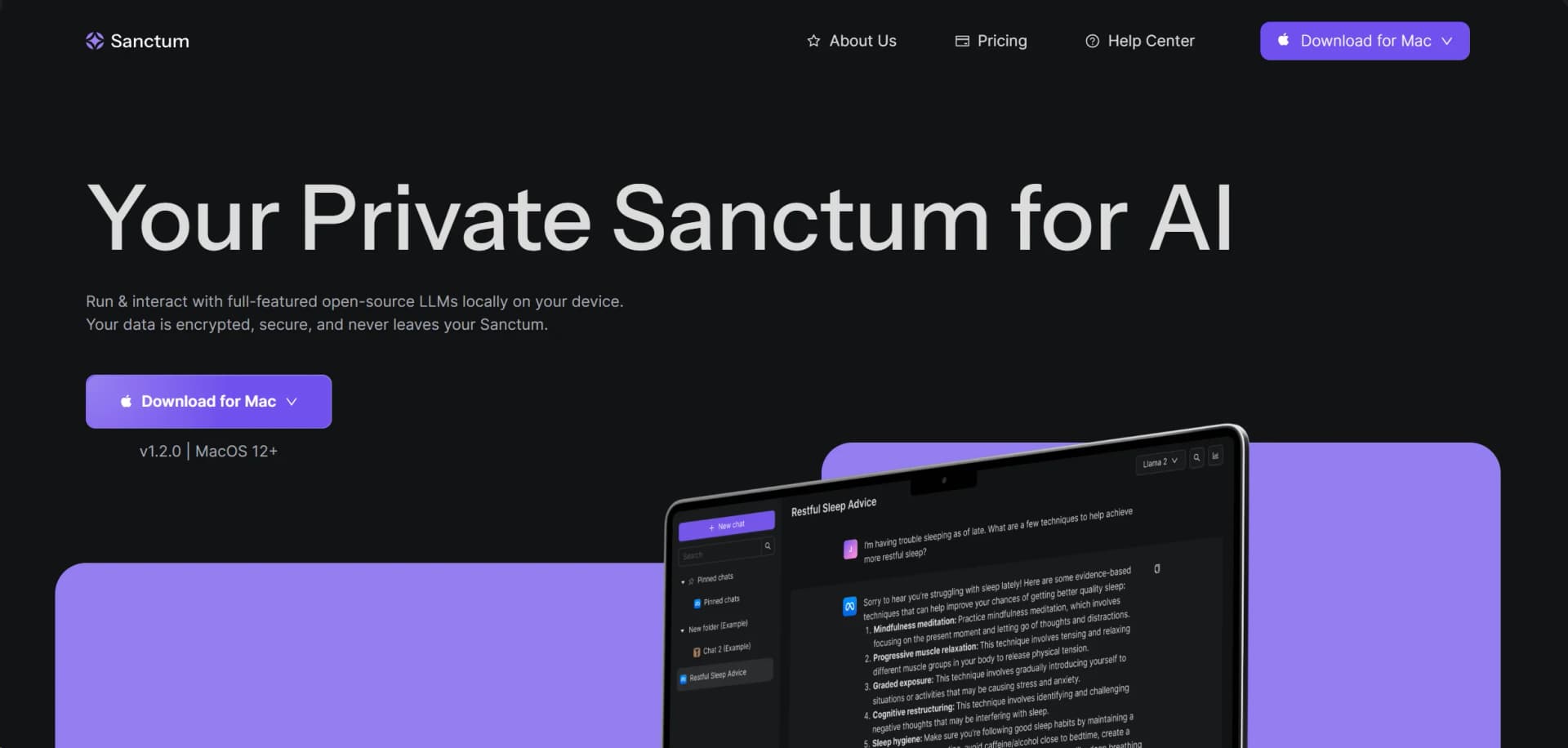
Local, private AI assistant ensuring encrypted data stays on your Mac.
Watch Sanctum AI in Action
Key Takeaways
- What it is
- Local, private AI assistant ensuring encrypted data stays on your Mac.
- Best for
- Local AI Processing
- Privacy-Centric Design
- AI Model Flexibility
- Rating
- 4.5/5
What is Sanctum AI?
In the ever-evolving world of artificial intelligence, Sanctum AI emerges as a forward-thinking solution, designed to address the growing concerns around data privacy in AI interactions. Sanctum AI offers a refreshing take on AI-powered assistance by providing a private, local AI assistant that operates directly from your device. Its main appeal lies in its ability to run full-featured open-source Large Language Models (LLMs) locally, ensuring that your sensitive data remains encrypted and never leaves the secure confines of your Sanctum.
Sanctum AI distinguishes itself with its steadfast commitment to user privacy and data security. The tool's ability to operate entirely offline and its simple, straightforward switch between AI models make it a standout choice for users who prioritize data sovereignty.
Sanctum AI excels as a private, local AI assistant that places a premium on data security and user privacy. Its offline functionality and the ability to switch between different AI models with ease make it an essential tool for anyone looking to leverage AI capabilities without compromising their sensitive information. While it currently caters to Mac users, the anticipated expansion to other operating systems and mobile platforms promises to make Sanctum AI a versatile and indispensable asset across a wider user base.
Who is Using Sanctum AI?
Healthcare Professionals
Analyzing personal health data without compromising patient confidentiality.
Content Creators
Generating creative content while keeping original ideas private.
Financial Analysts
Reviewing private financial data with the assurance of security.
Developers
Collaborating on code development in a secure environment.
Uncommon Use Cases
Academic researchers analyzing sensitive data, and privacy-conscious individuals managing personal documents.
Key Features
Rating Breakdown
Pricing Plans
Free Version
- Sanctum AI is currently available for download without any associated costs
Which Sanctum AI plan should you pick?
Start with Base for private local chatting and upgrade to Sanctum Pro when you need PDF chat, Vault search, and early feature access.
Base
Good for users who need private local chatting with open-source models.
Sanctum Pro
Good for users who need private PDF chatting, encrypted Vault search, and early access to new features.
Sanctum AI Use Cases
Private document analysis
Upload documents and chat with them using a locally running model.
Outcome: Extract insights and receive answers grounded in the uploaded files.
PDF research
Open PDFs, ask questions, summarize content, and view cited source pages.
Outcome: Research documents without sending them to cloud services.
Audio transcription
Upload audio recordings and transcribe, search, and review synchronized text.
Outcome: Turn recordings into searchable transcripts.
Local model experimentation
Browse Hugging Face GGUF models, download compatible models, and configure CPU or GPU settings.
Outcome: Run different open-source models directly on your computer.
Local application development
Start Sanctum's local HTTP server and connect applications through OpenAI-compatible functionality.
Outcome: Test software against locally hosted AI models.
Workflow Ideas with Sanctum AI
Analyze a PDF privately
- 1Upload a PDF in File Manager
- 2Open the PDF viewer and ask questions
- 3Review cited pages and summarize findings
Create a searchable audio transcript
- 1Download a Whisper audio-to-text model
- 2Upload an MP3, WAV, FLAC, or OGG file
- 3Search the transcript and export the result
Run a local AI endpoint
- 1Enable Developer Mode
- 2Configure the local server port and options
- 3Connect an application to the local OpenAI-compatible endpoint
How Sanctum AI fits into your stack
MacOS Compatibility
Fully compatible with the latest versions of MacOS (M1, M2, M3, Intel).
Planned Windows and Linux Support
Future updates are expected to extend compatibility to Windows and Linux systems.
File Handling
Upcoming features include the ability to upload and interact with various file types like PDF and CSV.
Sanctum Vault
A secure, local repository for your data, encrypted and stored directly on your device.
Pros
- +Enhanced Data Privacy: Your data is encrypted and processed on your device, offering unparalleled privacy.
- +Ease of Setup: The tool is user-friendly, allowing for quick and hassle-free installation and setup.
- +Offline Functionality: Operates without the need for an internet connection, making it accessible anywhere, anytime.
- +Model Versatility: Provides the ability to choose from various AI models to find the one that best fits your tasks.
Cons
- −Limited OS Compatibility: Currently available only for Mac users, with Windows and Linux support in the pipeline.
- −No Mobile Version Yet: Mobile users will have to wait for the upcoming iOS and Android support.
- −New on the Scene: Being a newer entrant, some users might find a smaller community and fewer reviews to rely on initially.
Limitations & when to consider alternatives
Known limitations
- Linux support is not available yet. The documentation lists Linux support as coming soon.
- Hardware requirements can be substantial. Sanctum recommends at least 16GB RAM; Windows GPU acceleration requires a compatible dedicated GPU with at least 6GB VRAM.
- Internet is required for model downloads. The application works offline after setup, but downloading new models requires an internet connection.
- Image recognition is unfinished. The Toolbox documentation labels image recognition as coming soon.
- Some video formats were removed. The changelog says MP4 and other video formats were temporarily removed.
Look elsewhere when
- You need a native mobile application.
- You need Linux support today.
- You need image understanding today.
How to Use Sanctum AI
- 1
Sanctum AI's straightforward setup and user-friendly interface make it accessible even to those who are new to AI tools. While formal tutorials are not mentioned, the tool's intuitive design is likely to facilitate a smooth learning experience.
Who is Sanctum AI For?
Developers
Sanctum provides a local HTTP API server, developer mode, configurable model parameters, and support for running GGUF models locally.
Privacy-conscious users
Sanctum stores chats, files, models, and settings locally, supports offline use, and protects data with AES-256 encryption.
Users handling sensitive documents
Users can upload PDFs, office documents, spreadsheets, audio, and code files for local analysis and conversations.
Frequently Asked Questions
What is Sanctum?
Sanctum is a desktop application for running and interacting with open-source large language models locally on macOS and Windows.
Does Sanctum work offline?
Yes. Sanctum works fully offline after model downloads; an internet connection is only required to download new models.
Is my data encrypted?
Yes. Sanctum uses AES-256 encryption, and chats, files, models, and settings are stored locally.
Does the model learn from my chats?
No. Local models do not learn from chats. Fine-tuning is available only through explicit action and advanced setup.
What files can Sanctum process?
Supported formats include TXT, DOCX, Markdown, MSG, PPTX, PDF, audio, spreadsheets, and multiple programming-language files.
Can Sanctum run an API server?
Yes. Developer Mode includes a local HTTP server that mimics OpenAI API functionality.
Community reviews
Be the first to share your experience.
Sign in to leave a review for Sanctum AI.
Sanctum AI Alternatives
Looking for alternatives to Sanctum AI? Here are similar tools in the same category:
Learn to Master Sanctum AI
With Skill Leap courses
Get in-depth training on Sanctum AI and 50+ other AI tools with our expert-led video courses.
Start 7-Day Free Trial