
Rodin
Effortlessly generate realistic 3D models with AI.
Key Takeaways
- What it is
- Effortlessly generate realistic 3D models with AI.
- Pricing
- Freemium · $15 per month for 30 credits · $20 per month · $60 per month for the first month, then $120 per month for 208 credits
- Best for
- AI-Driven Modeling
- Real-Time Rendering
- Intuitive Interface
- Rating
- 4.6/5
What is Rodin?
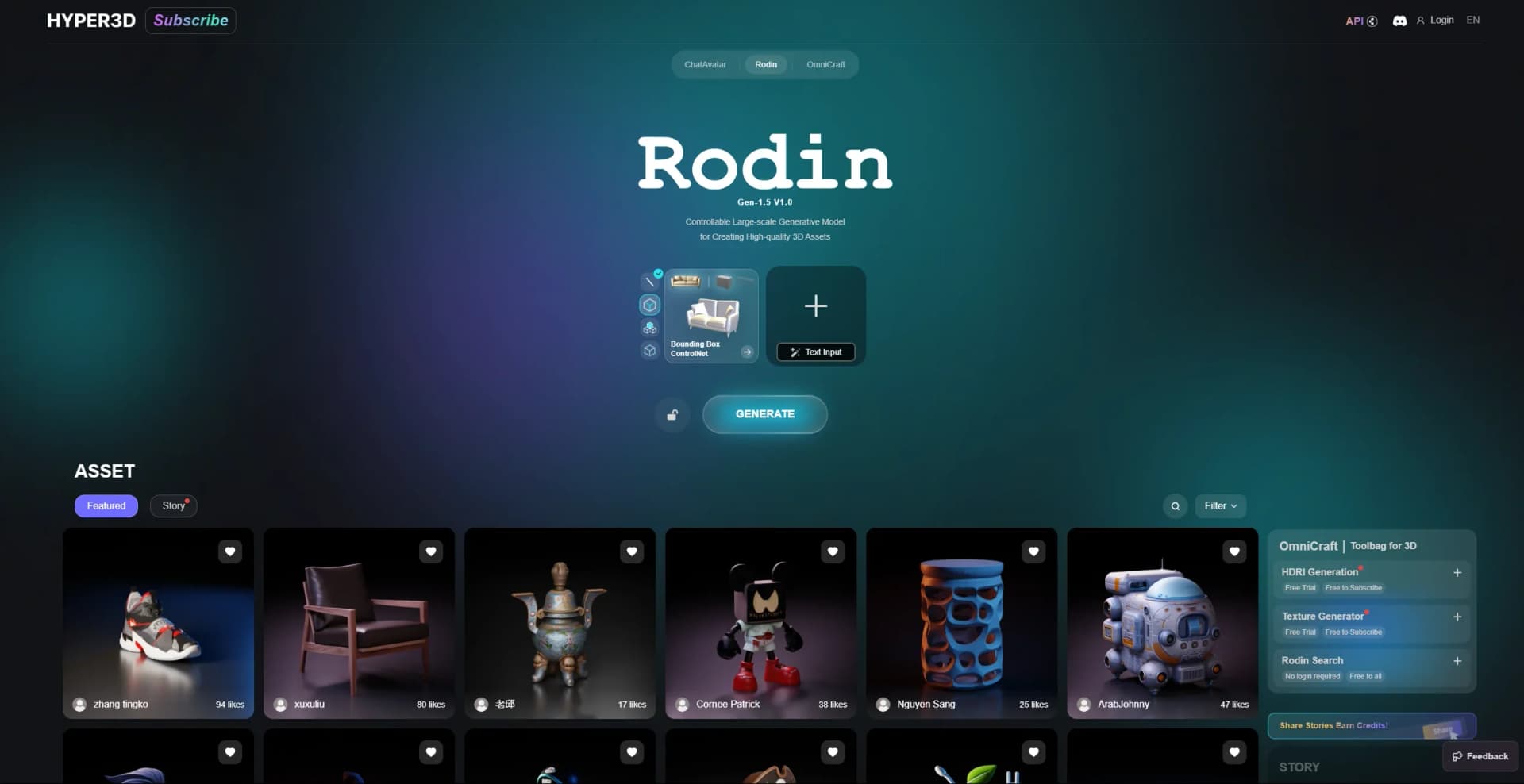
Rodin is a cutting-edge AI tool designed to revolutionize the realm of 3D content creation. Available through Hyper3D, Rodin offers an innovative approach to generating realistic and complex 3D models with minimal effort. Tailored for professionals in digital design, gaming, and virtual reality, Rodin simplifies the intricate process of 3D modeling, enabling users to bring their creative visions to life more efficiently.
Rodin stands out with its AI-driven approach to 3D modeling, a game-changer for digital content creators. Its ability to produce high-quality models with minimal manual input sets it apart, making it an invaluable tool for professionals seeking efficiency and excellence in their work.
Rodin offers a unique blend of advanced AI technology and user-friendly design, making it a powerful tool for 3D content creation. Its ability to streamline complex workflows and deliver high-quality outputs makes it an excellent choice for professionals in various creative industries. Whether you're a game developer, VR designer, or architect, Rodin provides the tools you need to elevate your projects and achieve your creative goals.
Who is Using Rodin?
Game Developers
Leveraging Rodin to create intricate game environments and characters efficiently.
Virtual Reality Designers
Utilizing the tool for crafting immersive VR experiences.
Architectural Firms
Employing Rodin for developing detailed architectural models and visualizations.
Film and Animation Studios
Using the tool for creating realistic animated sequences and special effects.
Uncommon Use Cases
Adopted by educational institutions for teaching 3D modeling courses; Used by indie game developers to streamline asset creation.
Key Features
Rating Breakdown
Pricing Plans
Free
Free
- $1.5 per credit. Basic access
Education
$15 per month for 30 credits
- Includes Free Tier benefits, 66% credit discount, and unlimited private models
Creator
$20 per month
- The first month
- Then $30 per month for 30 credits. Adds a 44% credit discount
- Unlimited private models
- Advanced 3D model fusion tools
Business
$60 per month for the first month, then $120 per month for 208 credits
- Includes Creator benefits plus a 62% credit discount, ChatAvatar exports, and high-poly 4K textures
Enterprise
- API access
- Private deployment
- Module customization
- Asset adaptation
Which Rodin plan should you pick?
Start with Free to test generation, upgrade to Creator for regular individual production, Business for API workflows, and Enterprise for team controls or custom deployment.
Free
Good for testing basic image-to-3D and text-to-3D generation with free credits and legacy-model exports.
Creator
Good for artists and indie teams needing multi-image generation, advanced textures, more redo capacity, and unlimited private assets.
Business
Good for studios, product teams, and API workflows needing full API access, higher limits, 4K textures, and high-poly quads.
Enterprise
Good for production teams needing team administration, private on-premise deployment, custom LoRA or fine-tuning, and custom support.
Rodin Use Cases
Game asset creation
Convert concept art and reference images into game props, environments, and optimized models.
Outcome: Editable assets for supported game-development workflows.
Product visualization
Create 3D product models from photos for product pages, marketing renders, and configurators.
Outcome: Interactive product and e-commerce previews.
3D printing
Generate models and export them in STL format for physical production.
Outcome: 3D-printable assets.
AR and VR content
Generate and export models in GLB, GLTF, or USDZ for spatial and immersive experiences.
Outcome: Assets for AR/VR applications and Apple Quick Look.
API pipeline automation
Submit generation tasks programmatically, poll their status, and download completed assets.
Outcome: Automated text-to-3D and image-to-3D production workflows.
Workflow Ideas with Rodin
Reference image to game asset
- 1Upload a reference image or multi-view set
- 2Generate the Rodin asset with mesh and texture controls
- 3Export the model for Unity or Unreal Engine
API asset-generation pipeline
- 1Create a Rodin API key
- 2Submit an image-to-3D or text-to-3D task
- 3Poll the status endpoint and download the completed result
Product photo to e-commerce model
- 1Upload a product photo
- 2Generate and preview the 3D model
- 3Export GLB, GLTF, FBX, OBJ, STL, or USDZ for the target workflow
How Rodin fits into your stack
Browser
Rodin runs as a web-based workspace for image-to-3D, text-to-3D, mesh editing, model viewing, and asset export.
Automation and APIs
The documented HTTP API supports authenticated generation, asynchronous status polling, balance checks, downloads, texture generation, and asset customization.
Desktop / IDE
Rodin connects to desktop 3D tools through official plug-ins and add-ons for Blender, Unity, Unreal, Godot, Maya, 3DS Max, and Omniverse.
Knowledge and files
Users provide reference images, multi-view images, text prompts, or custom 3D model files, then export generated assets in common 3D formats.
Pros
- +Time Efficiency: Significantly reduces the time needed to create complex 3D models, allowing for quicker project turnarounds.
- +User-Friendly: The intuitive design makes it accessible to both beginners and seasoned professionals.
- +Cost-Effective: Automates tasks that typically require expensive software or extensive manual effort.
- +High-Quality Output: Delivers professional-grade, realistic 3D models that meet industry standards.
Cons
- −Initial Learning Curve: Users new to 3D modeling might require some time to fully grasp the advanced features.
- −Limited Customization: While versatile, the tool may not offer all the customization options that some specialized professionals seek.
- −Integration Limitations: Although it supports popular formats, integration with niche software might be limited.
Limitations & when to consider alternatives
Known limitations
- Image-to-3D API input is limited to five images. The Rodin Gen-2.5 API accepts one to five images for image-to-3D requests.
- Generation is asynchronous. API users must submit a task, poll its status, and download the result after completion.
- Full API access is restricted to Business and Enterprise. The pricing comparison lists API access as unavailable on Free and Creator.
- Advanced features require paid plans. Smart Low-Poly, HD and custom textures, baked normals, and higher redo limits are not included in Free.
- Free exports use legacy models. The Free plan includes free generation before confirmation and export from legacy models.
Look elsewhere when
- You need a native mobile app.
- You need code-generation features.
- You need a standard browser extension.
How to Use Rodin
- 1
Choose an input
Upload a reference image, sketch, product photo, or multi-view set, or enter a text prompt.
- 2
Generate the asset
Run Rodin generation and apply available mesh, texture, quality, or low-poly controls.
- 3
Review the result
Preview the generated model and use available redo or refinement options when included in your plan.
- 4
Export for your workflow
Download a supported format such as GLB, GLTF, FBX, OBJ, STL, or USDZ.
- 5
Use an add-on or API
Connect Rodin to supported 3D tools through an add-on or automate generation through the documented API.
Who is Rodin For?
Game Developers
Convert concept art and references into props, environment assets, and optimized models for Unity, Unreal Engine, WebGL, and UGC worlds.
Product Teams
Create 3D product models from photos for interactive product pages, marketing renders, configurators, and e-commerce previews.
Architecture & Education
Turn visual references into architecture elements, educational models, real-estate previews, and visualization assets.
Artists & 3D Printing
Generate characters, props, collectibles, and stylized assets through image-to-3D and text-to-3D.
Frequently Asked Questions
What makes Hyper3D useful for 3D generation?
Hyper3D turns text or images into high-quality 3D assets with clean topology and PBR materials.
What kind of image works best with Hyper3D?
Rodin accepts a reference image; resolution, framing, background, lighting, and subject isolation are optional capture choices.
Can I optionally use more than one image?
Rodin works from a single image, while multi-view input provides additional visual guidance when available.
What can I export from Hyper3D?
Supported formats include STL, FBX, OBJ, GLB, GLTF, and USDZ.
Can Hyper3D models be used in commercial projects?
Commercial use depends on the selected plan and license; paid and enterprise options support professional workflows.
How can I improve the quality of my generated 3D model?
Use clear reference images and optionally provide additional views to guide the result.
Community reviews
Be the first to share your experience.
Sign in to leave a review for Rodin.
Rodin Alternatives
Looking for alternatives to Rodin? Here are similar tools in the same category:
Learn to Master Rodin
With Skill Leap courses
Get in-depth training on Rodin and 50+ other AI tools with our expert-led video courses.
Start 7-Day Free Trial