RewarxStudio
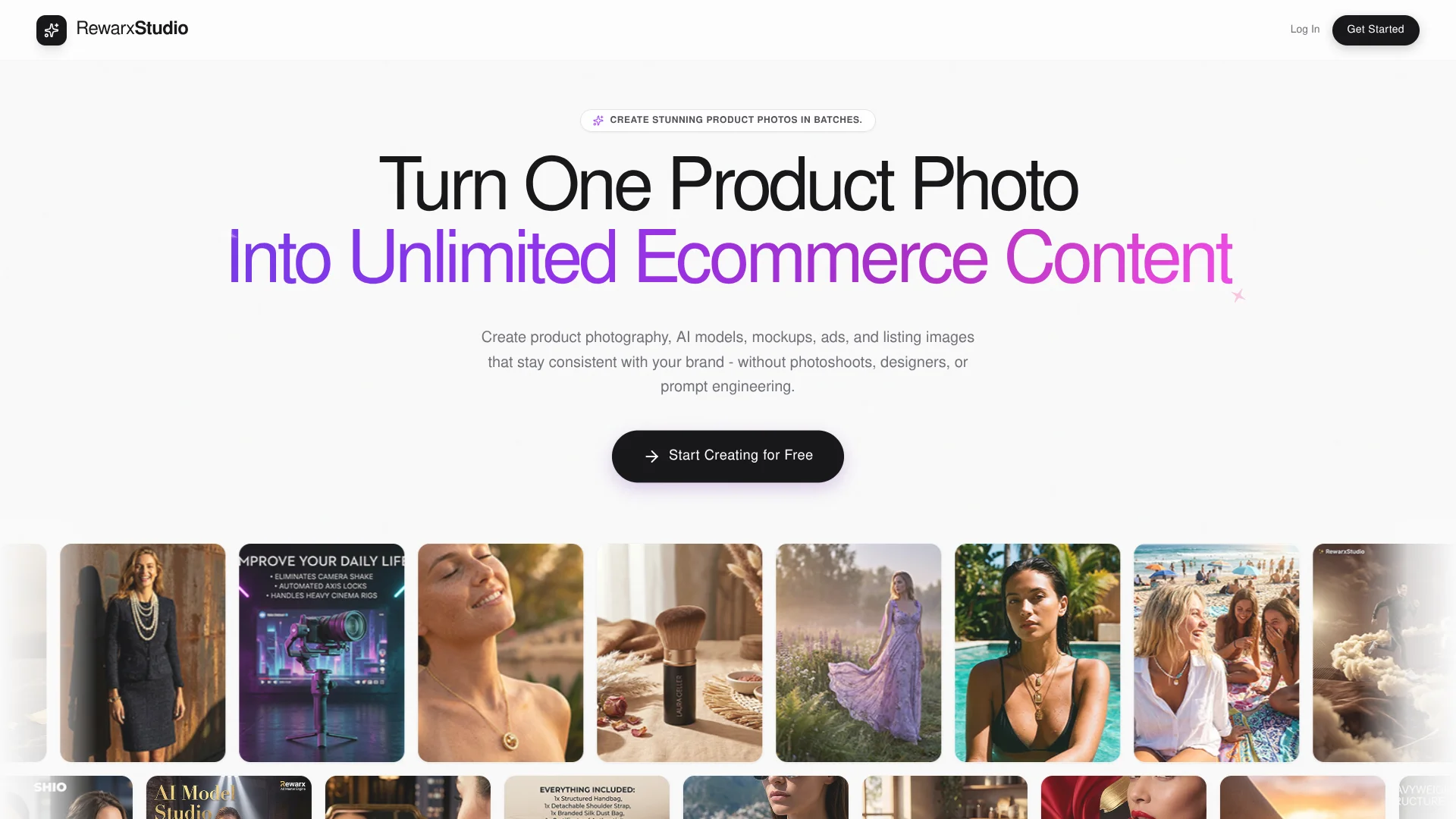
Commercial product photography for ecommerce brands, created from simple smartphone shots.
Key Takeaways
- What it is
- Commercial product photography for ecommerce brands, created from simple smartphone shots.
- Best for
- AI Photography Studio
- AI Lookalike Creator
- AI Model Studio
- Rating
- 4.2/5
What is RewarxStudio?
Rewarx Studio turns a smartphone product photo into commercial-style images with generated settings, controlled lighting, and product-focused details. Its tools are aimed at online sellers and brands that need listing photos, model images, mockups, or ad visuals without arranging a physical shoot. The goal is to make product-image production faster, especially when a catalog needs a consistent look.
The AI Photography Studio describes its lighting engine as using product geometry and material properties to shape reflections, shadows, and highlights. That matters most for items such as glass, metal, and fabric, where a background change alone can look pasted on.
Fashion and ecommerce teams are the clearest fit, with separate tools for model imagery, ghost mannequin effects, mockups, and product-page visuals. The tradeoff is its narrow focus: Rewarx Studio is built for commercial product imagery, not general-purpose writing or research.
Who is Using RewarxStudio?
Ecommerce Store Owner
A store owner can refresh listing photos and create new scenes from existing product snapshots.
Fashion Merchandiser
A merchandiser can prepare garment images with generated models or ghost mannequin presentation.
Product Photographer
A photographer can build alternate lighting and background treatments for catalog images.
Print-on-Demand Designer
A designer can show artwork on product mockups before promoting merchandise.
Uncommon Use Cases
Create a cohesive scene featuring several products with Group Shot Studio; match a reference photo’s lighting and composition for a new catalog image.
Key Features
Rating Breakdown
RewarxStudio Use Cases
Ecommerce Listing Photos
A product snapshot becomes a studio-style image for a catalog or marketplace listing.
Outcome: A high-resolution product visual ready for an online listing.
Apparel Model Images
Clothing can be presented on generated human models without arranging a model shoot.
Outcome: Model imagery featuring the product.
Ghost Mannequin Garment Photos
Garments appear shaped and dimensional without the physical mannequin showing.
Outcome: An invisible-mannequin style garment image.
Product Mockups
Artwork or patterns appear on a 3D-style product mockup for merchandise previews.
Outcome: A product mockup showing the design.
Product Advertising Visuals
The Commercial Ad Poster tool combines product imagery with typography for promotional creative.
Outcome: A product-focused ad poster.
Workflow Ideas with RewarxStudio
Refresh a Product Listing
- 1Upload a product snapshot.
- 2Choose a scene or describe a setting.
- 3Adjust the lighting and export the finished image.
Prepare Apparel Images
- 1Start with a garment photo.
- 2Choose AI Model Studio or AI Ghost Mannequin.
- 3Review the generated presentation for garment shape and details.
Create a Product Ad
- 1Prepare a product visual in the Photography Studio.
- 2Open AI Commercial Ad Poster.
- 3Combine the product focal point with promotional typography.
How RewarxStudio fits into your stack
Browser-Based Visual Production
The Rewarx Studio website is where sellers create product scenes, model images, mockups, and other commercial visuals.
Ecommerce Content
Generated images are intended for product listings and marketing materials, including visuals for Amazon, Shopify, and Etsy.
Developer API
Rewarx documents a REST API for integrating image-generation workflows with ERP, PIM, or ecommerce systems. API access is described as available to Enterprise partners.
Pros
- +Product-focused lighting: The studio adjusts reflections and shadows for different materials.
- +Useful apparel tools: Model imagery and ghost mannequin effects address common clothing-photo needs.
- +Reference styling: Lookalike Creator can carry a chosen image’s aesthetic into product visuals.
- +Batch production: The site promotes generating product photos in batches for catalog work.
Cons
- −Narrow scope: Its tools focus on ecommerce visuals rather than general AI tasks.
- −Source-photo requirement: The workflow starts with an image of the product.
- −Web-based access: No dedicated mobile app, browser extension, or desktop installer was confirmed.
Limitations & when to consider alternatives
Known limitations
- API access is enterprise-oriented. Rewarx states that API access is available to Enterprise partners and requires contacting sales for a sandbox and pricing.
- Initial inputs still require product photos. The documented workflows begin by uploading a clear or raw product image.
- Outputs require review. Rewarx's workflow guidance recommends reviewing product accuracy, fidelity, visual consistency, and channel readiness before scaling.
- Browser-dependent usage. The visual suite is documented as browser-based rather than as a native desktop or mobile application.
Look elsewhere when
- You need a native mobile app.
- You need a browser extension.
- You need code-generation features.
How to Use RewarxStudio
- 1
Start with a Product Snapshot
Choose a clear image of the item you want to feature; the studio says a smartphone photo is enough to begin.
- 2
Choose a Specialized Tool
Select the Photography Studio, Model Studio, Ghost Mannequin, Mockup Generator, or another tool based on the asset you need.
- 3
Set the Visual Direction
Pick a preset or describe a custom environment, then adjust the available lighting and scene settings.
- 4
Generate and Review
Check that the generated image presents the product clearly before using it in a listing or campaign.
- 5
Export the Image
Download the finished visual; the Photography Studio page describes exports up to 4K.
Who is RewarxStudio For?
Ecommerce Sellers
Marketplace sellers can make product and lifestyle images for listings without booking a physical shoot.
Fashion Brands
Apparel teams can produce model and ghost mannequin images for garments.
Print-on-Demand Sellers
Merchants can preview patterns and graphics on mockups of physical products.
Product Catalog Teams
Teams with many items can create batches of product visuals with a more consistent look.
Frequently Asked Questions
Can I try Rewarx Studio for free?
The Photography Studio page advertises a free trial with no credit card required. It does not confirm a permanent free plan.
Do I need professional photography equipment?
No. Rewarx says a smartphone product photo can be used as the starting image.
Can Rewarx Studio make 4K images?
The Photography Studio page says it can export images at 4K resolution, listed as 3840 × 2160 pixels.
Does Rewarx Studio have an API?
Yes. Rewarx documents a developer API for Enterprise partners, with webhook support and SDKs for Node.js, Python, and Go.
Community reviews
Be the first to share your experience.
Sign in to leave a review for RewarxStudio.
RewarxStudio Alternatives
Looking for alternatives to RewarxStudio? Here are similar tools in the same category: